How to Build a High-Performance Sports Streaming App

Summary:
This blog provides a clear overview of how to build a sports streaming app, including essential features, advanced capabilities, tech architecture, cost breakdowns, and the full development roadmap. It also covers monetization options, performance challenges, and what makes a streaming experience successful. If you’re exploring sports streaming app development, this guide helps you understand the process and what it takes to launch a smooth, user-friendly platform.


Opening Story: How Live Sports Moved From TV to Personal Screens

If you’re anything like me, you probably remember those noisy living rooms where everyone argued about who touched the TV remote first. Live matches felt like a mini festival, snacks everywhere, someone yelling at the screen, and that familiar smell of hot popcorn drifting from the kitchen.
Fast-forward to today? Most of us watch sports alone, curled up on a couch, streaming from our phones or tablets. It’s quiet, convenient, and honestly… kinda nice.

This shift didn’t happen overnight. Fans changed. Schedules changed. Even attention spans changed. And because of that, sports streaming apps from ESPN to SportSurge pretty much took over.
And here’s the twist: there’s still plenty of room for new players. If you’re thinking about creating your own sports streaming app, 2026 is actually the perfect year to jump in.

In this guide, I’ll walk you through everything you need, like features, tech stack, cost, challenges, and a roadmap that makes the whole thing feel doable instead of overwhelming. No jargon. No overhyped nonsense. Just a clear path you can follow.


The New Sports Economy: Why Streaming Apps Are Winning

Sports Streaming App

Cable TV is kinda fading. Not dead, but definitely yawning.
People don’t want to wait for matches or deal with channel packs that include 75 things they never watch. Streaming feels lighter. Cheaper. More flexible. And when it comes to sports, something people actually care about, the shift has been massive.

A few things shaping the new sports economy:

  • Fans want instant access, not a hunt for the right channel.
  • Younger viewers prefer watching highlights on the go.
  • Micro-subscriptions (you know, “Pay only for this match!”) are trending hard.
  • Sports clubs and smaller leagues finally have a chance to broadcast on their own terms.

All of this creates a huge space for dedicated sports streaming apps that offer a better experience than traditional TV or random, sketchy websites.


What Makes a Sports Streaming App Truly Successful?

Before jumping into features, let’s talk about what actually makes a sports streaming app worth using. It’s not just “lots of matches” or “fancy UI.” People want something that feels smooth, reliable, and enjoyable.
Once you nail these five core pillars, everything else becomes easier:

1. Zero-Buffering Experience

Nothing ruins a match faster than the stream freezing right when a goal is about to happen. People rage-quit apps for less.

2. Smooth UI on Low Bandwidth

Users in remote or slow-network areas still expect an app that works without stuttering.

3. Reliable Streaming Infrastructure

At peak times, such as finals and playoffs, view counts spike significantly. The system should not fall apart.

4. Fan Engagement Tools

Live chat, reactions, and fun elements keep users glued to the screen. It makes the experience feel alive.

5. Smart Monetization Strategy

Apps survive on revenue. Subscriptions. Ads. Merch. Whatever works best for your audience.


Essential Features Users Expect from a Sports Streaming App

Premium Features of Sport Streaming App

These aren’t fancy add-ons. They’re basically the “bare minimum” people look for when they download a streaming app.

A. Experience Features

  • Instant start, no 10-second spinning loaders
  • HD and 4K streaming
  • Adaptive bitrate for unstable connections
  • Dark mode
  • Swipe gestures for fast navigation

B. Match Discovery Features

  • Personalized feed
  • Trending moments
  • Smart search (teams, players, leagues)
  • Reminders for matches and tournaments

C. Fan Interaction Features

  • Live chat room
  • Reactions, emojis
  • Polls and predictions
  • Community watch parties

D. Control & Convenience

  • Offline downloads
  • Multi-device login
  • Continue watching
  • Chromecast or Smart TV support

They sound simple, but these are the features that keep users coming back.


Premium & Differentiator Features (For Competitive Advantage)

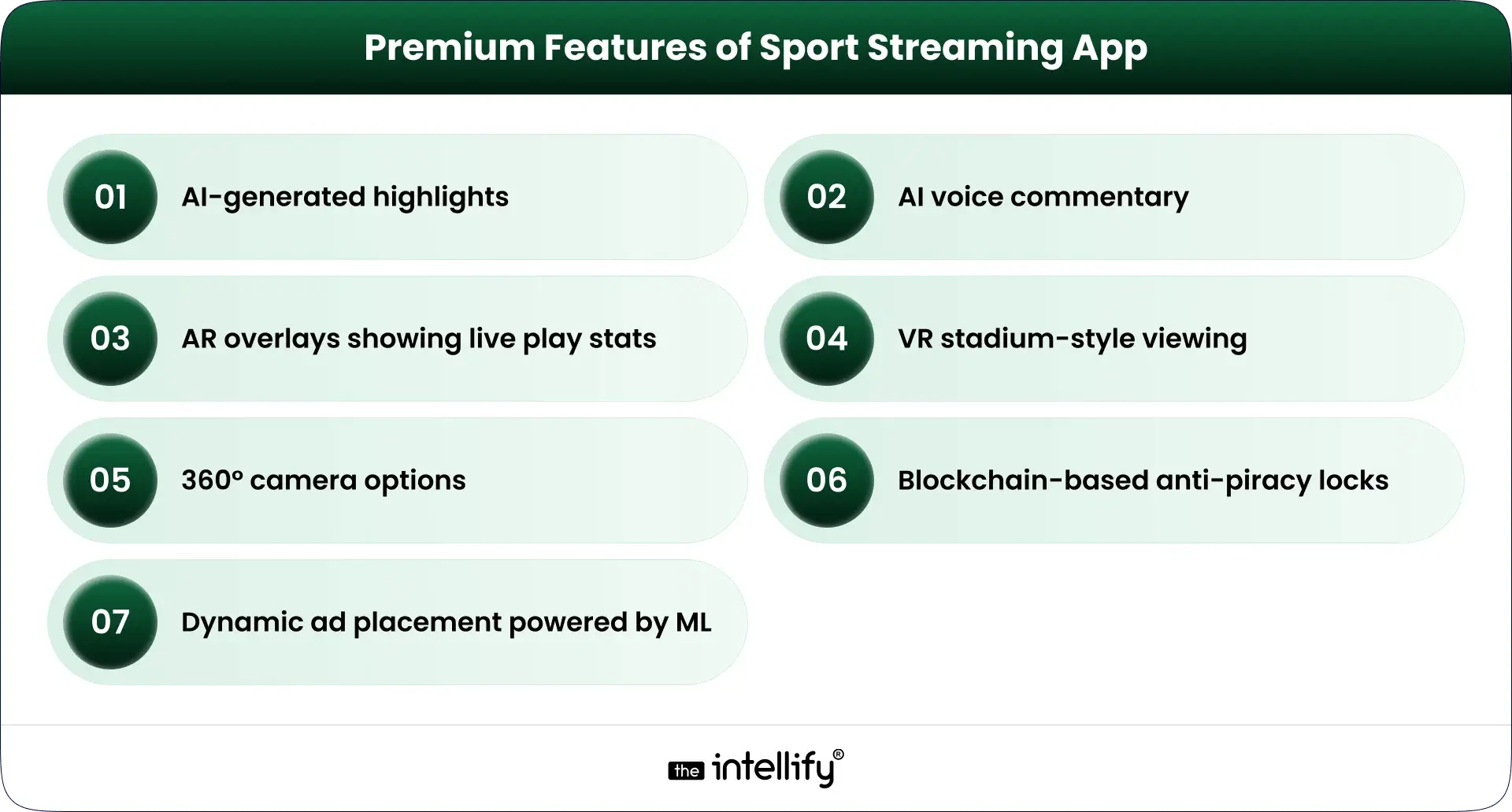
If you really want your app to stand out, here’s where the “wow” factor comes in. These aren’t mandatory, but they are very helpful.

  • AI-generated highlights (automatic clip creation)
  • AI voice commentary (yep, it’s a thing now)
  • AR overlays showing stats during live play
  • VR stadium-style viewing
  • 360° camera options
  • Blockchain-based anti-piracy locks
  • Dynamic ad placement powered by machine learning

Apps like ESPN, DAZN, and Hotstar are already flirting with some of these. In the future, users expect innovation not just streaming.


The Technology Blueprint Behind a World-Class Streaming App

A. Stream Delivery Architecture

This is basically the “highway” your video travels on.
It includes:

  • Video encoding
  • Transcoding
  • Packaging formats (like HLS, DASH)
  • CDN (Content Delivery Network)
  • Latency controls

A good CDN is the reason your stream loads instantly instead of buffering like an old YouTube video from 2010.

B. Frontend & Backend Tech Stack

  • Frontend = what users see
  • Backend = what runs behind the scenes
  • Technologies vary, but usually include:
  • React Native / Flutter for mobile
  • Node.js / Python for backend
  • WebRTC or HLS for streaming

Nothing fancy, just stable and scalable choices.

C. Infrastructure

You’ll need:

  • Cloud hosting
  • Load balancers
  • Database
  • Payment systems
  • Security layers

Think of it like building a stadium. Fans only see the field, but a LOT happens underground.


Step-by-Step Roadmap to Build a Sports Streaming App (From Idea to Launch)

Sports Streaming App Development Process

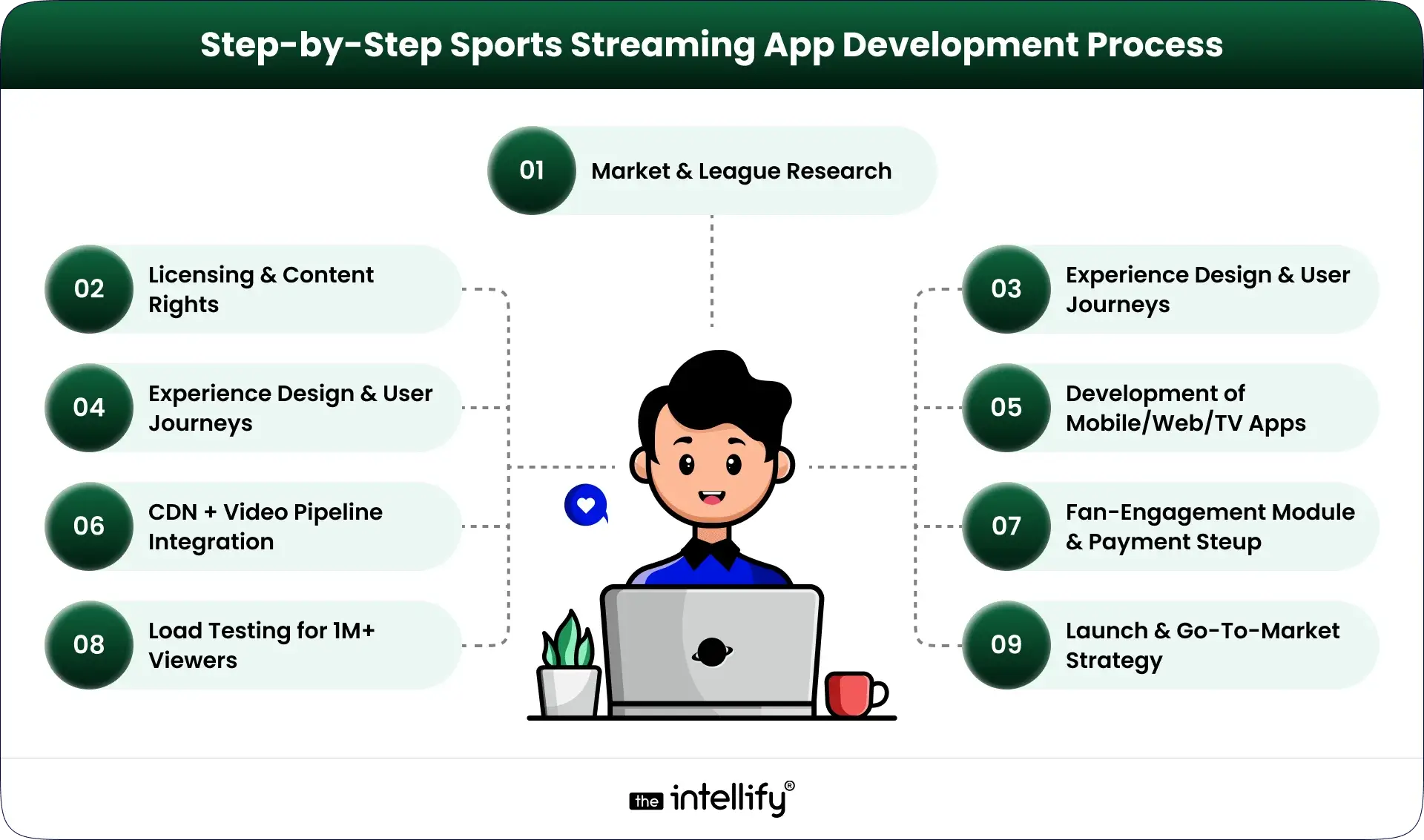
Here’s a roadmap that works for startups, broadcasters, sports clubs, and pretty much anyone.

1. Market & League Research

Understand what fans want. Is it cricket? Soccer? Niche sports?

2. Licensing & Content Rights

Skipping this step? That’s a disaster waiting to happen.

3. Experience Design & User Journeys

Plan how users move through the app. Keep it simple, clean, and friendly.

4. Streaming Architecture Setup

CDN, latency settings, multi-bitrate streaming, all the tough backend stuff.

5. Development of Mobile/Web/TV Apps

Frontend teams and backend teams work together here.

6. CDN + Video Pipeline Integration

This is where the actual “streaming” becomes real.

7. Fan-Engagement Module Development

Chats, polls, reactions, all tiny things that make the app fun.

8. Payment & Subscription Setup

Stripe, Razorpay, PayPal whatever fits.

9. Load Testing for 1M+ Viewers

Because a match final will test your app.

10. Launch & Go-To-Market Strategy

Soft launch → feedback → final release.

Done right, this process sets the foundation for a stable, enjoyable sports app.


Sports streaming app development company


Monetization Strategies That Actually Work for Sports Streaming

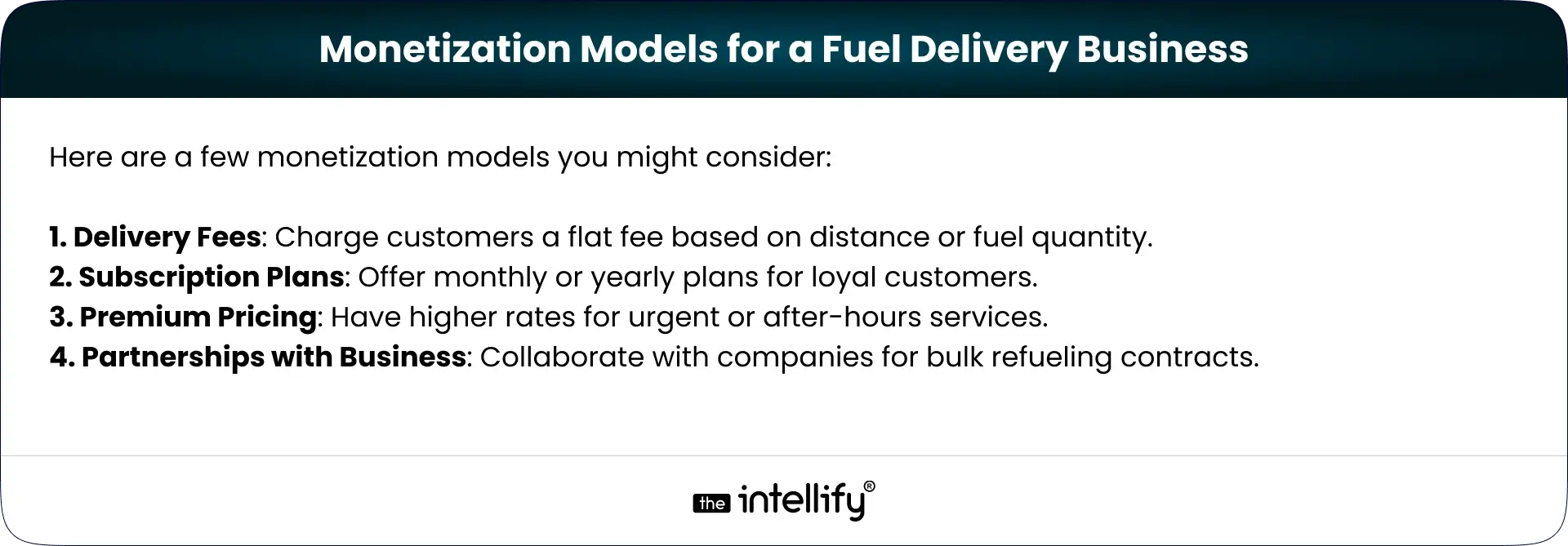
Here’s where the money comes in (quietly, not with a loud marketing pitch).

  • Subscription bundles: monthly, annual, or per sport
  • Match-based PPV: users pay only for specific games
  • Freemium model: free basic content, paid premium matches
  • In-stream ads: subtle, non-intrusive ads
  • Sponsored highlights: brands love these
  • Merch store integration: jerseys, team gear
  • Exclusive behind-the-scenes content: interviews, locker room clips

Pick what fits your audience’s habits, not just what seems profitable.


Cost Breakdown: How Much Does It Really Cost to Build a Sports Streaming App?

What influences the cost?

  • Number of features
  • Complexity of streaming
  • Video quality
  • Platforms (iOS, Android, Web, Smart TV)
  • Backend architecture
  • Security requirements
  • Design complexity
  • Size of the development team

Estimated ranges:

  • Basic MVP:
    ₹18-30 lakh ($25,000-$40,000)
  • Mid-Level App:
    ₹45-85 lakh ($55,000-$100,000)
  • High-End Enterprise App (like ESPN-level):
    ₹1.2-3 crore ($150,000-$350,000+)

Costs shift depending on choices, but these ranges give you a solid starting point.


Challenges in sports streaming app


Why a Professional Development Partner Matters

Could you build this with a small freelance team? Maybe.
But should you?
Sports streaming apps require:

  • Scalable architecture
  • Real-time performance
  • Security expertise
  • Testing for extreme loads
  • UI/UX that doesn’t confuse people

Experienced Sports app/software development partners help you avoid costly mistakes and reduce development time. It’s not hype, it’s just how complex systems work.


Why Choose The Intellify for Sports Streaming App Development?

If you’d prefer a team that’s already built video-heavy apps, understands real-time streaming pain points, and knows how to scale systems without blowing budgets, The Intellify might be a good fit.
We’ve worked on mobile apps, real-time platforms, user-friendly dashboards, and streaming systems that don’t crash during peak moments. We also stay involved post-launch because, honestly, the real work begins after users show up.
If you ever want to chat or explore ideas, we’re around.


Build your sports streaming app


Final Thought

Sports streaming isn’t slowing down. Fans want more control, better access, and flexible ways to watch the games they love, whether it’s a major league final or a small local tournament.
The coming years are shaping up to be a big year for digital sports experiences. And if you’re planning to build a sports streaming app, now’s the moment to step in before the space gets too crowded.
Start with the basics. Keep the experience smooth. Focus on fans. Everything else falls into place.


Frequently Asked Questions (FAQs)

1. What exactly is a sports streaming app & how is it different from a regular video app?

A sports streaming app is built for live matches, fast updates, and low-delay video. Regular video apps don’t handle real-time events or high traffic spikes well. The Intellify helps set up the backend so the stream stays smooth during peak moments.

2. What core features should my sports streaming app always have?

You’ll need stable live streaming, HD quality, match schedules, reminders, login, and multi-device support. These basics help users find and watch games easily. The Intellify usually helps teams pick features that fit their goals and budget.

3. If I want advanced features (to stand out), which ones add real value?

AI highlights, multi-angle views, live stats, and fan chat rooms boost engagement. These features make the app feel more “alive.” The Intellify guides clients on what’s practical to add first.

4. How much does it cost to build a sports streaming app?

Costs depend on features and streaming quality. MVP apps cost less; full platforms with advanced streaming cost more. The Intellify breaks costs down clearly so teams know where their budget goes.

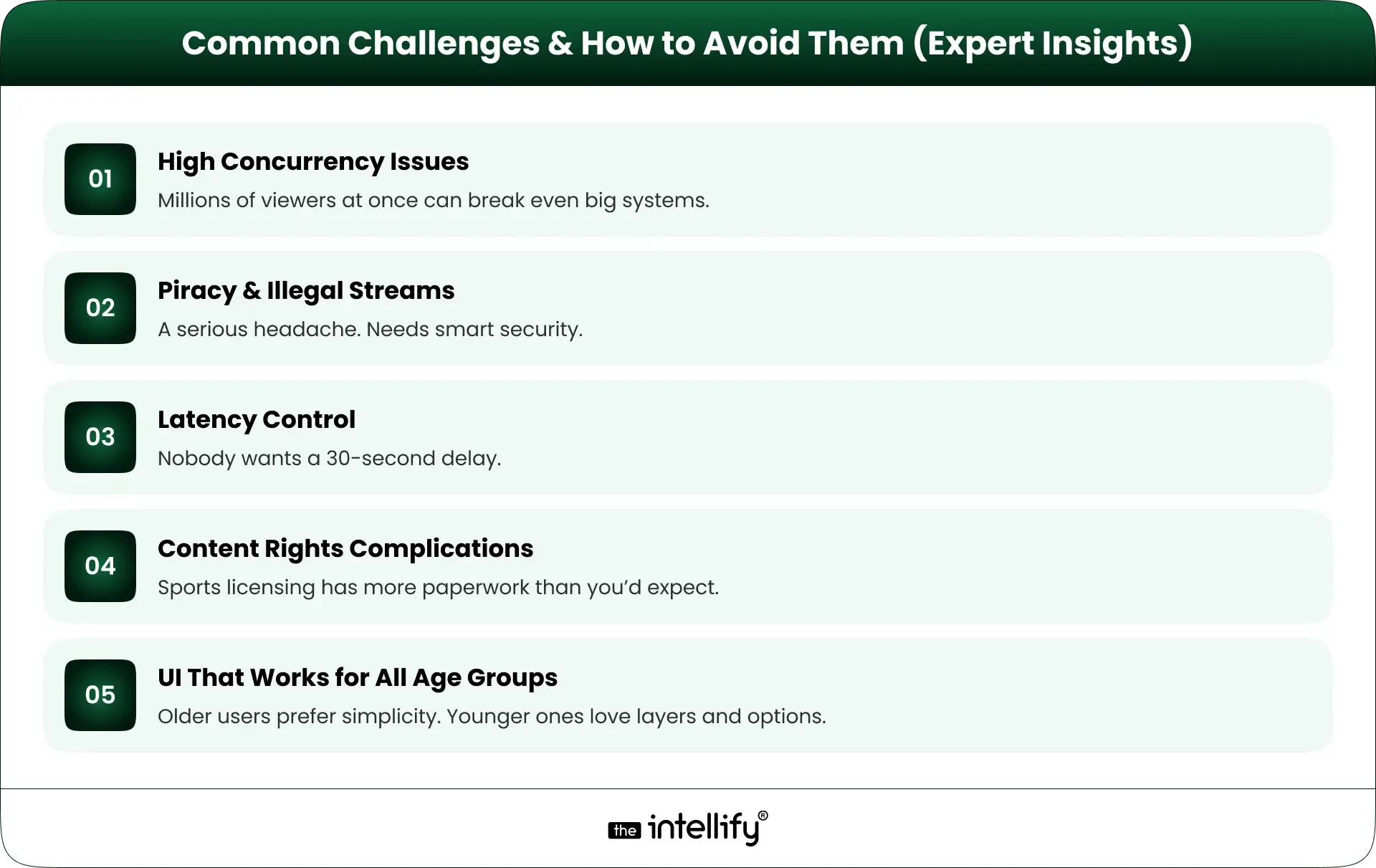
5. What are common challenges when building a live sports streaming app?

Handling huge traffic, reducing delay, and preventing piracy are the usual hurdles. Licensing can be tricky too. The Intellify helps plan for these early so the launch goes smoothly.

6. Should I start with a minimal app (MVP) or go for a full-featured version?

Starting with an MVP is safer. You test the idea, learn what users like, then scale. The Intellify often suggests this path for faster validation.

7. Can The Intellify help build my sports streaming app, even if I’m a small startup or content owner?

Yes. The Intellify builds streaming apps for startups and growing teams, focusing on smooth video, stable performance, and clean UX. You can share your idea, and we’ll help shape it into a workable plan.

How to Build a Quick Commerce App? Benefits, Process & Cost Guide

Summary:
This blog explains how quick commerce works and why it’s becoming the preferred way to deliver essentials within minutes. It covers dark stores, business models, benefits, AI’s role, and a complete step-by-step guide to building a Q-commerce app. You’ll also find cost insights, key challenges, and future trends to help you plan, launch, or scale a quick commerce business in 2026 and beyond.


Quick commerce has shifted from a “nice-to-have” option to something people now expect. The promise is simple: groceries, essentials, and small daily items delivered to your doorstep in minutes. And surprisingly, people have gotten used to it almost like they got used to online payments or same-day delivery a few years ago.
If you’re planning to enter this space or upgrade your existing delivery business, building a well-designed quick commerce (Q-commerce) app is one of the smartest moves in 2026. Below is a detailed guide that explains the industry, benefits, business models, process, and complete development cost.


The Rise of Quick Commerce: Market Overview

Quick commerce exploded mainly because people want convenience without waiting. The rise of remote work, urban living, and busy schedules changed shopping habits. Customers now prefer ordering a few items instantly instead of doing one big weekly shopping run.
A few major reasons why the market is booming:

  • Smaller delivery radius (often 1-3 km)
  • More Dark stores made fulfillment faster
  • Partnerships between retailers and tech startups
  • Competition lowered delivery costs
  • The use of AI for routing, demand forecasting, and customer behavior analysis

Major brands like Blinkit, Getir, GoPuff, and DoorDash Express have shown that the model works when operations are tight and speed is consistent. The market is expected to keep growing because users want convenience, and businesses want more recurring orders instead of occasional ones.


What Is Quick Commerce?

What Is Quick Commerce

Quick commerce or Q-commerce is a system where customers order essential items and receive them within a short window, usually 10-30 minutes. These items are usually essentials: groceries, snacks, personal care, medicines, pet supplies, and more. The goal is to fulfill last-minute or immediate needs.
It relies on:

  • High-density micro-fulfillment centers
  • Fast vehicles (bikes, scooters, bicycles)
  • Smart routing technology
  • Real-time inventory
  • A well-designed mobile app

Unlike regular e-commerce, which might take a day or two, Q-commerce focuses only on urgent or frequent purchases like snacks, vegetables, medicines, baby items, cleaning supplies, or anything you might run out of at the wrong time.


What Are Dark Stores?

Dark stores are mini warehouses placed inside busy neighborhoods. They look nothing like retail stores, no walking lanes, no customers, no fancy signboards. They simply act as fast fulfillment hubs.
Dark stores help:

  • Keep inventory close to delivery zones
  • Reduce delivery time
  • Improve order accuracy
  • Increase the number of deliveries per hour

Most quick commerce companies operate multiple dark stores to cover different clusters inside a city.


How To Start A Quick Commerce Business?

If you’re thinking about building a Q-commerce venture, here’s the basic flow:

  1. Pick your business model – inventory-led, aggregator, niche, etc.
  2. Choose your service zones – define clusters or neighborhoods.
  3. Set up dark stores or supplier partnerships.
  4. Build your Q-commerce mobile app – for users, delivery partners, and admins.
  5. Integrate AI-powered tools – routing, recommendations, and demand predictions.
  6. Onboard suppliers and delivery fleets.
  7. Plan marketing and promotions for the first 60 days.
  8. Start with a small area and scale gradually.

This blueprint helps control costs while making operations smoother.


Benefits of Quick Commerce for Businesses

Benefits of Quick Commerce for Businesses

Quick commerce gives companies the chance to offer faster delivery and increase customer loyalty. Some practical advantages include:

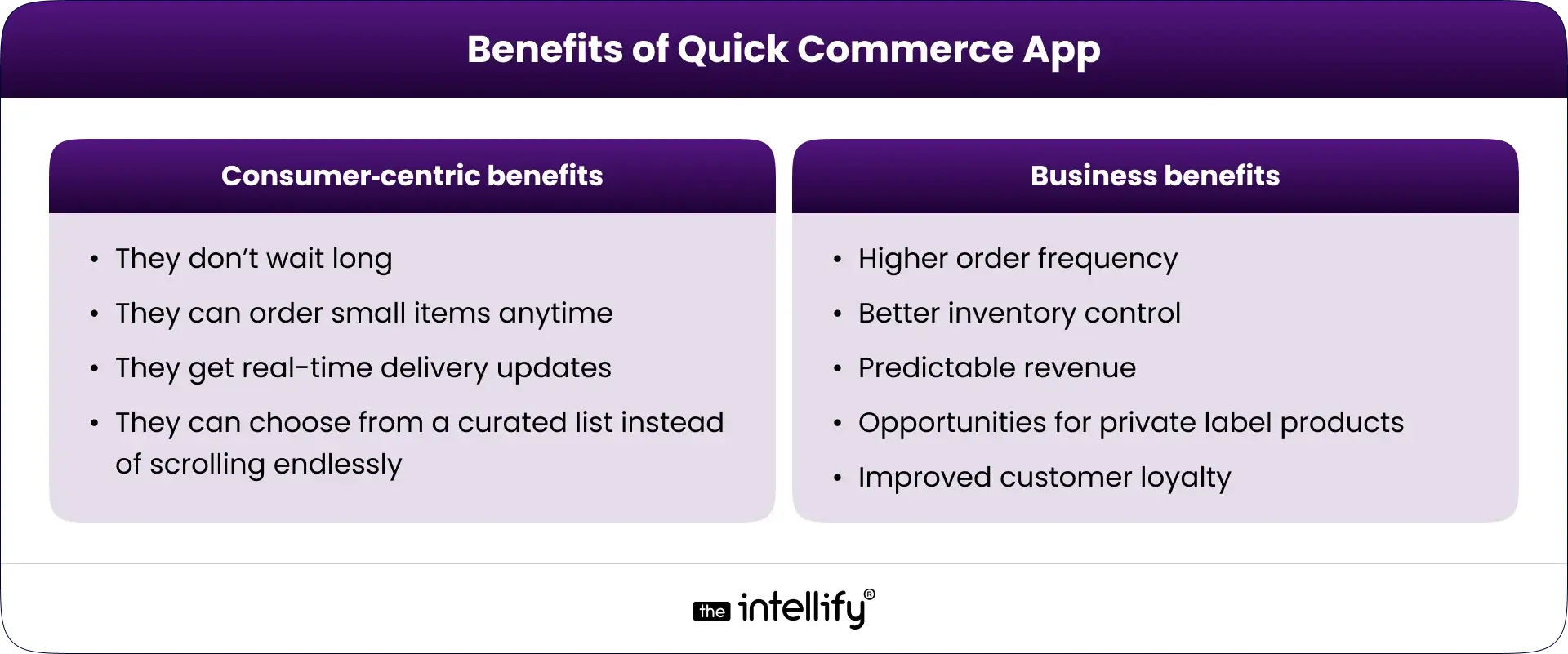
  • Higher order frequency: Customers order multiple times per week
  • Better inventory control: Dark stores reduce stock mismatches
  • Predictable revenue: Steady flow of orders due to essential items.
  • Opportunities for private label products: You can introduce your own brands.
  • Improved customer loyalty: Speed creates trust and repeat usage

Benefits of Quick Commerce for Startups

Startups get some extra advantages:

  • They can start small with one cluster
  • Easy to scale city-by-city
  • Faster customer adoption
  • Clear data insights for product decisions

Benefits of Quick Commerce for Users

People love Q-commerce because:

  • They don’t wait long
  • They can order small items anytime
  • They get real-time delivery updates
  • They can choose from a curated list instead of scrolling endlessly

In short, it makes life easier for busy individuals and families.


Key Difference Between E-Commerce & Quick Commerce

Here’s the simplest way to understand it:

Feature E-Commerce Quick Commerce
Delivery Time Hours to days Minutes
Inventory Large warehouses Small, local dark stores
Order Size Big baskets Smaller, urgent items
Speed Priority Medium Very high
Technology Use Standard High automation + AI
Customer Expectation Flexible Instant

Quick commerce is all about speed and convenience. Traditional eCommerce focuses on availability and variety.


Impact of AI in Quick Commerce Development

AI now sits at the center of every fast delivery system. It helps companies decide what products to stock, how many employees they need, and which route a rider should take.
Here are some ways AI shapes Q-commerce today:

  • Demand forecasting: Predicts what products users will need based on trends, seasons, and order patterns.
  • Route optimization: Suggests the fastest delivery routes to minimize time and fuel costs.
  • Inventory suggestions: Recommends stock levels and reduces wastage.
  • Real-time pricing: Helps adjust delivery fees or promotions based on demand or traffic.
  • Personalized recommendations: Shows users products they often buy or may need soon.
  • Warehouse Automation: Speeds up picking, packing, and stocking.

AI reduces manual work and helps lower the cost per delivery, which is important for profitability.


What Are Some Top Q-Commerce Business Models?

Q-Commerce Business Models

Different companies use different models depending on their budget, scale, and product type.

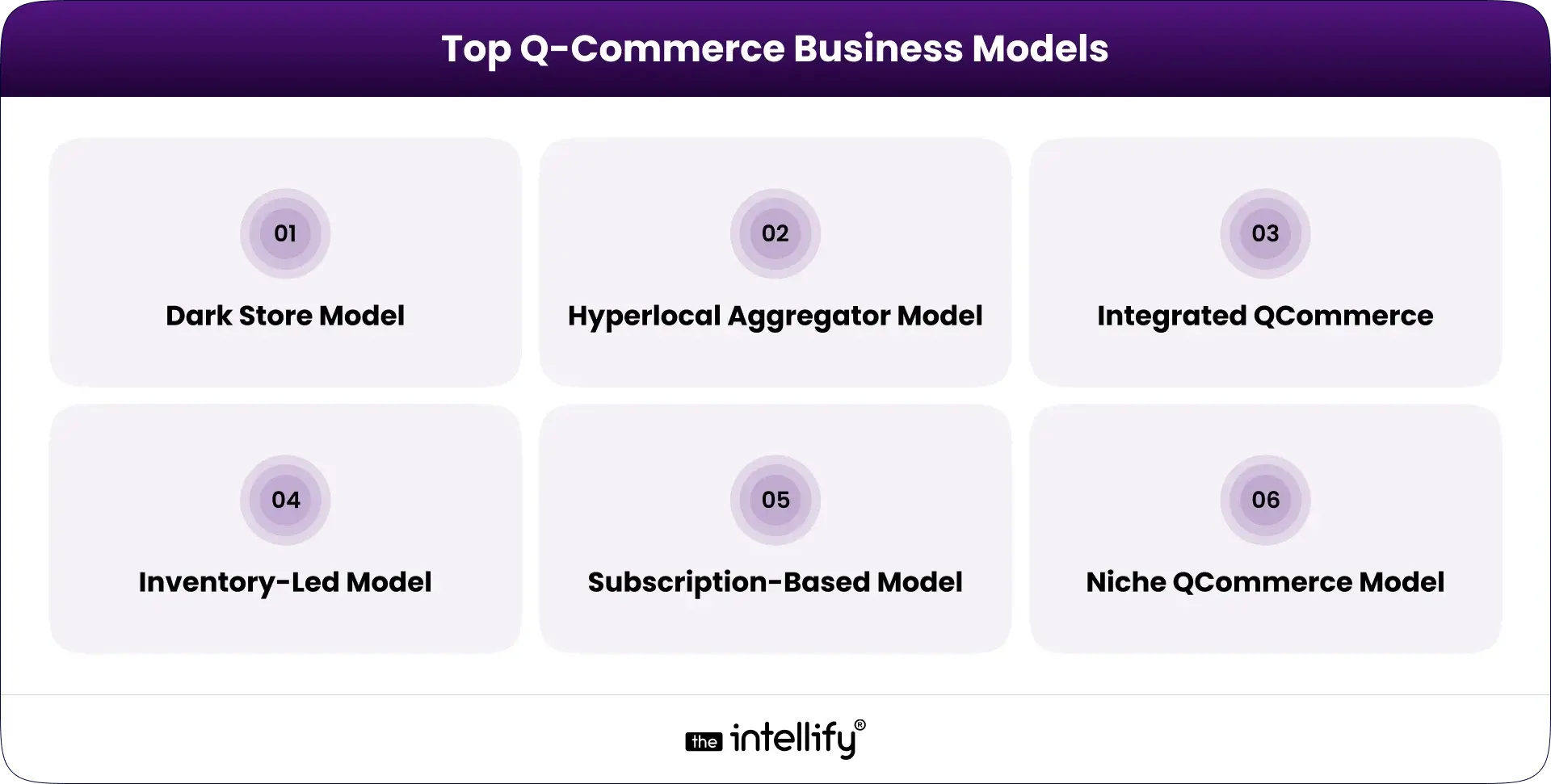
Dark Store Model

You run your own dark stores with your inventory. This gives the highest control and the fastest service.

Hyperlocal Aggregator Model

You partner with nearby stores and list their inventory inside your app. You don’t hold stock.

Integrated QCommerce

You manage both inventory and delivery, but collaborate with local suppliers.

Inventory-Led Model

You completely own the stock and handle everything from procurement to delivery.

Subscription-Based Model

Users pay monthly and receive recurring deliveries (e.g., milk, fruits, snacks).

Niche QCommerce Model

You focus on one category only, such as organic produce, pet supplies, beauty items, etc.


Step-by-Step Process to Build a Quick Commerce App

Here’s a clean breakdown of the development process:

  1. Market research and requirement analysis: Understand features, delivery radius, product categories, and operational workflow.
  2. Business Model and Delivery Radius Finalization: Choose your model and store setup approach.
  3. User Flow and Architecture Planning: Create wireframes, app navigation, and backend structure
  4. UI/UX Design: Focusing on speed, easy navigation, and clean visuals.
  5. Develop app panels: user app, delivery app, store/warehouse app, admin web dashboard
  6. Core Feature Integration, like order tracking, payments, routing, inventory, and notifications
  7. AI Integration: Add demand forecasting, routing, and recommendations
  8. Testing: Check performance, load, bugs, and speed
  9. Deployment: Launch on the Play Store and App Store.
  10. Operational Testing: Ensure packing times, fleet readiness, and routing are stable.
  11. Scaling: Expand to more localities and optimize dark stores.

The goal is to build an app that loads fast, works smoothly under high traffic, and handles real-time operations.


Build quick commerce app


How to Choose Partner for Quick Commerce App Development?

When choosing a development partner, focus on:

  • Experience in building on-demand delivery, logistics, or marketplace apps
  • Strong backend and database capabilities
  • Expertise in real-time tracking, mapping, routing, and inventory systems
  • Knowledge of AI integrations
  • Ability to customize the app, not provide a generic template
  • Clear communication and long-term support
  • Strong testing practices

Pick a team that understands operations, not just app design because the backend is what makes Q-commerce work.


How Much Does a Quick Commerce App Development Cost in 2026?

Costs vary depending on the app’s scale, features, and complexity. But here’s a realistic breakdown:

App Type Estimated Cost (2026)
MVP for one city $45,000 – $65,000
Full quick commerce app $80,000 – $150,000
Enterprise-level, multi-city system $150,000 – $300,000+


The biggest cost factors include:

  • Real-time tracking
  • Inventory integration
  • Smart routing
  • AI-based modules
  • Backend infrastructure
  • Multi-app setup (User + Partner + Admin)

A basic version costs less, but the more automated your system, the better your long-term profitability.


Key Challenges in Developing Quick Commerce

Even though the model is attractive, it comes with some practical challenges.

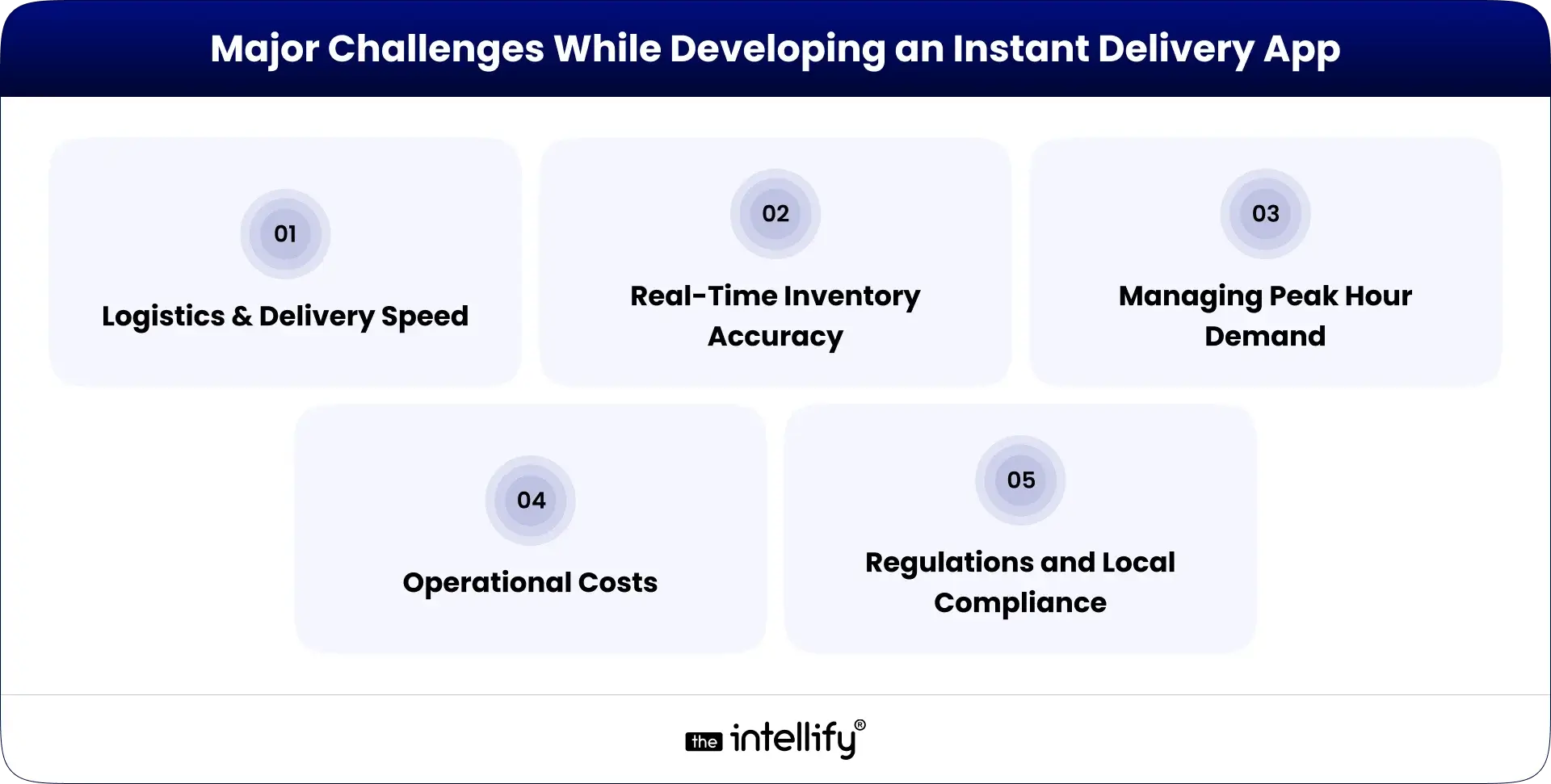
  • Inventory Management: Keeping stock accurate is critical. Even a small mismatch can cause order cancellations.
  • Quality Control: Fresh produce and perishable goods demand careful handling and fast movement.
  • Financial Challenges: Margins in Q-commerce are thin. Efficient cost control is necessary.
  • Technology Challenges: Real-time sync, fast mapping, and stable servers are necessary to avoid delays.
  • Data Security & Privacy Challenges: Since customers share location and payment details, your app must follow strong security measures.


Future Trends in Quick Commerce Apps Beyond 2026

As the market grows, several new trends are emerging:

  • More AI-driven personalization
  • Drone-based micro-deliveries in selected cities
  • Automated dark stores with robots
  • Voice-based ordering within Q-commerce apps
  • Expansion into semi-urban areas
  • More partnerships with retail chains
  • Sustainable packaging and electric delivery fleets

The future of Q-commerce will be shaped by automation and user convenience.


Quick Commerce App Development


Conclusion

Quick commerce is one of those rare business models that reshaped customer behavior in a short period. People now expect everyday items to be delivered fast, and this trend is going nowhere. If you’re planning to enter the market, building a strong Q-commerce app with real-time features, smooth UX, and AI-driven automation should be your priority.
Whether you’re launching a startup or upgrading an existing retail operation, focus on:

  • Fast app performance
  • Reliable inventory
  • Low operational errors
  • Smart AI tools
  • Strong backend systems

Start small, pick the right mobile app development partners, and scale step by step. The faster your delivery system works, the more trust and long-term customers you gain.


Frequently Asked Questions (FAQs)

1. What is a quick commerce app, and how does it actually work?

A quick commerce app delivers essentials within minutes using dark stores, real-time inventory, and fast routing. Everything runs through a tight backend that syncs orders, stock, and delivery partners instantly. The Intellify builds these systems end-to-end if you need a reliable setup.

2. How do I start a quick commerce business from scratch?

You choose your model, define service zones, set up dark stores or partners, and build the app that connects it all. The Intellify helps founders with planning, app development, and the tech needed to run operations smoothly from day one.

3. What features should a good quick commerce app have?

Essential features include fast search, simple checkout, real-time tracking, delivery assignment, and accurate inventory. Stability and speed matter most. The Intellify helps businesses choose the right features based on budget and scale.

4. How much does it cost to build a quick commerce app?

Most quick commerce apps cost $45,000 – $150,000+, depending on features, cities, and real-time capabilities. The Intellify provides clear cost estimates based on your requirements.

5. How do dark stores help in quick commerce?

Dark stores cut delivery time by keeping high-demand items close to users. They support quick picking, reduce travel distance, and improve order accuracy. The Intellify assists in setting up the tech workflow for dark store operations.

6. What’s the difference between e-commerce and quick commerce?

eCommerce delivers in hours or days; quick commerce delivers in minutes. Q-commerce relies on dark stores, fast dispatching, and real-time systems. The Intellify builds these fast-moving technology layers for businesses entering this space.

7. How can AI improve a Q-commerce business?

AI predicts demand, optimizes routes, speeds up fulfillment, and reduces stock errors. It helps keep operations efficient and costs low. The Intellify integrates AI tools into Q-commerce apps for smarter decision-making.

How AI Inventory Management Software Transforms Business Operations

Summary:
AI inventory management software is reshaping how businesses handle stock, forecasting, and daily operations. Instead of relying on guesswork or outdated spreadsheets, AI helps companies track inventory in real time, spot trends early, and prevent stockouts or excess stock. This blog explains how AI improves accuracy, lowers costs, and boosts overall efficiency across retail, e-commerce, manufacturing, logistics, and more while helping teams work smarter and make better decisions every day.


Why Inventory Management Still Feels Complicated

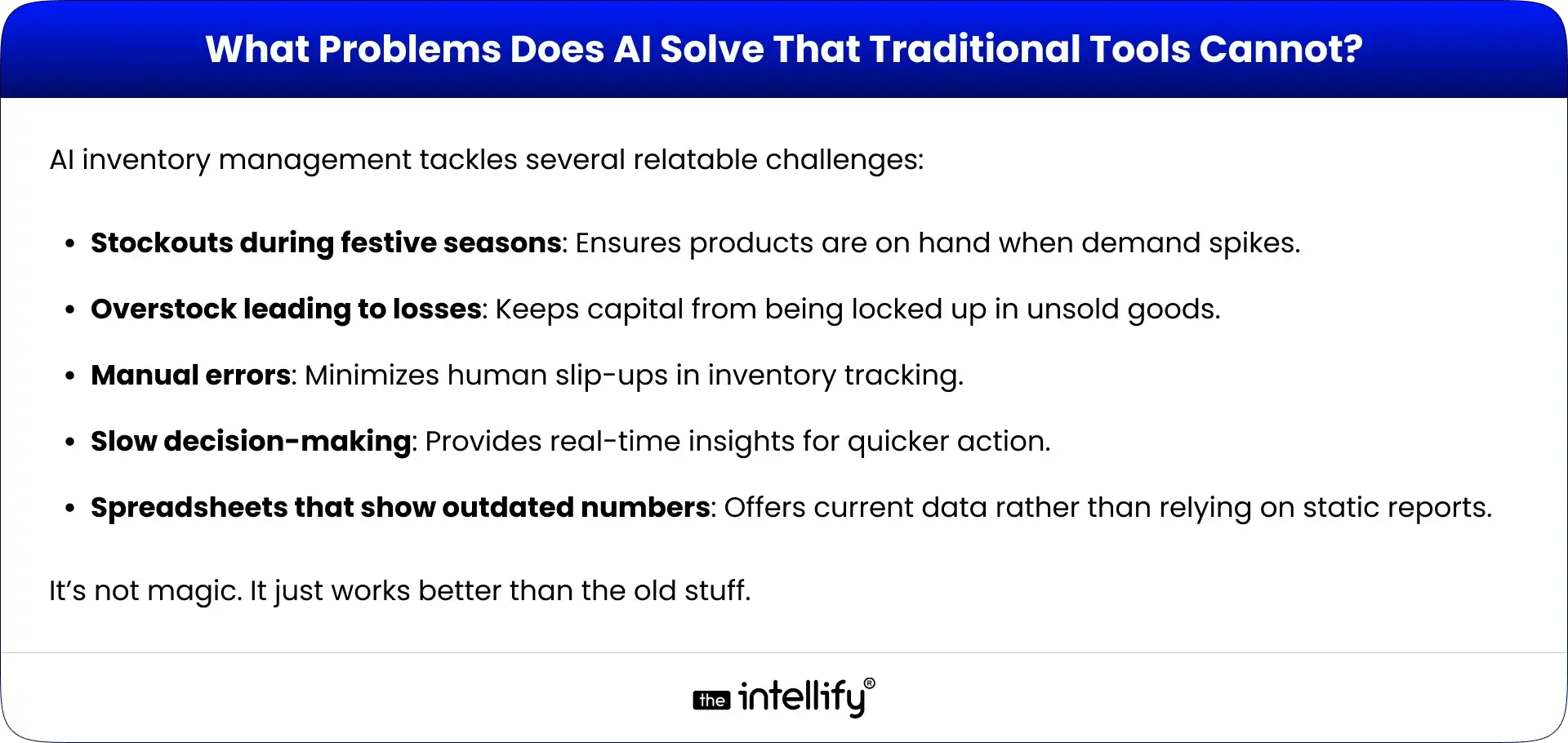
Let’s be honest, managing inventory today can feel like walking into a storeroom where someone turned off the lights and moved everything around. Even with all the so-called “modern tools,” businesses still deal with the same old headaches: stockouts at the worst possible time, piles of unwanted stock gathering dust, and those tiny manual errors that somehow snowball into big problems. Add unpredictable demand on top of that (think festival rushes or random social media trends), and the whole thing becomes exhausting.
That’s where AI inventory management software steps in, not as another shiny tech toy, but as something that genuinely helps untangle the mess. Think of it as that calm friend who walks in, switches on the lights, and says, “Alright, let’s figure this out.”
In this blog, we’ll walk through how AI inventory management can simplify everyday operations, improve decision-making, and yes, give your business a better shot at healthier profits.


What Is AI Inventory Management Software?

What Is AI Inventory Software

AI inventory management software basically works like a super observant assistant, the kind who notices everything you miss. Instead of juggling spreadsheets, sticky notes, and gut feelings, AI looks through heaps of data, catches patterns you didn’t know existed, and quietly automates a lot of repetitive tasks.
Most traditional systems are reactive. They wait for something to go wrong before telling you. AI, on the other hand, uses real-time information from sales, suppliers, and market shifts to stay one step ahead. You get fewer mistakes, faster insights, and a much clearer picture of what’s happening across your business.


How AI Inventory Management Works Behind the Scenes

It might sound complicated, but the behind-the-scenes process is actually pretty logical:

  • Data Collection: AI pulls info from everywhere: sales numbers, supplier updates, market changes. Kinda like someone reading all the notes you left scattered around the office.
  • Pattern Recognition: It checks for patterns and weird bumps in the data. (Think of that moment when you sense something’s off but can’t quite explain it AI can explain it.)
  • Demand Forecasting: Based on history and trends, AI guesses what you’ll need next. And it’s usually right… eerily right sometimes.
  • Real-Time Stock Analysis: Your inventory gets monitored like a live dashboard, not a once-a-week task.
  • Automated Decisions & Alerts: If something’s running low, AI pings you. If something’s piling up, it pings you again. It’s a bit like having a persistent but helpful assistant.
  • Integration: It syncs smoothly with ERP, WMS, POS, eCommerce tools, basically everything that keeps your business running.


Key Features of AI Inventory Management Software

When you’re looking for a solid AI inventory management software, here’s what actually matters:

  • Smart demand forecasting: Adjusts inventory levels based on real patterns.
  • Automated purchase ordering: Takes repetitive reordering off your plate.
  • Multi-location visibility: Lets you see what’s happening across all your sites at once.
  • Stockout & overstock prevention: Sends alerts before issues become expensive.
  • Real-time dashboards: Give you a snapshot of what’s happening right now.
  • Supplier performance insights: Shows who’s reliable and who’s… not.
  • Workflow automation: Cuts down manual tasks so your team can breathe.
  • Expiry/seasonal trend alerts: Helpful when managing perishable or seasonal items.
  • AI-driven SKU-level insights: Breaks things down to the tiniest level so nothing gets overlooked.


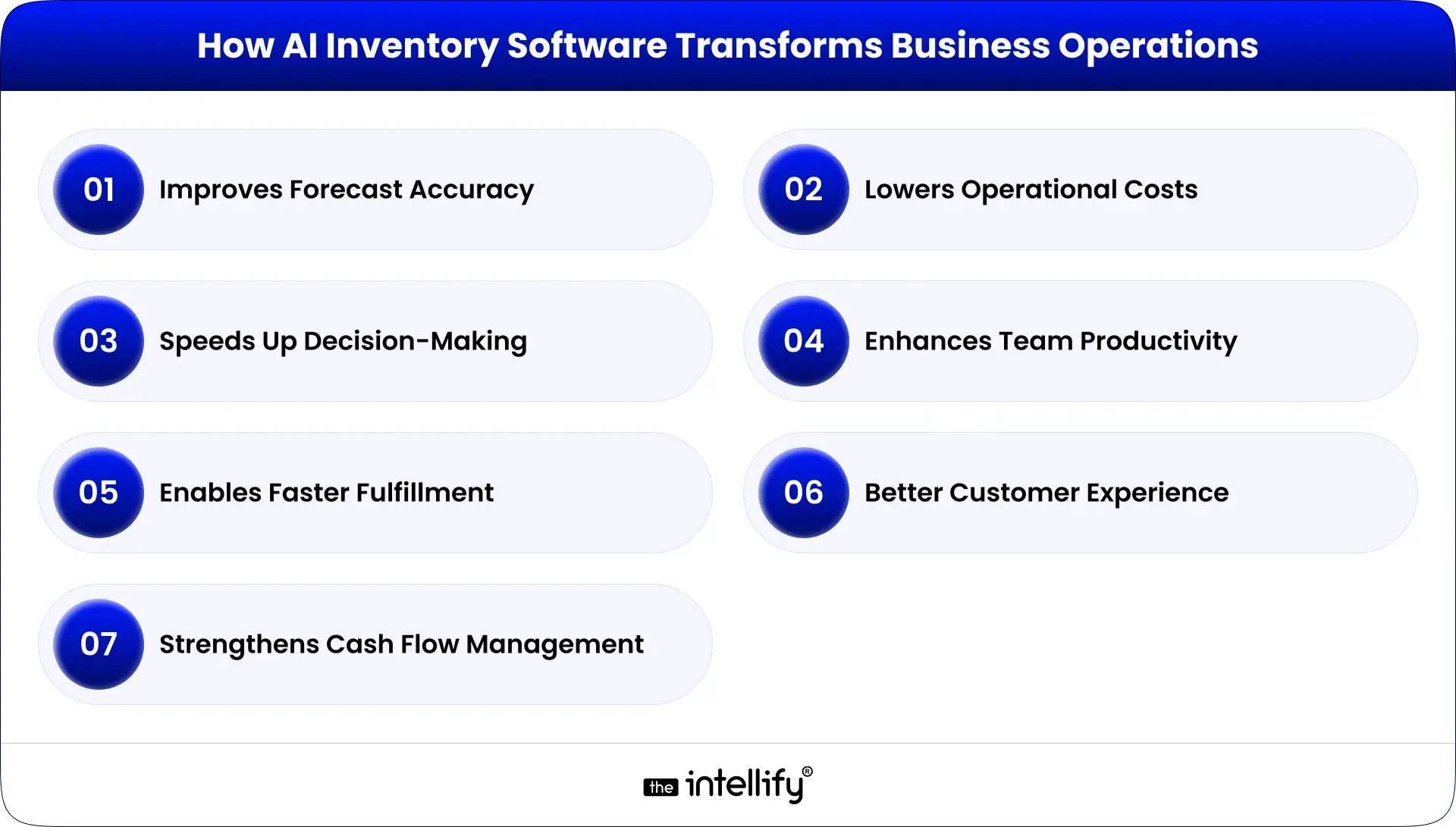
How AI Inventory Software Transforms Business Operations

How AI Inventory Software Transforms Business Operations

Improves Forecast Accuracy

With AI, you’re not guessing. You’re working with clear patterns and data that actually makes sense. No more “I think we might need this?” moments.

Lowers Operational Costs

From smarter reordering to better storage planning, costs naturally shrink because you’re no longer buying too much or too little.

Speeds Up Decision-Making

No more waiting around for someone to update a spreadsheet. AI gives insights right when you need them.

Enhances Team Productivity

AI handles repetitive tasks. Teams get to focus on actual strategy instead of counting boxes or fixing typos.

Enables Faster Fulfillment & Better Customer Experience

Real-time sync means orders move faster, customers get updates sooner, and things just… run smoother.

Strengthens Cash Flow Management

By buying only what you really need, you avoid freezing money in unnecessary stock.


AI Inventory Management vs Traditional Systems

Feature Traditional Systems AI Inventory Management
Accuracy Often prone to errors Highly accurate due to data analysis
Speed Slower response times Instant reporting and alerts
Cost Higher storage costs Reduced storage and operational costs
Automation Manual processes Automated alerts and actions
Scalability Limited Easily scalable to fit business growth
Business Impact Reactive strategies Proactive, data-driven approaches


Real-World Use Cases: AI Inventory Software Across Industries

AI Inventory Software Use Cases

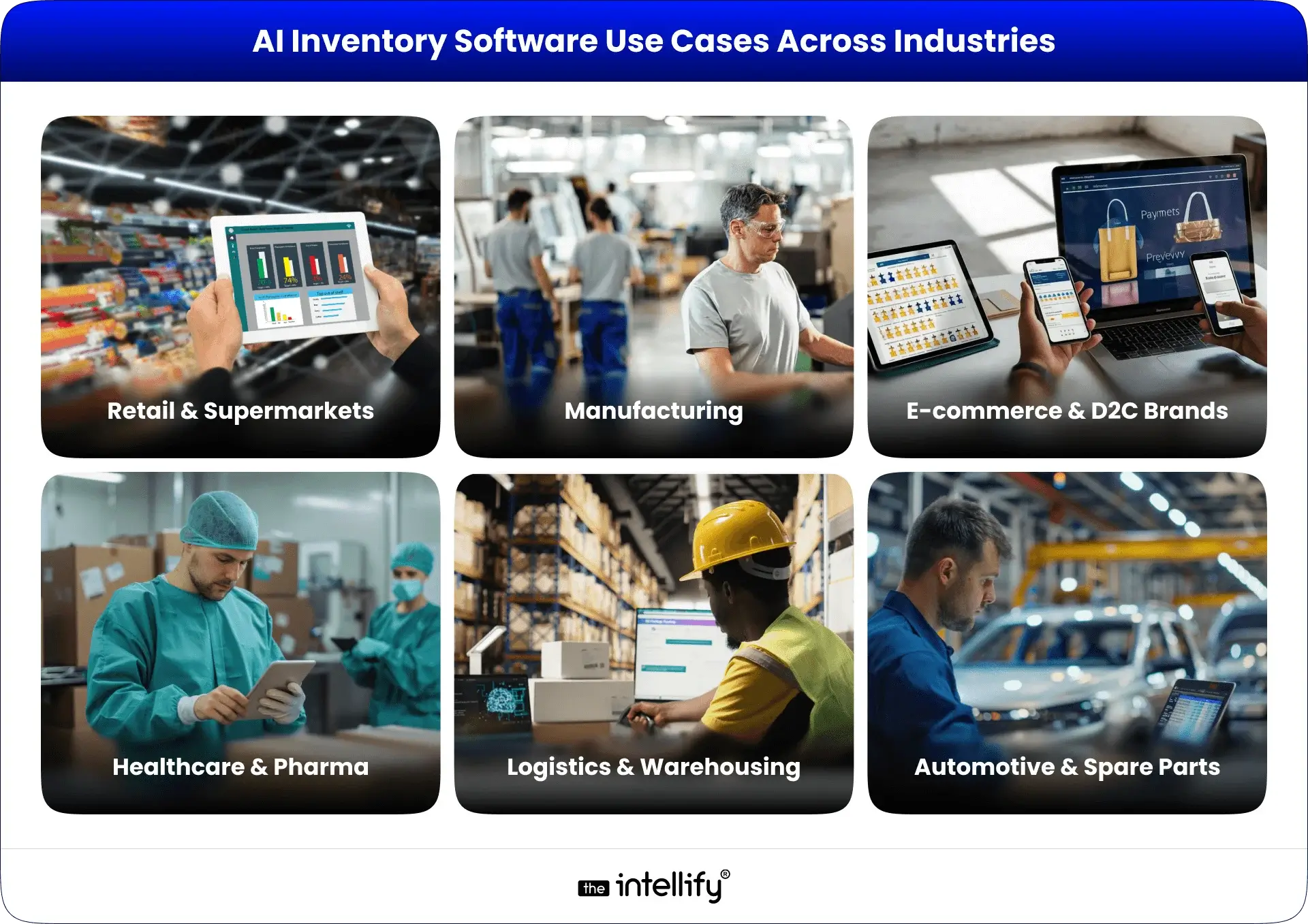
Retail & Supermarkets

  • Seasonal forecasting: Adjust stock levels during holidays and special events.
  • Shelf availability: Ensure popular items are always on hand.
  • Reduce spoilage: AI tracks expiration dates, helping minimize waste.

E-commerce & D2C Brands

  • Multi-warehouse syncing: Distributes stock effectively across different locations.
  • Prevent overselling: Real-time alerts help avoid running out of stock.
  • Faster fulfillment: Streamlined operations mean quicker delivery times.

Manufacturing

  • Raw material planning: AI anticipates material needs, optimizing the supply chain.
  • Production scheduling: Alters manufacturing schedules based on stock levels.

Logistics & Warehousing

  • Slotting & space optimization: Organizes warehouse inventory for easy access.
  • Faster inbound/outbound planning: Improved planning leads to more efficient operations.

Healthcare & Pharma

  • Track expiry-sensitive inventory: Manages vital medical supplies effectively.
  • Maintain essential stock levels: AI keeps critical items readily available.

Automotive & Spare Parts

  • Complex SKU forecasting: Effectively handles a diverse range of spare parts.
  • Reduce aging inventory: Avoids unnecessary costs related to surplus parts.


How to Choose the Right AI Inventory Management Solution

When picking the best software for your needs, keep these key factors in mind:

  • Scalability: Ensure the solution can adapt as your business grows.
  • Industry fit: Opt for software designed for your specific sector.
  • Ease of integration: Seek solutions that easily synchronize with your current systems.
  • Accuracy of forecasting: Prioritize options that excel in reliable predictive capabilities.
  • Support & training: Make sure you have the resources to utilize the software fully.
  • Customization: Tailored features can make a significant difference.
  • Vendor expertise in AI: Partnering with a knowledgeable vendor enhances your implementation experience.


AI Inventory Software Development


How Much Does AI Inventory Management Software Cost?

Costs can range widely based on several factors:

  • SaaS subscription: Monthly fees for cloud-based solutions.
  • Custom software pricing: Tailored solutions typically come at a higher cost.
  • Integration cost: Additional expenses to connect with existing systems.
  • Additional features: More advanced tools may carry higher price tags.
  • Maintenance: Costs for ongoing support services.
  • Factors that affect pricing: Complexity, industry-specific features, and scale play a role in overall cost.


AI Vs Traditional Tools


Future Trends: Where AI Inventory Management Is Heading Next

Some pretty interesting trends are emerging:

  • Autonomous inventory: Systems that manage stock independently.
  • AI agents managing supply chains: AI systems taking complete control of supply logistics.
  • IoT + AI warehouse intelligence: Smart warehouses that leverage real-time data for optimization.
  • Zero-touch replenishment: Solutions that reorder stock automatically without human input.
  • Generative AI for reporting: AI that quickly generates comprehensive reports with ease.


Why Partner With The Intellify for AI Inventory Management Solutions

At The Intellify, we stand out with our expertise in AI inventory management software. We provide:

  • Proven success shown through detailed case studies.
  • Custom AI development services tailored to your specific business needs.
  • Comprehensive support to guarantee a smooth implementation.
  • Scalable solutions, ready to evolve with your organization.

If you’re ready to simplify the messy parts of inventory, we’re here to help.


AI inventory management software development


Conclusion

AI inventory management software isn’t just another trend. It’s becoming the backbone of how modern businesses operate. With better forecasting, lower costs, and faster decisions, it opens the door to running things more smoothly, and companies can gain a competitive edge.
If you’re ready to step into this new way of working, The Intellify is happy to guide you through it.


Frequently Asked Questions (FAQs)

1. What does AI inventory management software do for businesses?

It basically keeps an eye on your stock so you don’t have to hover over spreadsheets all day. It tracks what’s moving, what’s sitting, and what’s about to run out. The goal? Fewer surprises, smoother routines, and way less “Wait… how did we miss this?” moments.

2. How does AI make inventory forecasting more accurate?

AI looks at past sales, trends, and a bunch of small patterns people usually miss. It connects dots quickly and gives you a clearer idea of what’s coming next. No guesswork. No crossed fingers. Just cleaner predictions that make planning feel less stressful.

3. Can AI help prevent stockouts and overstocking?

Yep, that’s kinda its thing. It sends alerts when something’s running low or piling up. Think of it like a polite nudge, you know, the kind that saves you from last-minute rush orders or shelves stuffed with products nobody touched for weeks.

4. What key features should AI inventory software include?

Look for the basics that actually make life easier: forecasting, auto-reorder alerts, real-time dashboards, and visibility across all your locations. Nothing fancy, just the stuff that keeps your inventory in check without constant babysitting.

5. Does AI inventory software integrate with ERP, WMS, or eCommerce tools?

Most modern ones do. They plug into whatever you already use, so everything stays synced. No double work. No “Oops, wrong numbers again.” Just smoother workflows that feel… well, normal.

6. Is AI inventory management suitable for small businesses?

For sure. Small teams actually benefit a lot because AI takes care of the repetitive stuff. If you’re tired of juggling too many tasks or fixing small errors that add up, AI can lighten that load without making things complicated.

7. How much does AI inventory management software cost?

There’s no one price. It can be a simple monthly subscription or a custom setup that costs more, depending on what you need. Features, integrations, and the size of your business all play a role. Basically, it depends, but you can usually find something within reach.

8. Why choose The Intellify for AI inventory management solutions?

We build systems that fit your business, not the other way around. The Intellify brings real hands-on experience, clear communication, and support that doesn’t vanish after launch. If you want something that actually works day-to-day, we help you get there without the drama.

How to Build an Immersive Virtual Museum Tour in 2026

Summary:
This blog explains how to create a virtual museum tour in 2026, covering everything from choosing the right tour format to planning layouts, capturing 360° or 3D visuals, adding interactive elements, and integrating AR/VR. It also highlights the key features that make a virtual museum experience successful, the technology stack you’ll need, estimated development costs, monetization opportunities, and real examples from leading museums. By the end, you’ll know how to build an engaging, accessible, and revenue-ready virtual tour.


The world of cultural tourism is changing, especially in how we experience museums. Virtual experiences are becoming more popular as visitors look for engaging and accessible ways to immerse themselves in art and history. In this blog, we’ll guide you through the journey of creating an immersive virtual museum tour. We’ll cover everything from the underlying technology to monetization strategies.


What Is a Virtual Museum Tour?

Virtual Museum Tour

A virtual museum tour is an online experience that allows visitors to explore exhibitions and collections from museums via digital platforms. It creates an engaging atmosphere where people can learn about art and culture from anywhere in the world.

How It Works

These tours typically use 360°images, 3D renderings, and features like augmented reality (AR) or virtual reality (VR. Visitors can enjoy guided audio or video narratives that enhance their experience, offering deeper insights and interactive learning.

Why Virtual Museum Tours Are Trending

In 2026, the demand for these virtual tours will soar thanks to:

  • Better internet access and technological advancements
  • A growing desire for interactive experiences
  • The need for broader educational outreach


Why Museums Need a Virtual Tour in 2026

Higher Visitor Engagement

Virtual tours captivate by offering interactive experiences that traditional exhibits simply can’t match. An engaging experience encourages visitors to return for more.

Global Reach Beyond Physical Boundaries

Unlike brick-and-mortar museums, virtual tours are accessible to anyone, anywhere in the world. This extended reach can attract international audiences and enhance brand visibility.

More Revenue Opportunities

Virtual tours can create new revenue streams through ticket sales, merchandise, and online donation opportunities that traditional museums might not fully realize.

Better Accessibility

Virtual tours can be designed for everyone, from students to seniors, and visitors with special needs, ensuring a rich cultural experience for all, no matter where they’re located.

Stronger Digital Presence & Branding

In this digital age, having a solid online presence is crucial for branding. Museums that offer a virtual experience can set themselves apart and strengthen their brand identity.


Types of Virtual Museum Tours You Can Create

Types of Virtual Museum Tours

360° Panorama Tour

This option lets users navigate through panoramic views of exhibits, offering a true-to-life feel of the museum environment.

3D Walkthrough Tour

Here, visitors can roam around a fully rendered 3D space that simulates the museum’s actual layout.

AR-Powered Museum Experience

With augmented reality features, users can interact with exhibits through their mobile devices, blending the physical and digital worlds in exciting ways.

VR Museum App / VR Headset Tour

For those with VR headsets, these tours provide a fully immersive experience, transporting users right into the museum.

Hybrid Tours (Physical + Digital)

Combining in-person visits with digital experiences can offer a more comprehensive understanding. Think of live-streaming guided tours or presenting digital artifacts.


Key Features of a Successful Virtual Museum Tour

  • Interactive Hotspots: Allow users to click on different areas for extra information, making the experience more engaging.
  • High-Resolution 3D Models & Images: Quality visuals boost the overall user experience, making the exhibits stand out.
  • Audio-Guided Storytelling: Narration can provide rich context, giving visitors a deeper understanding of the exhibits.
  • Multi-Language Support: Offering multiple languages caters to a global audience, significantly expanding your reach.
  • Zoom & Rotate for Artifacts: Letting users inspect artifacts closely enhances their appreciation of historical items.
  • VR Headset Support: Being compatible with VR headsets can elevate the experience and make it even more enjoyable.
  • Gamified Learning: Adding games or quizzes keeps users engaged and makes learning enjoyable.
  • Smart Search & Filters: Visitors should find it easy to sort through exhibits, making navigation user-friendly.
  • Live Guided Sessions with Curators: Real-time interactions can enrich the educational experience even further.


Step-by-Step Process: How to Create a Virtual Museum Tour in 2026

Virtual Museum Tour Development Process

Step 1 – Finalize Objectives & Tour Type

Start by understanding what you want to achieve and decide which type of tour suits your vision and resources.

Step 2 – Plan the Museum Layout & Storyboard

Draw up a detailed layout of the museum and plan how you’ll tell your story.

Step 3 – Capture 360° Images or Scan Artifacts in 3D

Use specialized equipment to capture high-quality images or scan artifacts in 3D.

Step 4 – Build the Virtual Environment (3D or 360°)

Choose either a 3D model or a 360° environment and begin constructing the virtual space.

Step 5 – Add Content: Text, Audio, Video, Narration

Create informative materials to enhance the interactive tour experience.

Step 6 – Integrate VR/AR Enhancements

If it aligns with your vision, add AR or VR features that enrich the experience.

Step 7 – Add Navigation, Hotspots & Accessibility Controls

Design navigational features and include accessibility options to broaden usability.

Step 8 – Test Across Devices

Make sure the tour runs smoothly on various platforms, including mobile devices, desktops, and VR headsets.

Step 9 – Launch & Promote the Tour

Once everything is set, launch the tour and use marketing strategies to attract visitors.

Step 10 – Maintain & Update Exhibits Regularly

Fresh content will entice visitors to return, keeping your offerings engaging.


How Much Does It Cost to Build a Virtual Museum Tour in 2026?

Cost Factors That Influence Pricing

Costs can vary widely based on your technology choices, production quality, and features. Key factors include:

  • Type of tour (3D vs. 360°)
  • Complexity of the interface
  • Required hardware

Cost Range for Different Types of Tours

A basic 360° tour might cost between $5,000 and $20,000, while a more sophisticated 3D or AR experience can exceed $50,000.

Savings & ROI for Museums

Investing in a virtual tour can yield long-term savings via increased visitor engagement and potential revenue from digital sales.


Monetization Options for Virtual Museum


Real Examples of Successful Virtual Museum Tours

International Case Studies

1. The British Museum: Provides an extensive virtual tour that allows global exploration of its collections.
2. The Louvre: Features interactive 3D tours and educational resources that reach audiences worldwide.
3. The Smithsonian: Offers high-quality remote experiences, making art and history accessible to all.

What You Can Learn From Them

Successful virtual tours emphasize accessibility, high-quality visuals, and engaging storytelling that resonate with audiences.


Challenges & How to Overcome Them

  • Storage & Loading Time Issues: Utilizing cloud services can help alleviate performance problems, ensuring quick access and seamless experiences.
  • Budget Constraints: Focus on essential features and consider staged implementation to spread costs over time.
  • Accessibility for Low-Speed Internet Users: Optimize the tour for different internet speeds, providing lower-resolution options for those with limited connectivity.
  • Keeping the Tour Updated: Have a strategy for regular updates to keep content fresh and engaging.


How The Intellify Can Help You Build Your Virtual Museum Tour

  • Expertise in 3D, and immersive AR/VR app development: Our expert team at The Intellify focuses on creating compelling virtual experiences tailored to museums.
  • Custom virtual museum solutions: We’ll collaborate with you to develop engaging features that resonate with your audience.
  • End-to-end support: From brainstorming ideas to launching your tour, we offer comprehensive support throughout the development process.
  • A strong portfolio in immersive experiences: Our experience in delivering various virtual experiences enables us to provide top-notch results.


Virtual museum tour development


Conclusion

Creating an immersive virtual museum tour isn’t solely about technology, it’s a fantastic way to engage visitors, extend reach, and enhance education. As museums continue to embrace the digital age, those who leverage innovative virtual solutions will stay ahead in a competitive landscape.

Take the plunge today and partner with The Intellify to craft a virtual museum tour that captivates and educates!


Frequently Asked Questions (FAQs)

1. How do virtual museum tours work and what technology powers them?

Virtual tours utilize 360° images, 3D models, and AR/VR technology to provide engaging online experiences. They rely on advanced software and hardware to effectively engage visitors.

2. What are the essential features needed to create a high-quality virtual museum tour in 2026?

Key features include interactive hotspots, high-resolution visuals, multi-language support, gamified learning, and live sessions with curators to enhance user engagement.

3. How much does it cost to build a virtual museum tour for a museum or gallery?

Costs can range from $5,000 to over $50,000, depending on the type of tour and the features you choose. It’s essential to evaluate your specific needs and budget.

4. What is the best technology stack for developing a 360° or 3D virtual museum experience?

Recommended tools include Unity or Unreal Engine for 3D renders, Matterport for 360° captures, and ARKit or ARCore for augmented reality features.

5. How long does it take to create a fully immersive virtual museum tour?

The timeline can vary, but anticipate anywhere from a few weeks to several months, depending on the project’s scope and complexity.

6. Can a virtual museum tour help increase real-world visitor footfall and engagement?

Definitely! By promoting digital experiences to broader audiences, many museums have seen a boost in physical visitations and engagement.

7. What are the biggest challenges museums face when creating virtual tours?

Common challenges include storage issues, budget constraints, and accessibility concerns. Strategic planning can help address these hurdles effectively.

8. How can The Intellify help museums build custom virtual museum tours in 2026?

The Intellify offers comprehensive VR development services, focusing on immersive application solutions tailored to engage visitors while enhancing learning.

Grocery Delivery App Development: Cost, Features, & Tech Guide

Summary:
In this blog, we explore how to build an on-demand grocery delivery app development in 2026, from key features and tech stack to cost estimates, business models, and scaling strategies. Whether you’re a startup or established retailer, you’ll get a clear roadmap to launch and grow a grocery-delivery platform that wins in today’s competitive market


The Boom of On-Demand Grocery Delivery in 2026

The grocery delivery scene is changing fast, and we’re expecting even bigger shifts in 2026. Today, grocery delivery apps have become a crucial part of our shopping routines, offering a level of convenience and efficiency that traditional methods just can’t compete with. In this blog, we’ll explore everything about grocery delivery app development, from must-have features to development costs and upcoming trends.


What Is an On-Demand Grocery Delivery App?

On-Demand Grocery Delivery App

An on-demand grocery delivery app is a platform that lets users shop for groceries right from their smartphones, with products delivered straight to their doorsteps. It links customers, grocery stores, and delivery personnel smoothly, creating a convenient shopping experience.

Why It Matters for Businesses in 2026

With more shoppers choosing online options, having an on-demand grocery delivery app is vital for businesses that want to stay competitive. Come 2026, these apps will be even more essential, helping retailers connect with a wider audience while improving customer loyalty.

Types of Grocery Delivery Apps

1. Inventory-led model: Customers shop from a specific store that manages its inventory.
2. Marketplace model: Third-party apps that bring together various stores, offering users a larger selection.
3. Hyperlocal delivery model: Concentrates on quick deliveries from local stores.
4. Store-pickup model: Let users shop online and collect their groceries at the store.


How an On-Demand Grocery App Works

Customer App Flow

1. User Registration: Customers sign up and create an account.
2. Product Browsing: Users browse available items and add them to their carts.
3. Order Placement: After making selections, customers move to checkout.
4. Payment: Secure payment methods make transactions smooth.
5. Tracking: Users can track their orders in real time until they arrive.

Merchant/Store Flow

1. Product Listing: Merchants keep their inventory updated and list products on the app.
2. Order Reception: They get notified of orders from customers.
3. Fulfillment: Merchants prepare orders for delivery.
4. Notification: When ready, they alert the delivery partners.

Delivery Partner Flow

1. Task Assignment: Delivery partners get notifications about new orders.
2. Route Optimization: They optimize their routes to ensure quick deliveries.
3. Pickup & Delivery: Pick up the order from the merchant and deliver it to the customer.

Technology That Makes It Work

Modern grocery delivery apps tap into technologies like GPS for routing, in-app messaging for seamless communication, and payment gateways for secure transactions.


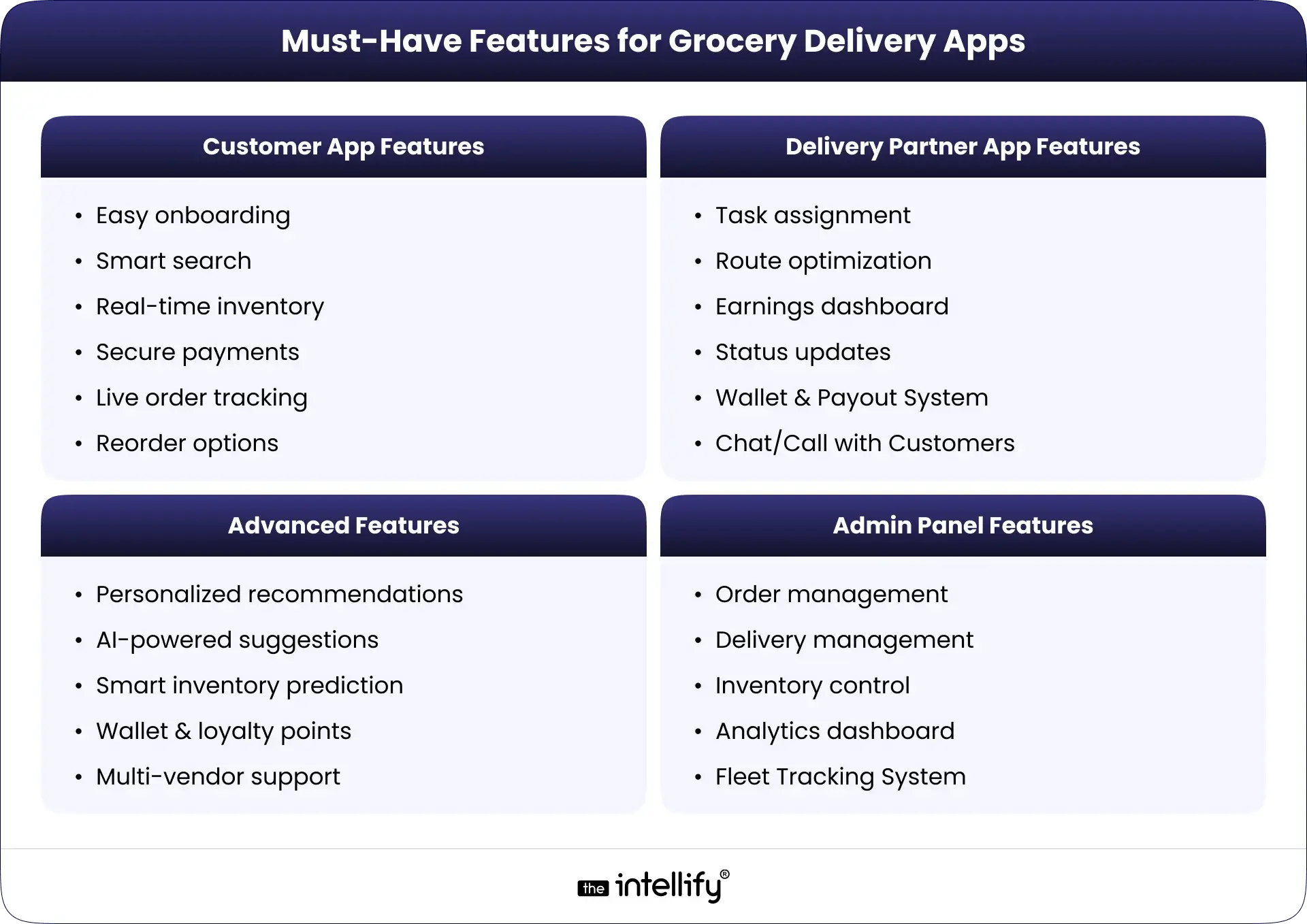
Must-Have Features for Grocery Delivery Apps

Features for Grocery Delivery Apps

Customer App Features

  • Easy onboarding: Quick account creation and login.
  • Smart search: Helps users find products rapidly.
  • Real-time inventory: Instantly displays available items.
  • Secure payments: Multiple options ensure safe transactions.
  • Live order tracking: Users can follow their delivery status in real time.
  • Reorder options: Let users easily purchase their frequently bought items.

Delivery Partner App Features

  • Task assignment: Clearly outlines delivery tasks for partners.
  • Route optimization: Suggests the best paths to cut delivery time.
  • Earnings dashboard: Keeps track of daily earnings for partners.
  • Status updates: Allows partners to keep everyone informed of their delivery progress.

Admin Panel Features

  • Order management: Tracks all incoming and outgoing orders.
  • Delivery management: Ensures effective coordination of all delivery partners.
  • Inventory control: Monitors stock levels and alerts for low inventory.
  • Analytics dashboard: Provides valuable insights into sales and customer behaviors.

Advanced Features

  • Personalized recommendations: Tailors product suggestions based on user behavior.
  • AI-powered suggestions: Leverages AI to improve shopping experiences.
  • Smart inventory prediction: Forecasts demand to keep stock levels balanced.
  • Wallet & loyalty points: Builds customer retention through rewards.
  • Multi-vendor support: Enables various stores to sell through one app.


Tech Stack for Grocery Delivery App Development

Mobile Technologies

You can use native technologies like Swift for iOS and Kotlin for Android, or go for cross-platform solutions like Flutter and React Native.

Backend Technologies

Options like Node.js, Ruby on Rails, or Django offer solid frameworks for server-side development.

Database Options

MySQL, PostgreSQL, or MongoDB are popular for managing user data efficiently.

APIs & Integrations

Integrating third-party APIs for payments, GPS tracking, and analytics can boost the app’s functionality.

Cloud Hosting & Security

Cloud services like AWS or Google Cloud ensure you have scalable and secure hosting.


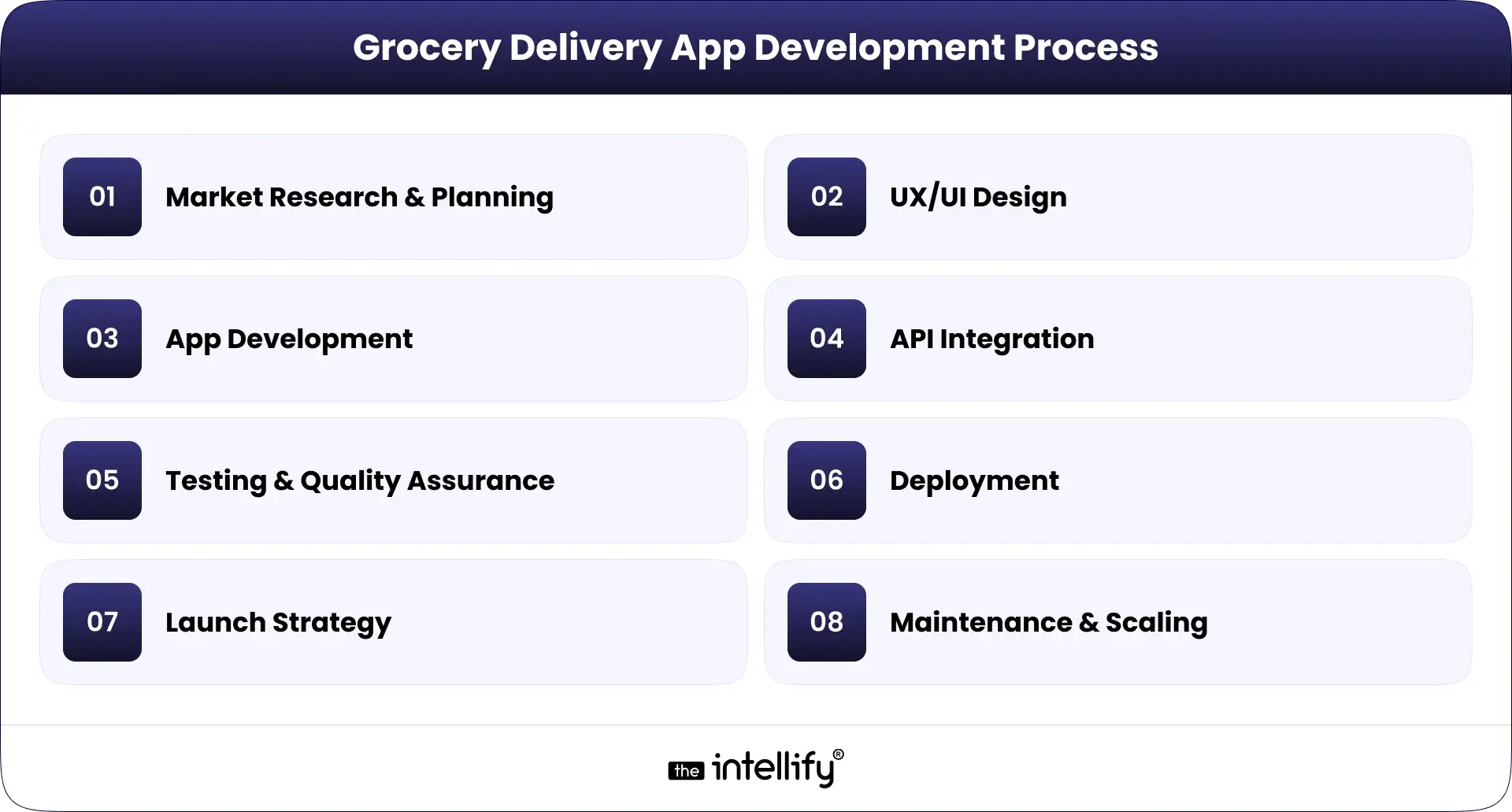
Grocery Delivery App Development Process

Grocery Delivery App Development Process

  • Market Research & Planning: It’s crucial to identify your target audience and market trends to guide development.
  • UX/UI Design: Designing a user-friendly interface is key to enhancing customer satisfaction and retention.
  • App Development: This phase covers the actual coding of the app, based on design and requirements.
  • API Integration: Integrating necessary APIs for payments, notifications, and mapping services is vital for app performance.
  • Testing & Quality Assurance: Thorough testing ensures that your app provides a bug-free user experience.
  • Deployment: The app gets launched on app stores for everyone to access.
  • Launch Strategy: A solid marketing strategy is essential to generate excitement around your app’s launch.
  • Maintenance & Scaling: Ongoing updates and improvements keep your app relevant and efficient.


How Much Does It Cost to Build a Grocery Delivery App?

Cost Breakdown by App Complexity

  • Basic app: $30,000 – $50,000
  • Moderate app: $50,000 – $100,000
  • Advanced App: $100,000+

Factors That Influence Cost

  • Complexity of features: More features mean more development work.
  • Location of the development team: Rates can vary depending on the region.
  • Technology stack: Some technologies may come with a higher price tag.

Extra Costs to Consider

  • Marketing expenses
  • Ongoing maintenance and updates
  • Server and Hosting fees


Revenue Models for Grocery Delivery Apps

  • Commission Model: Charge a percentage on every sale made through the app.
  • Delivery Fee: Implement a delivery fee structure to cover logistics costs.
  • Subscription Plan: Offer a monthly or yearly subscription for free deliveries or exclusive perks.
  • Surge Pricing: Adjust prices during peak demand times for better service efficiency.
  • In-App Ads & Brand Promotions: Partner with brands for promotions and ads within the app, generating additional revenue.


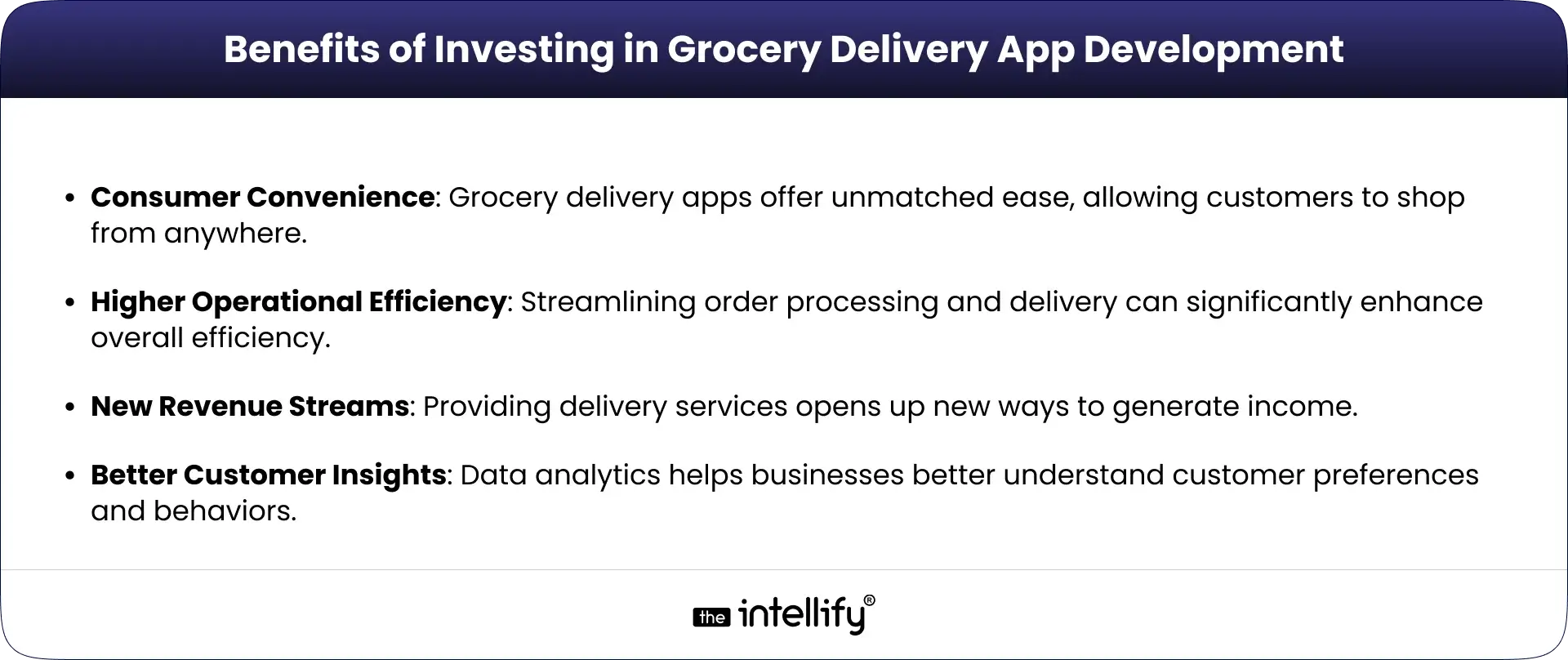
Grocery Delivery App Benefits


Common Challenges & How to Solve Them

1. Inventory Management
Solution: Use smart inventory tools to keep stock levels in check.

2. Delivery Speed
Solution: Leverage route optimization technology to accelerate deliveries.

3. User Retention
Solution: Develop loyalty programs to encourage repeat customers.

4. Cart Abandonment
Solution: Implement reminders and incentives to prompt completed purchases.

5. Peak-Time Order Handling
Solution: Adjust staffing and delivery resources during busy hours.


Future Trends in Grocery Delivery (2026-2030)

  • AI in Personalization: AI will enhance personalized shopping experiences based on individual user data.
  • Dark Stores & Micro-Fulfillment: Dedicated fulfillment centers will speed up processing times.
  • Drone & Automated Delivery: New technologies will enable faster delivery options.
  • Voice Ordering: Voice-activated features will streamline the ordering process.
  • Ultra-Fast Delivery (10-Minute Model): Advancements aim to make minute-by-minute delivery a reality.


Real Business Use Cases of Grocery Delivery App

Use Cases of Grocery Delivery App

Retail Chains

Big names like Walmart are integrating delivery apps for a seamless customer experience.

Local Supermarkets

Smaller stores can use delivery apps to stay competitive in the digital space.

Statups

New businesses can capitalize on emerging trends for quick market entry.

D2C Brands

Direct-to-consumer brands are increasingly adopting delivery apps to enhance services.


Why Choose The Intellify for Grocery Delivery App Development

Domain Expertise: Our team has a deep understanding of the grocery delivery sector and offers tailored solutions.

Strong Technology Skills: We utilize the latest technology to create robust, user-friendly apps.

Fast Delivery & Quality: We prioritize quality and speed, ensuring your app is ready on schedule.

Long-Term Support & Scaling: After launching, we provide ongoing support and solutions for scaling your app as your business grows.


Grocery delivery app development


Conclusion

Investing in grocery delivery app development in 2026 presents vast opportunities for businesses. With improved customer experiences and new revenue streams, the advantages are plentiful. As technology continues to advance, staying ahead will be crucial for success.

If you’re looking for a personalized roadmap to create your own grocery delivery app, reach out to The Intellify today!


Frequently asked questions (FAQs)

1. What does an on-demand grocery delivery app do and how does it work for users and businesses?

An on-demand grocery delivery app allows users to browse, order, and receive groceries at their convenience while connecting customers to stores and delivery partners, streamlining the shopping process.

2. How much does it cost to build an on-demand grocery delivery app in 2026?

The cost typically ranges from $30,000 to $100,000 based on the app’s complexity and features.

3. What features are essential for a successful grocery delivery app?

Key features include smart search, secure payments, live order tracking, and easy reorder options.

4. How long does it take to develop a grocery delivery application from scratch?

It’s generally a 3 to 6 months process, depending on how complex the features are.

5. Which technologies are used to build a grocery delivery app?

Common technologies include mobile frameworks like React Native, backend systems like Node.js, and databases like MongoDB.

6. How do grocery delivery apps make money and stay profitable?

Revenue can come from delivery fees, commissions on sales, subscription plans, and in-app advertisements.

7. Can I build a custom grocery delivery app like Instacart, Blinkit, or BigBasket?

Absolutely! With the right development team, you can create a tailored grocery delivery app akin to those successful platforms.

8. Why should I hire a professional grocery delivery app development company for my project?

A professional team ensures high quality, timely delivery, and expert knowledge of market trends, which is crucial for a successful product.

How to Build a Digital Twin App: Features, Process & Cost

Summary:
A digital twin app creates a real-time virtual model of a physical asset, which helps businesses monitor performance, predict failures, and make smarter decisions. This blog explains what digital twin apps are, how they work, their key features, and the step-by-step development process. It also covers cost, timelines, challenges, and real industry use cases. If you’re planning to build a digital twin solution, this guide walks you through everything you need to know.


If you’ve been anywhere near the tech world lately, you’ve probably heard the term digital twin app floating around like it’s the new celebrity in town. And honestly? It kind of is. These apps let you build a virtual copy of a physical object or system, like giving your machine a digital doppelgänger, minus the awkward family dinners.
And if you’ve been wondering, “Okay, but how does someone even build one of these things?” you’re in the right place. I’ll walk you through what a digital twin app actually is, how it works, what features matter, the full development process, and yes… the part everyone whispers about: the cost.
Let’s dig in.


What is a digital twin app?

What is a digital twin

A digital twin app is basically a supercharged software tool that creates a virtual version of a physical object or system. This little “twin” behaves almost like the real thing because it’s constantly fed real data from sensors, IoT devices, and other data channels.
Think of it like tracking your car’s mileage, speed, and temperature, except your car’s digital twin can predict problems before you even hear that weird rattling noise you always ignore.

Digital twin vs simulation vs IoT dashboard

A quick “don’t mix these up” moment:

  • Digital Twin: A living, breathing (well, not literally) model that updates continuously with real-world data.
  • Simulation: More like a snapshot in time. Useful, but it doesn’t live beyond the moment.
  • IoT Dashboard: Shows you data from IoT devices, but doesn’t recreate the entire system.

Different tools, different vibes.

Core Components

  • Physical object: The thing you’re trying to model, factory machine, building, car… or your office coffee machine (which honestly needs monitoring).
  • Virtual replica: The digital look-alike sitting inside your app.
  • Data connection: The artery that keeps everything alive and synced.

Types of Digital Twins

  • Components: Zooms in on individual parts.
  • Asset: Represents complete equipment/machines or assets.
  • System: Models interconnected components.
  • Process: Covers workflows and operations.
  • Enterprise: Encompasses the entire organization, ambitious yet powerful.


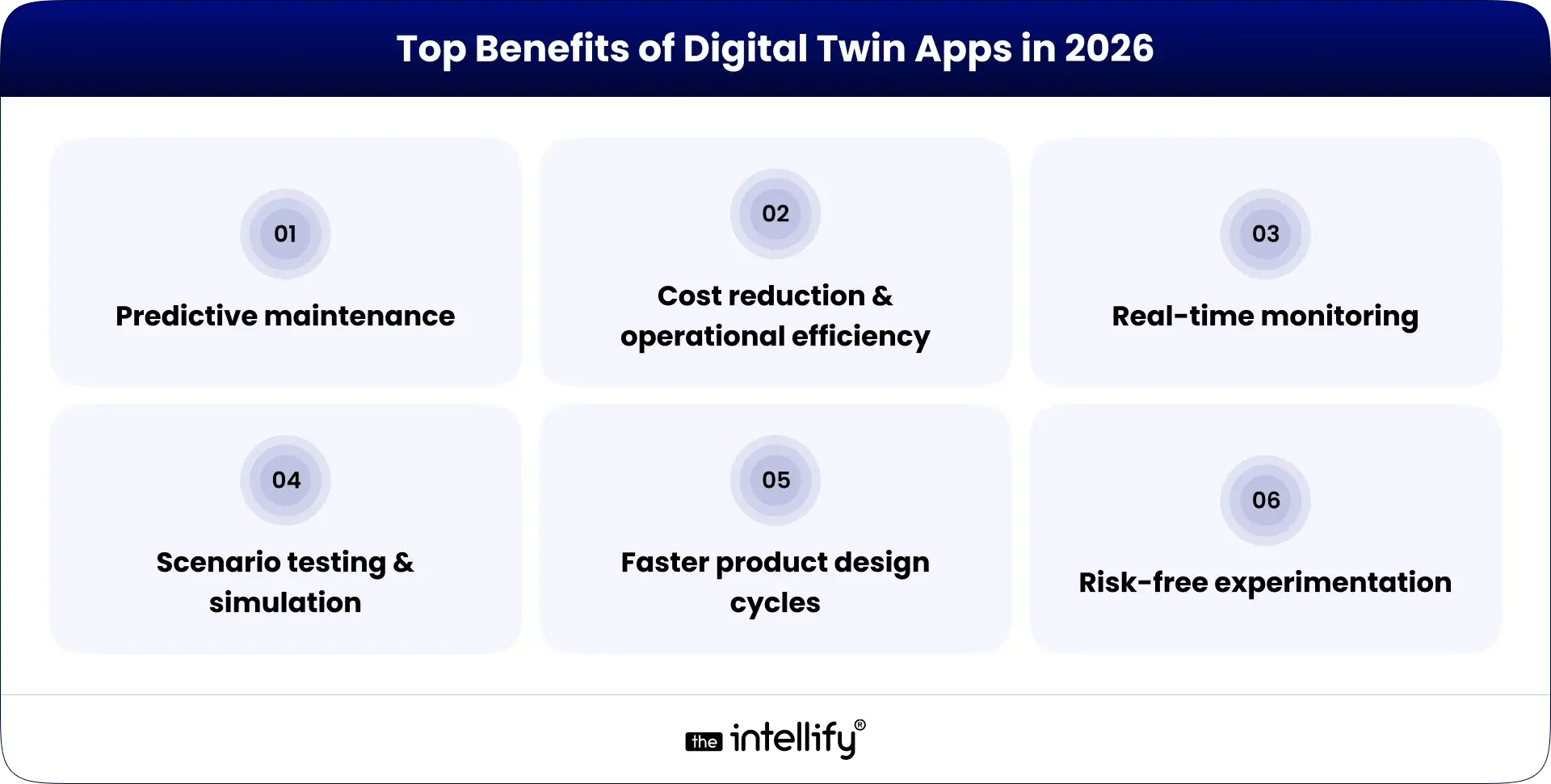
Why Digital Twin Apps Matter in 2026 (Top Benefits)

Benefits of Digital Twin Apps

Digital twins are not just “cool tech.” They genuinely help businesses work smarter.

  • Predictive maintenance: Spot problems before they happen. No surprises. No breakdown drama.
  • Cost reduction & operational efficiency: Small tweaks + data insights = big savings. Your finance team will smile.
  • Real-time monitoring: Organizations can continuously track their systems. See what’s happening and if something’s off… fix it fast.
  • Scenario testing & simulation: Try ideas without risking anything. It’s like testing a haircut with an AR app before committing.
  • Faster product design cycles: No more back-and-forth physical prototypes. Test virtually.
  • Risk-free experimentation: Break things in the digital world, your physical assets stay safe and judgment-free.


How Does a Digital Twin App Work? (Step-by-Step Workflow)

Here’s the behind-the-scenes of how these apps actually do their magic:

1. Data collection from sensors/IoT devices

Sensors on the physical object collect data such as temperature, pressure, speed, basically whatever the object considers “personal updates.”

2. Real-time data processing & analytics

After collecting the data, it’s processed and interpreted in real-time through specialized analytics engines.

3. 3D visualization of the physical object

This is where things get fancy. The data transforms into a 3D visual that you can rotate, zoom, and explore at your leisure.

4. Predictive analytics & automation

The app starts predicting possible issues. Almost like when you know your laptop fan is about to sound like a helicopter again.

5. Continuous feedback loop

Insights gathered from the digital twin are used to optimize both the virtual model and the real-world object.


Key Features of a Digital Twin App

Features of a Digital Twin App

  • 3D modeling & visualization: Delivers an immersive experience of the digital twin.
  • Real-time Data Sync: Ensures the virtual model remains updated with every change in the physical counterpart.
  • IoT/Edge Device Integration: Seamlessly connects various IoT devices for efficient data collection.
  • Predictive Analytics (AI/ML): Employs sophisticated algorithms to forecast future trends.
  • Asset Performance Monitoring: Tracks performance metrics to ensure everything operates smoothly.
  • Simulation & Scenario Testing: Enables experimentation within a no-risk environment.
  • Alerts, Insights & Reporting Dashboards: Keeps users informed and provides actionable insights.
  • Cloud Storage & Data Management: Offers scalable solutions for handling large volumes of data.
  • Digital Thread Integration: Links information across different systems and processes.
  • Role-Based Access Control (RBAC): Guarantees that only authorized personnel can access sensitive information.


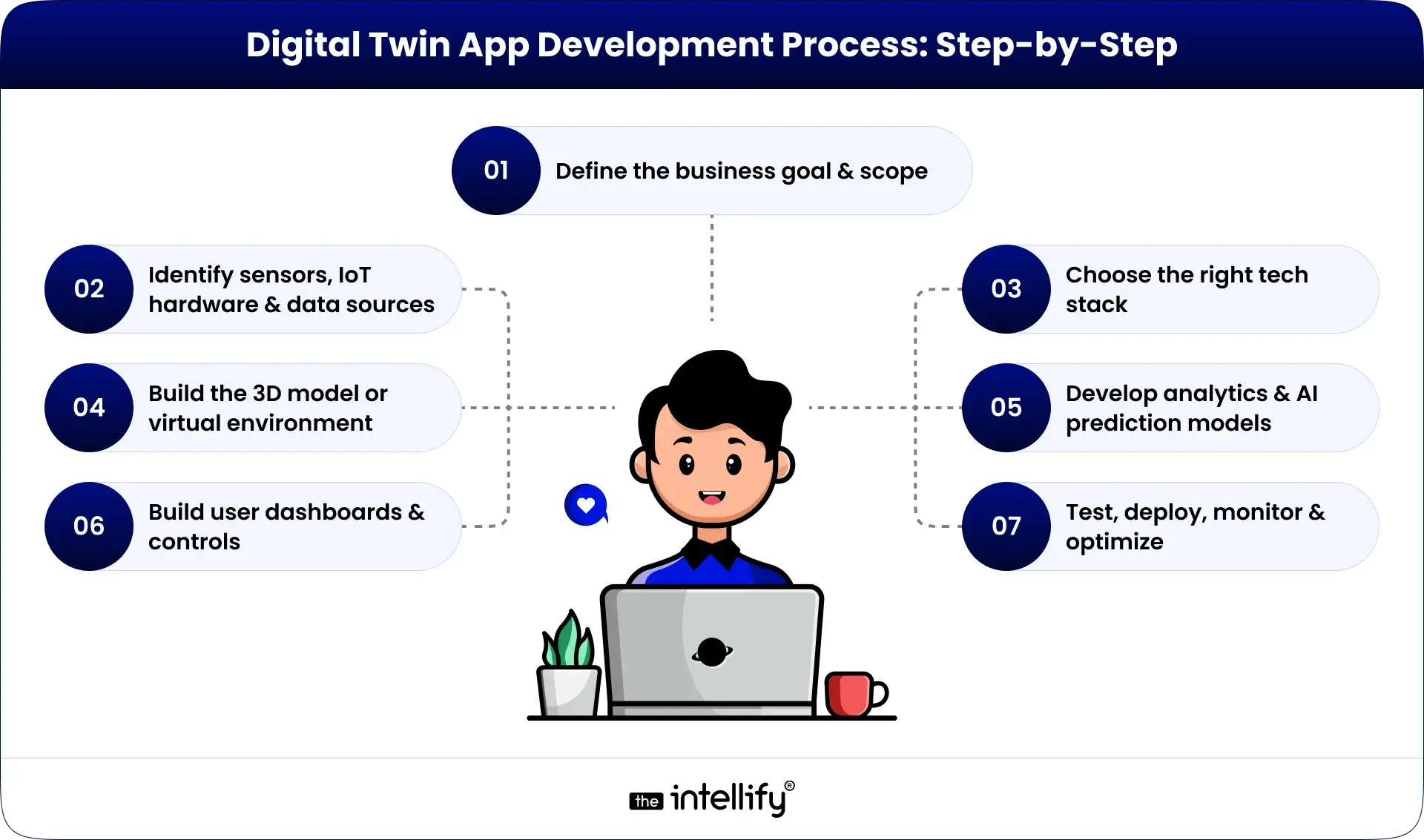
How to Build a Digital Twin App: Step-by-Step Process

Digital Twin App Development Process

Step 1: Define the business goal & scope

Start by pinpointing what you hope to achieve, whether it’s enhancing efficiency, cutting costs, or implementing predictive maintenance.

Step 2: Identify sensors, IoT hardware & data sources

Select the right technology components that will feed critical data into your application.

Step 3: Choose the right tech stack

Opt for a tech stack that aligns with your needs, covering Frontend, Backend, IoT, and AI components.

Step 4: Build the 3D model or virtual environment

Craft a realistic digital representation of the physical object or system.

Step 5: Establish real-time data integration

Ensure that the digital twin receives consistent updates from its physical counterpart.

Step 6: Develop analytics & AI prediction models

Integrate predictive models tailored to meet your business objectives.

Step 7: Build user dashboards & controls

Design user-friendly interfaces that allow easy interaction with the app.

Step 8: Test, deploy, monitor & optimize

Conduct thorough testing, deploy the app, and refine it based on performance feedback.


Digital twin solutions


Digital Twin App Architecture (Explained Simply)

  • IoT Device Layer: This layer includes all the hardware that captures data.
  • Connectivity Layer: Facilitates data transfer through technologies like MQTT, 5G, and edge computing.
  • Cloud/Server Layer: The hub where data and models are stored and processed.
  • Data Analytics & AI Layer: Responsible for interpreting data and generating insights.
  • Application/UI Layer: The user interface that grants access to features and insights.
  • Security Layer: Protects data and ensures compliance.


Use Cases of Digital Twin Apps Across Industries

  • Manufacturing: Optimize production lines like a pro to boost efficiency.
  • Healthcare & Medical Devices: Monitor patients’ health or devices to enhance treatment outcomes.
  • Automotive & EVs: Improve vehicle design, performance, and manufacturing processes.
  • Smart Buildings / Real Estate: Manage and optimize building operations and energy usage
  • Energy & Utilities: Handle grids management and energy flow without chaos.
  • Logistics & Supply Chain: Real-time tracking to streamline supply chain processes
  • Retail & Warehousing: Optimize inventory management and planning = less stress.
  • Aerospace & Defense: Test and validate new systems without any risk


Cost to Build a Digital Twin App in 2026

Cost Factors

  • Software Complexity: More intricate apps will necessitate larger budgets.
  • Integration Needs: Incorporating multiple systems can drive up costs.
  • Data Volume: Higher data volumes can influence expenses.

Average Development Cost Breakdown

On average, you can expect to invest anywhere between $50,000 to $500,000, depending on scale and features. Yep, wide range, but that’s the truth.


How Long Does It Take to Build a Digital Twin App?

The timeline for developing a digital twin app can vary, but generally falls between 3 months to over a year, depending on the complexity involved.


Challenges in Digital Twin App Development

  • Data Quality and Management: Ensuring data accuracy can be a hurdle.
  • Integration Issues: Merging various systems may come with complexities.
  • Cost Constraints: Balancing desired features with budget limitations can be tricky.


The Future of Digital Twin Apps (2026-2030)

Future of Digital Twin Apps

  • AI-powered Autonomous Twins: Creating smarter, self-managing systems.
  • Digital twins + metaverse: Blending virtual experiences with digital twins.
  • Multi-agent simulations: Enhancements in collaborative simulations.
  • Industry 5.0 & robotics integration: Merging advanced technologies to optimize operations.
Basically, the future is wild and exciting.


Why Hire a Digital Twin App Development Company?

Partnering with a specialized company comes with numerous advantages:

  • Faster Development: Teams experienced in crafting digital twins can speed up the process.
  • Expert 3D Modeling: Skilled professionals help create realistic and operational models.
  • IoT & AI Integration: They bring in-depth knowledge of cutting-edge technologies.
  • Enterprise Security: Ensures that the app is constructed with top-tier security measures.

At The Intellify, we offer tailored digital twin solutions designed to meet your unique business requirements. Our expertise in AI and IoT integration can elevate your app development efforts.


Digital twin app development


Conclusion

Building a digital twin app is basically your ticket to smarter, future-ready operations. Whether you want predictive maintenance, better monitoring, faster product cycles, or just fewer surprises, a digital twin helps.

Follow the process, get the right tools, and bring in experts when needed. Feel free to connect with The Intellify for expert help in developing your digital twin app!


Frequently Asked Questions (FAQs)

1. What is a digital twin app and how does it work?

It’s a virtual copy of a real-world object or system that uses real-time data to show what’s happening, predict issues, and help you make better decisions.

2. How do you build a digital twin application step-by-step?

Define goals, set up sensors, pick a tech stack, build 3D models, integrate real-time data, create AI models, design dashboards, and test everything.

3. What technologies and platforms are used to develop a digital twin app?

Typical technologies include IoT platforms like AWS IoT, data analytics tools like TensorFlow, and frontend frameworks like React or Angular.

4. How much does it cost to develop a digital twin app in 2026?

Anywhere between $50,000 to $500,000, depending on complexity.

5. How do IoT devices and sensors integrate with digital twin systems?

Sensors capture live data → data flows to the twin → the app analyzes and updates the model.

6. What are the must-have features of a digital twin application?

Essential features include 3D modeling, real-time data synchronization, predictive analytics, scenario testing, and easy-to-use dashboards.

7. Which industries use digital twin apps the most and why?

Manufacturing, healthcare, and logistics leverage digital twin apps to enhance operational efficiency and refine product lifecycle management.

8. What is the difference between a digital twin and a simulation?

A digital twin continuously updates and interacts with real-world data, whereas a simulation represents a static model used for discrete scenarios.

VR Mental Health App Development: Ultimate Guide 2026

Summary:
This guide breaks down the essentials of VR mental health app development in a simple, human way. It explains how VR creates safe, immersive spaces for people dealing with anxiety, stress, depression, ADHD, and more. You’ll learn about real use cases, key features, the tech stack, development steps, costs, and what the future of VR therapy may look like. A quick, clear overview for anyone exploring how VR is reshaping mental wellness in 2026.


Life’s been moving in fast-forward lately. Some days it feels like you’re sprinting from the moment you wake up, and your brain is still stuck back at breakfast trying to make sense of the day. That’s kinda why VR mental health apps don’t feel futuristic anymore, they feel… necessary. Like that one quiet friend who doesn’t say much but always makes the room feel lighter.
Thanks to VR getting better, cheaper, and honestly less clunky (remember those huge headsets that felt like strapping a toaster to your face?), these apps now offer spaces where people can work through anxiety, depression, stress, or just general “life is a lot” moments. This guide breaks down what VR mental health app development really involves, no buzzwords, no stiff tone, just a straight walk-through. Let’s start.


What Is a VR Mental Health App?

What is VR Mental Health App

A VR mental health app is basically a therapy… but inside a headset. You put on the headset, and suddenly you’re somewhere else. Maybe it’s a calm forest that smells like rain (okay, your nose knows it’s not real, but your brain doesn’t care). Maybe it’s a room designed to help you face something you’ve been avoiding. Maybe it’s just a moment of stillness you didn’t know you needed.
These apps help people deal with anxiety, stress, low moods, or even memories that are hard to unpack. They recreate everyday or emotional scenarios in a way that’s safe, controlled, and weirdly comforting. You get to pause. Retry. Step back. Try again. And that sense of control alone helps more than people expect.


Why VR Is Game-Changing in Mental Health Treatment (2026 Outlook)

Adding VR into therapy feels like someone finally decided to give mental health tools a modern update. It’s not magic, but sometimes it feels close.
Here’s why VR keeps showing up in conversations:

1. Immersive Experiences:

VR makes you feel there. Not looking at a screen, not imagining things. Actually in it. And for therapy, that presence can be powerful.

2. Accessibility:

No commuting. No awkward small talk in waiting rooms. No “oh god I’m late again.” Just therapy from wherever you feel least stressed, your bed, your couch, maybe even the floor if that’s your vibe.

3. Personalization:

These experiences can adjust to you. Your pace. Your comfort level. Your reactions. It feels less like a preset exercise and more like something built around how you actually feel.

4. Data Collection:

VR quietly notices things: breathing changes, body reactions, patterns. Stuff we often ignore in real life because, well, life’s noisy.

Put together, VR makes therapy feel more flexible and a bit more human, strangely enough.


Top Use Cases of VR in Mental Health

VR in Mental Health Use Cases

VR Exposure Therapy

Facing fears sucks. VR makes it suck less by letting you ease into them slowly. You’re not thrown into the deep end, just dipping toes, inch by inch.
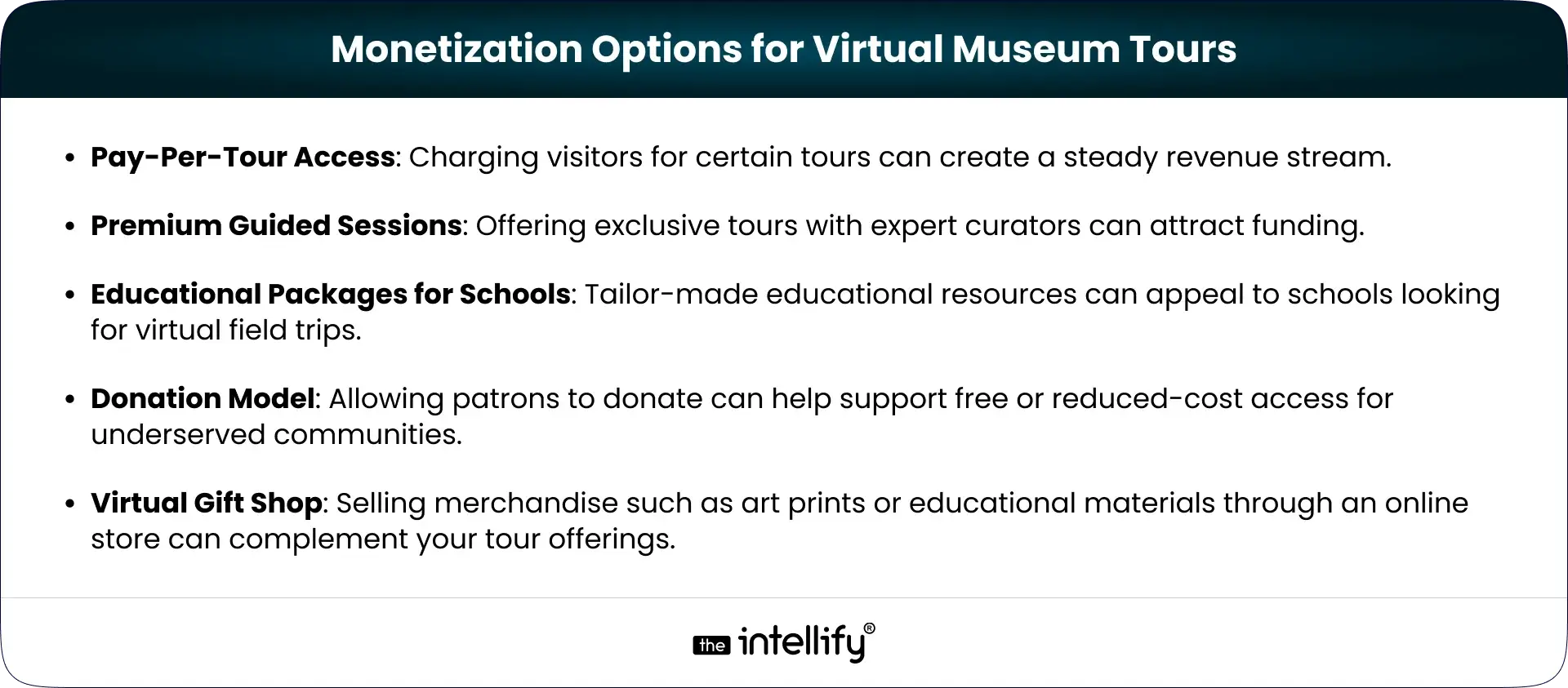
VR for Stress & Anxiety Management

Calming visuals, soft sounds, guided breathing. It’s like stepping into a room where the world finally shuts up for five minutes.

VR for Depression & Mood Enhancement

Little mood-lifting environments, warm lights, gentle interactions, simple activities that don’t demand too much but give back just enough.

VR in Cognitive Behavioral Therapy (CBT)

CBT works better when your brain gets to practice in a semi-real environment. VR gives that middle ground where learning sticks more naturally.

VR for ADHD & Focus Training

Interactive tasks that help train focus without feeling like chores. Kind of like leveling up your attention span slowly, without pressure.

VR for Autism Support

Social scenarios without noise, judgment, or unpredictable reactions. Users can practice communication in a space that feels safer.

VR for Addiction Recovery

VR can recreate scenarios that trigger cravings but in a controlled space, where users can learn healthier responses without real-world risks.


Key Features to Include in a VR Mental Health App (2026 Edition)

VR Mental Health App Features

  • Virtual Therapy Rooms: Simple, calm spaces for one-on-one or guided sessions. No clutter. No distractions.
  • Personalized Avatars & Engagement: A bit of avatar customization helps users feel more at ease, especially during therapy interactions.
  • AI Emotion Tracking (Facial + Voice + Biometrics): Tiny emotional cues matter. AI reads them gently through voice tone, micro-movements, biometrics, nothing invasive, just helpful.
  • VR Exposure Modules: Structured steps that guide users through confronting fears safely, slowly.
  • Real-Time Biofeedback Integration: Heart rate spikes? Breathing off? The app shows it, calmly, so users learn what’s happening inside their own bodies.
  • Progress Tracking Dashboard: A simple dashboard showing progress, habits, streaks, all the little wins that matter over time.
  • Multi-User Sessions: Group therapy without the pressure of being physically present. Users can join from wherever they are.
  • Offline Guided VR Sessions: Because mental health support shouldn’t depend on good Wi-Fi.
  • Gamified Mindfulness Activities: Small, thoughtful tasks that make mindfulness feel less like homework.
  • HIPAA/GDPR-Compliant Security: User privacy is sacred. These apps must guard it tightly.


VR Tech Stack for Mental Health App Development

  • Hardware Options (Meta Quest, Vision Pro, HTC Vive): Pick hardware users can actually tolerate for longer sessions. Comfort matters more than specs.
  • Software Tools (Unity, Unreal Engine, AI Models): These tools help build smooth, immersive VR environments without the “lag headache” effect.
  • APIs & Integrations: For emotion tracking, voice analysis, biometrics, basically the layers that make the app smarter.


Step-by-Step Development Process

VR Mental Health App Development Process

Step 1 – Market Research & Planning: Understanding what people actually need, not what sounds cool on paper.
Step 2 – UX Design for Mental Wellness: Quiet designs. Simple layouts. Buttons you don’t have to squint at. A flow that feels kind.
Step 3 – VR World Building & 3D Modeling: Environments should feel alive but not overwhelming. Think “soft presence.”
Step 4 – AI & Biofeedback Integration: Adding emotional awareness and physiological tracking.
Step 5 – Backend Development: The invisible stuff that keeps the app running smoothly without random crashes.
Step 6 – Compliance & Data Security Setup: Mental health = sensitive data. No shortcuts.
Step 7 – Clinical Testing & Validation: Therapists and real users try it, give feedback, tweak, repeat.
Step 8 – Beta Launch: A small group uses it. Honest feedback is gold here.
Step 9 – Final Deployment: Launch. Monitor. Improve. Apps grow just like people do.


Cost to Develop a VR Mental Health App in 2026

Most VR mental health apps cost somewhere between $150,000 and $1M+, depending on the world-building, features, hardware support, and testing required. More advanced AI, exposure modules, or clinical validation naturally push the cost higher.


How VR Mental Health Apps Make Money

  • Subscription Models: Monthly or yearly access to content.
  • In-App Purchases: Extra therapeutic modules or guided sessions.
  • Partnerships with Therapists: Clinics using the app with their clients.


Challenges & Considerations

  • High Development Costs: VR isn’t cheap to build well.
  • User Adoption: Not everyone is comfortable with VR yet.
  • Technological Limitations: Hardware access isn’t universal.


Future Trends in VR Mental Health (Beyond 2026)

  • More Personalization: Therapy that adapts like a conversation, not a script.
  • Integration with Wearables: Smartwatches and sensors feeding real-time emotional insights.


Why Choose Our Team for VR Mental Health App Development?

At The Intellify, we build VR mental health apps with input from real mental health professionals. We handle the tricky tech parts, security, compliance,and testing so the final experience feels smooth and actually usable for real people who need it.


VR mental health app development company


Conclusion

Mental health is finally getting the attention it deserves, and VR mental health apps are opening doors that used to feel stuck. They let people explore, practice, pause, breathe without the pressure of the real world staring back. If you’re considering stepping into this space, now’s honestly a pretty good time to build something that could help someone.


Frequently Asked Questions (FAQ’s)

1. What is a VR mental health app, and how does it work?

A VR mental health app uses virtual reality to place users inside calm, controlled environments where they can face emotions or situations without real-world pressure. You slip on a headset, step into a guided scenario, and work through challenges at your own pace. It feels safe, immersive, and oddly reassuring.

2. How effective is VR therapy for anxiety, depression, and PTSD?

VR therapy tends to boost engagement because people feel more present inside the experience, not just talking about it. Research and early clinical use show real improvements in anxiety, low moods, and PTSD symptoms, especially when VR is combined with structured therapeutic guidance.

3. Which mental health conditions can be treated using VR therapy apps?

VR therapy apps are used for anxiety, PTSD, depression, ADHD, autism, and addiction recovery. They help people practice emotional responses, social skills, and coping strategies in a space that feels real enough to learn from but safe enough to pause anytime.

4. What features should a VR mental health app include in 2026?

A solid VR mental health app usually includes customizable avatars, calming therapy rooms, and AI tools that pick up emotional cues through face, voice, or biometrics. It should also support biofeedback, guided modules, and strong privacy compliance so users feel fully safe during sessions.

5. How much does it cost to develop a VR mental health app?

Most VR mental health apps cost somewhere between $150,000 and $1M+, depending on the world-building, features, hardware support, and testing required. More advanced AI, exposure modules, or clinical validation naturally push the cost higher.

6. Is VR therapy safe, and are there any risks or side effects?

VR therapy is generally considered safe, but some users may feel motion sickness, dizziness, or a bit of emotional overwhelm during intense scenarios. These effects usually fade as people get used to the environment or adjust their session settings.

7. Which VR devices are best suited for mental health applications?

Popular choices include the Meta Quest, Apple Vision Pro, and HTC Vive. They’re reliable, comfortable for longer sessions, and offer enough visual quality to support calm, immersive therapeutic experiences.

8. Why should businesses invest in VR mental health app development now?

The demand for accessible mental health tools is rising fast, and VR offers something traditional methods sometimes struggle with presence and comfort. Investing now gives businesses a head start in a space that’s clearly growing, both in need and innovation.

AI in the Metaverse: Future Applications & What’s Next

Summary:
This blog explores how AI in the metaverse is slowly reshaping the way we interact with digital spaces. It breaks down how AI personalizes virtual worlds, improves navigation, and makes avatars, environments, and conversations feel more lifelike. You’ll also find practical tips on getting started, plus a look at what the future may hold after 2025, from smarter storytelling to safer virtual environments. It’s a simple, realistic guide for anyone curious about how AI and the metaverse are evolving together.

As we move into a time where our digital and real lives keep blending (sometimes a little too smoothly), the idea of AI in the metaverse starts to feel less sci-fi and more like… well, Tuesday afternoon. Picture a space where you hop between virtual worlds the same way you’d jump through apps on your phone, only these spaces actually react to you. They learn from you. They even feel a bit alive.
In this blog, we’re walking through how AI is shaping the metaverse today, what it’ll look like after 2025, and how you can actually prepare for it instead of just watching from the sidelines.


Understanding the Intersection: AI + Metaverse

The metaverse isn’t some giant game world (even though it can look like it sometimes). It’s a whole digital universe where people meet, learn, create, work, and occasionally get lost because the map was too tiny. When you mix AI into that universe, everything becomes much more responsive. More personal. More… human-ish.
AI makes virtual spaces smarter: it notices what people enjoy, how they move around, and what they ignore. Then it shifts quietly to make the whole experience feel natural instead of clunky.
And as the metaverse grows, AI becomes the thing that keeps it from turning into a confusing maze. Instead, it becomes a place that adapts, almost like it’s thinking on its own.


What is the Role of AI in the Metaverse?

Role of AI in the Metaverse

AI’s job in the metaverse isn’t just automating a few tasks. It’s more like shaping the entire vibe of the experience.
Here’s what it really does:

  • Creating Realistic Interactions: With natural language tech, you can talk to virtual characters and not feel like you’re chatting with a 2005 chatbot.
  • Personalization: AI keeps track of what users prefer (calm spaces, bright colors, quiet rooms, giant dragons, you know, normal stuff) and adjusts the world accordingly.
  • Automating Content Creation: Building huge virtual worlds by hand takes forever. AI helps create environments, props, or storylines in minutes, not months.

When these pieces come together, the metaverse feels closer to a living ecosystem than a static platform.


Integration of AI in the Metaverse

Bringing AI into the metaverse isn’t something you do overnight. It’s more like renovating a house you still live in… everything has to be done carefully, or someone bumps their head on a misplaced virtual door.
Here are the big areas to focus on:

  • User Experience (UX) Enhancements: AI helps smooth out all the annoying friction in navigation, menus, and interactions. The stuff nobody likes thinking about.
  • User Data Collection: You’ll need to know how people behave inside your virtual world. Not in a creepy way, just enough to understand what’s working and what’s meh.
  • Data Analysis: Once you collect the data, AI helps make sense of it. Trends, patterns, random user habits, AI spots it all.
  • 3D Modeling Tools: Tools like Unity or Unreal Engine now include AI features that make designing environments way less painful.
  • Cloud Computing: Since virtual worlds can get big (really big), cloud tech keeps everything running without the system wheezing like an old laptop.
  • Creative Assistance: Generative AI helps artists spark ideas or whip up assets faster.
  • Cross-functional Teams: Your tech, creative, and marketing folks need to stay aligned, or the whole thing gets messy fast.

Using these together helps create a metaverse that doesn’t just look cool, it works smoothly, too.


Metaverse AI Solutions


Artificial Intelligence (AI) Use Cases in Metaverse

The next few years are going to be packed with new AI-driven use cases inside the metaverse. Here are the ones already taking shape:

AI Use Cases in Metaverse

Personalized Avatars

AI helps people create avatars that actually feel like themselves. Not the weird potato-shaped versions we’ve seen in older platforms. Realistic ones that reflect your style without you spending two hours choosing eyebrow shapes.

Digital Humans

Imagine speaking with a digital person who blinks, pauses, and reacts the way a real human would. AI makes these “digital humans” capable of emotional responses, making virtual interactions less awkward and more natural.

Intuitive Interfaces

Instead of clicking through menus that go eight layers deep, AI lets users navigate with gestures, voice, or simple movements. More “just tap here,” less “wait… where is the settings button?”

Virtual Shopping Experiences

Virtual try-ons clothes, shoes, furniture, makeup, whatever. AI makes these feel realistic, almost like standing in a store, minus the overly strong perfume smell.

Social Interaction and Community Building

AI-driven bots help spark conversations or keep communities alive when people are shy or simply lurking (we’ve all been there).

Dynamic Storytelling

AI creates storylines that change depending on your decisions. Like old-school RPGs, but smarter and way less predictable.

Removing the Language Barriers

Real-time translation lets people from different countries interact without awkward pauses or Google Translate tabs open on the side.

And honestly, this list is just warming up. As AI gets better, the metaverse becomes richer, more responsive, and far more global.


How to Get Started with Metaverse AI

If you’re thinking of stepping into metaverse AI, here’s a simple, realistic starting plan:

  • Assess Your Infrastructure: Check what you already have. Old systems? Limited storage? Slow servers? Better to know upfront before diving deep and regretting it later.
  • Start Small: Run small prototypes first. A single feature. A tiny environment. Something manageable. No one builds a massive virtual world on day one (well… they try, but it usually collapses).
  • Collaborate with Experts: Teams like The Intellify already work on AI + metaverse projects. Bringing in experts saves a lot of guesswork and your sanity.
  • Monitor and Iterate: Test. Tweak. Repeat. Watch how users behave and adjust things over time. The best metaverse experiences are shaped slowly, not rushed.


The Future of Metaverse and AI

Looking beyond 2025, AI will push the metaverse into new territory. Here’s what’s coming:

  • Hyper-Personalization: Experiences will adjust automatically to your behavior, like a room changing lighting or sound based on your mood.
  • Enhanced Contextual Awareness: AI will read user emotions, gestures, and habits to shape more intuitive environments.
  • Fostering Creativity: Artists will be able to design huge worlds with AI as their creative partner faster, simpler, and maybe even fun.
  • Improved User Security: AI will help spot suspicious behavior early, making digital interactions safer.
  • Sustainability Measures: Virtual worlds still consume real-world energy. AI will help cut waste and optimize resources behind the scenes.

Businesses and creators who tap into these shifts early will be way ahead of the curve.


AI Metaverse Services


Conclusion

The blend of AI and the metaverse is already reshaping how people connect, learn, and explore digital spaces. From surprisingly emotional digital humans to adaptive storytelling, the possibilities feel wide open.
For businesses willing to experiment and evolve, this space offers huge room for innovation.
At The Intellify, we help organizations understand and apply AI within the metaverse in a way that actually makes sense, not just buzzwords on a slide. If you’re ready to take the first step, we’re here to walk with you.


Frequently Asked Questions (FAQs)

1. What is AI in the Metaverse?

AI in the metaverse means using artificial intelligence to improve interactions, personalize environments, and make navigation smoother inside digital worlds.

2. How does AI improve user experience in the metaverse?

AI tailors the experience to each user with more intuitive controls, smarter interactions, and content that shifts based on personal behavior.

3. What are some applications of AI in the metaverse?

Some examples include avatar creation, digital humans, real-time translation, voice-based interfaces, and dynamic storytelling.

4. How can I start integrating AI into a metaverse project?

Start small, research the tools available, and choose AI features that match the purpose of your virtual world.

5. What trends should I expect in the future of AI and the metaverse?

Expect more contextual awareness, safer environments, stronger personalization, and easier content creation.

6. How can I make my business stand out in the metaverse with AI?

Focus on offering experiences that feel personal, helpful, and well-designed based on user behavior, not generic features.

7. How can The Intellify assist in implementing Metaverse AI solutions?

The Intellify helps organizations build and integrate AI-driven features that improve customer engagement and create more meaningful virtual experiences.

Apple Vision Pro App Development Guide for Businesses

Summary:
This blog breaks down Apple Vision Pro app development in a simple, practical way for businesses exploring AR and VR app solutions. It explains what the device can do, where it fits across industries like healthcare, retail, education, and real estate, and how the full development process works from concept to launch. You’ll also find cost ranges, future trends, and tips for choosing the right development partner so teams can build meaningful, immersive experiences with confidence.


The world of AR and VR has been speeding up so fast that sometimes it feels like you blink and boom, something new drops. Apple Vision Pro is one of those “okay, wow” moments. Apple basically decided to blend the real world with digital magic, and here we are, trying to keep up (in a good way).
This guide walks you through what Apple Vision Pro is, why businesses are suddenly really into it, and what you need to know if you’re thinking about Apple Vision Pro app development. Don’t worry, nothing too fancy, just clear, real talk, the way you’d explain it to a friend over coffee.


What is Apple Vision Pro?

What is Apple Vision Pro

Apple Vision Pro is Apple’s mixed-reality headset kind of like slipping on glasses that know more about you than your phone does. It blends AR and VR together so smoothly that the lines disappear. The displays are so sharp that even tiny details pop, and the spatial audio almost feels like someone whispered behind you (which can be creepy but cool).
This whole thing runs on visionOS, which Apple built just for immersive experiences. And honestly, it shows. Everything feels smooth, responsive, and kind of… natural? Like you’re not fighting with the interface.
For businesses, this opens a ton of doors, new ways to teach, sell, entertain, and just create moments users actually feel, not just click through.


Why Build Apps for Vision Pro? Market Opportunity

If you’re wondering whether Vision Pro is “worth it,” well… yes. The interest around immersive tech has been rising like crazy, and Apple jumping in has basically poured fuel on that fire.

  • Rapid Adoption: Whenever Apple does something new, people pay attention. Same story here.
  • Wide Applications: Pretty much every industry can use AR/VR in some meaningful way, education, real estate, retail, healthcare, entertainment, you name it.
  • Higher Engagement: Immersive experiences just hit different. Users stay longer, connect deeper, and remember more.

So yeah, the market opportunity is big. And it’s getting bigger by the month.


Key Features of Apple Vision Pro

Vision Pro isn’t just shiny hardware. It’s loaded with tech that actually matters when you’re building apps:

  • High-Resolution Displays: The visuals are almost too crisp, it’s like looking through a freshly cleaned window (a rare moment when cleaning actually pays off).
  • Spatial Audio: Sound comes from where it should come from. It’s weirdly satisfying.
  • Advanced Sensors: These track your hands, eyes, and movements so smoothly that you forget sensors even exist.
  • Gesture Control: Tap, pinch, flick, no controllers needed.
  • Apple Ecosystem Integration: If you’re in the Apple universe, everything just fits together. Seamlessly.

These features make building immersive apps easier and a lot more fun.


Why Businesses Are Investing in Vision Pro App Development

Businesses are diving into Vision Pro app development for a bunch of reasons, some practical, some visionary (pun totally intended):

  • Better Brand Experiences: Brands can create moments users remember, not just screens they swipe.
  • Operational Efficiency: AR can shorten training, simplify repairs, and speed up processes.
  • Competitive Edge: Early adopters always stand out. And customers notice.

If your business wants to stay ahead, this is a pretty solid place to start.


Vision Pro App Development Use Cases Across Industries

Vision Pro App Development Use Cases

Different industries are picking up Vision Pro for different reasons. Here’s where it really shines:

1. Healthcare

  • Surgical Training: Surgeons can practice without stepping into the operating room.
  • Patient Education: Visuals help patients finally “get” what’s happening inside their own bodies.

2. Education

  • Interactive Learning: Imagine studying planets while literally standing “between” them.
  • Virtual Classrooms: Remote classes stop feeling like boring video calls.

3. Real Estate

  • Virtual Tours: Buyers can tour homes without sitting in traffic.
  • Augmented Staging: Add furniture, change colors, goodbye imagination struggles.

4. Retail

  • Virtual Try-Ons: Try clothes, makeup, even glasses, instant vibes check.
  • In-Store Navigation: No more wandering aisles like you’re hunting treasure.

5. Entertainment

  • Immersive Games & Media: Step into the world, not just watch it.
  • Live Events: AR layers can make concerts and shows feel next-level.

Across all these, one thing’s clear: Vision Pro + visionOS unlocks a new kind of creativity for businesses.


Apple Vision Pro App Development Process: Step-by-Step

Apple Vision Pro App Development Process

If you’re figuring out how to develop Vision Pro apps, the process looks something like this:

1. Defining the Concept

  • Identify Goals: What’s the point of your app?
  • Audience: Who’s it for?

2. Market Research

  • Study competitors (yep, everyone’s doing it).
  • Gather feedback from real users, not just internal teams.

3. Design & Prototyping

  • Wireframing: Draft out how the app will flow.
  • Mockups: Add visuals that make things feel real.

4. Development

  • Build using ARKit + visionOS tools.
  • Connect Apple APIs for spatial audio and more.

5. Testing

  • Put real users in the headset.
  • Tweak things. Then tweak again. And again.

6. Launch

  • Submit to the App Store.
  • Run marketing to get eyes (and downloads) on it.


How Much Does Apple Vision Pro App Development Cost?

Vision Pro app development costs depend on how wild or simple your idea is. Here’s the gist:

  • Features Complexity
  • Design Requirements
  • Development Team Expertise/Location

Estimated Costs

  • Ideation & Design: $5,000 – $20,000
  • Development: $15,000 – $100,000+
  • Beta Testing: $5,000 – $15,000
  • Marketing & Launch: $5,000 – $30,000

Cost-Saving Tips

  • Start small (an MVP never hurt anyone).
  • Outsource smartly to save money without sacrificing quality.

Managing Vision Pro app development costs is all about knowing what you really need at each step.


Future Outlook & Why Now is the Time

The future for Apple Vision Pro looks bright. Like, “we might look back and laugh at flat screens” bright.

Trends to Watch

  • More use cases are popping up everywhere
  • Hardware upgrades (because Apple always has a “one more thing”)
  • Real-time data blending AR + IoT

If you’ve been waiting for the “right moment,” it’s probably now.


How to Choose the Right Vision Pro App Development Experts

Here’s what matters when choosing an Apple Vision Pro development company:

  • Expertise: A team that understands AR/VR and Apple’s tools.
  • Portfolio: Real work you can actually see.
  • Client Testimonials: Honest feedback from people who’ve been in your shoes.
  • Collaboration Style: Good communication saves projects. Always.
  • Post-Launch Support: Apps need updates, no getting around it.


Apple Vision Pro App Development company


Conclusion

The Apple Vision Pro isn’t just another gadget, it’s a shift in how we experience digital content. Businesses that invest in VR app development now will have the early advantage, better user engagement, and honestly… a cooler product lineup.
From training to shopping to entertainment, AR and VR are opening doors we haven’t fully explored yet. If you’re planning to innovate, now’s a great time to step in and build something users will remember.


Frequently Asked Questions (FAQ’s)

1. What is Apple Vision Pro app development?

Apple Vision Pro app development focuses on creating applications tailored for Apple’s mixed-reality device, the Vision Pro, leveraging its distinct AR/VR capabilities.

2. Why should businesses invest in Vision Pro development?

Investing in Vision Pro development allows businesses to engage customers in fresh ways, boost operational efficiency, and maintain competitiveness in a fast-evolving market.

3. What industries can benefit from Vision Pro app development?

Healthcare, education, retail, real estate, and entertainment are all poised to gain from the innovative applications built for the Vision Pro.

4. How much does it cost to develop an app for Apple Vision Pro?

Costs can vary widely based on feature complexity and design needs, typically starting around $5,000 for ideation and reaching upward of $100,000 for comprehensive apps.

5. What features make the Apple Vision Pro stand out?

High-resolution displays, spatial audio integration, advanced sensors, and intuitive gesture control are among the key features that facilitate immersive experiences.

6. How to choose the right Apple Vision Pro development company?

Seek a team with expertise, a robust portfolio, client testimonials, strong collaboration skills, and post-launch support to ensure you find the perfect development partner.

7. How can The Intellify help with Vision Pro app development?

The Intellify specializes in AR/VR app development, delivering tailored services that enable businesses to create innovative applications for the Apple Vision Pro, maximizing user engagement and business impact.

How to Build an AI-Powered Marketplace App: Development Guide

Summary:
Building an AI-powered marketplace app isn’t just about coding it’s about crafting a smarter buying and selling experience. This guide breaks down everything from research and design to choosing the right tech stack, integrating AI tools, and launching successfully. Learn how personalization, chatbots, and analytics can set your marketplace apart and future-proof your business in a rapidly evolving digital world.


Let’s be honest, building an AI-powered marketplace app isn’t just some passing “tech trend.” It’s where the future’s heading. These days, if your platform isn’t smart enough to learn from users and make their experience smoother, faster, and a little more magical, you’re already behind.
So, if you’re a business owner or an ambitious entrepreneur itching to build something with real potential, this guide walks you through every piece of the puzzle from planning to launch.

Here’s what we’ll cover: The core components of an AI marketplace app, steps for effective app development, key features to keep in mind, a look at popular AI technologies and tools, best practices for a successful launch, future trends in AI marketplace development, by the time you’re done reading, you’ll have a clear roadmap to develop an AI marketplace app that not only meets user needs but keeps them coming back for more.


Understanding AI-Powered Marketplace Apps

What is an AI Marketplace App?

What is an AI Marketplace App

Think of an AI marketplace app as your regular buyer-seller platform… but on caffeine and data. It doesn’t just list products, it learns. It recommends. It predicts.
With artificial intelligence working quietly in the background, your users get personalized suggestions, smarter search results, and an overall experience that just feels more intuitive.
Whether you’re running an e-commerce setup, a freelance platform, or a digital goods marketplace, AI gives you that competitive edge that separates “yet another app” from the app everyone talks about.


Key Components of an AI-Powered Marketplace App

User-Focused Design

Here’s the thing: even the smartest app falls flat if it’s clunky or confusing.
A clean, user-friendly interface (UI) can make or break engagement. The design should be simple enough for a first-time user to find their way, yet attractive enough to make them stay a little longer than they planned.

AI Algorithms

This is where the magic happens. Machine learning (ML) makes your app feel intelligent.
A few examples:

  • Product Recommendations: Showing users what they’ll probably love before they even ask.
  • Smart Search: Using natural language processing (NLP) to understand human queries, even the messy, typo-filled ones (we’ve all been there).

Payment System

Trust starts here. Your payment gateway has to feel smooth and secure, supporting everything from cards to PayPal to digital wallets. No hiccups. No shady redirects.

Real-Time Analytics

Numbers tell stories. Real-time analytics lets you track who’s buying what, how your inventory’s doing, and where your marketing dollars are paying off. Data isn’t just info, it’s insight.


Steps to Develop Your AI Marketplace App

AI Marketplace App Development Process

Step 1: Market Research

Before you even sketch your app logo, get your hands dirty with data.
Who are your users? What frustrates them about existing platforms? Which competitors are crushing it (and why)? This is your foundation, don’t rush it.

Step 2: Define Your Business Model

Pick how you’ll make money, simple as that.

  • Commission-Based: Take a cut from every sale.
  • Subscription-Based: Offer premium perks for a fee.
  • Freemium Model: Give users a taste for free, charge for the extras.

Each model has its own pros and quirks. Choose what aligns with your goals and audience.

Step 3: Create a Feature List

Time to list your app’s must-haves. Think:

  • User profiles
  • Product listings
  • Chat features
  • Reviews and ratings
  • Push notifications

You can always scale later, but these core features keep the user experience tight and consistent.

Step 4: Select the Right Technology Stack

Pick your tools wisely, they’ll decide how flexible (or painful) your future updates are.
Common choices include:

  • Frontend: React, Vue.js, Angular
  • Backend: Node.js, Django, Ruby on Rails
  • Database: MongoDB, PostgreSQL, MySQL
  • AI Tools: TensorFlow, Amazon SageMaker, IBM Watson

Step 5: Develop Your App

This is the fun (and sometimes frustrating) part.

  • Prototype: Wireframe your idea and test it early. Real feedback saves time later.
  • Build: Code clean, follow best practices, and avoid feature creep.
  • Test: Bug hunt like your app’s life depends on it. Because it kinda does.

Step 6: Launch and Promote Your App

You’ve built it. Now shout about it (strategically).
Use SEO, social media, and influencer marketing to make some noise. Remember, visibility is half the battle & retention is the other half.


AI marketplace app


Important Features to Consider

  • User Authentication and Security: Your users trust you with their data, don’t break that. Use multi-factor authentication, encrypt sensitive info, and make login simple yet safe.
  • AI Chatbots: AI chatbots are your 24/7 front desk. They never get tired or cranky. From answering FAQs to helping users find what they need, they make customer service a breeze.
  • Reviews and Ratings: Let users share their thoughts, good or bad. Honest feedback builds credibility and improves trust. Plus, it’s free product research.
  • Admin Dashboard: Every marketplace needs a command center. A strong admin dashboard lets you monitor listings, track sales, and spot trends in user behavior in real-time.


Best Practices for Marketplace App


Future Trends in AI Marketplace Development

Here’s where things get exciting:

  • More Personalization: AI is learning faster, expect hyper-tailored recommendations soon.
  • Voice Shopping: “Hey Alexa, buy me a coffee grinder.” Yeah, it’s becoming normal.
  • Sustainability Focus: Expect smarter recommendations that promote eco-friendly products. AI will help consumers make greener choices.


Conclusion

Building an AI-powered marketplace app is a wild ride, equal parts challenge and opportunity. You’ll juggle design, data, and user expectations, but if you get it right, you’re not just launching an app, you’re building an ecosystem. Start small. Keep learning. Iterate fast. With the right mix of AI, UX, and business sense, your app could easily become the next go-to platform in its niche.


AI Marketplace App Development


Frequently Asked Questions (FAQ’s)

1. What is an AI marketplace app?

An AI marketplace app connects buyers and sellers, using artificial intelligence to personalize shopping experiences and optimize operations.

2. How does AI enhance user experience in marketplace apps?

By analyzing user behavior to deliver tailored recommendations, intuitive search results, and quick customer support.

3. What are the essential features of an AI marketplace app?

Profiles, listings, payment gateways, analytics, and AI chatbots are the essentials that make everything run smoothly.

4. What technologies are commonly used in AI marketplace app development?

React, Node.js, TensorFlow, IBM Watson, and a reliable database like PostgreSQL.

5. How can I ensure user security in my marketplace app?

Use encryption, MFA, and secure payment integrations, no shortcuts there.

6. What trends should I watch for the future?

Voice shopping, advanced personalization, and sustainability-led AI solutions.

7. How can The Intellify help?

The Intellify brings deep expertise in AI marketplace development, offering end-to-end support from planning to post-launch scaling.

View
Case Study