AI Workflow Automation in Hospitals: Smarter Systems for Better Care

By Darshak Doshi
February 26, 2026
Summary:
AI workflow automation is transforming hospital operations by streamlining both administrative and clinical tasks. This blog covers how AI for workflow automation connects systems like EHR, billing, lab, and scheduling platforms to reduce manual coordination, improve accuracy, and accelerate patient flow. It also highlights practical use cases, key benefits, implementation challenges, and best practices for adopting AI in hospital environments to build more efficient and responsive healthcare systems.
Why Hospital Workflows Need Smarter Systems
Walk into any hospital at 9:15 a.m. on a Monday, and you’ll see it. Phones ringing. Nurses juggling files. Someone chasing a signature. Someone else is waiting for a lab update that should’ve arrived 20 minutes ago.
Hospitals handle thousands of daily tasks, both clinical and administrative. Admissions, billing, discharge summaries, lab coordination, referrals, approvals… the list doesn’t end. And when these tasks depend on manual coordination, care slows down.
Staff spend hours on repetitive processes. Copying data from one system to another. Sending reminder emails. Following up on missing documents. It’s not exactly why they chose healthcare. This is where AI workflow automation steps in. It connects systems, moves tasks automatically, and reduces the need for constant follow-ups. In short, it helps hospitals breathe a little.
In this blog, we’ll break down what AI workflow automation means in hospitals, where it fits, how it works step-by-step, real use cases, benefits, challenges, and what the future looks like.
What AI Workflow Automation Means for Hospitals
At its core, AI workflow automation means using intelligent systems to move tasks, data, and decisions across hospital operations without manual intervention.
Traditional automation follows fixed rules. “If X happens, do Y.”
But hospitals are messy. Priorities change. Emergencies happen. Data isn’t always clean. That’s where intelligent automation differs. AI in hospital workflows can:
- Recognize patterns in patient flow
- Prioritize urgent cases automatically
- Flag missing information before it causes delays
- Suggest actions based on historical data
Instead of just executing rules, AI supports decision-making and coordination. It doesn’t just automate tasks. It understands context. Inside hospital operations, this fits across:
- Admissions and registration
- Clinical documentation
- Lab coordination
- Scheduling
- Billing and claims
- Internal communication
Basically, anywhere there’s repetitive movement of information, AI for workflow automation can step in.
Core Areas of Hospital Workflow Automation
Now let’s talk about how this actually works on the ground.
Automating Administrative Processes
Administrative work is where time quietly disappears.
- Registration and admissions: AI systems can auto-fill patient data, verify insurance, and route admission requests instantly.
- Form processing: Instead of staff manually reviewing every form, AI can validate entries, flag missing fields, and push them to the next department.
- Internal approvals: Whether it’s bed allocation or procedure approval, intelligent routing ensures requests reach the right authority without delay.
- Automated document routing: Discharge summaries, reports, and billing documents, all can move automatically based on predefined workflows.
No more “Did you send that file?” emails.
Automating Clinical Support Tasks
Clinical teams deal with pressure. Removing small friction points matters.
- Updating patient records:- AI syncs updates across systems in real time, reducing duplicate data entry.
- Lab report coordination:- Results can be automatically shared with the concerned physician and flagged if critical.
- Discharge summaries:- Drafts can be generated using structured data, reducing typing time.
- Referral management:- Referrals can be routed, tracked, and scheduled automatically.
It’s not flashy. But it saves hours each week.
Automating Communication and Alerts
Communication gaps cause delays. And sometimes worse.
- Appointment reminders:- Automated SMS or email reminders reduce no-shows.
- Staff notifications:- When a lab result is ready or a patient is admitted, relevant staff get notified instantly.
- Emergency alerts:- Critical cases can trigger priority routing.
- Task assignments:- Tasks can be assigned based on availability and workload.
This is where AI in healthcare settings quietly improves coordination.
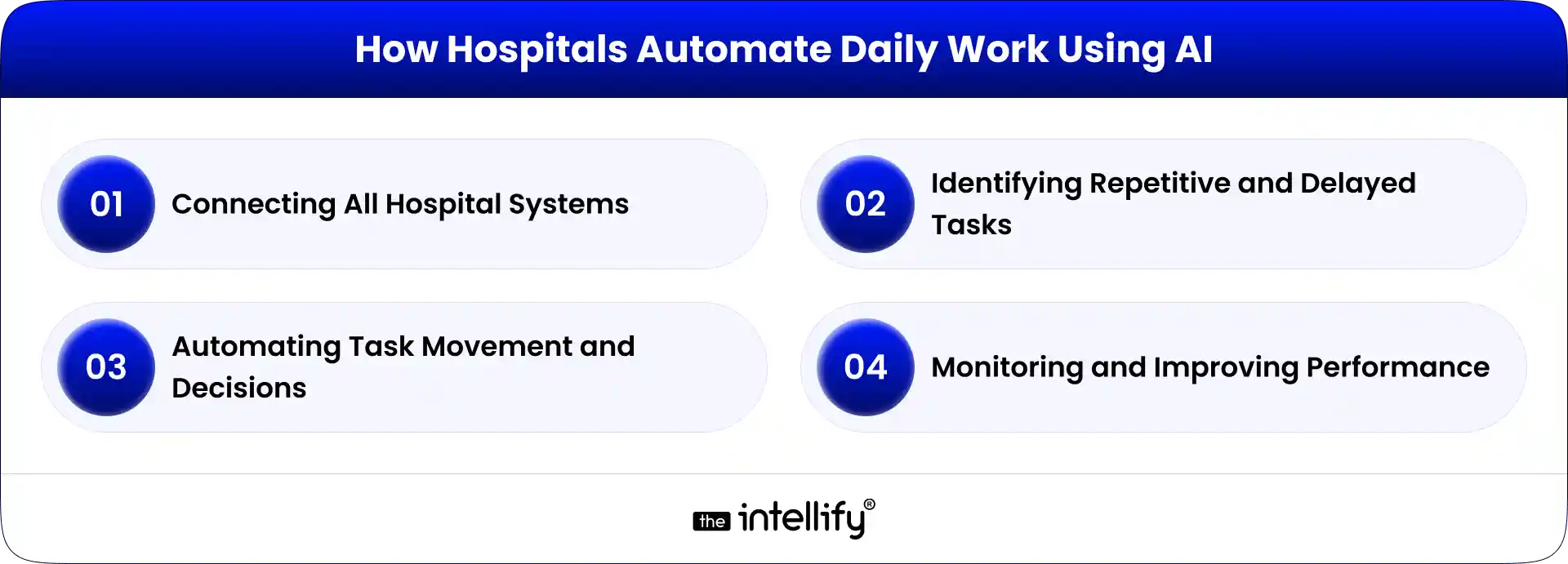
How Hospitals Automate Daily Work Using AI
Let’s break this down into simple, practical steps.
Step 1: Connecting All Hospital Systems
Most hospitals use multiple platforms:
- EHR
- Billing software
- Lab systems
- Pharmacy systems
- Scheduling tools
When these systems don’t talk to each other, staff switch screens constantly. It’s exhausting. AI workflow automation begins by integrating these systems. Data flows into one connected environment. No more scattered silos.
The goal? A unified operational view. This is the foundation. Without it, automation won’t work smoothly.
Step 2: Identifying Repetitive and Delayed Tasks
You can’t automate what you don’t understand. Hospitals analyze:
- Manual data entry points
- Approval bottlenecks
- Delays in admissions or discharge
- Patterns in daily workflow
For example, if discharge approvals are consistently delayed by two hours, that’s a signal.
AI systems help detect these patterns using real data. This step often reveals surprising inefficiencies.
Step 3: Automating Task Movement and Decisions
Now the real shift begins.
- Patient files are routed automatically
- Appointments are scheduled based on availability
- Alerts and reminders are sent without manual input
- Records update in real time
- Billing triggers after treatment completion
Instead of someone manually coordinating every step, the system moves tasks forward. Manual follow-ups drop. Turnaround time improves. Staff feel it almost immediately.
Step 4: Monitoring and Improving Performance
Automation isn’t a one-time setup. Hospitals track:
- Turnaround time
- Workflow efficiency
- Admission-to-discharge duration
- Error rates
AI systems learn from historical data. Over time, they refine processes. If something slows down, the system highlights it. Continuous improvement becomes part of daily operations.

AI Workflow Automation Use Cases in Hospitals
Let’s look at practical examples.
1. Patient Admission and Discharge Management
AI reduces paperwork. It verifies details instantly and speeds up bed allocation. Discharge summaries move faster. Billing starts automatically. Patients leave without waiting in corridors for hours.
2. Intelligent Scheduling Systems
Balancing doctor availability and patient demand is tricky. AI-driven scheduling considers:
- Doctor availability
- Appointment urgency
- Past no-show patterns
It adjusts schedules dynamically. Fewer gaps. Fewer conflicts.
3. Billing and Claims Coordination
Billing errors are common in manual systems. AI verifies insurance details, checks documentation completeness, and routes claims correctly. This reduces rejections and speeds up reimbursements.
4. Clinical Documentation Assistance
Doctors often spend late evenings finishing documentation. (You’ve probably seen it.) AI can auto-populate structured fields and assist in drafting reports. Manual typing decreases.
5. Emergency Workflow Optimization
In emergency departments, seconds matter. AI prioritizes urgent cases based on symptoms and historical data. It routes them accordingly. Smarter triage with faster action.
Benefits of AI Automation in Hospitals
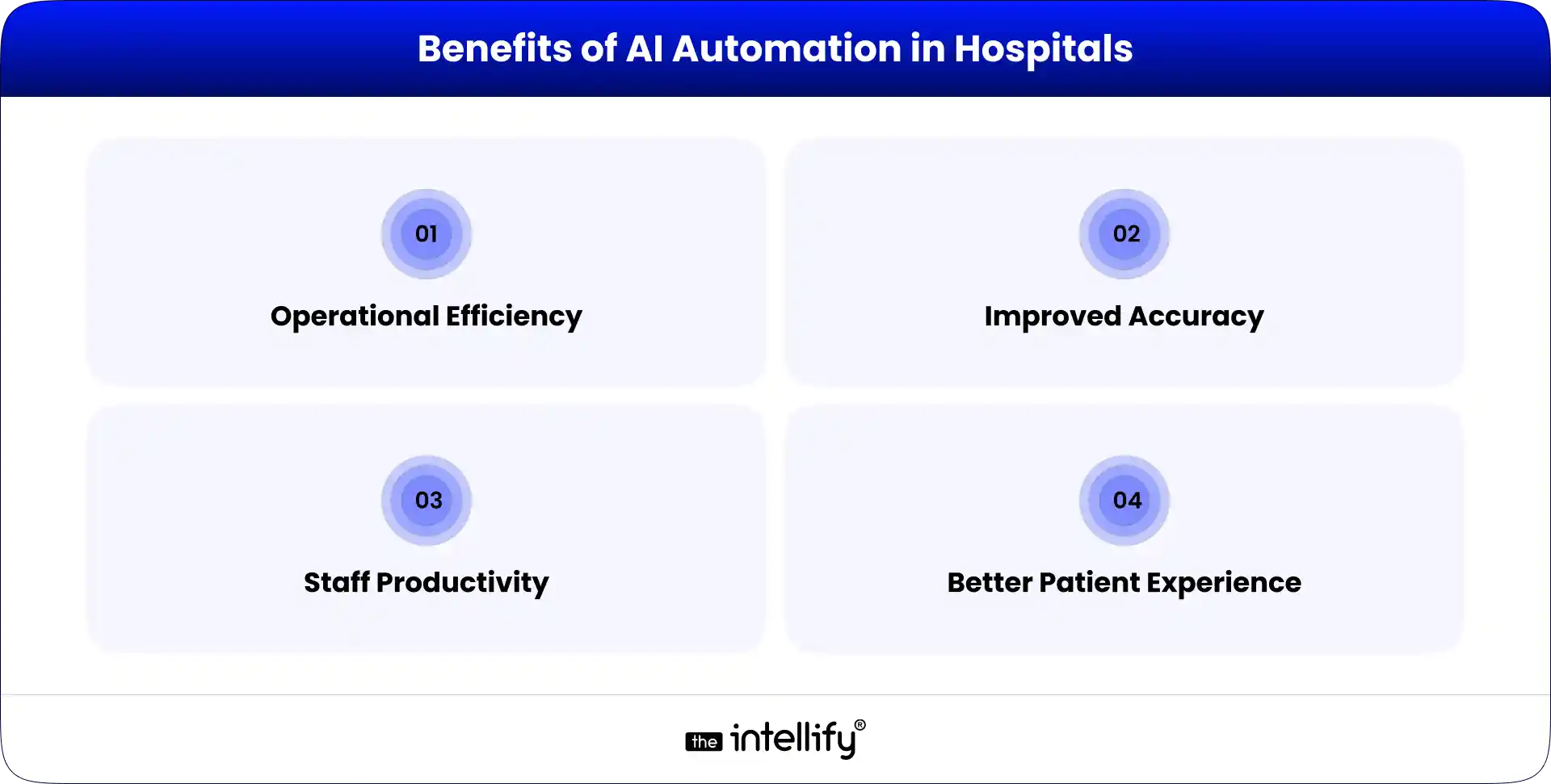
AI workflow automation brings practical improvements to daily hospital operations. The impact is visible not in theory, but in how smoothly work moves from one department to another.
Operational Efficiency
Processes move faster because tasks no longer wait for manual follow-ups. Admissions, documentation, lab coordination, and billing flow automatically. Bottlenecks are reduced, and departments stay aligned. This creates a more stable and predictable operational rhythm.
Improved Accuracy
Manual data entry often leads to small but costly errors. AI in hospital workflows helps validate information, flag inconsistencies, and reduce documentation mistakes. Fewer errors mean fewer claim rejections and fewer compliance risks.
Staff Productivity
When repetitive coordination is automated, staff spend less time switching systems and more time focusing on patients. Even saving a few minutes per task makes a difference across an entire shift.
Better Patient Experience
Faster admissions, timely updates, smoother discharge processes, and fewer billing issues improve the overall care journey. Patients may not see the automation, but they feel the efficiency.
Challenges to Consider Before Implementation
While AI for workflow automation offers clear advantages, hospitals must plan carefully before implementation.
- System Integration Complexity:-Many hospitals operate on multiple legacy platforms. Connecting EHR, billing, lab, and pharmacy systems can require technical effort. Without proper integration, automation cannot function smoothly.
- Data Privacy Compliance:-Healthcare data is sensitive. AI systems must comply with strict privacy regulations. Security and compliance should be built into the system from the beginning.
- Staff Adaptation:- New workflows can create hesitation among staff. Clear communication and proper training are essential to ensure teams feel supported rather than disrupted.
- Cost Considerations:- Initial setup costs can be significant. However, long-term efficiency gains often balance the investment when planned correctly.
Best Practice for Implementing AI Automation in Healthcare
A structured approach increases the success rate of AI workflow automation in hospitals.
1. Start with High-Impact Workflows
Focus on repetitive tasks that slow down patient flow. Automating admissions, discharge coordination, or billing verification often delivers quick results. Avoid automating everything at once.
2. Involve Both IT and Healthcare Teams
Doctors, nurses, administrative staff, and IT teams should collaborate early. Their combined insight ensures automation aligns with real hospital needs.
3. Monitor Workflow Performance
Track time savings, error reduction, and improvements in patient wait times. Measuring performance ensures the system delivers practical value.
4. Scale Gradually
Begin with one department and expand after achieving stable results. Gradual scaling reduces risk and allows adjustments based on feedback.
The Future of Hospital Operations with Intelligent Automation
Hospital operations will continue evolving with intelligent automation. AI in hospital environments will support predictive task management, helping teams anticipate workload changes.
Real-time workflow visibility will allow administrators to monitor operations across departments. Smarter coordination will reduce communication gaps and improve response time.
Automation will become a core operational layer rather than an added feature.
Conclusion:
AI workflow automation supports hospital teams by reducing administrative strain. It improves coordination, speeds up processes, and minimizes errors. The goal is not to replace healthcare professionals. It is to help them focus on patient care instead of repetitive system tasks. When workflows become organized and intelligent, healthcare delivery becomes more responsive, accurate, and patient-centered.
As healthcare systems continue evolving, thoughtful adoption of automation will play a key role in shaping more organized and responsive hospitals. For those looking to explore this shift further, The Intellify offers deeper perspectives on how AI workflow automation is being applied in real hospital environments.
Frequently Asked Questions
1. What is AI workflow automation in healthcare?
AI workflow automation in healthcare means using intelligent systems to handle repetitive hospital tasks automatically. It helps manage scheduling, billing, documentation, and approvals without constant manual follow-up. By connecting departments and moving tasks digitally, AI in hospital environments reduces delays and improves operational flow.
2. How does AI workflow automation improve healthcare operations?
AI for workflow automation improves healthcare operations by reducing paperwork, speeding up internal processes, and improving coordination between teams. Tasks move automatically instead of waiting for manual action. This helps hospitals operate more efficiently and allows staff to focus more on patient care.
3. Which hospital processes can be automated using AI?
Common hospital processes that can be automated include patient admissions, discharge coordination, appointment scheduling, billing and claims processing, clinical documentation updates, and lab report routing. AI workflow automation works best in repetitive and time-sensitive workflows.
4. How long does it take to implement automation in a hospital?
Implementation timelines vary based on hospital size and system complexity. Many hospitals begin with one high-impact workflow and expand gradually. A phased approach helps minimize disruption and ensures smoother adoption of AI workflow automation.
6. How does AI integrate with existing hospital systems?
AI integrates with existing hospital systems such as EHR, billing platforms, lab software, and scheduling tools through secure connections. Instead of replacing current systems, AI for workflow automation connects them to create a unified and streamlined operational flow.
7. What are the biggest challenges in automating hospital workflows?
Major challenges include integrating legacy systems, ensuring data accuracy, training staff, and managing change. Hospitals that start small and scale gradually typically see better results when implementing AI in hospital workflows.


Written By, Darshak Doshi
With over a decade of experience, Darshak is a technopreneur specializing in cloud-based applications and product development in healthcare, insurance, and manufacturing. He excels in AWS Cloud, backend development, and immersive technologies like AR/VR to drive innovation and efficiency. Darshak has also explored AI/ML in insurance and healthcare, pushing the boundaries of technology to solve complex problems. His user-focused, results-driven approach ensures he builds scalable cloud solutions, cutting-edge AR/VR experiences, and AI-driven insights that meet today’s demands while anticipating future needs.

Where AI Voice Agents Fit Into a Modern DPC Platform
Summary: AI voice agents can become a practical part of a modern Direct Primary Care (DPC) platform by handling routine phone interactions, appointment scheduling, membership questions, reminders, and call routing. This guide explains where voice AI fits within the DPC technology stack, what tasks it should and shouldn’t handle, HIPAA considerations, integration requirements, and how […]
AI Appointment Scheduling in Healthcare: How It Works, Key Benefits & Costs in 2026
Summary: AI appointment scheduling helps healthcare organizations automate booking, reduce no-shows, optimize provider schedules, and improve patient access to care. This guide explains how AI scheduling works, its key benefits, essential features, implementation costs, EHR integration requirements, and future trends shaping healthcare operations in 2026. A missed appointment doesn’t just create an empty slot in […]

How to Build AI for Real Estate Investment and Market Analysis
Summary: AI for real estate investment is helping investors and property businesses make smarter, faster, and more data-driven decisions. This guide explains how to build an AI-powered real estate investment platform, covering essential features, data sources, AI technologies, market analysis capabilities, development steps, business benefits, and future trends shaping the real estate industry. Real […]
Where AI Voice Agents Fit Into a Modern DPC Platform
Summary: AI voice agents can become a practical part of a modern Direct Primary Care (DPC) platform by handling routine phone interactions, appointment scheduling, membership questions, reminders, and call routing. This guide explains where voice AI fits within the DPC technology stack, what tasks it should and shouldn’t handle, HIPAA considerations, integration requirements, and how […]
AI Appointment Scheduling in Healthcare: How It Works, Key Benefits & Costs in 2026
Summary: AI appointment scheduling helps healthcare organizations automate booking, reduce no-shows, optimize provider schedules, and improve patient access to care. This guide explains how AI scheduling works, its key benefits, essential features, implementation costs, EHR integration requirements, and future trends shaping healthcare operations in 2026. A missed appointment doesn’t just create an empty slot in […]
How to Build AI for Real Estate Investment and Market Analysis
Summary: AI for real estate investment is helping investors and property businesses make smarter, faster, and more data-driven decisions. This guide explains how to build an AI-powered real estate investment platform, covering essential features, data sources, AI technologies, market analysis capabilities, development steps, business benefits, and future trends shaping the real estate industry. Real […]
0
+0
+0
+0
+Committed Delivery Leads To Client Satisfaction
Client Testimonials that keep our expert's spirits highly motivated to deliver extraordinary solutions.

Christopher Seny
My experience working with The Intellify, has been a great experience. The team has a wealth of expertise in the tech space. Working with the intellify was a growing experience for me, I learned a lot. The team keeps great communication & responds fast to new ideas & suggestions. The team also provides great suggestions & solutions as well. I couldn’t imagine working with anybody else on this project & it has been a blessing working with, The Intellify.

Izandi Serdyn
The Intellify delivered a platform from scratch, involving the client at every stage. The team was communicative, responsive, and punctual throughout the engagement. Virtual meetings and emails ensured seamless project management. Customers can expect a team that can work fast.

Kya Johnson
The app serves as an effective introduction for users to the product and its characters. Responsive and faithful to initial requirements, The Intellify’s team exceeded initial expectations. Internal stakeholders were particularly pleased with their communication.

Stefan Wyk
Working with The Intellify to develop our website was an outstanding experience. Their team displayed exceptional professionalism, creativity, and technical expertise throughout the entire process. The final product exceeded our expectations, delivering a sleek, user-friendly, and highly functional website. We highly recommend The Intellify to anyone in need of top-tier web development services.

Steve Thorpe
The Intellify’s work has been met with high praise from internal and external stakeholders. The team is efficient, diligent, and reliable in their service. They go above and beyond in terms of communication and project management. The Intellify is a responsive vendor that gets the job done.

Tal Dotan
I’ve been working with The Intellify for the last 3 years. During this period of time we’ve planned and executed projects in both small and large scale. Working with The Intellify was and still is the best decision I’ve made when rising up Divo, I strongly recommend to work with them in any type of project.


 +1-302-803-4983