How to Build an Immersive Virtual Museum Tour in 2026

Summary:
This blog explains how to create a virtual museum tour in 2026, covering everything from choosing the right tour format to planning layouts, capturing 360° or 3D visuals, adding interactive elements, and integrating AR/VR. It also highlights the key features that make a virtual museum experience successful, the technology stack you’ll need, estimated development costs, monetization opportunities, and real examples from leading museums. By the end, you’ll know how to build an engaging, accessible, and revenue-ready virtual tour.


The world of cultural tourism is changing, especially in how we experience museums. Virtual experiences are becoming more popular as visitors look for engaging and accessible ways to immerse themselves in art and history. In this blog, we’ll guide you through the journey of creating an immersive virtual museum tour. We’ll cover everything from the underlying technology to monetization strategies.


What Is a Virtual Museum Tour?
Virtual Museum Tour

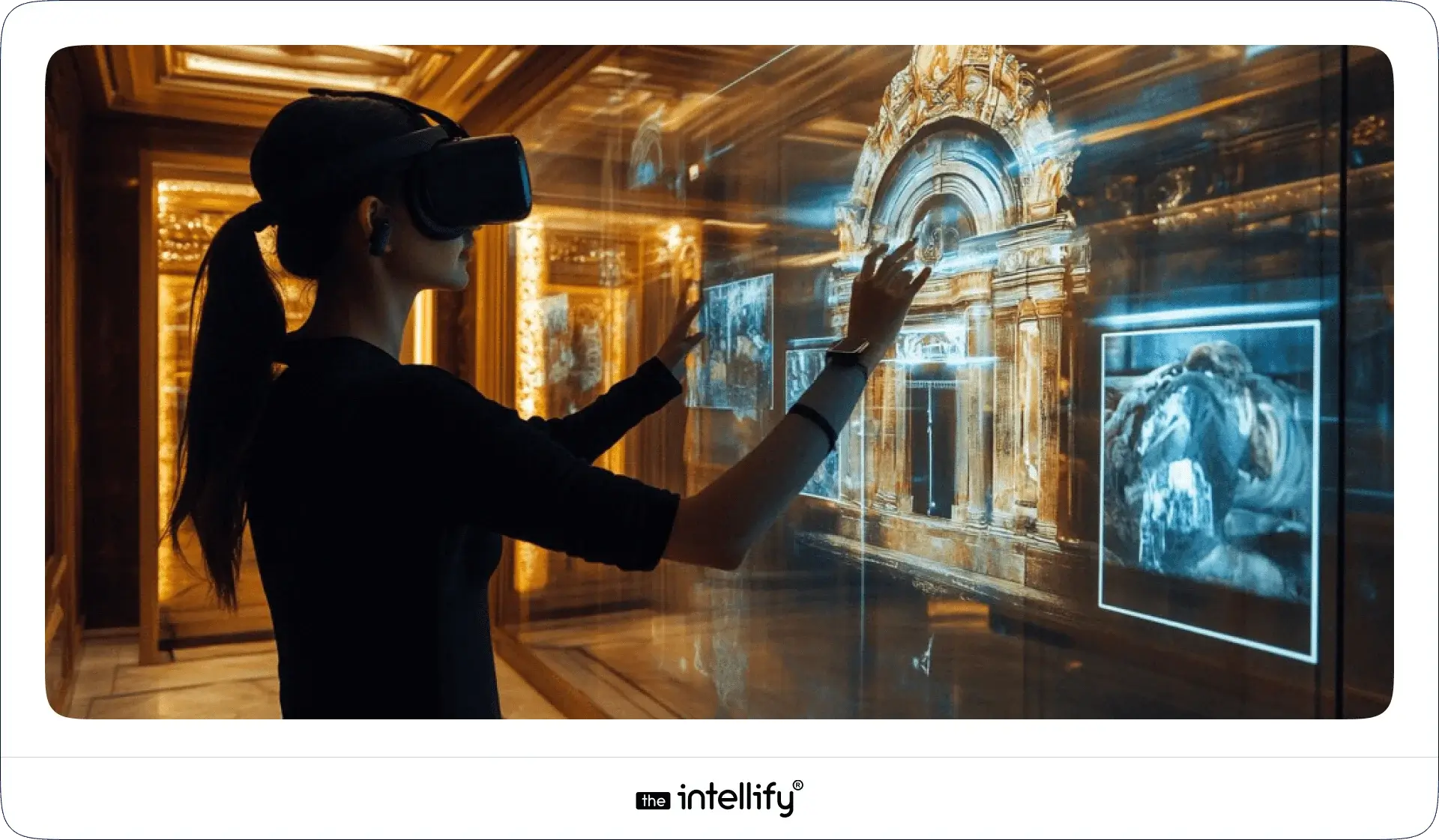
A virtual museum tour is an online experience that allows visitors to explore exhibitions and collections from museums via digital platforms. It creates an engaging atmosphere where people can learn about art and culture from anywhere in the world.

How It Works

These tours typically use 360°images, 3D renderings, and features like augmented reality (AR) or virtual reality (VR. Visitors can enjoy guided audio or video narratives that enhance their experience, offering deeper insights and interactive learning.

Why Virtual Museum Tours Are Trending

In 2026, the demand for these virtual tours will soar thanks to:

  • Better internet access and technological advancements
  • A growing desire for interactive experiences
  • The need for broader educational outreach


Why Museums Need a Virtual Tour in 2026

Higher Visitor Engagement

Virtual tours captivate by offering interactive experiences that traditional exhibits simply can’t match. An engaging experience encourages visitors to return for more.

Global Reach Beyond Physical Boundaries

Unlike brick-and-mortar museums, virtual tours are accessible to anyone, anywhere in the world. This extended reach can attract international audiences and enhance brand visibility.

More Revenue Opportunities

Virtual tours can create new revenue streams through ticket sales, merchandise, and online donation opportunities that traditional museums might not fully realize.

Better Accessibility

Virtual tours can be designed for everyone, from students to seniors, and visitors with special needs, ensuring a rich cultural experience for all, no matter where they’re located.

Stronger Digital Presence & Branding

In this digital age, having a solid online presence is crucial for branding. Museums that offer a virtual experience can set themselves apart and strengthen their brand identity.


Types of Virtual Museum Tours You Can Create

Types of Virtual Museum Tours

360° Panorama Tour

This option lets users navigate through panoramic views of exhibits, offering a true-to-life feel of the museum environment.

3D Walkthrough Tour

Here, visitors can roam around a fully rendered 3D space that simulates the museum’s actual layout.

AR-Powered Museum Experience

With augmented reality features, users can interact with exhibits through their mobile devices, blending the physical and digital worlds in exciting ways.

VR Museum App / VR Headset Tour

For those with VR headsets, these tours provide a fully immersive experience, transporting users right into the museum.

Hybrid Tours (Physical + Digital)

Combining in-person visits with digital experiences can offer a more comprehensive understanding. Think of live-streaming guided tours or presenting digital artifacts.


Key Features of a Successful Virtual Museum Tour

  • Interactive Hotspots: Allow users to click on different areas for extra information, making the experience more engaging.
  • High-Resolution 3D Models & Images: Quality visuals boost the overall user experience, making the exhibits stand out.
  • Audio-Guided Storytelling: Narration can provide rich context, giving visitors a deeper understanding of the exhibits.
  • Multi-Language Support: Offering multiple languages caters to a global audience, significantly expanding your reach.
  • Zoom & Rotate for Artifacts: Letting users inspect artifacts closely enhances their appreciation of historical items.
  • VR Headset Support: Being compatible with VR headsets can elevate the experience and make it even more enjoyable.
  • Gamified Learning: Adding games or quizzes keeps users engaged and makes learning enjoyable.
  • Smart Search & Filters: Visitors should find it easy to sort through exhibits, making navigation user-friendly.
  • Live Guided Sessions with Curators: Real-time interactions can enrich the educational experience even further.


Step-by-Step Process: How to Create a Virtual Museum Tour in 2026

Virtual Museum Tour Development Process

Step 1 – Finalize Objectives & Tour Type

Start by understanding what you want to achieve and decide which type of tour suits your vision and resources.

Step 2 – Plan the Museum Layout & Storyboard

Draw up a detailed layout of the museum and plan how you’ll tell your story.

Step 3 – Capture 360° Images or Scan Artifacts in 3D

Use specialized equipment to capture high-quality images or scan artifacts in 3D.

Step 4 – Build the Virtual Environment (3D or 360°)

Choose either a 3D model or a 360° environment and begin constructing the virtual space.

Step 5 – Add Content: Text, Audio, Video, Narration

Create informative materials to enhance the interactive tour experience.

Step 6 – Integrate VR/AR Enhancements

If it aligns with your vision, add AR or VR features that enrich the experience.

Step 7 – Add Navigation, Hotspots & Accessibility Controls

Design navigational features and include accessibility options to broaden usability.

Step 8 – Test Across Devices

Make sure the tour runs smoothly on various platforms, including mobile devices, desktops, and VR headsets.

Step 9 – Launch & Promote the Tour

Once everything is set, launch the tour and use marketing strategies to attract visitors.

Step 10 – Maintain & Update Exhibits Regularly

Fresh content will entice visitors to return, keeping your offerings engaging.


How Much Does It Cost to Build a Virtual Museum Tour in 2026?

Cost Factors That Influence Pricing

Costs can vary widely based on your technology choices, production quality, and features. Key factors include:

  • Type of tour (3D vs. 360°)
  • Complexity of the interface
  • Required hardware

Cost Range for Different Types of Tours

A basic 360° tour might cost between $5,000 and $20,000, while a more sophisticated 3D or AR experience can exceed $50,000.

Savings & ROI for Museums

Investing in a virtual tour can yield long-term savings via increased visitor engagement and potential revenue from digital sales.
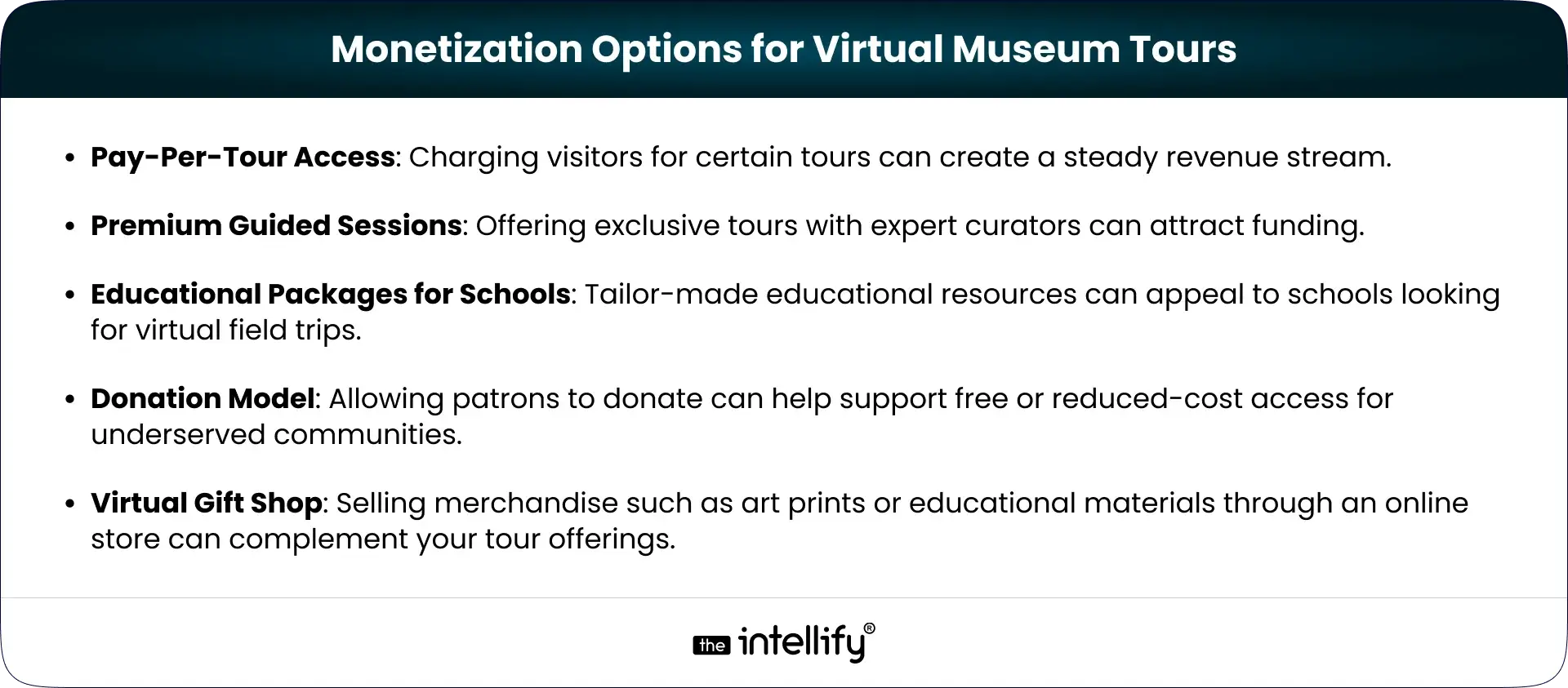
 

Monetization Options for Virtual Museum


Real Examples of Successful Virtual Museum Tours

International Case Studies

1. The British Museum: Provides an extensive virtual tour that allows global exploration of its collections.
2. The Louvre: Features interactive 3D tours and educational resources that reach audiences worldwide.
3. The Smithsonian: Offers high-quality remote experiences, making art and history accessible to all.

What You Can Learn From Them

Successful virtual tours emphasize accessibility, high-quality visuals, and engaging storytelling that resonate with audiences.


Challenges & How to Overcome Them

  • Storage & Loading Time Issues: Utilizing cloud services can help alleviate performance problems, ensuring quick access and seamless experiences.
  • Budget Constraints: Focus on essential features and consider staged implementation to spread costs over time.
  • Accessibility for Low-Speed Internet Users: Optimize the tour for different internet speeds, providing lower-resolution options for those with limited connectivity.
  • Keeping the Tour Updated: Have a strategy for regular updates to keep content fresh and engaging.


How The Intellify Can Help You Build Your Virtual Museum Tour

  • Expertise in 3D, and immersive AR/VR app development: Our expert team at The Intellify focuses on creating compelling virtual experiences tailored to museums.
  • Custom virtual museum solutions: We’ll collaborate with you to develop engaging features that resonate with your audience.
  • End-to-end support: From brainstorming ideas to launching your tour, we offer comprehensive support throughout the development process.
  • A strong portfolio in immersive experiences: Our experience in delivering various virtual experiences enables us to provide top-notch results.

 

Virtual museum tour development


Conclusion

Creating an immersive virtual museum tour isn’t solely about technology, it’s a fantastic way to engage visitors, extend reach, and enhance education. As museums continue to embrace the digital age, those who leverage innovative virtual solutions will stay ahead in a competitive landscape.

Take the plunge today and partner with The Intellify to craft a virtual museum tour that captivates and educates!


Frequently Asked Questions (FAQs)

1. How do virtual museum tours work and what technology powers them?

Virtual tours utilize 360° images, 3D models, and AR/VR technology to provide engaging online experiences. They rely on advanced software and hardware to effectively engage visitors.

2. What are the essential features needed to create a high-quality virtual museum tour in 2026?

Key features include interactive hotspots, high-resolution visuals, multi-language support, gamified learning, and live sessions with curators to enhance user engagement.

3. How much does it cost to build a virtual museum tour for a museum or gallery?

Costs can range from $5,000 to over $50,000, depending on the type of tour and the features you choose. It’s essential to evaluate your specific needs and budget.

4. What is the best technology stack for developing a 360° or 3D virtual museum experience?

Recommended tools include Unity or Unreal Engine for 3D renders, Matterport for 360° captures, and ARKit or ARCore for augmented reality features.

5. How long does it take to create a fully immersive virtual museum tour?

The timeline can vary, but anticipate anywhere from a few weeks to several months, depending on the project’s scope and complexity.

6. Can a virtual museum tour help increase real-world visitor footfall and engagement?

Definitely! By promoting digital experiences to broader audiences, many museums have seen a boost in physical visitations and engagement.

7. What are the biggest challenges museums face when creating virtual tours?

Common challenges include storage issues, budget constraints, and accessibility concerns. Strategic planning can help address these hurdles effectively.

8. How can The Intellify help museums build custom virtual museum tours in 2026?

The Intellify offers comprehensive VR development services, focusing on immersive application solutions tailored to engage visitors while enhancing learning.

Apple Vision Pro App Development Guide for Businesses

Summary:
This blog breaks down Apple Vision Pro app development in a simple, practical way for businesses exploring AR and VR app solutions. It explains what the device can do, where it fits across industries like healthcare, retail, education, and real estate, and how the full development process works from concept to launch. You’ll also find cost ranges, future trends, and tips for choosing the right development partner so teams can build meaningful, immersive experiences with confidence.


The world of AR and VR has been speeding up so fast that sometimes it feels like you blink and boom, something new drops. Apple Vision Pro is one of those “okay, wow” moments. Apple basically decided to blend the real world with digital magic, and here we are, trying to keep up (in a good way).
This guide walks you through what Apple Vision Pro is, why businesses are suddenly really into it, and what you need to know if you’re thinking about Apple Vision Pro app development. Don’t worry, nothing too fancy, just clear, real talk, the way you’d explain it to a friend over coffee.


What is Apple Vision Pro?

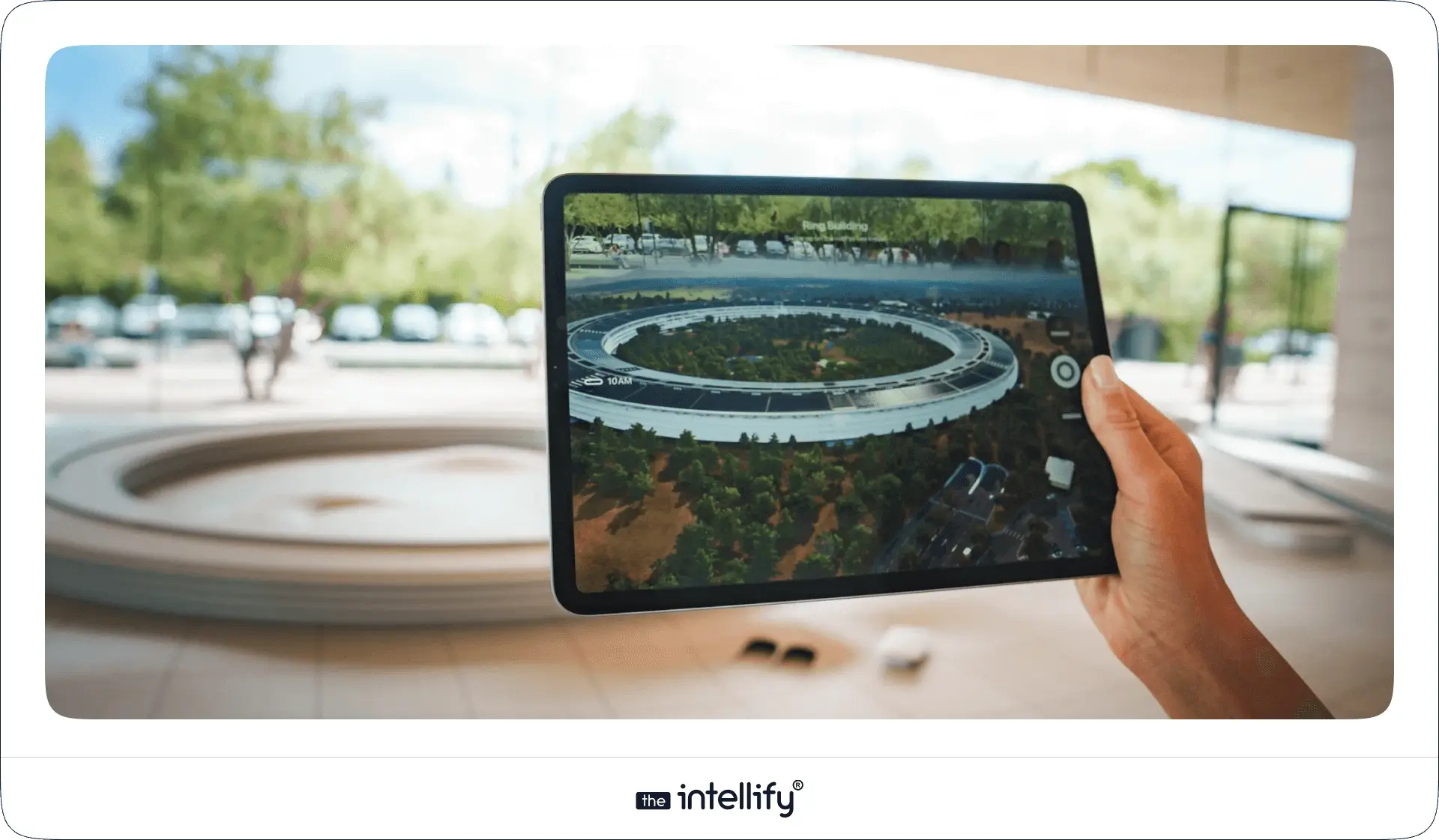
What is Apple Vision Pro

Apple Vision Pro is Apple’s mixed-reality headset kind of like slipping on glasses that know more about you than your phone does. It blends AR and VR together so smoothly that the lines disappear. The displays are so sharp that even tiny details pop, and the spatial audio almost feels like someone whispered behind you (which can be creepy but cool).
This whole thing runs on visionOS, which Apple built just for immersive experiences. And honestly, it shows. Everything feels smooth, responsive, and kind of… natural? Like you’re not fighting with the interface.
For businesses, this opens a ton of doors, new ways to teach, sell, entertain, and just create moments users actually feel, not just click through.


Why Build Apps for Vision Pro? Market Opportunity

If you’re wondering whether Vision Pro is “worth it,” well… yes. The interest around immersive tech has been rising like crazy, and Apple jumping in has basically poured fuel on that fire.

  • Rapid Adoption: Whenever Apple does something new, people pay attention. Same story here.
  • Wide Applications: Pretty much every industry can use AR/VR in some meaningful way, education, real estate, retail, healthcare, entertainment, you name it.
  • Higher Engagement: Immersive experiences just hit different. Users stay longer, connect deeper, and remember more.

So yeah, the market opportunity is big. And it’s getting bigger by the month.


Key Features of Apple Vision Pro

Vision Pro isn’t just shiny hardware. It’s loaded with tech that actually matters when you’re building apps:

  • High-Resolution Displays: The visuals are almost too crisp, it’s like looking through a freshly cleaned window (a rare moment when cleaning actually pays off).
  • Spatial Audio: Sound comes from where it should come from. It’s weirdly satisfying.
  • Advanced Sensors: These track your hands, eyes, and movements so smoothly that you forget sensors even exist.
  • Gesture Control: Tap, pinch, flick, no controllers needed.
  • Apple Ecosystem Integration: If you’re in the Apple universe, everything just fits together. Seamlessly.

These features make building immersive apps easier and a lot more fun.


Why Businesses Are Investing in Vision Pro App Development

Businesses are diving into Vision Pro app development for a bunch of reasons, some practical, some visionary (pun totally intended):

  • Better Brand Experiences: Brands can create moments users remember, not just screens they swipe.
  • Operational Efficiency: AR can shorten training, simplify repairs, and speed up processes.
  • Competitive Edge: Early adopters always stand out. And customers notice.

If your business wants to stay ahead, this is a pretty solid place to start.


Vision Pro App Development Use Cases Across Industries

Vision Pro App Development Use Cases

Different industries are picking up Vision Pro for different reasons. Here’s where it really shines:

1. Healthcare

  • Surgical Training: Surgeons can practice without stepping into the operating room.
  • Patient Education: Visuals help patients finally “get” what’s happening inside their own bodies.

2. Education

  • Interactive Learning: Imagine studying planets while literally standing “between” them.
  • Virtual Classrooms: Remote classes stop feeling like boring video calls.

3. Real Estate

  • Virtual Tours: Buyers can tour homes without sitting in traffic.
  • Augmented Staging: Add furniture, change colors, goodbye imagination struggles.

4. Retail

  • Virtual Try-Ons: Try clothes, makeup, even glasses, instant vibes check.
  • In-Store Navigation: No more wandering aisles like you’re hunting treasure.

5. Entertainment

  • Immersive Games & Media: Step into the world, not just watch it.
  • Live Events: AR layers can make concerts and shows feel next-level.

Across all these, one thing’s clear: Vision Pro + visionOS unlocks a new kind of creativity for businesses.


Apple Vision Pro App Development Process: Step-by-Step

Apple Vision Pro App Development Process

If you’re figuring out how to develop Vision Pro apps, the process looks something like this:

1. Defining the Concept

  • Identify Goals: What’s the point of your app?
  • Audience: Who’s it for?

2. Market Research

  • Study competitors (yep, everyone’s doing it).
  • Gather feedback from real users, not just internal teams.

3. Design & Prototyping

  • Wireframing: Draft out how the app will flow.
  • Mockups: Add visuals that make things feel real.

4. Development

  • Build using ARKit + visionOS tools.
  • Connect Apple APIs for spatial audio and more.

5. Testing

  • Put real users in the headset.
  • Tweak things. Then tweak again. And again.

6. Launch

  • Submit to the App Store.
  • Run marketing to get eyes (and downloads) on it.


How Much Does Apple Vision Pro App Development Cost?

Vision Pro app development costs depend on how wild or simple your idea is. Here’s the gist:

  • Features Complexity
  • Design Requirements
  • Development Team Expertise/Location

Estimated Costs

  • Ideation & Design: $5,000 – $20,000
  • Development: $15,000 – $100,000+
  • Beta Testing: $5,000 – $15,000
  • Marketing & Launch: $5,000 – $30,000

Cost-Saving Tips

  • Start small (an MVP never hurt anyone).
  • Outsource smartly to save money without sacrificing quality.

Managing Vision Pro app development costs is all about knowing what you really need at each step.


Future Outlook & Why Now is the Time

The future for Apple Vision Pro looks bright. Like, “we might look back and laugh at flat screens” bright.

Trends to Watch

  • More use cases are popping up everywhere
  • Hardware upgrades (because Apple always has a “one more thing”)
  • Real-time data blending AR + IoT

If you’ve been waiting for the “right moment,” it’s probably now.


How to Choose the Right Vision Pro App Development Experts

Here’s what matters when choosing an Apple Vision Pro development company:

  • Expertise: A team that understands AR/VR and Apple’s tools.
  • Portfolio: Real work you can actually see.
  • Client Testimonials: Honest feedback from people who’ve been in your shoes.
  • Collaboration Style: Good communication saves projects. Always.
  • Post-Launch Support: Apps need updates, no getting around it.


Apple Vision Pro App Development company


Conclusion

The Apple Vision Pro isn’t just another gadget, it’s a shift in how we experience digital content. Businesses that invest in VR app development now will have the early advantage, better user engagement, and honestly… a cooler product lineup.
From training to shopping to entertainment, AR and VR are opening doors we haven’t fully explored yet. If you’re planning to innovate, now’s a great time to step in and build something users will remember.


Frequently Asked Questions (FAQ’s)

1. What is Apple Vision Pro app development?

Apple Vision Pro app development focuses on creating applications tailored for Apple’s mixed-reality device, the Vision Pro, leveraging its distinct AR/VR capabilities.

2. Why should businesses invest in Vision Pro development?

Investing in Vision Pro development allows businesses to engage customers in fresh ways, boost operational efficiency, and maintain competitiveness in a fast-evolving market.

3. What industries can benefit from Vision Pro app development?

Healthcare, education, retail, real estate, and entertainment are all poised to gain from the innovative applications built for the Vision Pro.

4. How much does it cost to develop an app for Apple Vision Pro?

Costs can vary widely based on feature complexity and design needs, typically starting around $5,000 for ideation and reaching upward of $100,000 for comprehensive apps.

5. What features make the Apple Vision Pro stand out?

High-resolution displays, spatial audio integration, advanced sensors, and intuitive gesture control are among the key features that facilitate immersive experiences.

6. How to choose the right Apple Vision Pro development company?

Seek a team with expertise, a robust portfolio, client testimonials, strong collaboration skills, and post-launch support to ensure you find the perfect development partner.

7. How can The Intellify help with Vision Pro app development?

The Intellify specializes in AR/VR app development, delivering tailored services that enable businesses to create innovative applications for the Apple Vision Pro, maximizing user engagement and business impact.

AR Navigation App Development Guide 2025

Summary
This blog explores AR Navigation and its growing impact across industries. It explains how AR indoor navigation works, the technologies behind it, top use cases in airports, malls, hospitals, and logistics, and the business benefits such as improved user experience, increased revenue, and operational efficiency. The blog also highlights real-world examples, challenges, and the future of augmented reality navigation, while providing a step-by-step guide for developing your own AR navigation app.

Finding your way in today’s fast-moving world is no longer about unfolding paper maps or staring at confusing 2D navigation apps. With AR Navigation, directions are projected directly onto the real world through your smartphone, tablet, or even AR glasses. Whether it’s walking through an airport, shopping in a mega-mall, visiting a hospital, or driving in a new city, augmented reality navigation turns complex routes into clear, interactive guidance.
In this blog, we’ll explore what AR navigation is, why AR indoor navigation is gaining massive momentum, real-world examples, the app development process, challenges, and why 2025 is the right year for businesses to invest in AR-based indoor and outdoor navigation apps.


What is AR Navigation?

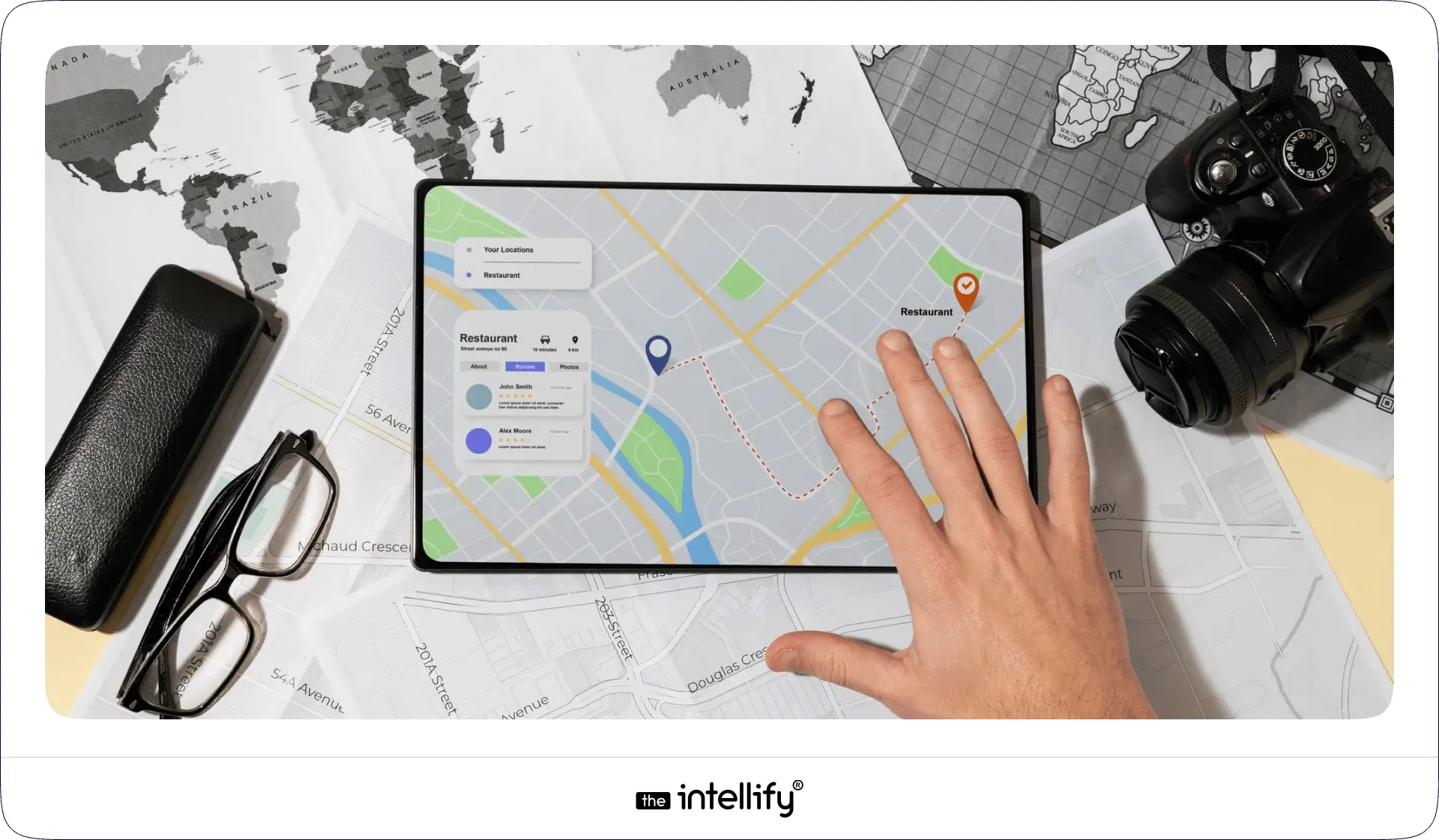
What is AR Navigation?

At its core, AR Navigation (Augmented Reality Navigation) uses the device camera and AR technology to project visual guidance into your real-world view. Instead of interpreting a flat map, you see:

  • 3D arrows on the ground showing where to walk
  • Floating signs labeling shops, gates, or rooms
  • Real-time details like distance, time, or promotions
  • Interactive points of interest (POIs) you can tap for more info

This works both indoors (airports, malls, offices) and outdoors (streets, tourist attractions, driving). Compared to traditional navigation, AR makes the experience immersive, intuitive, and less confusing.


Why AR Indoor Navigation Matters Now

Indoor navigation is notoriously difficult because GPS doesn’t work well inside buildings. With the rise of mega-malls, airports, hospitals, logistics hubs, and corporate campuses, the need for better indoor navigation has skyrocketed.

  • According to industry reports, the global indoor positioning and navigation market is projected to reach tens of billions of dollars by 2030, with AR navigation being one of the strongest growth drivers.
  • Businesses like malls and airports that adopted AR wayfinding already report better customer satisfaction, smoother operations, and even higher revenues due to increased footfall and conversions.
  • With smartphones becoming AR-ready and AR glasses emerging, 2025 marks the perfect time for businesses to adopt AR indoor navigation.


How AR Navigation Works

How AR Navigation Works

AR navigation works by blending the digital world with the physical environment in real time. Think of it as holding your phone or looking through AR glasses and seeing digital arrows, text, or 3D objects guiding you to your destination. Behind this seemingly simple experience lies a combination of advanced technologies:

  • Camera & Sensors: The camera constantly scans the environment while sensors (gyroscope, accelerometer, compass) track movement and orientation.
  • SLAM (Simultaneous Localization and Mapping): This technology builds a map of the environment while tracking the device’s location within it. SLAM ensures your AR overlay sticks precisely to the real world.
  • GPS & Beacons: Outdoors, GPS provides location accuracy. Indoors, where GPS often fails, Bluetooth beacons, Wi-Fi triangulation, or LiDAR-based positioning take over.
  • Cloud Anchors & 3D Mapping: AR navigation apps often use cloud anchors to store digital markers at physical spots. This helps multiple users see consistent AR guidance in the same location.
  • Rendering in AR: Once location and orientation are locked, digital arrows, lines, or instructions are overlaid in your camera view, guiding you naturally as if they exist in real life.

In simple words, AR navigation works like a live GPS map with visual overlays, ensuring users don’t just read directions but see them directly on their path.


Overview of Indoor Positioning Technologies

Since GPS doesn’t work indoors, AR-based indoor navigation relies on alternative technologies:

  • Wi-Fi Fingerprinting: Detects signal strength from Wi-Fi routers to locate users.
  • Bluetooth Beacons: Small devices installed around spaces to transmit location data.
  • Ultra-Wideband (UWB): Provides centimeter-level accuracy, ideal for airports and warehouses.
  • Visual Positioning Systems (VPS): Uses camera input + AI to recognize surroundings and place AR overlays.
  • Marker-Based Systems: Simple, cost-effective for smaller venues like museums.
  • Sensor Fusion: Combines data from accelerometers, gyroscopes, and magnetometers for better accuracy.

In practice, AR-based indoor navigation apps use a hybrid of these methods for maximum precision.


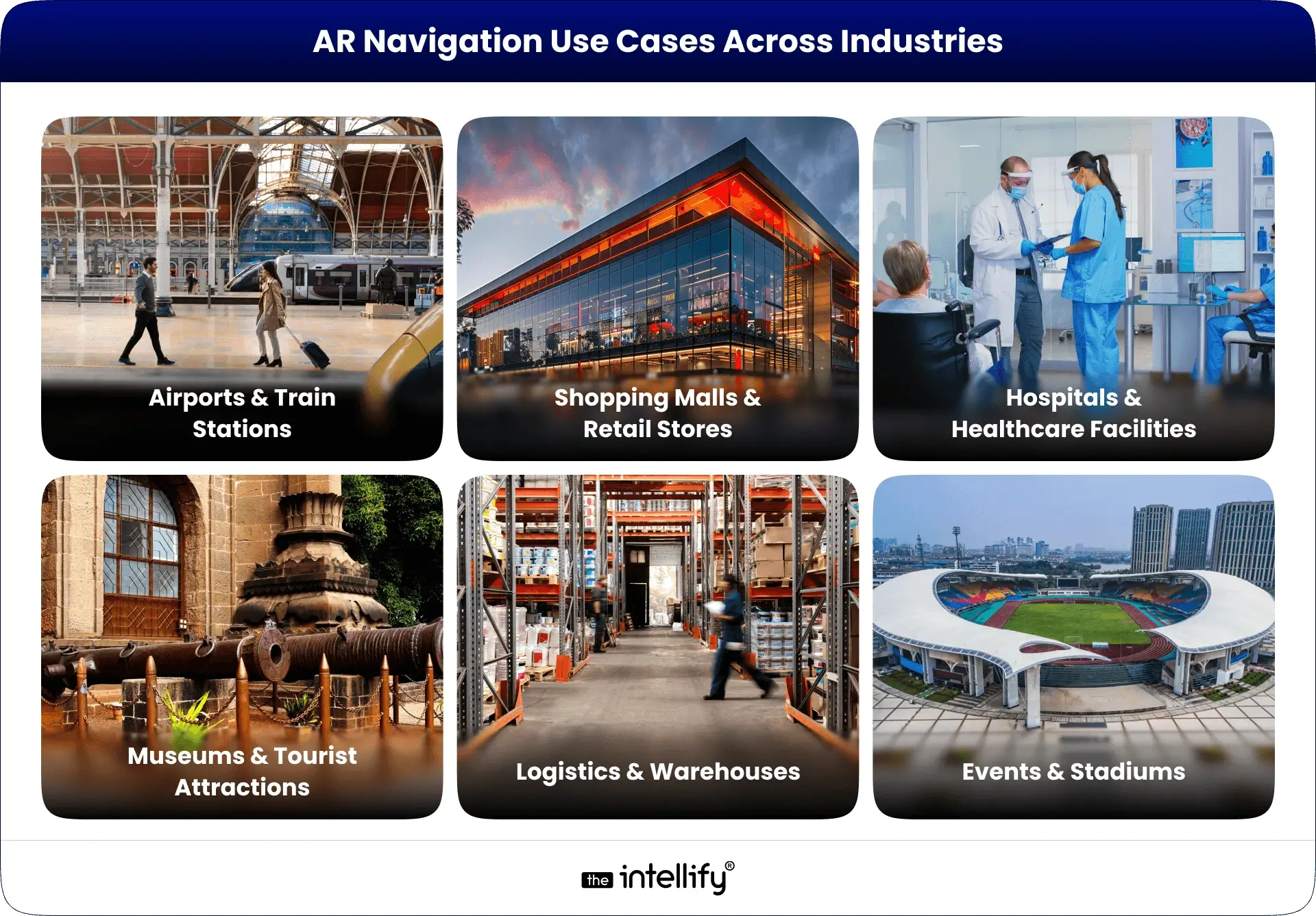
Top AR Navigation Use Cases

AR Navigation Use Cases
AR navigation isn’t just a futuristic gimmick, it’s already transforming industries. Here are the most promising use cases:

1. Airports & Train Stations

Large transit hubs are often overwhelming. AR navigation helps passengers quickly find gates, check-in counters, baggage claims, or even the nearest coffee shop.
For example, Gatwick Airport in London tested AR wayfinding to reduce passenger stress.

2. Shopping Malls & Retail Stores

Instead of wandering around, customers can follow AR directions to a specific store or even a product aisle. Retailers also use it to highlight promotions or guide shoppers to seasonal deals. Imagine walking in a mall and seeing a floating arrow guiding you straight to “50% off sneakers.”

3. Hospitals & Healthcare Facilities

Hospitals can be confusing for patients and visitors. AR indoor navigation ensures people easily find emergency rooms, wards, or doctors’ offices. It improves patient experience and reduces the burden on hospital staff.

4. Museums & Tourist Attractions

AR wayfinding enriches tours by guiding visitors to exhibits while also offering extra information in AR like a virtual guide standing beside a sculpture explaining its history.

5. Logistics & Warehouses

Workers in large warehouses can use AR glasses or mobile apps to locate goods quickly. Instead of scanning hundreds of racks, AR arrows guide them to the exact spot. DHL already uses AR for faster picking operations.

6. Events & Stadiums

At concerts, exhibitions, or sports stadiums, AR navigation helps attendees find seats, exits, restrooms, and food counters without confusion.


Business Benefits of AR Navigation

Companies adopting AR navigation unlock several advantages:

  • Improved User Experience (UX): Stress-free navigation reduces frustration.
  • Revenue Growth: Guided shoppers are more likely to discover and purchase.
  • Operational Efficiency: Staff spend less time answering “where is X?” questions.
  • Accessibility & Inclusivity: Tailored navigation for mobility-impaired visitors.
  • Data Insights: Heatmaps of visitor flows → smarter layout design.
  • Brand Differentiation: Innovative experience = stronger brand image.

In short, better navigation means happier customers, faster operations, and higher revenues.


Real-World Examples of Augmented Reality Navigation

Several global brands have already embraced AR navigation:

  • Google Maps AR (Live View): Google introduced AR overlays in Maps, letting users follow arrows through their camera view for walking navigation in cities.
  • Bing Maps AR: Microsoft also experimented with AR-driven navigation to enhance map usability.
  • Mercedes-Benz MBUX AR: This luxury car system overlays navigation arrows directly on the windshield, guiding drivers without distractions.
  • Hyundai & Nissan AR Dashboards: Both automakers are investing in AR-based driving navigation to improve safety and driving convenience.
  • DHL Logistics: DHL equips warehouse workers with AR glasses that guide them to the right shelves, reducing picking time.
  • Walmart: The retail giant is experimenting with AR indoor navigation to help shoppers locate products faster.

These examples show that AR navigation is already mainstream, and businesses across industries from transport to retail are betting on it for the future.


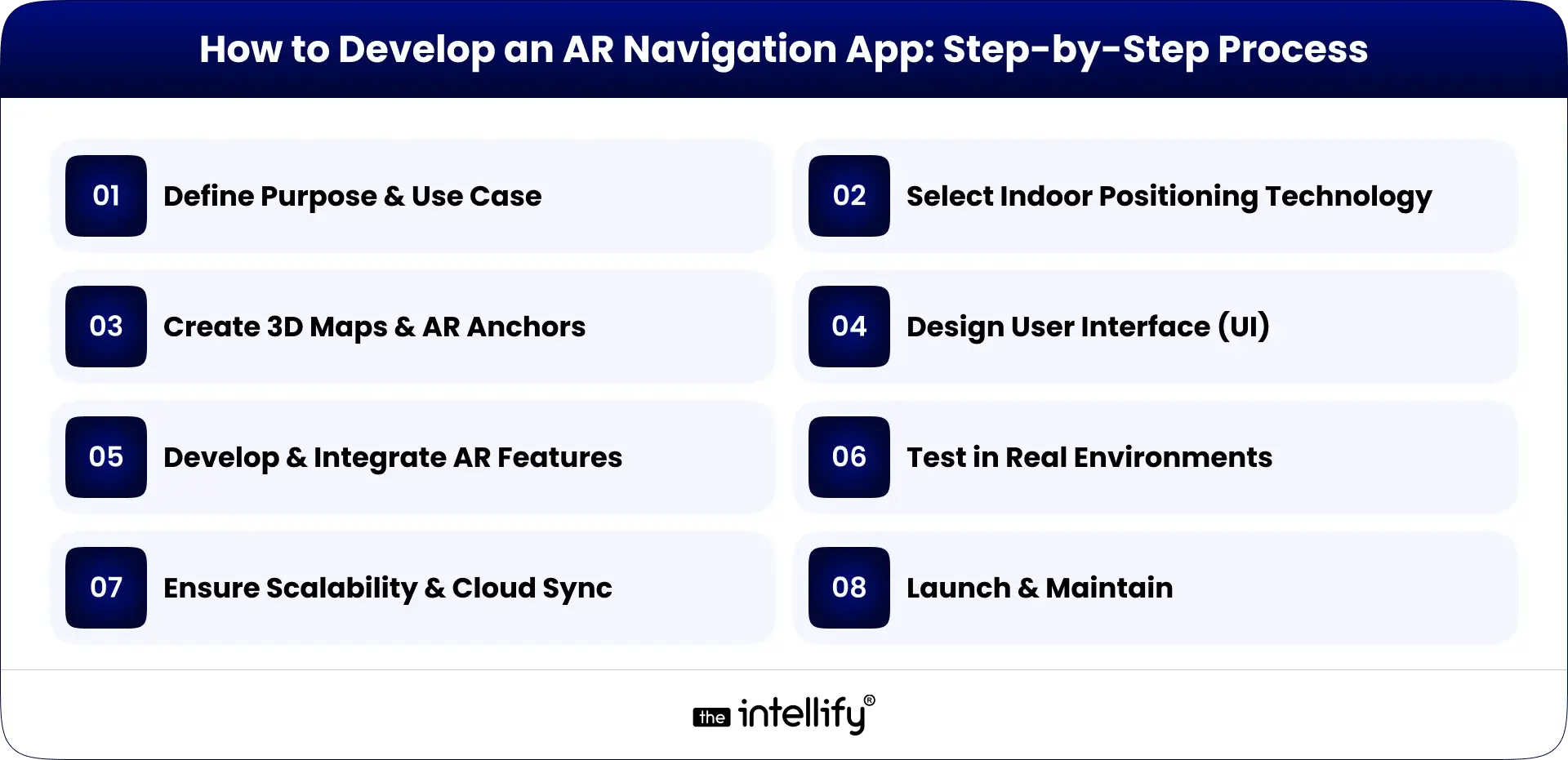
How to Develop an AR Navigation App: Step-by-Step Process

AR Navigation App Development Process

Building an AR navigation app involves multiple stages. Here’s a step-by-step guide:

1. Define Purpose & Use Case

  • Is your app for airports, malls, hospitals, or logistics?
  • Clear objectives shape the entire development.

2. Select Indoor Positioning Technology

  • GPS for outdoors, beacons, Wi-Fi, LiDAR, or visual markers for indoors.
  • The right choice ensures accuracy.

3. Create 3D Maps & AR Anchors

  • Developers build a digital twin of the environment.
  • Anchors are set at key points (entrances, corridors, exits) for AR overlays.

4. Design User Interface (UI)

  • Keep it simple: arrows, markers, text prompts.
  • Avoid clutter; the goal is clarity.

5. Develop & Integrate AR Features

  • Using ARKit, ARCore, or Unity for AR rendering.
  • Integrate with APIs like Google Maps or custom positioning systems.

6. Test in Real Environments

  • AR navigation needs real-world testing to fine-tune accuracy.
  • Developers simulate walking, driving, or indoor navigation scenarios.

7. Ensure Scalability & Cloud Sync

  • Cloud anchors allow multiple users to share the same AR guidance.
  • Essential for large venues like airports or malls.

8. Launch & Maintain

  • Once deployed, collect user feedback.
  • Regular updates improve accuracy and experience.

A successful AR navigation app balances accuracy, speed, and user-friendliness.


Common Challenges in AR Indoor Navigation

  • GPS Limitations Indoors: GPS signals weaken inside buildings, making alternative tech (beacons, Wi-Fi, LiDAR) necessary.
  • High Development Costs: Building accurate 3D maps and AR experiences requires time and investment.
  • Battery & Device Performance: Continuous AR rendering drains battery quickly. Developers need to optimize apps for efficiency.
  • User Privacy & Data Security: Location tracking raises privacy concerns. Businesses must ensure compliance with data regulations.
  • Scalability Issues: AR navigation for small venues is simpler, but scaling to entire airports or cities is complex.
  • Maintenance of Maps: Indoor layouts often change. Apps need regular updates to remain accurate.

Solution: Work with experienced AR developers, use hybrid positioning, and build easy content management systems.


Future of Augmented Reality Navigation

Future of AR Navigation

The future of AR navigation looks bright and promising:

  • Integration with AR Glasses: Devices like Apple Vision Pro or Meta’s AR glasses could make AR navigation hands-free and more natural.
  • 5G & Edge Computing: Faster data transfer enables real-time updates, reducing latency in AR overlays.
  • AI + AR Navigation: Artificial intelligence can predict user behavior and suggest smarter routes (e.g., avoiding crowded areas in malls).
  • City-Wide AR Navigation: Imagine walking anywhere in a city with AR overlays guiding you, replacing traditional maps entirely.
  • Accessibility Improvements: AR navigation will help people with disabilities. e.g., visually impaired users can get voice + AR guidance for safer mobility.

By 2025 and beyond, augmented reality navigation will move from “nice-to-have” to standard expectation in airports, malls, hospitals, and smart cities.


Why Choose The Intellify for AR Navigation App Development

If you’re considering AR navigation development, you need a trusted partner. That’s where The Intellify stands out:

  • Proven Expertise: With years of experience in AR/VR and mobile app solutions, The Intellify has built AR apps for global clients.
  • Custom Solutions: We don’t offer one-size-fits-all apps. Every AR navigation solution is tailored to the client’s venue, business goals, and users.
  • Cutting-Edge Tech: Our developers leverage ARKit, ARCore, Unity, and AI-powered positioning for unmatched accuracy.
  • Focus on UX: We prioritize intuitive, human-centric designs that users love.
  • Scalable Solutions: Whether you need AR navigation for a single hospital or an entire airport, we deliver apps that scale.
  • End-to-End Support: From consultation and design to deployment and maintenance, we stay with you throughout.

With The Intellify, you don’t just get an app, you get a strategic AR partner helping you lead the digital future.
Learn more on our AR Navigation App Solution page.


AR Navigation Development Company

Final Thought

Navigation has evolved from paper maps to GPS, and now to AR navigation where the real and digital worlds merge seamlessly. From AR GPS drive walk navigation outdoors to AR-based indoor navigation for malls, airports, hospitals, and warehouses, businesses are discovering both user experience and revenue gains.
As AR adoption accelerates in 2025, the question is no longer “Should we adopt AR navigation?” but rather “How fast can we implement it?”
If you’re ready to enhance customer journeys, optimize operations, and future-proof your business, The Intellify is your partner in building world-class AR navigation apps.


Frequently Asked Questions (FAQs)

1. What is AR Navigation?

AR Navigation, or augmented reality navigation, overlays digital directions on real-world surroundings through phones, AR glasses, or in-car displays. Instead of a flat map, users see arrows and markers guiding them in real time. From malls to airports, it makes movement easier. The Intellify builds AR navigation apps tailored for industries like retail, logistics, and automotive.

2. How does AR indoor navigation work?

AR indoor navigation uses Wi-Fi, Bluetooth beacons, QR codes, or visual markers to pinpoint a user’s location where GPS fails. It then overlays arrows and signs on a live camera feed to guide users through halls, gates, or rooms. The Intellify designs these systems to simplify complex spaces such as airports, malls, and hospitals.

3. What are the top use cases of AR navigation?

AR navigation is widely used in:

  • Airports & Stations – Easy wayfinding to gates and exits.
  • Malls & Retail – Store discovery and promotions.
  • Hospitals – Quick routes to wards and labs.
  • Museums & Exhibitions – Interactive visitor experiences.
  • Logistics – Faster item picking and routing.

The Intellify builds industry-specific AR navigation apps for these scenarios.

4. What are the benefits of AR navigation for businesses?

Key benefits include:

  • Better visitor experience.
  • Increased customer engagement.
  • Higher sales via AR promotions.
  • Operational efficiency in logistics and healthcare.
  • Stronger brand image.

With The Intellify’s AR expertise, businesses can gain these advantages while staying future-ready.

5. What challenges exist in AR indoor navigation?

Challenges include GPS inaccuracy indoors, reliance on Wi-Fi/beacons, higher development costs, device compatibility, and frequent updates. Still, with expert partners like The Intellify, businesses can overcome these hurdles through advanced tech and scalable solutions.

6. What is the future of AR navigation?

The future is immersive and hands-free with AR glasses, AI, and 5G. Soon, navigation will project directly on windshields, store aisles, or museum floors in real time. Early adopters will stand out, and The Intellify is already helping brands build future-ready AR navigation apps.

View
Case Study