Indoor Navigation with AR: The Future of Smart Wayfinding Systems

Summary:
AR-powered indoor navigation is helping businesses deliver smarter and more seamless wayfinding experiences. By guiding users with real-time visual directions, it eliminates confusion in complex environments like hospitals, malls, airports, and campuses. These solutions not only improve visitor satisfaction but also enhance operational efficiency and accessibility. As demand for smarter buildings grows, indoor navigation is becoming a key technology for organizations looking to modernize their spaces.


Lost Inside Big Buildings? You’re Not Alone

Walking into a large hospital, airport, or shopping mall can quickly become confusing, especially when you’re unfamiliar with the layout. Unlike outdoor travel, where GPS guides us almost everywhere, indoor environments block satellite signals. Thick walls, multiple floors, and complex structures make traditional navigation tools unreliable.

Modern facilities are also expanding rapidly. A single building may include dozens of departments, corridors, and entry points. Visitors often waste time wandering, asking for directions, or backtracking after taking a wrong turn. In stressful places like hospitals or transit hubs, this confusion can add unnecessary anxiety. Traditional signs and maps help to some extent, but they can’t adapt to real-time movement which is why smarter digital guidance is becoming increasingly important.


What Are Indoor Navigation Solutions?

Indoor navigation solutions are systems that help people move through buildings efficiently when GPS cannot function properly. Instead of satellites, they rely on local technologies such as Wi-Fi signals, Bluetooth beacons, sensors, and digital building maps to determine a user’s position.

As a person walks, the system continuously updates their location and provides step-by-step directions to the desired destination. Unlike outdoor navigation, indoor guidance must account for elevators, staircases, restricted areas, and multi-floor layouts. These solutions benefit visitors looking for quick directions, staff navigating large facilities daily, and organizations aiming to improve overall efficiency and user experience.


From Maps to AR: A Smarter Way to Find Your Way

Limitations of static maps and directories

Traditional maps show the layout but don’t guide you as you move, so users must remember directions on their own. In large buildings, this often leads to confusion, missed turns, or repeated stops to recheck the map.

Shift toward interactive and real-time guidance

Modern navigation tools provide step-by-step assistance that updates as you walk, similar to GPS outdoors. This makes the experience more dynamic and reduces the need for guesswork.

How AR overlays directions onto the real environment

Augmented Reality displays arrows or paths directly on the live camera view of your surroundings. Instead of imagining the route, users can simply follow visual markers placed in their actual environment.

Why visual cues are easier to follow than 2D maps

People naturally understand visual directions faster than abstract diagrams or written instructions. Seeing where to go in real space removes the mental effort of translating a map into movement.

Real-time adjustments as users move

If a user takes a wrong turn or changes direction, the system recalculates instantly and shows a new route. This ensures users stay on track without needing to restart the navigation process.


How an AR Navigation App Guides You Step by Step
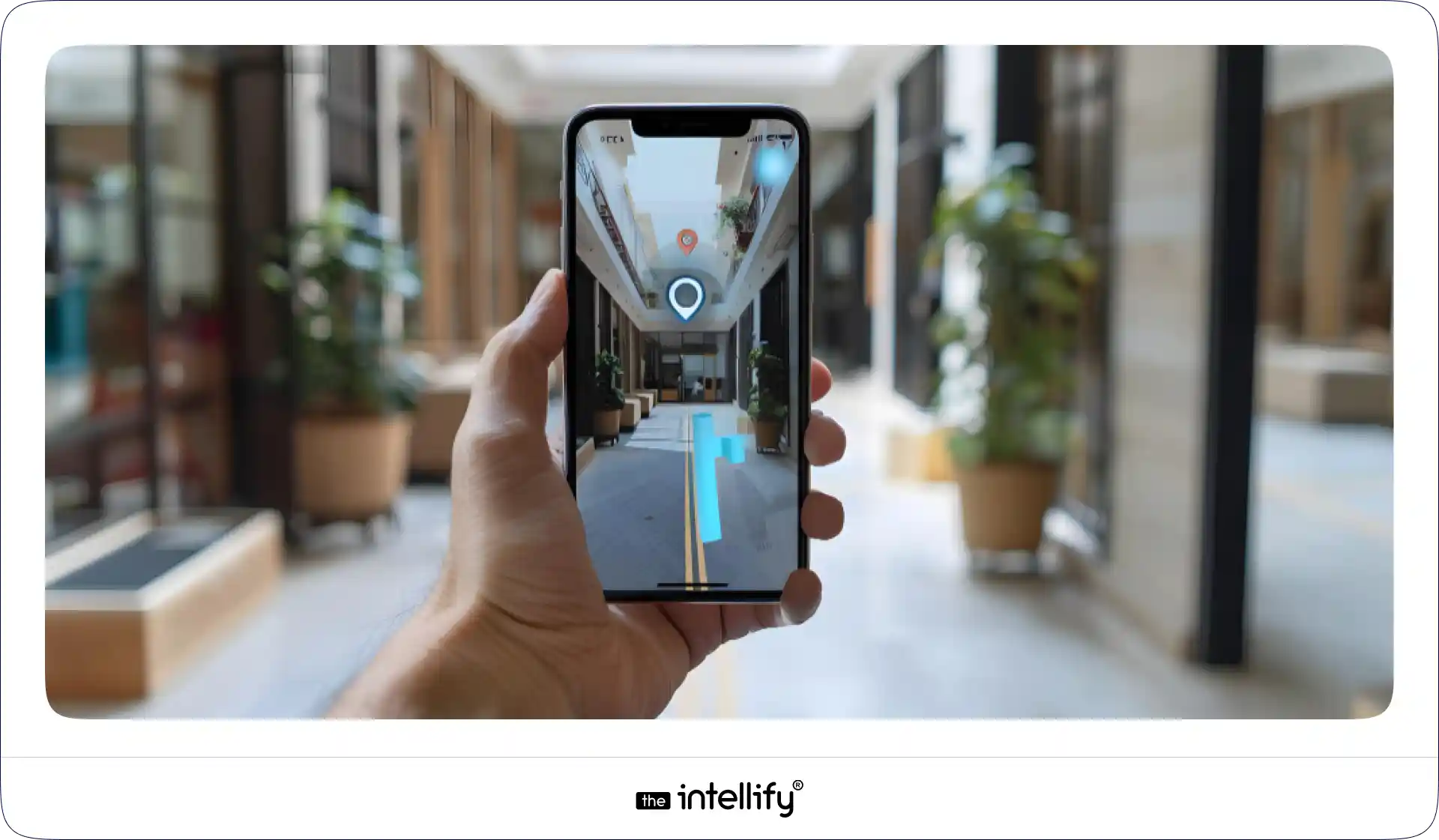
AR Navigation App Guides

How users start navigation on their device

The process begins by selecting a destination within the app, such as a store, department, or room. The system then determines the best route based on the user’s current position.

Environment scanning and position detection

The app scans nearby surroundings using the camera and sensors to understand orientation and location. This helps it align digital directions accurately with the physical space.

Camera-based arrows and turn-by-turn directions

Visual arrows appear on the screen, guiding users step by step through corridors and intersections. This removes uncertainty and makes navigation feel intuitive.

Multi-floor routing and destination search

For multi-level buildings, the app guides users to elevators or staircases and continues directions on the next floor. It can also help locate specific rooms or facilities within large complexes.

Compatibility with smartphones and wearables

Most solutions are designed to work on everyday smartphones and tablets, with some expanding to smart glasses or wearable devices. This makes the technology accessible without requiring special hardware.

Key features that improve usability

Features such as clear visuals, simple interfaces, and automatic rerouting make the app easy to use for people of all ages. Minimal interaction is needed once navigation begins.


Why Smart AR Indoor Navigation Is a Game Changer

For Visitors

Indoor navigation dramatically improves the visitor experience by removing uncertainty. People can reach their destinations faster without relying on staff or signage, which reduces stress in unfamiliar places. It also supports elderly users and individuals with mobility challenges by providing clear, step-by-step guidance.

For Businesses & Facilities

Organizations benefit from smoother operations and improved service perception. Staff spend less time giving directions, allowing them to focus on their primary responsibilities. Additionally, understanding how visitors move through a facility can help optimize layouts, reduce congestion, and enhance overall efficiency.

 

AR Navigation App Development


 Where This Technology Makes the Biggest Difference

Airports & Transportation Hubs

Large transit facilities can be overwhelming, especially for travelers under time pressure. Indoor navigation helps passengers quickly locate gates, baggage areas, security checkpoints, and services, reducing missed connections and confusion.

Hospitals & Healthcare Campuses

Hospitals often consist of multiple buildings and departments, making navigation stressful for patients and visitors. Clear guidance ensures people reach the right department on time, improving both experience and operational flow.

Shopping Malls & Retail Spaces

In large malls, customers frequently struggle to locate specific stores or amenities. Navigation tools help shoppers move efficiently, discover more outlets, and spend less time searching and more time engaging.

Universities & Corporate Offices

Expansive campuses can be difficult for new students, visitors, or job candidates to navigate. Guided routes simplify movement between buildings, lecture halls, or offices, especially during events or peak hours.

Museums, Exhibitions & Event Venues

Events and exhibitions often involve temporary layouts that change frequently. Navigation solutions help visitors explore spaces comfortably while preventing overcrowding in popular areas.

Industrial Facilities & Warehouses

Large industrial sites benefit from improved worker mobility and safety. Clear routing helps staff move efficiently across complex environments while reducing time spent searching for locations or equipment.


How Indoor Navigation Solutions Improve Safety Too

Emergency Guidance

During emergencies, clear directions to exits can significantly reduce panic and evacuation time. Real-time guidance ensures people move toward the safest available routes instead of relying on memory or unclear signage.

Support for Vulnerable Users

Navigation systems can highlight accessible paths for individuals with mobility limitations or visual impairments. This promotes independence and ensures safer movement throughout the facility.

Crowd Management

In high-traffic environments, directing people efficiently prevents bottlenecks and unsafe congestion. Balanced crowd flow improves both safety and comfort for everyone present.

Multilingual Assistance

For international locations, language barriers can make navigation difficult. Providing directions in multiple languages helps visitors move confidently without needing personal assistance.
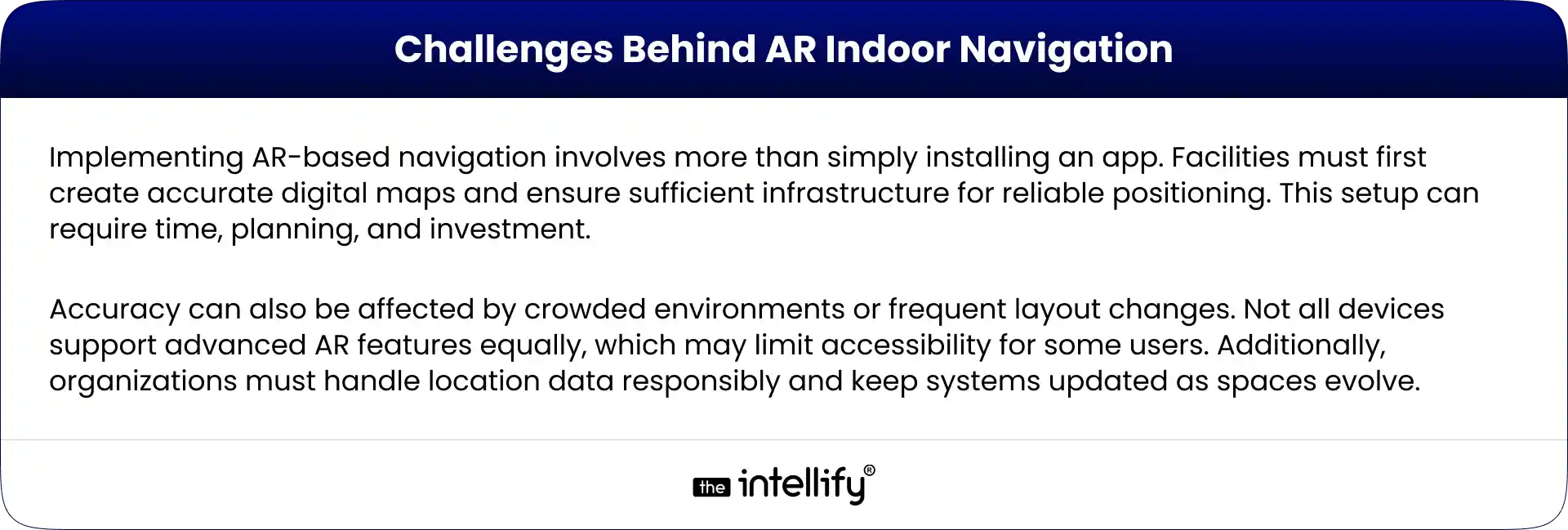
 

Challenges Behind AR Indoor Navigation


What’s Next for AR Wayfinding?

The future of AR wayfinding lies in smarter, more personalized experiences. Integration with artificial intelligence could allow systems to suggest optimal routes based on crowd levels, user preferences, or accessibility needs. Voice guidance may enable hands-free navigation, making the experience more convenient in busy situations.

As buildings become more connected through smart technologies, navigation systems may integrate with sensors and infrastructure to provide real-time updates about closures, maintenance, or hazards. Over time, indoor guidance is likely to become part of a broader digital ecosystem linking transportation, buildings, and services seamlessly.


The Future of Finding Your Way Indoors

Traditional navigation methods are struggling to keep up with the scale and complexity of modern spaces. Static signs and maps simply cannot provide the adaptability people expect today. Augmented reality bridges the gap between physical environments and digital intelligence, turning navigation into an intuitive experience.

As adoption spreads across industries, indoor navigation is moving from a convenience to a necessity. Organizations that implement these solutions are creating environments that feel easier, safer, and more welcoming. In the near future, getting lost indoors may become uncommon replaced by guidance that feels effortless and reliable.

 

AR Indoor Navigation App Solutions


Conclusion:

Indoor navigation is no longer just a convenience it is becoming an essential part of how people experience large and complex environments. As buildings continue to grow in size and functionality, relying on static signs alone is no longer enough to guide visitors efficiently.

Augmented reality brings a human-friendly approach to navigation by turning directions into a visual, intuitive, and easy-to-follow experience. Organizations that adopt these solutions are not only improving operational efficiency but also creating spaces that feel more welcoming, accessible, and future-ready for everyone who walks through their doors.


Frequently Asked Questions (FAQs)

1. How accurate is AR indoor navigation compared to GPS?

AR indoor navigation can be surprisingly precise because it relies on local signals and visual positioning instead of distant satellites. In well-mapped buildings, it can guide users to specific rooms or facilities with high accuracy. However, performance depends on infrastructure, layout complexity, and device quality.

2. Do users need special devices to use AR wayfinding?

No, most AR navigation solutions work on standard smartphones and tablets. As long as the device supports basic camera and sensor functions, users can access visual guidance without additional hardware. Some advanced setups may also support smart glasses, but they are not required.

3. Can indoor navigation work without internet connectivity?

Many systems need internet access for initial setup and map loading, but some can continue guiding users offline once the data is downloaded. The exact capability depends on how the solution is designed and the building’s infrastructure.

4. How long does it take to implement an indoor navigation system in a large facility?

Implementation timelines vary based on building size and complexity. Mapping, calibration, and testing can take weeks or months for very large spaces. However, once deployed, the system can be updated incrementally as layouts change.

5. How does indoor navigation improve customer experience in large venues?

By removing confusion and saving time, navigation tools make visits smoother and less stressful. Customers can focus on their purpose, shopping, traveling, or attending an event instead of worrying about getting lost. This often leads to higher satisfaction and repeat visits.

6. Is user privacy a concern with location-based indoor navigation?

Responsible solutions prioritize privacy by anonymizing data and avoiding unnecessary personal tracking. Most systems focus on movement patterns rather than individual identities, ensuring useful insights without compromising user trust.

7. Can these systems support accessibility needs?

Yes, many solutions are designed to highlight accessible routes, elevators, ramps, and barrier-free paths. This helps individuals with mobility challenges navigate complex environments independently and safely.
AR Navigation App Development Guide 2025

Summary
This blog explores AR Navigation and its growing impact across industries. It explains how AR indoor navigation works, the technologies behind it, top use cases in airports, malls, hospitals, and logistics, and the business benefits such as improved user experience, increased revenue, and operational efficiency. The blog also highlights real-world examples, challenges, and the future of augmented reality navigation, while providing a step-by-step guide for developing your own AR navigation app.

Finding your way in today’s fast-moving world is no longer about unfolding paper maps or staring at confusing 2D navigation apps. With AR Navigation, directions are projected directly onto the real world through your smartphone, tablet, or even AR glasses. Whether it’s walking through an airport, shopping in a mega-mall, visiting a hospital, or driving in a new city, augmented reality navigation turns complex routes into clear, interactive guidance.
In this blog, we’ll explore what AR navigation is, why AR indoor navigation is gaining massive momentum, real-world examples, the app development process, challenges, and why 2025 is the right year for businesses to invest in AR-based indoor and outdoor navigation apps.


What is AR Navigation?

What is AR Navigation?

At its core, AR Navigation (Augmented Reality Navigation) uses the device camera and AR technology to project visual guidance into your real-world view. Instead of interpreting a flat map, you see:

  • 3D arrows on the ground showing where to walk
  • Floating signs labeling shops, gates, or rooms
  • Real-time details like distance, time, or promotions
  • Interactive points of interest (POIs) you can tap for more info

This works both indoors (airports, malls, offices) and outdoors (streets, tourist attractions, driving). Compared to traditional navigation, AR makes the experience immersive, intuitive, and less confusing.


Why AR Indoor Navigation Matters Now

Indoor navigation is notoriously difficult because GPS doesn’t work well inside buildings. With the rise of mega-malls, airports, hospitals, logistics hubs, and corporate campuses, the need for better indoor navigation has skyrocketed.

  • According to industry reports, the global indoor positioning and navigation market is projected to reach tens of billions of dollars by 2030, with AR navigation being one of the strongest growth drivers.
  • Businesses like malls and airports that adopted AR wayfinding already report better customer satisfaction, smoother operations, and even higher revenues due to increased footfall and conversions.
  • With smartphones becoming AR-ready and AR glasses emerging, 2025 marks the perfect time for businesses to adopt AR indoor navigation.


How AR Navigation Works

How AR Navigation Works

AR navigation works by blending the digital world with the physical environment in real time. Think of it as holding your phone or looking through AR glasses and seeing digital arrows, text, or 3D objects guiding you to your destination. Behind this seemingly simple experience lies a combination of advanced technologies:

  • Camera & Sensors: The camera constantly scans the environment while sensors (gyroscope, accelerometer, compass) track movement and orientation.
  • SLAM (Simultaneous Localization and Mapping): This technology builds a map of the environment while tracking the device’s location within it. SLAM ensures your AR overlay sticks precisely to the real world.
  • GPS & Beacons: Outdoors, GPS provides location accuracy. Indoors, where GPS often fails, Bluetooth beacons, Wi-Fi triangulation, or LiDAR-based positioning take over.
  • Cloud Anchors & 3D Mapping: AR navigation apps often use cloud anchors to store digital markers at physical spots. This helps multiple users see consistent AR guidance in the same location.
  • Rendering in AR: Once location and orientation are locked, digital arrows, lines, or instructions are overlaid in your camera view, guiding you naturally as if they exist in real life.

In simple words, AR navigation works like a live GPS map with visual overlays, ensuring users don’t just read directions but see them directly on their path.


Overview of Indoor Positioning Technologies

Since GPS doesn’t work indoors, AR-based indoor navigation relies on alternative technologies:

  • Wi-Fi Fingerprinting: Detects signal strength from Wi-Fi routers to locate users.
  • Bluetooth Beacons: Small devices installed around spaces to transmit location data.
  • Ultra-Wideband (UWB): Provides centimeter-level accuracy, ideal for airports and warehouses.
  • Visual Positioning Systems (VPS): Uses camera input + AI to recognize surroundings and place AR overlays.
  • Marker-Based Systems: Simple, cost-effective for smaller venues like museums.
  • Sensor Fusion: Combines data from accelerometers, gyroscopes, and magnetometers for better accuracy.

In practice, AR-based indoor navigation apps use a hybrid of these methods for maximum precision.


Top AR Navigation Use Cases

AR Navigation Use Cases
AR navigation isn’t just a futuristic gimmick, it’s already transforming industries. Here are the most promising use cases:

1. Airports & Train Stations

Large transit hubs are often overwhelming. AR navigation helps passengers quickly find gates, check-in counters, baggage claims, or even the nearest coffee shop.
For example, Gatwick Airport in London tested AR wayfinding to reduce passenger stress.

2. Shopping Malls & Retail Stores

Instead of wandering around, customers can follow AR directions to a specific store or even a product aisle. Retailers also use it to highlight promotions or guide shoppers to seasonal deals. Imagine walking in a mall and seeing a floating arrow guiding you straight to “50% off sneakers.”

3. Hospitals & Healthcare Facilities

Hospitals can be confusing for patients and visitors. AR indoor navigation ensures people easily find emergency rooms, wards, or doctors’ offices. It improves patient experience and reduces the burden on hospital staff.

4. Museums & Tourist Attractions

AR wayfinding enriches tours by guiding visitors to exhibits while also offering extra information in AR like a virtual guide standing beside a sculpture explaining its history.

5. Logistics & Warehouses

Workers in large warehouses can use AR glasses or mobile apps to locate goods quickly. Instead of scanning hundreds of racks, AR arrows guide them to the exact spot. DHL already uses AR for faster picking operations.

6. Events & Stadiums

At concerts, exhibitions, or sports stadiums, AR navigation helps attendees find seats, exits, restrooms, and food counters without confusion.


Business Benefits of AR Navigation

Companies adopting AR navigation unlock several advantages:

  • Improved User Experience (UX): Stress-free navigation reduces frustration.
  • Revenue Growth: Guided shoppers are more likely to discover and purchase.
  • Operational Efficiency: Staff spend less time answering “where is X?” questions.
  • Accessibility & Inclusivity: Tailored navigation for mobility-impaired visitors.
  • Data Insights: Heatmaps of visitor flows → smarter layout design.
  • Brand Differentiation: Innovative experience = stronger brand image.

In short, better navigation means happier customers, faster operations, and higher revenues.


Real-World Examples of Augmented Reality Navigation

Several global brands have already embraced AR navigation:

  • Google Maps AR (Live View): Google introduced AR overlays in Maps, letting users follow arrows through their camera view for walking navigation in cities.
  • Bing Maps AR: Microsoft also experimented with AR-driven navigation to enhance map usability.
  • Mercedes-Benz MBUX AR: This luxury car system overlays navigation arrows directly on the windshield, guiding drivers without distractions.
  • Hyundai & Nissan AR Dashboards: Both automakers are investing in AR-based driving navigation to improve safety and driving convenience.
  • DHL Logistics: DHL equips warehouse workers with AR glasses that guide them to the right shelves, reducing picking time.
  • Walmart: The retail giant is experimenting with AR indoor navigation to help shoppers locate products faster.

These examples show that AR navigation is already mainstream, and businesses across industries from transport to retail are betting on it for the future.


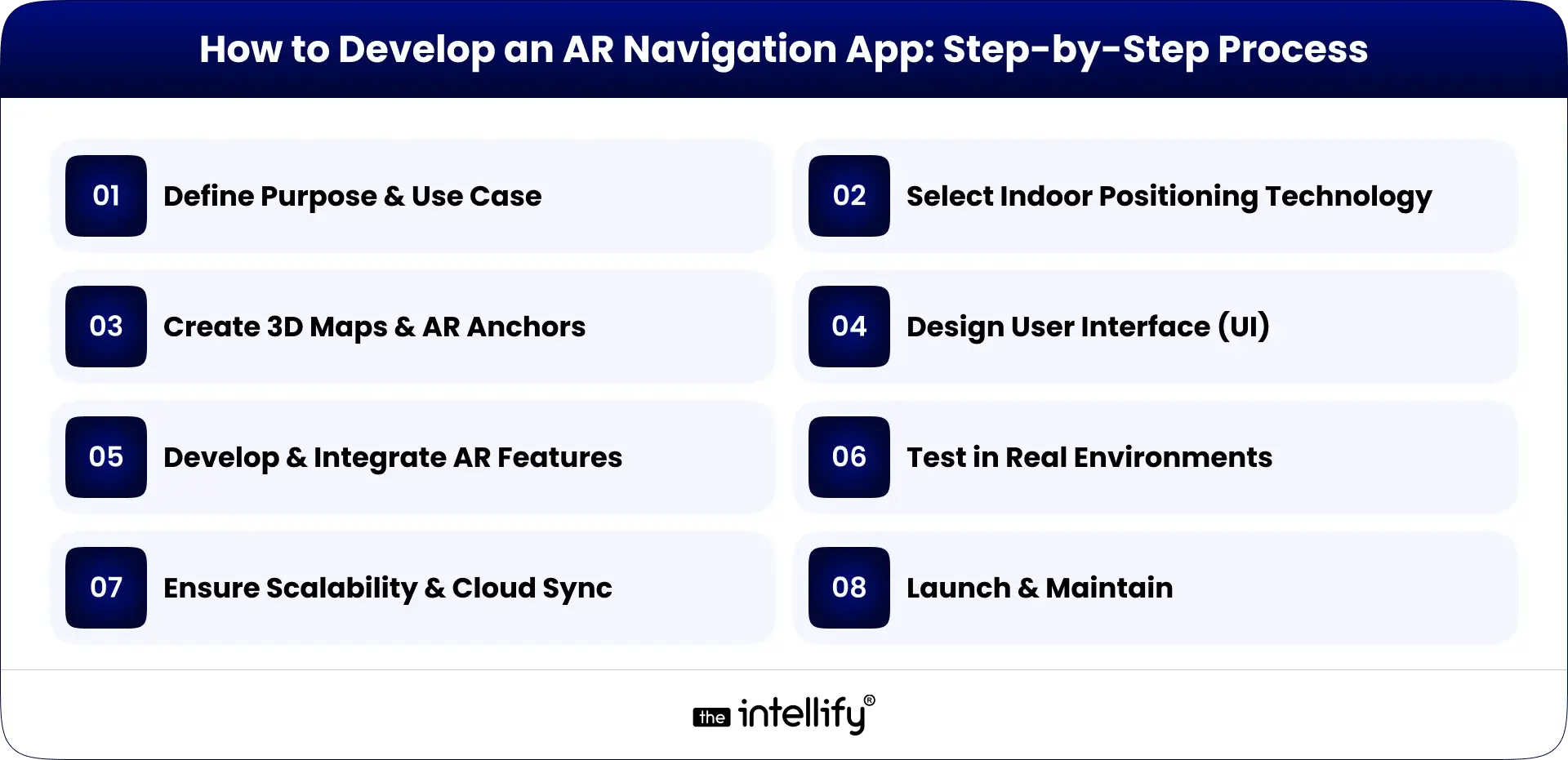
How to Develop an AR Navigation App: Step-by-Step Process

AR Navigation App Development Process

Building an AR navigation app involves multiple stages. Here’s a step-by-step guide:

1. Define Purpose & Use Case

  • Is your app for airports, malls, hospitals, or logistics?
  • Clear objectives shape the entire development.

2. Select Indoor Positioning Technology

  • GPS for outdoors, beacons, Wi-Fi, LiDAR, or visual markers for indoors.
  • The right choice ensures accuracy.

3. Create 3D Maps & AR Anchors

  • Developers build a digital twin of the environment.
  • Anchors are set at key points (entrances, corridors, exits) for AR overlays.

4. Design User Interface (UI)

  • Keep it simple: arrows, markers, text prompts.
  • Avoid clutter; the goal is clarity.

5. Develop & Integrate AR Features

  • Using ARKit, ARCore, or Unity for AR rendering.
  • Integrate with APIs like Google Maps or custom positioning systems.

6. Test in Real Environments

  • AR navigation needs real-world testing to fine-tune accuracy.
  • Developers simulate walking, driving, or indoor navigation scenarios.

7. Ensure Scalability & Cloud Sync

  • Cloud anchors allow multiple users to share the same AR guidance.
  • Essential for large venues like airports or malls.

8. Launch & Maintain

  • Once deployed, collect user feedback.
  • Regular updates improve accuracy and experience.

A successful AR navigation app balances accuracy, speed, and user-friendliness.


Common Challenges in AR Indoor Navigation

  • GPS Limitations Indoors: GPS signals weaken inside buildings, making alternative tech (beacons, Wi-Fi, LiDAR) necessary.
  • High Development Costs: Building accurate 3D maps and AR experiences requires time and investment.
  • Battery & Device Performance: Continuous AR rendering drains battery quickly. Developers need to optimize apps for efficiency.
  • User Privacy & Data Security: Location tracking raises privacy concerns. Businesses must ensure compliance with data regulations.
  • Scalability Issues: AR navigation for small venues is simpler, but scaling to entire airports or cities is complex.
  • Maintenance of Maps: Indoor layouts often change. Apps need regular updates to remain accurate.

Solution: Work with experienced AR developers, use hybrid positioning, and build easy content management systems.


Future of Augmented Reality Navigation

Future of AR Navigation

The future of AR navigation looks bright and promising:

  • Integration with AR Glasses: Devices like Apple Vision Pro or Meta’s AR glasses could make AR navigation hands-free and more natural.
  • 5G & Edge Computing: Faster data transfer enables real-time updates, reducing latency in AR overlays.
  • AI + AR Navigation: Artificial intelligence can predict user behavior and suggest smarter routes (e.g., avoiding crowded areas in malls).
  • City-Wide AR Navigation: Imagine walking anywhere in a city with AR overlays guiding you, replacing traditional maps entirely.
  • Accessibility Improvements: AR navigation will help people with disabilities. e.g., visually impaired users can get voice + AR guidance for safer mobility.

By 2025 and beyond, augmented reality navigation will move from “nice-to-have” to standard expectation in airports, malls, hospitals, and smart cities.


Why Choose The Intellify for AR Navigation App Development

If you’re considering AR navigation development, you need a trusted partner. That’s where The Intellify stands out:

  • Proven Expertise: With years of experience in AR/VR and mobile app solutions, The Intellify has built AR apps for global clients.
  • Custom Solutions: We don’t offer one-size-fits-all apps. Every AR navigation solution is tailored to the client’s venue, business goals, and users.
  • Cutting-Edge Tech: Our developers leverage ARKit, ARCore, Unity, and AI-powered positioning for unmatched accuracy.
  • Focus on UX: We prioritize intuitive, human-centric designs that users love.
  • Scalable Solutions: Whether you need AR navigation for a single hospital or an entire airport, we deliver apps that scale.
  • End-to-End Support: From consultation and design to deployment and maintenance, we stay with you throughout.

With The Intellify, you don’t just get an app, you get a strategic AR partner helping you lead the digital future.
Learn more on our AR Navigation App Solution page.


AR Navigation Development Company

Final Thought

Navigation has evolved from paper maps to GPS, and now to AR navigation where the real and digital worlds merge seamlessly. From AR GPS drive walk navigation outdoors to AR-based indoor navigation for malls, airports, hospitals, and warehouses, businesses are discovering both user experience and revenue gains.
As AR adoption accelerates in 2025, the question is no longer “Should we adopt AR navigation?” but rather “How fast can we implement it?”
If you’re ready to enhance customer journeys, optimize operations, and future-proof your business, The Intellify is your partner in building world-class AR navigation apps.


Frequently Asked Questions (FAQs)

1. What is AR Navigation?

AR Navigation, or augmented reality navigation, overlays digital directions on real-world surroundings through phones, AR glasses, or in-car displays. Instead of a flat map, users see arrows and markers guiding them in real time. From malls to airports, it makes movement easier. The Intellify builds AR navigation apps tailored for industries like retail, logistics, and automotive.

2. How does AR indoor navigation work?

AR indoor navigation uses Wi-Fi, Bluetooth beacons, QR codes, or visual markers to pinpoint a user’s location where GPS fails. It then overlays arrows and signs on a live camera feed to guide users through halls, gates, or rooms. The Intellify designs these systems to simplify complex spaces such as airports, malls, and hospitals.

3. What are the top use cases of AR navigation?

AR navigation is widely used in:

  • Airports & Stations – Easy wayfinding to gates and exits.
  • Malls & Retail – Store discovery and promotions.
  • Hospitals – Quick routes to wards and labs.
  • Museums & Exhibitions – Interactive visitor experiences.
  • Logistics – Faster item picking and routing.

The Intellify builds industry-specific AR navigation apps for these scenarios.

4. What are the benefits of AR navigation for businesses?

Key benefits include:

  • Better visitor experience.
  • Increased customer engagement.
  • Higher sales via AR promotions.
  • Operational efficiency in logistics and healthcare.
  • Stronger brand image.

With The Intellify’s AR expertise, businesses can gain these advantages while staying future-ready.

5. What challenges exist in AR indoor navigation?

Challenges include GPS inaccuracy indoors, reliance on Wi-Fi/beacons, higher development costs, device compatibility, and frequent updates. Still, with expert partners like The Intellify, businesses can overcome these hurdles through advanced tech and scalable solutions.

6. What is the future of AR navigation?

The future is immersive and hands-free with AR glasses, AI, and 5G. Soon, navigation will project directly on windshields, store aisles, or museum floors in real time. Early adopters will stand out, and The Intellify is already helping brands build future-ready AR navigation apps.

View
Case Study