How Conversational AI Voice is Transforming Restaurant Orderings

Summary
Conversational voice AI lets customers speak orders via phone, drive-thru, apps, or smart speakers and uses speech recognition + NLP to process, confirm, and route orders directly into POS systems. It reduces missed calls and errors, boosts average ticket size through consistent upsells, and eases staff workload, delivering measurable operational and revenue benefits for restaurants. Early adopters report faster throughput, higher customer satisfaction, and a clear path to scalable, omnichannel ordering.

The U.S. restaurant industry is massive and increasingly competitive. Even a single missed phone call or slow drive-thru can mean lost customers and revenue. To address this, restaurants are turning to conversational AI voice assistants to automate ordering. These systems use advanced speech recognition and natural language processing (NLP) so that customers can simply speak their orders (via phone, drive-thru intercom, app, or smart speaker). The AI captures the spoken request, confirms the items, handles payment, and routes the order to the kitchen or POS system. In effect, restaurants get a round-the-clock “virtual order-taker” that never misses a call. Major chains have already begun deploying this technology; for example, Yum! Brands has rolled out AI drive-thru bots to hundreds of locations, with plans to expand further.
This article explores how conversational voice AI is reshaping restaurant orderingfrom streamlining service and reducing errors to boosting sales and elevating customer experience.


Why Restaurants Are Embracing Voice AI Ordering

Voice AI Ordering

Restaurants face a set of persistent challenges, and voice AI addresses many of them:

Never Miss a Call

In busy periods, customers may hang up if forced to wait on hold. Voice AI ensures every call is answered instantly, capturing orders 24/7 and recovering revenue that might otherwise slip away.

Staff Shortages & Burnout

With high turnover and labor constraints, offloading routine order-taking to AI lets human staff focus on food prep, in-house service, and guest experience. This alleviates pressure and reduces stress, especially during peak times.

Consistent Upselling & Accuracy

Human staff sometimes skip upsell prompts or forget modifiers. AI handles upselling systematically (suggesting sides, combos, drinks) and processes orders with near-perfect accuracyeliminating many mistakes caused by misheard instructions.

Handling Order Overload

During peak hours, phone lines and drive-thru lanes can get overwhelmed. Voice AI can field multiple orders simultaneously, reducing customer wait time and smoothing throughput.

Uniform Service Quality

For multi-location chains, AI ensures every outlet follows the same ordering logic, tone, and upsell strategy. That consistency helps maintain brand standards, reduce training complexity, and deliver reliable service.

These benefits, recovering lost calls, reducing labor strain, minimizing errors, and standardizing service, make voice AI an appealing solution for forward-thinking restaurants.


How Voice AI Ordering Works

Conversational voice AI ordering mixes speech recognition, natural language understanding, and system integrations to automate the ordering flow end-to-end:

Capture & Transcription

A customer speaks their order through a phone line, drive-thru intercom, smart speaker, or app. The system records the audio and transcribes it to text.

Natural Language Processing (NLP)

The AI parses the text to identify item names, quantities, modifiers (e.g., “extra cheese,” “no onions”), delivery vs. pickup, etc. It infers customer intent from conversational phrasing.

Order Confirmation

The AI reads back the order (“You ordered a large pepperoni pizza with extra cheese that correct?”). The customer can confirm or correct any misunderstandings.

Payment & Routing

If payment is required, the AI handles it (using stored cards, loyalty balances, or mobile wallet). Then it routes the finalized order into the restaurant’s POS or kitchen display system.

Contextual Services

Advanced systems integrate with loyalty programs, inventory systems (to check in-stock items), and customer history (to apply rewards or suggest previously ordered items). Over time, the AI “learns” from customer interactions to improve responses and suggestions.

By automating each step, voice AI reduces friction and error, delivering a smooth ordering experience for customers and efficient order processing for restaurants.


Key Benefits of Voice AI for Restaurant Ordering

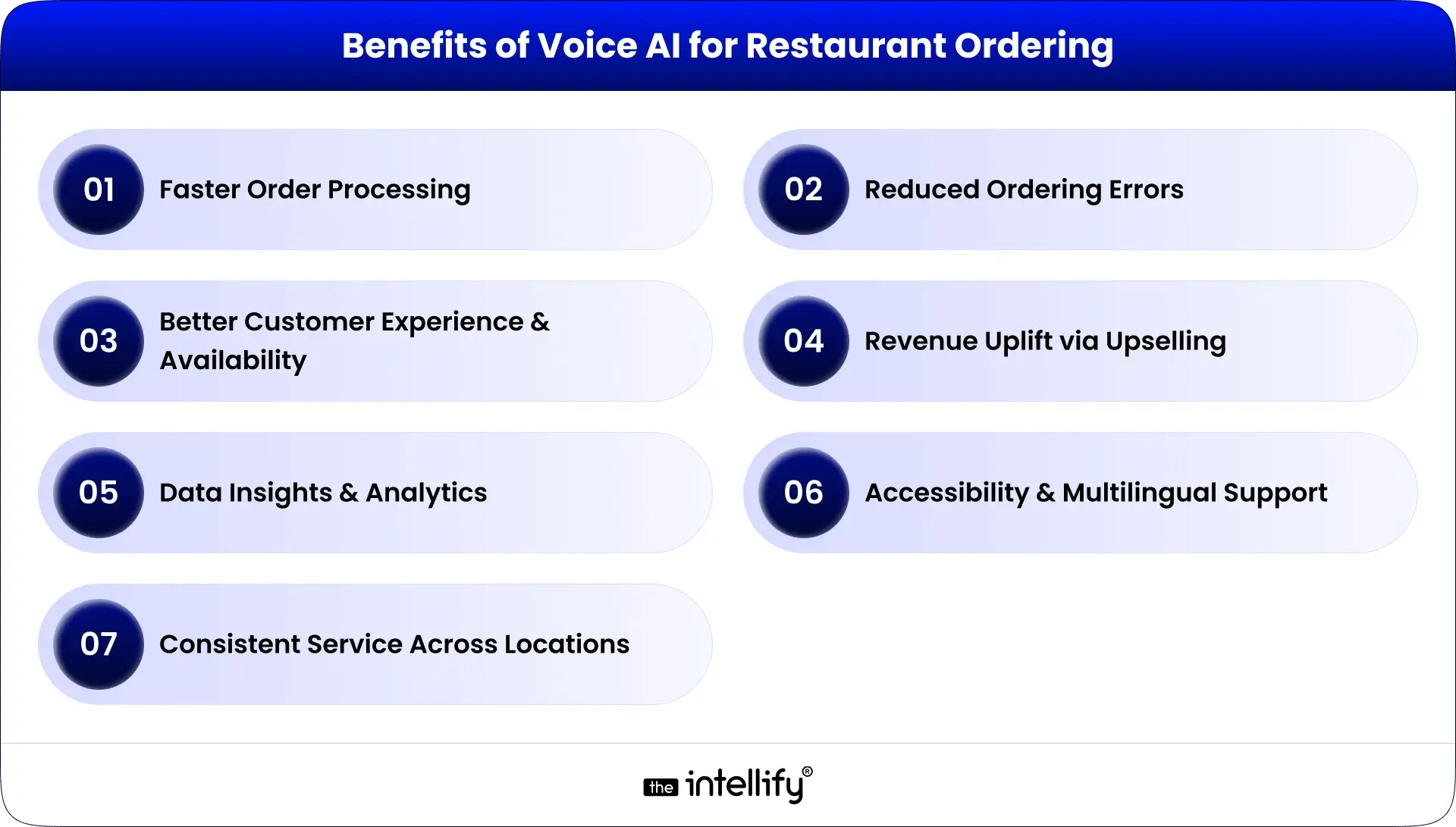
Benefits of Voice AI for Restaurant Ordering

Implementing conversational voice ordering brings several measurable advantages:

1. Faster Order Processing

Speaking is quicker than navigating menus or tapping buttons. The instant transcription and routing save valuable seconds (or even minutes) during high-volume periods.

2. Reduced Ordering Errors

Mistakes or mishearings are common in hectic environments. AI systems capture customer speech exactly and apply modifiers reliably, reducing wrong or incomplete orders.

3. Better Customer Experience & Availability

The convenience of 24/7 ordering without waiting for a human agent is a major benefit. No matter the hour, customers can place orders. Personalization features (like remembering prior orders) make the process feel smoother and tailored.

4. Revenue Uplift via Upselling

AI never forgets to offer extras. Consistent upsell prompts (sides, desserts, drink upgrades) raise average check sizes. Some implementations report uplifts in the range of 20–40% additional revenue purely from automated upselling.

5. Data Insights & Analytics

Every voice-based interaction is data. Restaurants can analyze patterns: peak ordering times, most popular add-ons, frequently rejected upsells, and even customer feedback. This enables more strategic menu planning, staffing, and promotions.

6. Accessibility & Multilingual Support

Advanced voice systems support multiple languages and accents, making ordering more inclusive. A single AI agent can switch languages as needed and better serve diverse customer bases.

7. Consistent Service Across Locations

With a centralized AI, every location delivers the same upsell logic, order prompts, dialogue flow, and brand tone. This consistency is difficult to maintain manually, especially with new staff or high turnover.

Overall, voice AI ordering streamlines the back-end, reduces mistakes, and elevates the front-end customer experiencecreating more value for both diners and restaurants.


Common Use Cases in the Restaurant Environment

Voice AI isn’t limited to just phone-based orders. Here are several real-world application areas:

Drive-Thru Automation

Voice bots can effectively “staff” the drive-thru intercomtaking orders, repeating them for confirmation, and sending them to the kitchen. This reduces wait times and allows staff to focus on order fulfillment rather than order-taking.

Mobile & Web Voice Ordering

Embedding voice assistants in a restaurant’s mobile app or website lets users speak their orders hands-free. Many consumers already expect voice-first interactions via smart devices, so this aligns with growing behavioral trends.

Automated Phone Order Handling

Rather than tying up staff to take calls, AI can answer incoming calls 24/7, manage even complex orders, and process payments by voice. This frees up in-house staff to focus on in-person customer service.

Multilingual Support at Scale

In diverse markets, voice AI can detect and switch between languages or accents mid-conversation. This ensures non-English-speaking customers can place orders accurately by voice.

Loyalty & Repeat Order Recognition

Voice systems can recognize repeat customers (by voice or phone number), recall their favorite orders, and prompt relevant promotions or upsells. This deepens personalization without human involvement.

Table-side and Kiosk Voice Ordering

In dine-in contexts, voice-enabled kiosks or devices let guests order refills, sides, or desserts without waiting for staff. It cuts friction and keeps guests engaged, especially during busy dining periods.

Inventory-Driven Substitutions

When an item is out of stock, voice AI can detect that in real time and suggest an alternative, avoiding order cancellations or customer frustration.

Reservations & Pre-Orders

Voice assistants can handle table bookings and let customers pre-order meals ahead of their arrival. This enables smoother service, especially during peak dining hours.

Smart Home / Voice Assistant Ordering

Integration with platforms like Alexa or Google Assistant means customers can reorder favorites from home. Commands like “Alexa, order my usual pizza” make reordering frictionless and habitual.

These use cases show how voice AI spans phone, drive-thru, web, kiosk, and smart home interfacesmaking it a holistic technology rather than a niche feature.


Conversational Voice AI Development


Real-World Success Stories

Some of the largest brands have already committed to voice AI ordering. Here are notable examples:

1. Yum! Brands (Taco Bell, Pizza Hut)
In 2025, Yum began rolling out AI voice bots in hundreds of drive-thru lanes. Their vision: a future where no human takes the order at the window. The rollout has reportedly improved throughput and order consistency.

2. Domino’s “Dom” Assistant
Domino’s has offered its voice assistant (Dom) for years. Users can place orders via voice on the Domino’s app or smart devices. The system has processed over half a million voice orders, helping Domino’s push 50%+ of sales through digital channels.

3. Wendy’s “FreshAI”
Wendy’s piloted a Google Cloud-based voice bot that suggests combo meals, sides, and beverage upgrades during drive-thru orders, effectively upselling in real time.

4. Panera Bread
Using voice bots, Panera automates large phone orders and catering requests, improving speed and accuracy in its off-site business operations.

5. Mid-size Chains & Independents
Smaller chains (e.g., Donatos Pizza, regional pizza brands) report that voice AI implementation has boosted average ticket size by 20–40% purely from automated upsells. Many also note that missed calls dropped substantially after deployment.

These case studies show that voice AI ordering is not theoretical’s already making operational and financial differences for real restaurants.


How to Implement Conversational Voice AI in Your Restaurant

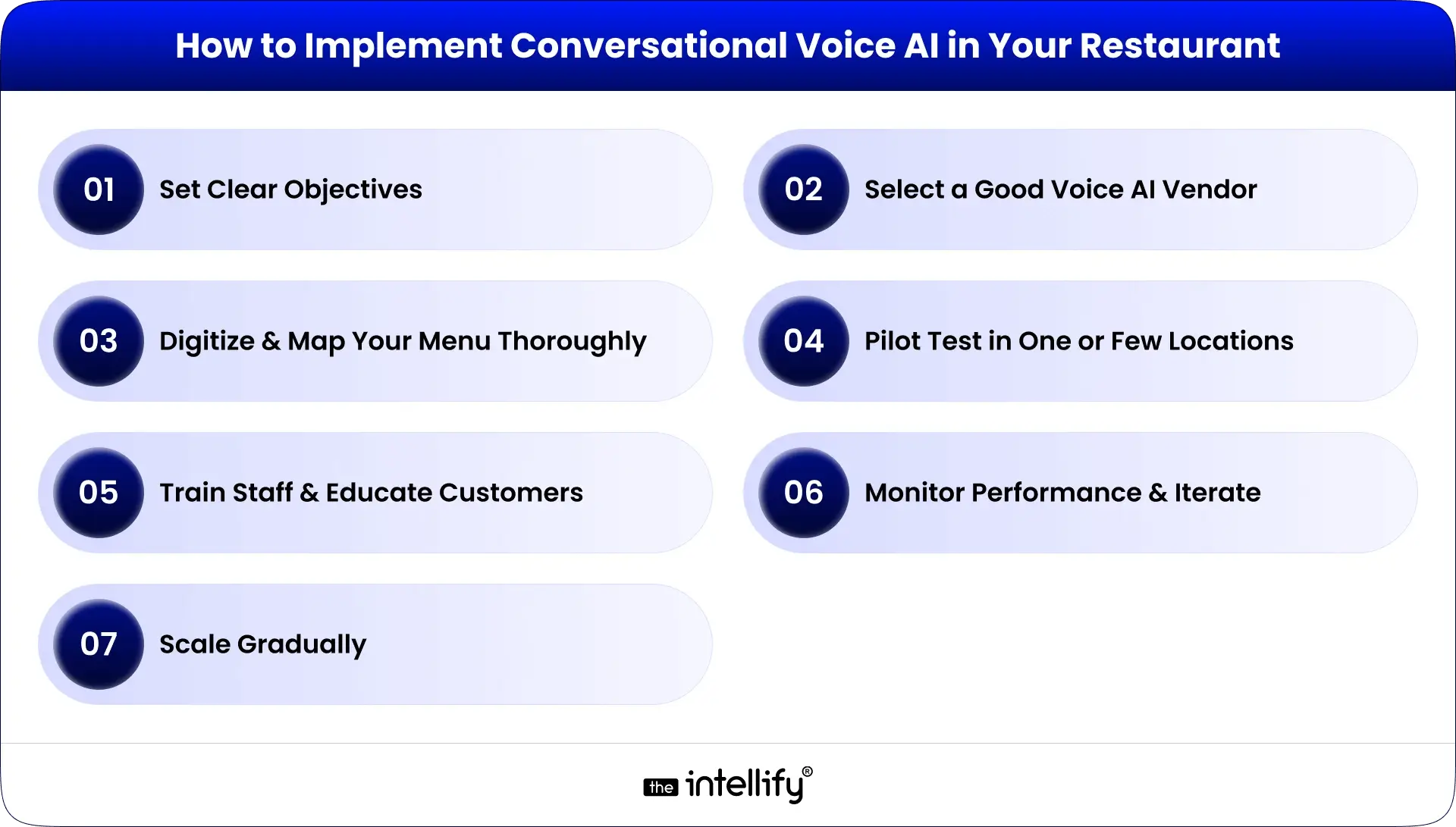
How to Implement Conversational Voice AI

If you’re considering voice ordering, here’s a step-by-step guide:

1. Set Clear Objectives

Decide what you want to accomplish: lower missed call rates, faster drive-thru, increased upsell, or 24/7 ordering. Define success metrics (e.g., % of calls handled by AI, average order size increase).

2. Select a Good Voice AI Vendor

Choose a solution that integrates cleanly with your POS, kitchen systems, payment gateway, and loyalty programs. The vendor should support menu mapping, voice prompt customization, and analytics.

3. Digitize & Map Your Menu Thoroughly

Include every item, combo, modifier, and special variant in your voice system. Build conversation scripts so the AI knows how to prompt for extras (“Would you like a drink with that?”), substitutions, and clarifications.

4. Pilot Test in One or Few Locations

Begin with a small-scale rollout to test performance, accents, noise conditions, and edge-case orders. Use this phase to calibrate the speech models, adjust prompts, and catch bugs before going wide.

5. Train Staff & Educate Customers

Make sure staff know how the system works and how to assist customers with it. Use signage or verbal prompts to let customers know they can order by voice. Encourage them to try it and reassure them they can opt to talk to a human if needed.

6. Monitor Performance & Iterate

Track KPIs like order accuracy, average order value, call deflection, and customer feedback. Use these insights to retrain models, refine upsell scripts, and evolve conversation logic.

7. Scale Gradually

Once confident in performance, expand to all stores. Continue optimizing based on regional accents, differing menu items, or local preferences.

By following these stepsclear goal setting, vendor selection, pilot testing, staff education, and ongoing optimization can adopt voice AI in a controlled, risk-mitigated way.


Challenges & How to Address Them

Voice AI has significant upside, but there are obstacles to watch out for:

Recognition Accuracy Under Noisy Conditions

Restaurants and drive-thrus can be loud. Mishearing accents or fast talkers can degrade performance. Mitigation: robust training with diverse voice samples and fallback prompts (“Sorry, can you repeat that?”).

Complex & Customizable Menus

If your menu has dozens of modifiers (sauces, ingredient swaps, combo bundles), mapping all permutations can be tedious. A staged rolloutstarting with core items and gradually adding complex variantsreduces risk.

Customer Reluctance

Some may prefer speaking to a human for special requests or feel uneasy about interacting with AI. Offer an opt-out (like “Press 0 for human”) and ensure staff step in when needed.

Data Security & Privacy

Voice systems process sensitive dataorders, voices, and payment info. Choose vendors with secure, encrypted pipelines and compliance (PCI, GDPR, CCPA). Be transparent with customers regarding how their voice data is stored and used.

Upfront Investment & ROI Calibration

The cost of voice AI (licensing, integration, hardware, training) must be justified against the benefits. Use pilot/test data to forecast and evaluate increased sales, labor savings, and recovered missed calls.

With careful planning, these challenges can be managed. In most cases, the long-term gains from automation, upselling, and accuracy outweigh the initial hurdles.


The Future of Voice AI in Restaurant Ordering

Future of Voice AI in Restaurant Ordering

As AI continues to evolve, voice ordering will grow more powerful and pervasive. Some trends to watch:

Hyper-Personalization: Voice assistants will tailor conversations based on individual preferences, dietary restrictions, past orders, and loyalty dataoffering one-click ordering customized to each customer.

Smart Kitchen & IoT Integration: Voice systems will interface with kitchen IoT (ovens, inventory sensors). For example, placing a roast could automatically preheat the oven or send alerts to chefs.

Predictive Analytics Driving Inventory & Staffing: Order data from voice systems will feed forecasting models. Restaurants can stock smarter, staff better, and reduce waste.

Expanded Voice Channels: Beyond drive-thru or phone, voice ordering will be embedded in smart devices, automobiles, wearables, and augmented reality (AR) interfaces.

More Natural & Conversational AI: Advances in NLP will allow AI agents to handle digressions, elicit context, respond conversationally, and adjust pacing. Ordering will feel more like speaking with a human than a rigid bot.

Over time, voice AI won’t just be “an option”; it will become a core pillar of restaurant operations, seamlessly bridging customer voice and restaurant logistics.


Conclusion

Conversational voice AI is no longer experimental; it’s a practical, revenue-driving tool that addresses real restaurant pain points: lost calls, labor strain, slow drive-thrus, and inconsistent upselling. When implemented thoughtfully (clear goals, thorough menu digitization, secure integrations, and a pilot-first rollout), voice ordering improves accuracy, increases average checks, and frees staff to focus on guest experience. Challenges like speech-recognition edge cases and privacy concerns are solvable with good vendor partnerships and ongoing optimization. For U.S. restaurants seeking better throughput and digital-first growth, a carefully executed voice-AI strategy offers strong ROI and positions the brand for the next wave of ordering convenience.

Frequently Asked Questions (FAQs)

1. What is conversational AI voice ordering, and how does it work in restaurants?

Conversational AI voice ordering enables customers to place orders using their preferred method (phone, drive-thru, app, or smart speaker). It transcribes speech using speech recognition and interprets intent with NLP, confirms the order, processes payments if needed, and routes orders to the POS/kitchen.

2. What are the benefits of voice AI ordering for restaurants (revenue, accuracy, staff)?

Benefits include 24/7 order capture (eliminating missed calls), improved accuracy (fewer order errors), and increased revenue via consistent automated upsells. It also reduces staff workload by automating routine calls and drive-thru order-taking.

3. Can voice AI handle drive-thru orders and decrease wait time?

Yes, drive-thru voice AI takes orders at the intercom, confirms details, and pushes them to the kitchen, helping reduce wait time and increase throughput during peak periods.

4. How accurate is conversational AI voice ordering with different accents and noisy environments?

Accuracy depends on the quality of the training data and the audio quality. Systems trained on diverse accents and deployed with robust microphones and noise suppression perform much better; pilot tuning is recommended for local accents.

5. Can voice AI integrate with my restaurant’s POS, loyalty, and payment systems?

Most enterprise-grade voice AI vendors support POS, kitchen display, loyalty, and tokenized payment gateways, enabling a seamless flow from voice capture to order fulfillment and loyalty redemption.

6. Is voice AI ordering secure and compliant with payment/privacy regulations?

When configured with encryption, tokenized payments, and vendor compliance (PCI, CCPA, GDP, where applicable), voice AI can be secure. Choose vendors that provide clear data retention and deletion policies.

7. How much does voice AI for restaurant Cost, and what ROI can I expect?

Costs can vary on the basis of subscription, integration, hardware, and setup. ROI comes from recovered lost sales, labor reduction, and upsell revenue. Pilots typically show measurable uplift in average ticket size that helps calculate the payback period.

Virtual Tours vs. In-person Viewings: What Middle East Buyers Prefer (2026)

Summary
In 2026, immersive virtual tours are a baseline expectation across Gulf property listings: they extend reach, qualify higher-quality leads, and shorten time to offer. In-person viewings remain essential for tactile verification and closing premium purchases. The most effective teams apply a virtual-first, trust-aware approach: use virtual assets to inform and qualify, then deploy tightly scoped in-person visits to validate and close. This article gives an operational playbook, vendor checklist, booking and visit scripts, and measurable KPIs you can implement now.


Introduction: Why this comparison matters now

Real estate in the Middle East has undergone rapid changes. Rising international investment, widespread off-plan development, and a mobile-first buyer base mean listings must perform online before they perform in person. Buyers are busy and often remote; they expect clear visuals, accurate documents, and fast scheduling. This puts pressure on agents and developers to deliver professional virtual experiences while retaining the trust-building power of in-person viewings.

The most practical answer is not “virtual replaces physical” or “physical replaces virtual.” It is a disciplined hybrid model that uses virtual tours to widen the funnel and in-person visits to remove final risk and close deals. Below is a refined, actionable guide you can apply immediately.


How Middle East buyers decide in 2026

Middle East buyers approach

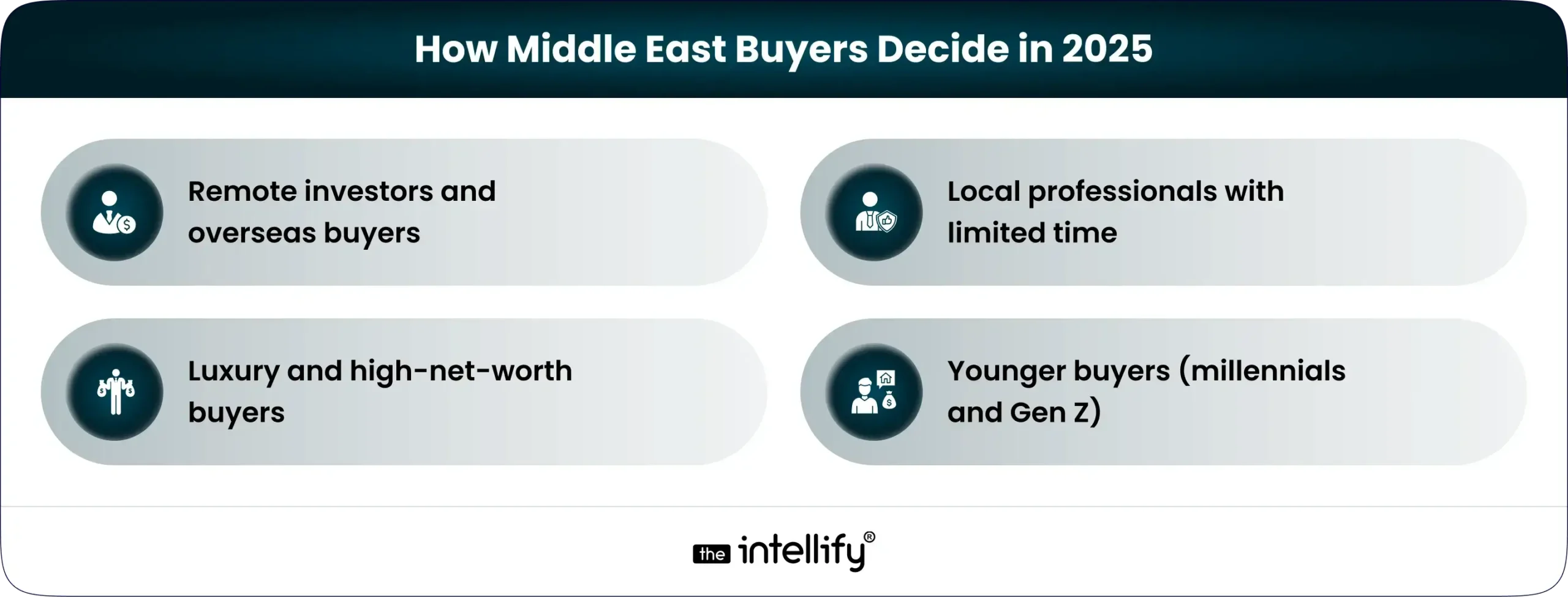
Buyer intent now clusters into four distinct groups, each of which requires a specific operational approach:

  • Remote investors and overseas buyers. These buyers shortlist from afar and rely on 3D walkthroughs, accurate floor plans, neighbourhood videos, and clear documentation. A guided virtual tour can replace initial travel and, in many cases, lead directly to offers or targeted physical inspections.
  • Local professionals with limited time. Research often happens after work. They expect to validate fit quickly online and will book one or two targeted viewings only if the virtual presentation confirms suitability. Speed and accuracy matter most for this segment.
  • Luxury and high-net-worth buyers. Virtual assets narrow options, but tactile verification of finishes, acoustics, sightlines, and service expectations remains crucial. These buyers typically require curated, private in-person visits before signing.
  • Younger buyers (millennials and Gen Z). Comfortable with technology, many are willing to buy sight-unseen when presented with high-quality visual proof and reliable documentation.


Measurable advantages of virtual tours

Advantages of virtual tours

When executed consistently, virtual tours yield operational benefits that translate to faster sales and higher seller confidence:

  • Higher lead quality. Immersive listings set realistic expectations; prospects who complete tours are more likely to contact the agent with intent.
  • Faster qualification. Agents spend less time on low-probability visits because mismatches are revealed earlier in the funnel.
  • Increased geographic reach. Overseas and cross-city buyers can evaluate more properties in less time, increasing the buyer pool.
  • Reusable marketing assets. Tours power social campaigns, email sequences, and downloadable brochures that typically convert better than static photos.

These outcomes are repeatable when you standardize capture, publish quickly, and track the right metrics.


Why in-person viewings remain indispensable

Virtual tools are powerful, but they do not replace everything. Keep these reasons in mind:

  • Physical verification. Materials, finish quality, ambient noise, and unobstructed sightlines are best judged in person. For premium homes, tactile experience is expected.
  • Legal and technical needs. Measurements, title verification, and final contract signings often require local presence or certified documentation.
  • Negotiation psychology. On-site meetings enable agents to read objections, create urgency, and manage closing dynamics in ways a virtual tour cannot.

The objective is to reduce unnecessary in-person visits while reserving them for moments where they materially reduce buyer risk and increase conversion probability.


A Refined Hybrid Playbook & Practical: Step-by-Step

Refined Hybrid Playbook & Practical_ Step-by-Step

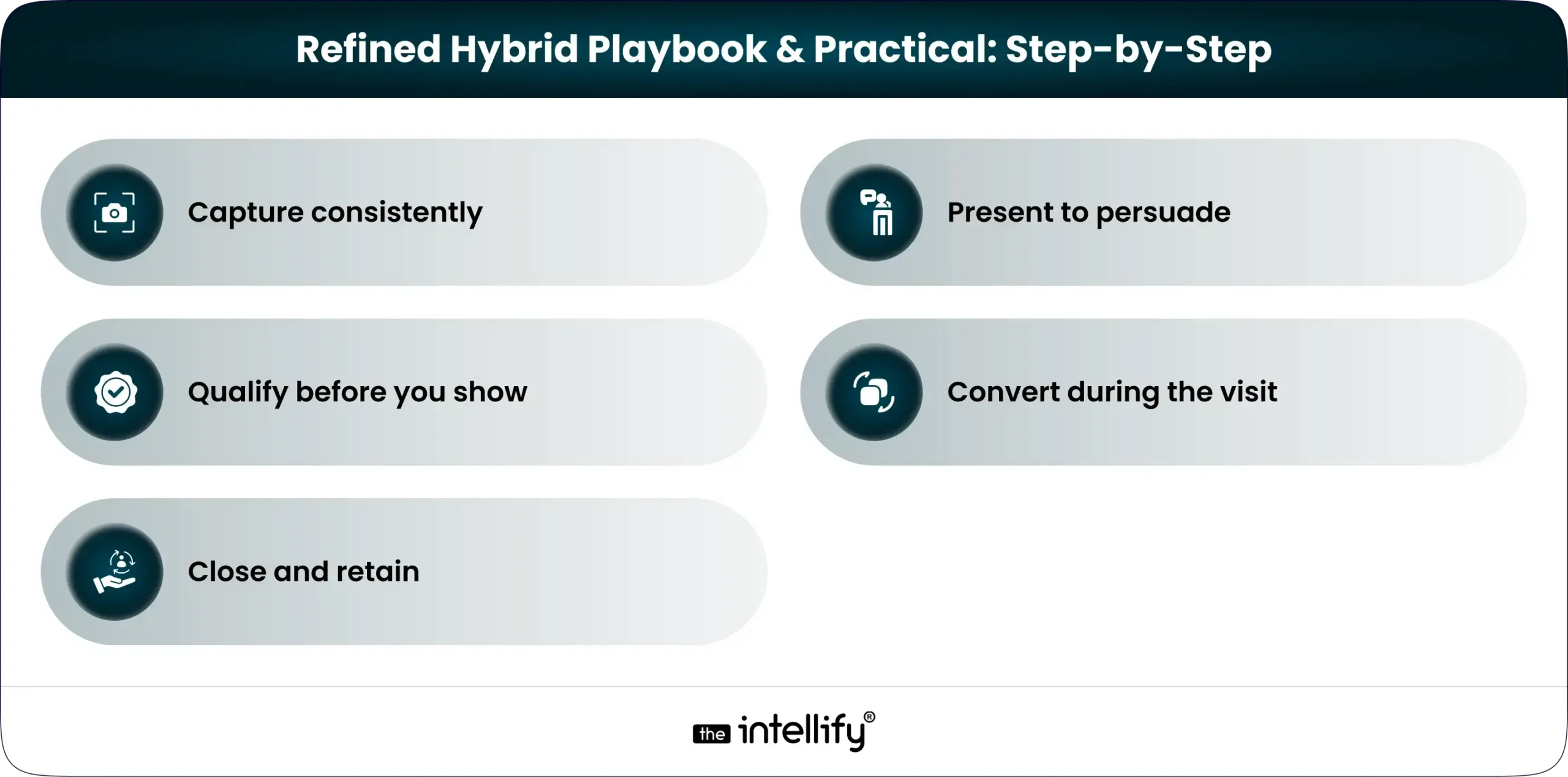
Phase 1: Capture consistently

  • Standard checklist: 3D scan (Matterport or equivalent) or high-quality 360° capture, a short hosted walkthrough video, accurate floor plans with measurements, high-resolution photography, and a downloadable dossier containing title, warranty, and finish schedules. Consistency signals professionalism.
  • Quality control: Use a capture checklist to ensure lighting, decluttered interiors, and consistent shot sequencing.
  • Speed to market: Publish virtual assets within 48–72 hours of capture to maintain listing momentum and enable timely promotion.

Phase 2: Present to persuade

  • Hero placement: Put the tour at the top of the property page and include a concise hosted video that highlights the five strongest selling points.
  • Contextual content: Provide neighborhood map, commute times, schools, and recent comparable sales to reduce common objections.
  • Clear booking options: Offer two frictionless CTAs: “Book a 15-minute Guided Virtual Tour” and “Schedule a Private In-Person Visit.”

Phase 3: Qualify before you show.

  • Smart booking form: Capture three essentials at booking, budget range, intended timeline, and investor vs occupant to triage visits.
  • Remote checks: Offer live guided video calls for overseas buyers to answer bespoke questions and reduce unnecessary travel.

Phase 4: Convert during the visit.

  • Prepare a physical packet: Provide warranty documents, finish samples, measurement sheets, and a short checklist matched to buyer concerns.
  • Focus on validation: Use in-person time to confirm remaining uncertainties rather than re-present basics already covered virtually.

Phase 5: Close and retain

  • Digital handover pack: After sale, deliver finalized scans, manuals, warranty documents, and a neighborhood welcome guide electronically.
  • Capture proof: Collect a short testimonial and permission to publish a concise metric (days to offer, % of virtual-origin leads).
  • Automated nurture: Use CRM automation to follow up on referrals, upgrades, and post-move support.


Strategies embedded in presentation and content

Integrate practical strategies into every listing and distribution channel to boost discoverability and trust without turning pages into sales brochures.

  • User-first headlines: Lead with buyer intent in one line. Example: “Explore this 2-bed Dubai Marina apartment full 3D tour available.”
  • 10-second summary: Ensure price, size, bedrooms, and the primary CTA are visible within a single screen without scrolling.
  • Short, shareable assets: Offer a two-page PDF (floorplan + key facts) for quick sharing rather than a long brochure.
  • Micro-case studies: Publish one-paragraph case studies showing a single metric to build credibility.
  • Mobile-first performance: Optimize tour embeds and media for fast mobile loading; speed is perceived as professionalism.

These approaches help listings get found, trusted, and shared.


What leading portals and brokers do and what to copy

Top regional players consistently apply three pillars you should emulate:

  1. Research-driven content: Publish market digests and repurpose them into short assets to earn backlinks and build authority.
  2. Hyperlocal pages: Create community landing pages and virtual-tour landing pages for key submarkets to capture search intent.
  3. Product integration: Surface “virtual tour available” badges, add live booking widgets, and offer promoted placements for tour-enabled listings.

Implement these systematically: standardize your asset library, localize copy, and make booking effortless.


Technology and vendor checklist: Practical selection criteria

Choose vendors and platforms with these capabilities:

  • Capture tech: Support for 3D scans, 360° capture, and guided video walkthroughs. For premium properties, consider LIDAR.
  • Embed and lead capture: The player must be mobile responsive, easily embeddable, and include lead capture.
  • CRM integration: Tour leads should flow automatically into CRM for instant follow-up and scoring.
  • Analytics: Platform should report tour completion rate, average watch time, and conversion to contact and in-person booking.
  • Support & SLAs: Prioritize vendors with quick processing and responsive support.

If analytics are limited at launch, at least capture completion and time-on-tour metrics for manual tracking.


Request a Private Inspection


Page layout and conversion copy that works

Structure property pages to answer buyer questions by priority and reduce friction.

  1. Hero: a single-line value proposition and immediate CTA (“View 3D Tour / Book Guided Tour”).
  2. Snapshot: price, bedrooms, size, completion status, and one immediate selling point.
  3. Virtual tour embed: prominent, with a short hosted highlight video.
  4. What you’ll love: three short lifestyle bullets (commute, schools, view).
  5. Practical facts: floorplan, measurements, parking, service charges.
  6. Neighborhood map: travel times and key amenities.
  7. Short FAQ: concise answers to inspection and offer questions.
  8. Booking CTAs: two clear CTAs for guided virtual viewing and in-person visit.
  9. Proof: a short case study or seller testimonial with a single metric.
  10. Final CTA: time-boxed incentive (“Private inspections available this week, book now”).

Keep copy short, factual, and benefit-focused; remove marketing fluff.


Operational details: Scripts, KPIs, and compliance

Sample agent script for a guided virtual tour

  1. Greeting (15–30s): “Hello, I’m [Name], your local property expert. I’ll guide you through the apartment and answer questions as we go.”
  2. Orientation (30s): State the building, floor level, and primary view orientation.
  3. Highlight loop (2–3 mins): Point out three selling features: layout flow, natural light, storage, and tie each to buyer benefits.
  4. CTA (30s): “If this looks suitable, we can schedule a private inspection this week, or I can send the full measurement sheet and warranty documents now.”

KPIs to monitor

  • Tour publish lead time: publish within 48–72 hours (target: 90% of listings).
  • Tour completion rate: % viewers who view at least 50% of the tour (target: 35–50%).
  • Contact after tour: % of tour viewers who contact the agent (target: 5–12%).
  • Conversion to in-person booking: % of contacts who schedule a visit (target: 30–40%).
  • Time to first offer: median days from listing to offer track and improve.

Sample capture checklist (detailed)

  • Exterior approach: entrance, lobby, amenities.
  • Living areas: multiple angles, balcony flow, and lighting.
  • Kitchen: cabinets, appliances, finishes.
  • Bedrooms: storage and sightlines.
  • Bathrooms: fixtures, tiling, ventilation.
  • Outdoor spaces: balcony depth, orientation, views.
  • Utility & parking: allocated spaces and access.
  • Documentation: brief capture of title page, service charge summary, warranty docs.

Common buyer objections and concise responses

  • “I can’t tell material quality from a video.” “I’ll send close-up photos and warranty details; we can schedule a private inspection for finishes you want to verify.”
  • “Is the view exactly like in the tour?” “The tour was captured on [date]; I’ll send a current photo, and we can do a live video at the time that shows the view you care about.”
  • “How fast can I inspect in person?” “Shortlisted buyers typically get inspection slots within 48–72 hours; I’ll prioritize your slot.”

Legal and compliance reminders

  • Ensure virtual representations are accurate and include a capture-date disclaimer and virtual-staging notes.
  • For off-plan sales, state assumptions used in visualizations and link to approved finish specifications.
  • Keep an audit trail of tour links and distribution for dispute resolution.


Distribution and amplification playbook

Treat distribution as part of the launch checklist:

  • Email: segmented blasts (investors, owner-occupiers, city lists) with a single CTA to view the tour.
  • Social: 15–30s highlight reels plus short fact cards for story formats.
  • Partner channels: syndicate to portals and proptech partners; use promoted placements for tour-enabled listings.
  • Paid tests: run small paid campaigns optimized for tour completion, not just clicks.


Example metrics report (one-pager)

  • Listings published with virtual tours this month: 24
  • Average time to publish tour: 62 hours
  • Average tour completion rate: 41%
  • Leads sourced from tours: 128 (≈10% of viewers)
  • In-person visits booked from tour leads: 42
  • Offers received from tour-origin leads: 11

Update this one-pager weekly during rollout to iterate on capture thresholds and promotional tactics.


Rollout timeline implemented in six weeks

Week 1: Create a capture checklist and run pilot captures.
Week 2: batch capture priority listings and publish landing pages.
Week 3: integrate tour analytics with CRM and launch social creative.
Week 4: A/B test CTAs and booking flows; refine copy.
Week 5: review performance metrics and optimize.
Week 6: publish a case study and scale capture.


Book a Live Guided Tour


Conclusion: What wins in 2026

In 2026, teams that treat virtual tours and in-person viewings as a single, coherent funnel will win. Virtual assets broaden reach and speed qualification; in-person visits close the trust gap. Execute consistent capture, present assets clearly, qualify before you show, and reserve in-person visits for validation and closing. The result: shorter sales cycles, stronger seller pitches, and higher conversion.


High Demand FAQs

  1. What is a virtual property tour, and how accurate is it?

    A virtual property tour is an interactive 3D or 360° walkthrough that shows layout, flow, and sightlines. It reliably represents space and orientation, but final tactile checks (materials, noise, odour) should be done in person for high-value purchases.


  2. Can I make an offer after viewing a property virtually?

    Yes, many buyers, especially overseas investors, make offers following a guided virtual tour. Best practice is to do a final in-person verification or live video inspection before completing legal closing steps.


  3. How soon can a virtual tour be created and published?

    For most apartments and standard homes, professional capture, processing, and publishing typically take 48–72 hours. Premium scanning (LIDAR or large villas) may take longer depending on vendor capacity.


  4. Do virtual tours show exact measurements and floor plans?

    Quality virtual tours include accurate floor plans and measurement overlays when produced with professional scanners. Always request the measurement sheet and, if required, a certified measurement before finalizing a purchase.


  5. Are virtual tours mobile-friendly and easy to share?

    Yes, top platforms deliver responsive embeds and lightweight players designed for mobile and desktop, and tours can be shared via direct links or included in short, downloadable PDFs for easy distribution.


  6. What types of properties work best for virtual tours?

    Virtual tours are effective for apartments, villas, off-plan show suites, and model homes. They are particularly useful for off-plan marketing and for buyers who are remote or time-constrained.


  7. What are the typical costs for producing a professional virtual tour?

    Costs vary by property size and capture method: basic 360° tours are economical, while high-fidelity 3D/LIDAR scans cost more. Consider ROI, faster sales, and higher-quality leads often justify professional capture.


  8. Will virtual staging mislead buyers?

    Virtual staging can help buyers visualise a space, but it must be disclosed clearly. Always show an option to view raw, unstaged imagery and include a disclosure when virtual furniture or finishes are applied.


  9. How does a hybrid virtual-first + in-person process speed up sales?

    Virtual-first screening reduces low-quality visits and shortlists motivated buyers. In-person visits are reserved for final validation, which shortens the sales cycle and improves agent efficiency.


  10. What legal or compliance considerations apply to virtual listings?

    Ensure all virtual representations are dated and accurate; include capture-date disclaimers and note any virtual staging or off-plan assumptions. For off-plan sales, link to approved finish schedules and developer documentation.

AI Solutions in Bahrain: Integrating AI into Bahrain’s Business

Summary
Discover how AI solutions in Bahrain are helping businesses grow smarter and faster. This blog explains practical ways companies can use artificial intelligence to improve efficiency, enhance customer experiences, and make informed decisions. It also highlights real examples from industries like finance, healthcare, retail, and government, while exploring opportunities, challenges, and future trends for AI adoption in Bahrain.


Artificial Intelligence (AI) is no longer a distant technology for the future, it is actively transforming businesses worldwide. From automating repetitive and routine tasks to helping make better decisions, AI is becoming essential. Bahrain is emerging as a regional leader in AI adoption, with supportive government policies, growing AI talent, and practical implementations across multiple sectors.
This article explores how AI solutions are being integrated into Bahraini businesses, the benefits of AI adoption, challenges faced, and practical steps companies can take. Whether you are a small business, a startup, or a large enterprise, this guide will help you understand how AI solutions in Bahrain can drive growth and competitiveness.


Why Bahrain Is Ready for AI

AI in Bahrain

1. Government Support and Strategy

Bahrain’s government is taking strong steps to encourage AI adoption. Policies and regulations are being developed to guide businesses in using AI responsibly. These policies focus on safety, privacy, fairness, and supporting the country’s economic growth.
The government is also promoting innovation through partnerships with technology companies and encouraging organizations to experiment with AI in ways that improve efficiency and public services.

2. Investment in Skills and Talent

A skilled workforce is key to successful AI adoption. Bahrain is investing in education and training programs to develop AI expertise among its citizens. Initiatives like AI-focused courses and hands-on workshops are helping students and professionals learn the skills they need to work with AI technologies.
These efforts are creating a growing pool of AI talent that businesses can tap into, helping accelerate AI integration across industries.

3. Early AI Initiatives in Bahrain

Bahrain is already experimenting with AI in real-world applications:

  • Banking Sector: Many banks have launched AI chatbots to handle customer queries quickly and efficiently.
  • Public Services: AI is being used to monitor construction projects and manage infrastructure more efficiently.
  • Healthcare: Hospitals and clinics are exploring AI tools for diagnostics and patient care management.
  • Retail and Marketing: Businesses use AI to analyze customer preferences, predict demand, and personalize offers, improving customer satisfaction and operational efficiency.

These examples show that Bahrain is not just planning for AI but actively implementing it.


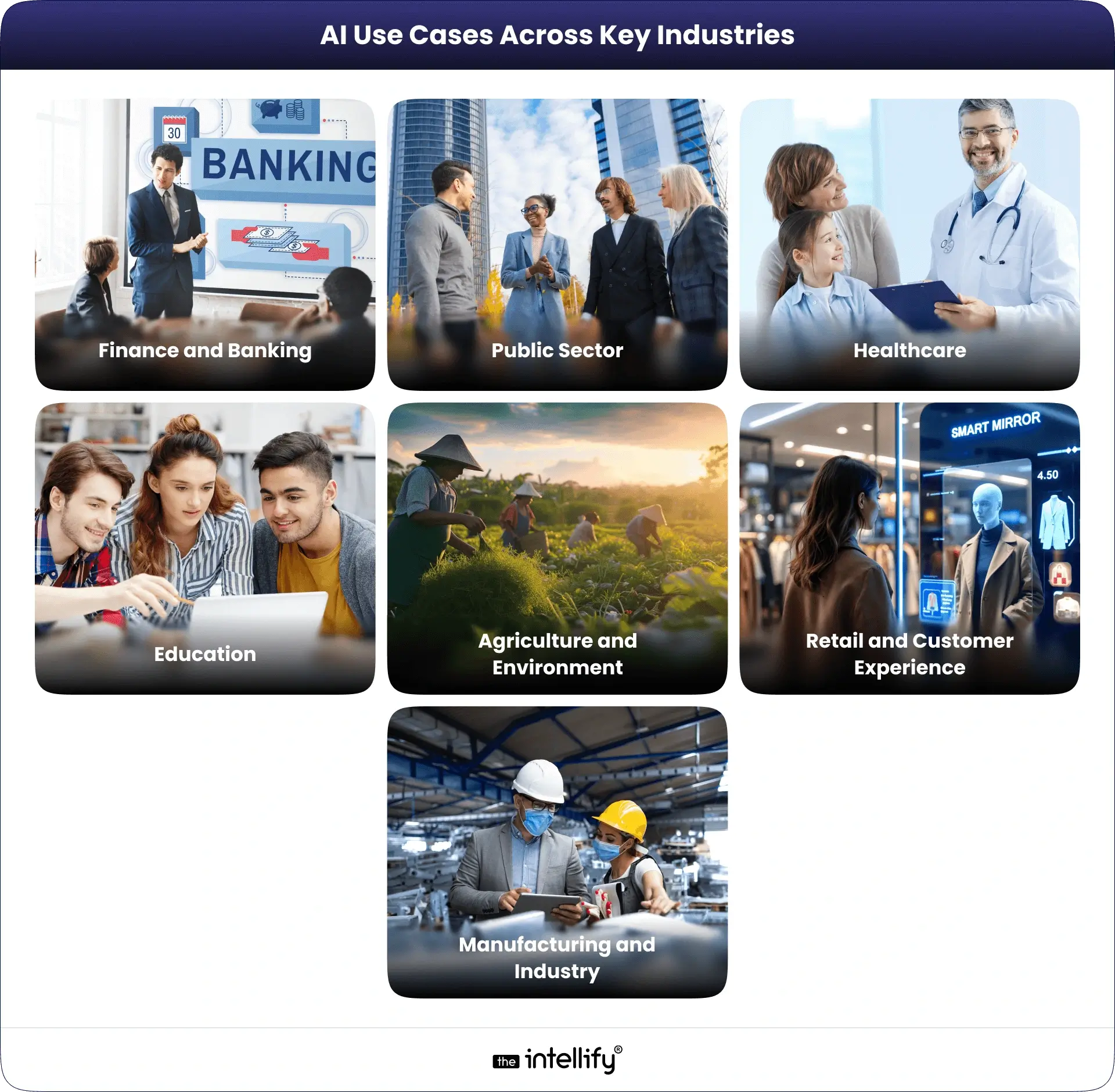
AI Use Cases Across Key Industries:

AI use cases in Bahrain businesses

Finance and Banking

AI helps banks detect fraud, analyze risk, and provide personalized financial advice. Virtual assistants handle common queries, freeing staff to focus on more complex tasks.

Public Sector

Government services benefit from AI through faster processing of forms, better case management, and monitoring of public infrastructure projects. AI helps identify problems early and improve service quality.

Healthcare

AI supports doctors in analyzing medical images, predicting patient outcomes, and monitoring patients remotely. It also helps hospitals automate administrative tasks, making healthcare delivery faster and more efficient.

Education

AI-powered learning platforms offer personalized learning experiences. They adapt to students’ progress, provide instant feedback, and support teachers in tracking performance.

Agriculture and Environment

AI helps monitor crops, detect pests, and predict yields. It also assists in environmental protection by tracking changes in natural resources and supporting sustainability efforts.

Retail and Customer Experience

Businesses use AI to personalize offers, predict demand, and improve customer engagement. AI tools help manage inventory efficiently and analyze customer feedback to improve services.

Manufacturing and Industry

AI is increasingly used in Bahrain’s manufacturing sector. Predictive maintenance helps reduce machine downtime, AI-powered quality control ensures consistent product standards, and automated production lines increase efficiency.


Benefits of AI for Businesses in Bahrain

  • Efficiency and Cost Savings: AI automates repetitive tasks and reduces errors, enabling employees to focus on higher-value activities.
  • Better Customer Experience: Chatbots, virtual assistants, and personalized recommendations provide better service and faster responses.
  • Data-Driven Decisions: AI analyzes large datasets to reveal patterns, insights, and trends to help businesses make smarter decisions..
  • Competitive Advantage: Early adopters of AI gain an edge in innovation, customer trust, and operational excellence.
  • Scalability and Flexibility: AI allows companies to grow operations without proportionally increasing resources.
  • Regulatory Compliance: AI tools can monitor operations, detect anomalies, and ensure compliance with local regulations.


Challenges in AI Adoption

While AI offers many benefits, companies in Bahrain face some challenges:

  • Talent Shortage: Finding skilled AI professionals is still a challenge despite training initiatives.
  • Data Quality: AI systems require clean, organized, and sufficient data, which can be a barrier for some businesses..
  • Privacy and Ethics: Companies must ensure AI systems respect privacy laws and follow ethical standards.
  • Cost of Implementation: AI solutions can require significant investment in technology, infrastructure, and training.
  • Infrastructure Limitations: Businesses need reliable computing systems, cloud storage, and connectivity for AI.
  • Organizational Resistance: Employees may be hesitant to adopt new AI tools without proper guidance and training.


Steps for Successful AI Integration

AI Integration Steps

1. Start with Pilot Projects: Test AI in a small part of your business before scaling. For instance, implement a chatbot or predictive model for one department.

2. Build Strategic Partnerships: Collaborate with universities, research centers, or technology vendors to access AI expertise.

3. Invest in Training and Culture: Upskill employees and create a culture that embraces innovation. Encourage experimentation and learning.

4. Prioritize Ethics and Governance: Ensure AI systems are transparent, fair, and compliant with regulations.

5. Measure Performance and Iterate: Track key performance metrics such as efficiency, customer satisfaction, and cost savings. Refine AI tools based on results.

6. Enhance Infrastructure: Ensure proper data management, cloud solutions, and computing resources are in place.

7. Stay Updated on Policies: Keep track of AI regulations and industry best practices to maintain compliance and build trust.


AI Governance and Policies in Bahrain

Bahrain has developed a strong framework to ensure AI is used safely and responsibly. Policies focus on privacy, fairness, and security. Businesses must follow these guidelines to maintain trust and avoid risks.
These regulations create a clear path for companies to innovate while keeping ethical and legal standards in check. By following them, businesses can confidently integrate AI into their operations.


Future Opportunities and Trends

Future of AI in Bahrain

The future of AI in Bahrain is promising. Some key trends include:

  • Generative AI and Conversational Tools: Advanced chatbots, voice assistants, and content creation tools will improve customer interaction.
  • Predictive Analytics: Helping companies anticipate customer needs, market trends, and operational issues.
  • Edge AI and IoT: Real-time data collection and analysis from devices for smarter decisions.
  • Sustainability Solutions: AI supporting environmental protection and resource management.
  • Collaboration and Innovation: Partnerships between businesses, startups, and research institutions will drive innovation.
  • Investment Growth: Bahrain is attracting funding for AI startups in healthcare, fintech, and smart city solutions.


AI Development in Bahrain


Conclusion

AI is transforming businesses in Bahrain by improving efficiency, customer experience, and decision-making. With government support, growing talent, and real-world examples already in place, the country offers great opportunities for businesses to integrate AI.
Companies can succeed by starting small projects, building skills, partnering strategically, and following ethical and regulatory guidelines. By embracing AI today, businesses can prepare for a smarter, more competitive future.


Frequently Asked Questions (FAQs)

1. How are AI solutions shaping the future of businesses in Bahrain?

AI solutions in Bahrain are helping companies work smarter by automating tasks, analyzing data faster, and improving customer service. From financial institutions to retail brands, many organizations are adopting AI to stay competitive and efficient. These technologies are driving Bahrain’s digital growth and making local businesses more adaptive to changing market demands.

2. Which industries in Bahrain are benefiting the most from AI adoption?

AI adoption is rising across major sectors in Bahrain, including finance, healthcare, retail, logistics, and manufacturing. Banks are using AI for risk management and fraud detection, hospitals for faster diagnosis, and retailers for personalized marketing. The widespread use of AI reflects Bahrain’s commitment to building a tech-driven economy that empowers businesses and enhances daily life.

3. What are the main advantages of using AI solutions for Bahraini enterprises?

For Bahraini enterprises, AI offers practical benefits such as cost reduction, higher productivity, and smarter decision-making. It helps companies understand customer needs, automate routine work, and gain insights from data in real time. As a result, businesses can make informed decisions, improve efficiency, and build stronger customer relationships.

4. What challenges do Bahraini companies face when implementing AI?

Many Bahraini businesses face challenges like a shortage of skilled talent, data management issues, and uncertainty about where to start. The key to success is having a clear AI strategy and choosing tools that match business goals. Partnering with experienced AI consultants or technology providers can help companies overcome these barriers and achieve measurable results.

5. Are AI solutions affordable for small and medium businesses in Bahrain?

Yes, AI is now more accessible and affordable for SMEs in Bahrain. With flexible cloud-based tools and scalable pricing, even small businesses can benefit from automation, predictive analytics, and chatbots. Starting with simple, goal-oriented AI use cases allows smaller firms to grow steadily without large upfront investments.

6. Why choose The Intellify as your AI technology partner in Bahrain?

Implementing AI requires technical knowledge, strategic planning, and continuous improvement. Partnering with an experienced AI development company ensures businesses get customized, future-ready solutions that align with their goals. A trusted partner like The Intellify, with expertise in AI development and automation, can guide organizations through every step, from strategy to deployment, ensuring real business value.

ChatGPT in 2025: GPT-5 Upgrades, Apps SDK, In-Chat Commerce & Business Insights

Summary
ChatGPT 2025 has grown into more than just a chatbot. With GPT-5 upgrades, in-chat apps, Instant Checkout for shopping, and smart AI agents, it’s now a platform that helps businesses and users get things done faster. This blog explains the latest features, how they work, and what they mean for businesses looking to use AI effectively.

The evolution of ChatGPT in 2025 marks an advanced shift in how AI interacts with businesses and consumers. Once a conversational AI tool limited to text-based assistance, ChatGPT has now transformed into a full-fledged AI platform, offering apps, commerce integrations, and enterprise-grade reasoning capabilities.
OpenAI’s DevDay 2025 unveiled several major developments: the release of GPT-5, in-chat apps and an Apps SDK, Instant Checkout for commerce, and expanded developer tools that enable businesses to build interactive AI experiences. These updates are redefining workflows, revenue generation, and user engagement in ways previously unimaginable.
In this blog, we analyze these updates, their implications for businesses, developers, and marketers, and provide a strategic playbook to leverage ChatGPT as a transformative business platform.


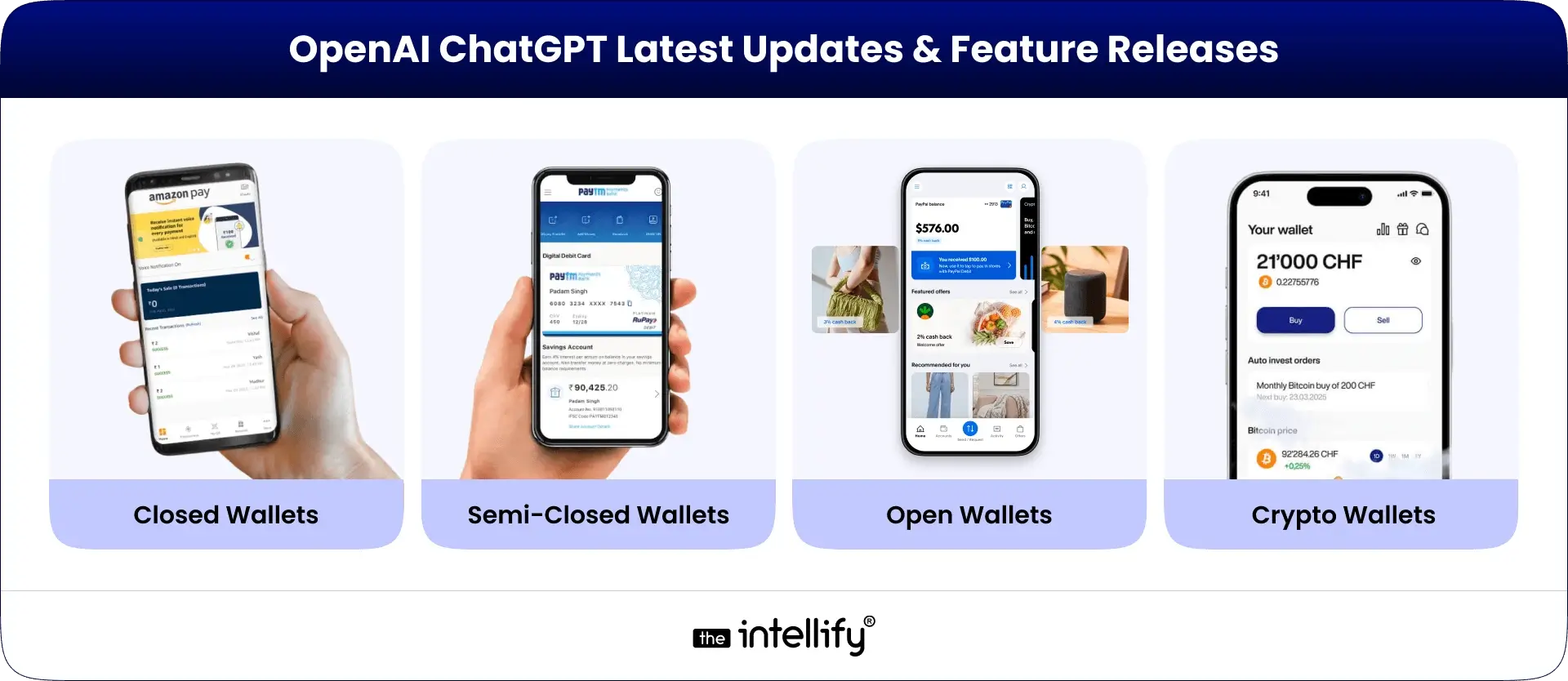
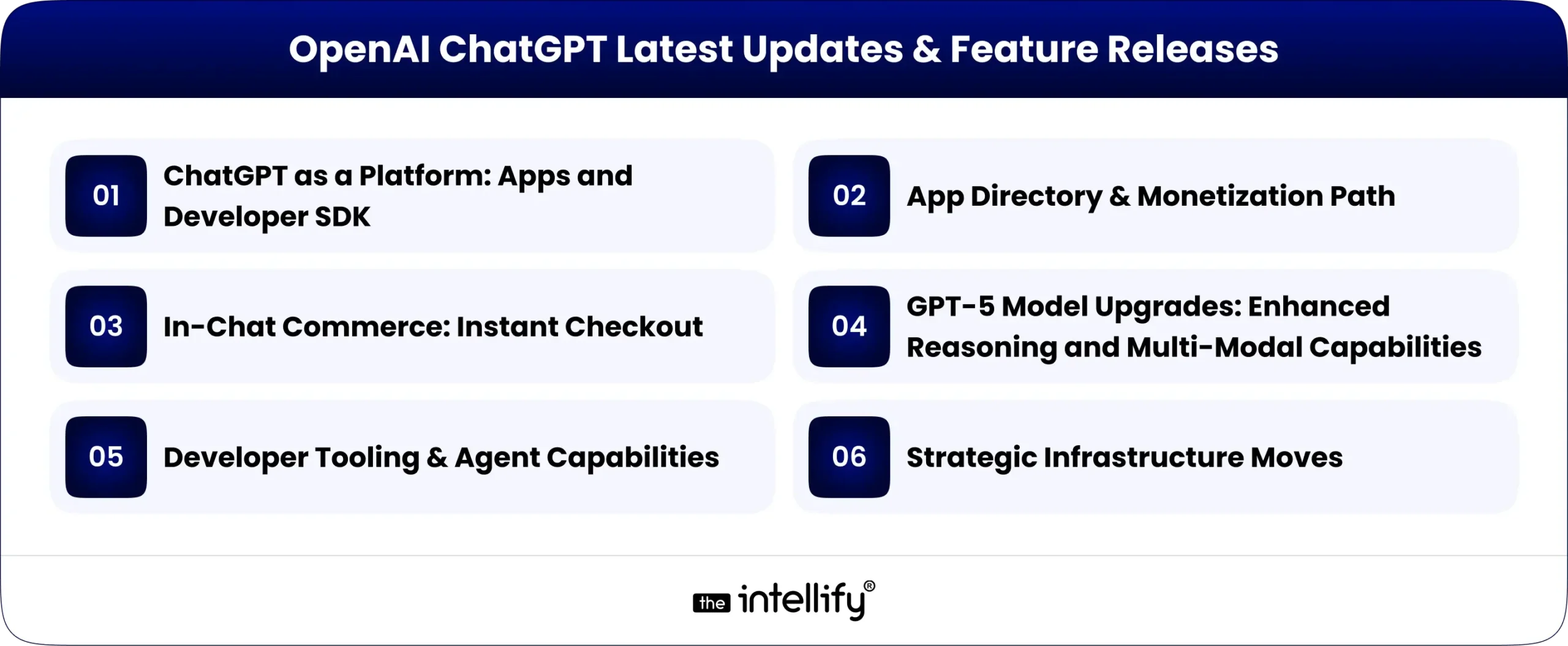
OpenAI ChatGPT Latest Updates & Feature Releases

OpenAI ChatGPT Latest Updates & Features Releases

1. ChatGPT as a Platform: Apps and Developer SDK

Apps inside ChatGPT: Embedding Third-Party Apps

The Apps framework allows third-party services to run natively inside ChatGPT. Early pilot apps include Canva, Spotify, Zillow, Booking.com, and other productivity and commerce tools. Users can invoke these apps directly in conversation, e.g., “Create a slide deck in Canva based on this outline” or “Show me rental listings matching my criteria in Zillow.”
This integration moves ChatGPT from being a single-use assistant to a platform for multi-functional applications, enabling developers to build services that can operate inside a conversational interface.

Apps SDK and Developer Opportunities

OpenAI also released a preview Apps SDK. Developers can now:

  • Build interactive experiences that operate seamlessly in conversation.
  • Handle user authentication, data exchange, and permissions within the ChatGPT environment.
  • Integrate micro-apps that can guide users through tasks, from booking trips to generating content.

For businesses, this means your services can be embedded directly into the AI experience, reducing friction and creating a richer user journey.

AgentKit: Building Autonomous AI Agents

OpenAI also unveiled AgentKit, a drag-and-drop interface for building advanced AI tools. This toolkit allows developers to create autonomous agents capable of completing tasks on behalf of users, further enhancing ChatGPT’s utility as a platform for productivity and automation.

Video Posted by ChatGPT

2. App Directory & Monetization Path

OpenAI is launching an app directory, allowing developers to showcase their apps and monetize through subscriptions or one-time purchases. This effectively creates an “App Store inside ChatGPT”, providing new distribution channels and revenue opportunities, independent of traditional mobile app stores like Apple or Google.


3. In-Chat Commerce: Instant Checkout

OpenAI is piloting Instant Checkout, enabling users to purchase products directly within ChatGPT. Partners include Etsy and Shopify merchants. This integration bridges discovery and conversion by allowing users to:

  • Find products in conversation.
  • Instantly complete transactions without leaving the chat environment.
  • Receive recommendations tailored by GPT-5’s reasoning capabilities.

Implications for businesses:

  • Higher conversion rates due to reduced friction.
  • New revenue opportunities for small and medium businesses by reaching customers directly in the chat interface.
  • Data-driven insights into customer behavior in conversational contexts.


4. GPT-5 Model Upgrades: Enhanced Reasoning and Multi-Modal Capabilities

GPT-5 represents OpenAI’s most advanced model to date, offering:

Video Posted by ChatGPT

Extended reasoning:

  • Capable of handling complex multi-step tasks.
  • Performing logical reasoning and analysis for business decisions.
  • Supporting advanced financial, operational, and healthcare workflows.

Multi-modal understanding

  • Interprets text, images, and potentially other media types.
  • Generating rich outputs combining text and visuals.
  • Enabling applications like interactive presentations, virtual design, and visual data insights.

Extended Context & Thinking Modes

  • Longer context windows: Can manage extended conversations and workflows.
  • Tiered thinking modes: Users can choose from light, standard, extended, and heavy modes to balance speed with depth.

For businesses, GPT-5 can:

  • Act as a research assistant, summarizing long documents or reports.
  • Support complex decision-making in finance, healthcare, and operations.
  • Generate high-quality content with improved context retention and coherence.


5. Developer Tooling & Agent Capabilities

OpenAI’s updates include:

  • Agent toolkits: Build autonomous, task-oriented bots that can perform multi-step workflows with minimal human oversight.
  • Enhanced Codex integration: Accelerates coding, debugging, and automation tasks.
  • Robust APIs: Enable deep integration with enterprise systems, CRM platforms, and productivity tools.

This means businesses can now design AI agents that actively manage workflows, from scheduling meetings to completing transactions or monitoring analytics.


6. Strategic Infrastructure Moves

Scaling a platform like ChatGPT requires massive compute resources. OpenAI has secured:

  • Long-term partnerships with AMD for chip supply.
  • Plans for multi-gigawatt-scale compute deployment in 2026.
  • Investment in infrastructure redundancy and efficiency to support enterprise workloads.

These moves ensure reliable performance, low latency, and cost predictability for businesses adopting ChatGPT at scale.


Why This is a Game-Changer

Three reasons make this more consequential than previous feature drops:
1. Platformization over feature updates: ChatGPT is moving from being a product you visit to being a platform where other products live. It’s an ecosystem for apps, commerce, and automation, offering companies a new distribution channel and runtime environment.
2. Seamless commerce integration: Adding direct payment flows (Instant Checkout) collapses the path from discovery to transaction, creating higher conversion opportunities for businesses.
3. Enterprise-ready scale: GPT-5 capabilities, agent tools, and strategic compute partnerships equip ChatGPT to handle complex workflows and large-scale deployments. That’s an enterprise-grade move.


Implications on Businesses and Product Teams

For Product managers & Marketers

  • Reimagine funnels as conversational experiences.
  • Design micro-interactions that users can complete in a single session.
  • Leverage personalized recommendations generated by GPT-5.

For Engineering & Platform Teams

  • Implement robust APIs, authentication, and consent flows.
  • Manage long-context interactions and multi-step workflows.
  • Optimize for token budgets and session performance.

For Legal & Compliance Teams

  • Ensure data privacy, GDPR, CCPA, and PCI compliance.
  • Implement secure transactional flows for in-chat purchases.
  • Audit third-party apps to mitigate risks.


How the platform competition changes (Apple, Google, marketplaces)

  • New competition with app stores: ChatGPT’s app ecosystem offers a direct channel for discovery and monetization.
  • Regulatory scrutiny: Platform gatekeeping, data usage, and commerce practices may attract attention.
  • Opportunity for smaller players: ChatGPT’s conversational interface provides a level playing field for apps that excel in user experience, not just brand recognition.


Risk and challenges


Tactical Playbook for Businesses

  • Audit product fit for conversation: Identify high-value micro-tasks. Which features can be converted into 60-90 second micro-flows? Start with a single, high-value use case (e.g., “create a tailored product bundle”).
  • Prototype an app for ChatGPT: Use the Apps SDK preview, test discovery and consent flows, and user interaction.
  • Map data & compliance requirements: Create a data flow diagram for customer data touching ChatGPT and list required contractual controls and privacy regulations.
  • Integrate secure payments: If you accept payments, work with payments/legal to support Instant Checkout flows.
  • Implement verification layers: Add verification layers where LLMs produce product recommendations, pricing, or legal/medical claims.
  • Plan for platform governance: Stay updated on app directory rules and monetization policies.


Future Outlook (The Big Picture)

  • Composable UX: Conversational primitives + micro-apps change the unit of product thinking from “page” or “screen” to “micro-interaction.
  • Platform control over intent: Whoever captures user intent at the time of decision (discovery + action) will dominate revenue. That’s why commerce inside ChatGPT is so strategically valuable.
  • Infrastructure as a competitive edge: Models like GPT-5 and supply deals (e.g., chips) will determine who can afford to scale reliably. Access to powerful models and reliable compute is critical for large-scale AI adoption.


How The Intellify Can Help

How The Intellify Can Help

  • Strategy & Positioning: Identify which products or services should be conversational-first and design micro-experiences optimized for ChatGPT.
  • Build & Integrate: Implement Apps SDK, authentication, and payment flows, and connect back-end systems for seamless workflow automation.
  • Safety & Compliance: Ensure privacy, data governance, and enterprise security while building AI-powered solutions.
  • MLOps & Performance: Optimize token budgets, caching, and hybrid compute strategies for long-context sessions and scale.


ChatGPT-based solutions


Final Thoughts

ChatGPT in 2025 is more than a chatbot; it’s a platform for innovation. Businesses that adapt to conversational micro-apps, integrate commerce, and leverage GPT-5 capabilities can gain a competitive advantage in digital engagement and revenue. The Intellify can help you prototype, deploy, and scale ChatGPT-based solutions, turning AI innovation into measurable business outcomes.

2026 Guide: Digital Twins & AI 3D Tours for Buying Before Construction

Quick Executive Summary
Digital twins, combined with AI-driven 3D tours, transform off-plan marketing from guesswork into a measurable sales engine, enabling faster qualification, stronger buyer confidence, and higher conversion rates for developers. This 2026 guide gives a practical playbook for capturing standards, distribution recipes, vendor criteria, KPIs, legal safeguards, and a rollout plan to start selling off-plan with digital-first certainty.

Introduction: Why developers care in 2026

Off-plan sales are high-stakes: buyers commit before physical completion, and developers must clearly communicate their vision, the quality of the finish, and the living experience. Digital twins (accurate, interactive digital replicas of buildings) paired with AI-enhanced 3D tours now let buyers explore layouts, test finishes, and see realistic lighting and circulation all before construction starts. This reduces buyer hesitation, shortens decision windows, and supercharges remote investor outreach. Recent platform innovations and market growth make this investment practical and revenue-positive for most projects.


What are digital twins and AI 3D tours? (short, plain language)

  • Digital twin: a precise, interactive digital replica of a building or apartment that can include geometry, materials, systems, and metadata (floor plans, schedules, energy figures). Think of it as the property’s “digital double” that can be walked through and interrogated.
  • AI 3D tour: an immersive walkthrough generated and enhanced by AI, improving measurement accuracy, auto-labelling rooms, creating guided tours, or producing photorealistic renderings and staging in seconds. AI speeds production and personalises experiences for buyers.

Together, these technologies let you simulate the finished product, iterate finishes live, and create purchase confidence without multiple on-site visits.


Why off-plan sales are an ideal use case

Why off-plan sales are an ideal use case

  1. Visualising the future: Buyers can switch finishes, furniture layout, and lighting scenarios to judge fit for their needs. This reduces the uncertainty that normally blocks early deposits.
  2. Remote decision-making: Overseas investors and busy buyers can assess units end-to-end without travel, reducing time to offer and allowing developers to sell across geographies.
  3. Marketing efficiency: A single digital twin becomes the canonical asset across listings, email, social, and sales suite, lowering repeated capture costs and increasing message consistency.
  4. Data-driven design tweaks: Digital twins deliver analytics on which spaces buyers explore and which finishes convert, enabling rapid, evidence-based marketing or product tweaks.


Market reality: why invest now (key evidence)

  • The global virtual tour and digital twin markets are expanding rapidly, with forecasts showing strong CAGR into the late 2020s as hardware, AI, and software costs fall and adoption rises. Use this momentum to get ahead of competitors.
  • Industry platforms report measurable uplifts: properties with detailed digital twin or 3D tour assets see materially higher inquiry rates and faster lead-to-contact timelines. That tangible lift supports ROI modelling for capture budgets.
  • New low-cost AI tools now generate usable, shareable 3D experiences in minutes for many property types, shrinking the time/cost barrier for medium-sized developers.

(Use these data points when you pitch internal stakeholders: the market is moving, tech is cheaper, and buyer behaviour favours immersive assets.)


Buyer psychology: what digital twins change

  • Trust through transparency: When buyers can toggle finishes and see accurate measurements, perceived risk falls. That leads to faster commitment and fewer post-purchase disputes.
  • Emotional engagement: Immersion drives emotional ownership; buyers imagine living in the space more vividly than with photos or static renders.
  • Friction reduction: Remote buyers are more likely to progress from interest to offer when a guided AI 3D tour reduces ambiguity and travel needs.


A practical, conversion-focused playbook (step-by-step)

This playbook is engineered for marketing and sales teams to be measurable and repeatable.

A practical, conversion-focused playbook (step-by-step)

Step 0: Decide scope & goals.

Define what success looks like: deposit rate for off-plan launches, time-to-offer, or lead conversion from specific markets. Set baseline KPIs before capture.

Step 1: Capture & build the twin.

  • Use developer architectural models (BIM/Revit) as the starting point; if not available, do a high-fidelity scan of the show unit. Convert models into an interactive twin with accurate materials and metadata.
  • For multiple unit types, build a parameterised twin that supports rapid finish swaps and furniture schemas.

Step 2: Enhance with AI

  • Use AI to auto-generate room labels, measurement overlays, and staging variants. AI can also create short guided scripts highlighting selling points for different buyer personas.

Step 3: a packaging for sales and marketing

  • Create versions for: 1) public listing embed (lightweight), 2) gated investor preview (high fidelity), 3) live sales demo (highest fidelity with guided walkthrough).
  • Include an option to “toggle finishes” and “see at dusk/day” to show real-life conditions.

Step 4: Distribute & qualify

  • Embed the lightweight twin on listing pages, send gated links to qualified leads, and use a guided virtual tour with a sales rep for high-value prospects. Track completion and interaction depth to score leads automatically.

Step 5: Close & document

  • For buyers who commit off-plan, provide a personalised digital handover pack: unit twin, chosen finishes, warranty schedules, and a timeline for construction milestones. This reduces churn and builds trust.


Vendor & tech selection checklist (short)

  • Input support: Accepts BIM/Revit import or can build twins from CAD/architectural models.
  • AI features: auto-labelling, virtual staging, lighting simulation, and measurement accuracy.
  • Embed & performance: produces a lightweight web player for public pages and a high-fidelity viewer for gated demos.
  • CRM & analytics: direct integration with CRM, event-level analytics for tour interaction, and conversion scoring.
  • SLA & processing times: vendor offers predictable publish times (target: <72 hours for a new unit twin).
  • Compliance features: watermarking, capture date, and virtual-staging disclaimers.

Top platforms and tools you should evaluate: Matterport and other digital twin vendors, AI rapid-tour tools (CubiCasa), and flexible tour hosts (CloudPano and equivalents).


Production standards capture checklist (practical)

  • Confirm the architectural model or measure the show apartment.
  • Verify daylight and night lighting variations.
  • Prepare finish libraries (wall paint, flooring, joinery options).
  • Create furniture layouts for occupant and investor personas.
  • Check accurate metadata: unit number, area, parking, service charges.
  • QA: measurement checks, navigation flow, mobile responsiveness.


Distribution recipes that convert

  • Launch email: gated high-fidelity preview for broker partners and investors. CTA: “Book a guided 10-minute walkthrough”.
  • Portal listing: lightweight twin embed + “Request private demo” button.
  • Paid acquisition: run ads optimised for tour completion rather than clicks to maximise qualified leads.
  • Sales motion: require that every onsite lead who tours the twin receives the full digital handover pack within 24 hours.


KPIs & reporting (must-track metrics)

  • Time to publish: hours between model delivery and twin publish (target <72 hrs).
  • Tour completion rate: % of viewers who interact with >50% of the twin.
  • Qualified leads from twin: % of tour viewers who become MQLs.
  • Conversion to deposit: % of MQLs who place an off-plan deposit.
  • Time to offer: median days from first tour to deposit/offer.
  • Churn/dispute rate: post-handover changes or complaints tied to representation accuracy.

Set weekly dashboards for the first 90 days post-launch and iterate.


Legal & compliance off-plan visualisation rules (critical)

Legal & compliance off-plan visualisation rules (critical)

  • Clearly disclose assumptions: if renders or twins include finished surfaces, state which elements are illustrative vs contractual.
  • Capture date & versioning: show capture or model version date on every tour and in all sales packs to avoid disputes.
  • Virtual staging disclosure: if furniture or finishes are digitally inserted, include an explicit note or toggle to view the raw model.
  • Regulatory references: ensure all off-plan promises align with developer contracts and local disclosure laws. Consult counsel before using twins as contractual references.

These controls protect reputation and reduce post-sale disputes.


The ROI model is simple math you can use

Estimate expected uplift using three levers:

  1. Lead quality improvement (LQ): percentage lift in qualified leads after twin introduction.
  2. Conversion uplift (C): percentage increase in MQL→deposit conversion.
  3. Speed multiplier (S): reduction in average days-to-offer (value is in faster cash flow).

Example (conservative): 20% LQ × 15% C × 25% faster closes = measurable incremental revenue that often covers capture + platform costs within one or two projects. Use your historical funnel numbers to plug in concrete values.


Case examples & platform notes

  • Matterport & partners: market materials show digital twin properties get higher inquiry rates and increased engagement, a good example of enterprise adoption and measurable uplift. Use platform case studies when negotiating budgets.
  • Low-cost AI tools: new entrants like CubiCasa produce usable, interactive tours quickly and cheaply, excellent for early-stage marketing or large volumes of unit types. These tools lower the marginal cost per unit twin.


Common objections and crisp responses (copy for sales)

  • “Digital twins are expensive.” Use a pilot: twin 5 representative unit types; measure impact; scale if conversion improves.
  • “Buyers won’t trust a digital model.” Provide measurement sheets, model version dates, and offer live guided demos with sales reps to build immediate confidence.
  • “The tech will go out of date.” Twins are versioned assets. Update finishes or materials as the project evolves; the twin remains valuable for operations and handover after completion.


Rollout plan: 8-week minimum viable program

Week 1: define KPIs, select 3 pilot unit types, and choose vendors.
Week 2–3: build twins for prototypes / show unit using BIM or scan.
Week 4: integrate Twin with CRM and set tracking.
Week 5: soft launch to broker network and investors; collect feedback.
Week 6: run paid tests optimised for tour completion and measure lead quality.
Week 7: refine presentation and add finish toggles.
Week 8: scale to remaining unit types and publish a case study for seller acquisition.


Conclusion: The Future of Off-Plan Sales Is Already Here

As we enter 2026, digital twins and AI-powered 3D tours are no longer experimental toolsthey are fast becoming the gold standard for off-plan property sales. For developers, these technologies reduce buyer hesitation and shorten decision timelines. For agents, they unlock new ways to engage with international investors who expect transparency, precision, and speed. And for buyers, they transform what was once an abstract promise into a tangible, confidence-building experience.

The most successful real estate companies in the Middle East, Europe, and beyond will be those that adopt a hybrid model, where digital innovation replaces the human touch. By combining digital twins for accuracy, AI-driven personalisation for engagement, and 3D tours for immersive visualisation, you don’t just market properties create trust, clarity, and urgency that drive sales.

If you’re planning your 2026 off-plan sales strategy, the question is no longer whether to adopt these tools, but how quickly you can integrate them into your workflows. The sooner you embrace this shift, the stronger your competitive advantage will be.

CTA

High Demand FAQs

  1. What is a digital twin in real estate?

    A digital twin is an accurate, interactive digital replica of a unit or building that includes layout, materials, and metadata so buyers can explore and evaluate a property virtually.


  2. How are AI 3D tours different from standard virtual tours?

    AI 3D tours auto-label rooms, speed up measurement accuracy, enable instant virtual staging, and personalize guided paths, making tours faster to produce and more useful for decision makers.


  3. Can buyers make off-plan deposits after viewing a twin?

    Yes. Many buyers commit after guided twin demos. Best practice is a final verification step (live video or staged inspection) before contract execution.


  4. How long does it take to create a unit digital twin?

    If a BIM/CAD model exists, a twin can be published in days. If starting from a show unit, expect 48–72 hours for a production twin; higher fidelity or many units may take longer.


  5. What does creating a pilot program cost?

    Costs vary by fidelity. Basic interactive twins are economical; LIDAR/high-fidelity twins cost more. Start with 3 representative unit types and measure ROI.


  6. Will digital twins replace show apartments?

    No. Twins reduce the number of physical visits and improve qualification. Show apartments remain useful for tactile checks and final negotiations for premium buyers.


  7. Are twins accurate for measurement and legal use?

    High-quality twins built from BIM or precision scanning produce highly accurate measurements. Always include a certified measurement sheet for contractual uses.


  8. Can we change the finishes in the twin?

    Yes, a major benefit is finish toggles. Buyers can test flooring, paint, and cabinetry options to visualise the final result.


  9. How do digital twins impact pre-launch marketing?

    Twins increase engagement, enable remote investor pitches, and let you test pricing and finishes faster through data on buyer interactions.


  10. What legal safeguards should we add to twin presentations?

    Display capture/model version dates, disclaimers about illustrative elements, and link to approved finish schedules and contract terms.

CTA

How to Integrate AI into Software & Applications

Summary
This guide explains how to integrate AI into software and applications with practical steps. The blog highlights common challenges, best practices, and real-world applications across industries. Whether you are a developer, business owner, or technology strategist, this guide provides actionable insights to build smarter, more efficient, and user-friendly software solutions.

Artificial Intelligence (AI) is no longer just a futuristic concept, it’s actively transforming software and applications across industries. From improving user experiences to optimizing operations, AI has become a critical component for businesses aiming to stay competitive.
Whether you’re developing a mobile app, enterprise software, or a web application, AI can provide smarter insights, automation, and personalization. But integrating AI into software can seem complex. It requires a strategic approach, selection of appropriate technologies, and continuous monitoring to deliver meaningful results. In this guide, we will break down how to integrate AI into software and applications in a step-by-step manner, ensuring businesses can leverage AI effectively


Why AI Integration is Crucial for Modern Software

Why AI Integration is important

AI integration is important for businesses that are aiming to create software that is both intelligent and user-friendly. The benefits are multi-fold:

  • Enhanced Operational Efficiency: AI automates repetitive and time-consuming tasks, reducing manual errors and freeing up human resources for higher-value work.
  • Predictive Insights: AI can forecast trends, user behavior, and potential risks, allowing businesses to make data-driven decisions.
  • Personalized User Experiences: AI analyzes user data to provide tailored recommendations, notifications, or services, increasing engagement and retention.
  • Improved Customer Satisfaction: Intelligent applications respond faster to user queries, provide relevant suggestions, and solve problems efficiently.
  • Competitive Advantage: AI-enabled applications often outperform traditional software, giving businesses an edge in attracting and retaining customers.

Industry data shows that companies integrating AI into their applications experience up to a 40% increase in operational efficiency. By implementing AI, businesses can also unlock new revenue streams and improve customer satisfaction.


Core AI Technologies to Consider

Selecting the right AI technologies is the foundation of successful integration. Here are the most impactful AI technologies for software applications:

1. Machine Learning (ML)

ML allows applications to learn from data and make decisions without explicit programming. Examples include predictive analytics, fraud detection, and recommendation engines.

2. Natural Language Processing (NLP)

NLP enables software to understand human language. It powers chatbots, voice assistants, and sentiment analysis tools, making applications smarter and more user-friendly.

3. Computer Vision

Computer vision allows software to interpret images and videos. It’s widely used in security systems, medical imaging, and automated quality inspections.

4. Recommendation Engines

Used extensively in e-commerce and media platforms, AI recommendation engines analyze user behavior to suggest products, services, or content.

Integrating these technologies depends on the software’s goals. For instance, e-commerce apps may prioritize ML and recommendation engines, while healthcare software might focus on computer vision and predictive analytics.


Step to Integrate AI into Software & Applications

Steps to Integrate AI into Software

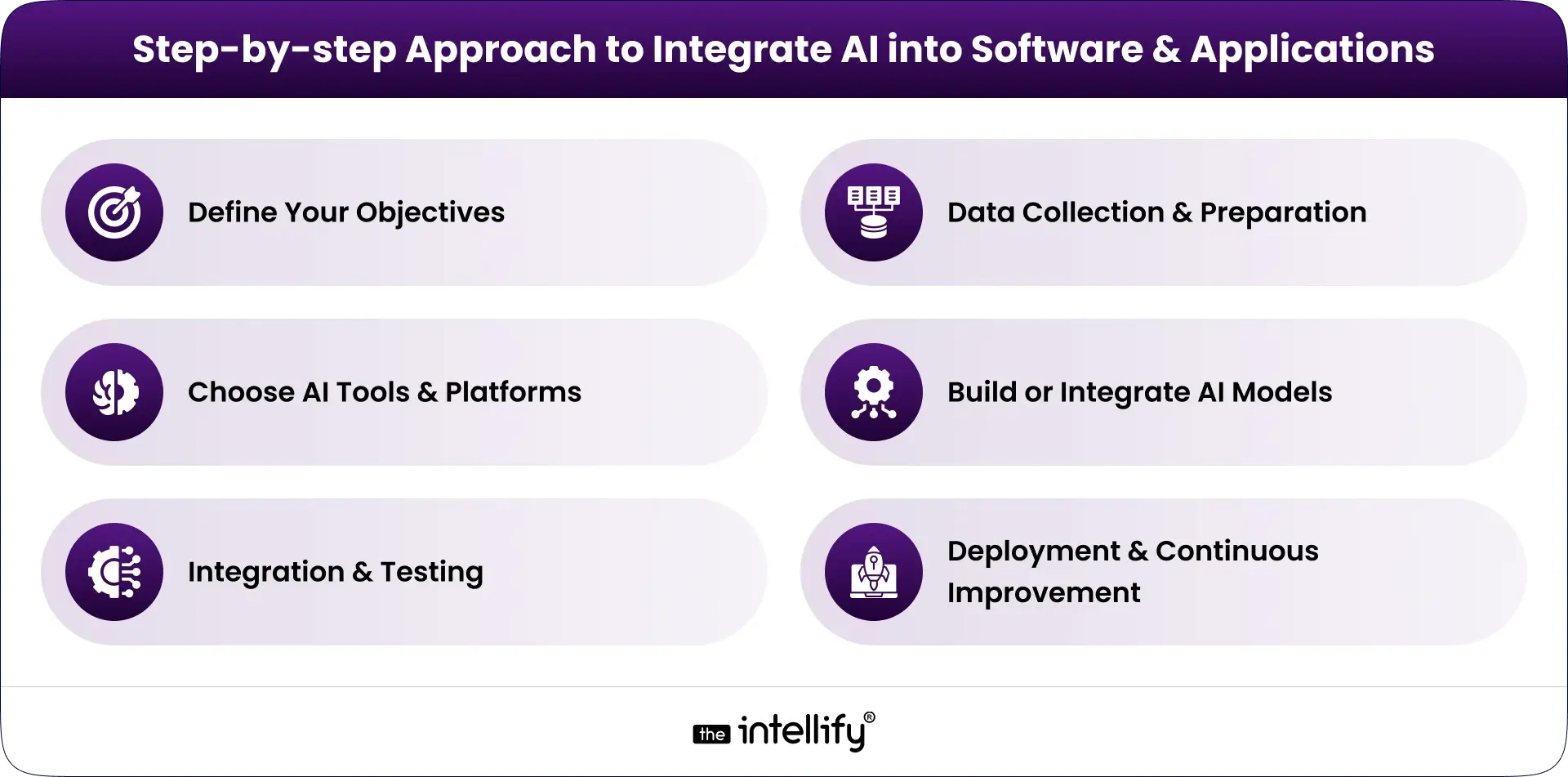
Integrating AI requires careful planning and execution. Here’s a step-by-step approach:

1. Define Your Objectives

Before implementing AI, identify the specific problem it will solve. Are you looking to automate processes, enhance personalization, or provide predictive insights? Clear goals help determine the AI tools and strategies needed.

2. Data Collection & Preparation

AI models rely on high-quality data. Collect relevant datasets, clean them, and label them for training purposes. Without reliable data, AI integration can fail to deliver expected results.

3. Choose AI Tools & Platforms

The choice of AI tools and platforms significantly impacts development speed and effectiveness:

  • TensorFlow & PyTorch: Ideal for building custom ML models.
  • OpenAI APIs: Useful for NLP, text generation, and code automation.
  • AWS AI Services & Google Cloud AI: Cloud-based AI solutions for image recognition, translation, and analytics.

The decision between custom AI models and pre-built APIs depends on project complexity, budget, and timelines.

4. Build or Integrate AI Models

Businesses can either:

  • Develop Custom AI Models: Tailored to specific application needs, offering flexibility and control.
  • Use Pre-Built AI APIs: Faster deployment and lower complexity, ideal for standard AI functionalities.

Example: A company implementing a customer support chatbot can use pre-built NLP APIs instead of building a model from scratch, saving time and resources.

5. Integration & Testing

Embed AI into your software’s architecture and thoroughly test it. Ensure the AI performs reliably, meets user expectations, and doesn’t disrupt existing workflows.

6. Deployment & Continuous Improvement

Once integrated, deploy AI features and continuously monitor performance. Retrain models with new data, optimize algorithms, and refine features to improve accuracy and usability.


Best Practices for AI Integration


Common Challenges in AI Integration and How to Overcome Them

AI integration can face several challenges, but proactive strategies can mitigate risks:

1. Data Quality & Availability

Challenge: AI models require clean, structured, and comprehensive datasets.
Solution: Implement data governance, standardize data collection, and regularly validate datasets.

2. Model Accuracy & Bias

Challenge: Models can produce errors or biased results.
Solution: Use diverse datasets, conduct regular testing, and retrain models frequently.

3. System Compatibility & Scalability

Challenge: AI models may conflict with existing software or infrastructure.
Solution: Adopt modular AI components, scalable cloud infrastructure, and API-based integration.

4. Security & Privacy

Challenge: Sensitive user data is often used for AI training.
Solution: Encrypt data, limit access, and comply with privacy regulations such as GDPR and HIPAA.

5. Talent and Expertise

Challenge: AI integration requires skilled developers and data scientists.
Solution: Upskill existing teams, partner with AI solution providers, or use pre-built AI tools.

By addressing these challenges, businesses can ensure successful AI implementation and sustainable results.


Real-World AI Application Examples

Real-World AI Application

Seeing AI in action helps understand its potential. Here are practical examples:

  • Healthcare: AI in healthcare apps predicts patient health trends, automates diagnostics, and supports medical decision-making.
  • Finance: AI detects fraudulent transactions, assesses credit risk, and provides personalized investment advice.
  • E-commerce: Recommendation engines enhance shopping experiences and drive sales.
  • Customer Service: AI chatbots and virtual assistants improve response time, resolve issues efficiently, and reduce operational costs.
  • Logistics & Supply Chain: AI optimizes delivery routes, predicts inventory shortages, and improves operational efficiency.
  • Education: Adaptive learning platforms personalize lessons, track progress, and provide targeted interventions.

These examples demonstrate that AI integration is not limited to tech giants; businesses of all sizes can benefit from AI-enabled applications.


The Future of AI in Software Development

The future of AI in software is exciting, with trends reshaping development practices:

  • AI as a Co-Developer: AI tools can write code, test applications, and suggest improvements.
  • Automated Testing & Deployment: AI will streamline quality assurance and CI/CD processes.
  • Continuous Personalization: Applications will adapt in real-time to user preferences and behaviors.
  • Generative AI & Low-Code AI Platforms: Simplify AI implementation and allow non-experts to create intelligent applications.
  • Ethical AI & Explainability: Regulatory compliance and user trust will drive AI transparency and accountability.

Businesses that adopt these trends early will gain a significant advantage in software performance and user engagement.


AI Integration Services


Final Thought

Integrating AI into software and applications is no longer optional, it is essential for businesses to remain competitive. By following a structured approach, selecting the right technologies, and adhering to best practices, businesses can create smarter, faster, and more personalized applications.
At The Intellify, we specialize in AI integration services that help businesses transform their software with intelligent, scalable, and secure AI solutions. Start your AI journey today and transform your software applications to deliver unmatched user experiences and business efficiency.


Frequently Asked Questions (FAQs)

1. What does it mean to integrate AI into software and applications?

Integrating AI into software means adding intelligent features that allow your application to learn, analyze, and make decisions. This could include automating repetitive tasks, providing personalized recommendations, or improving decision-making with predictive insights. AI integration turns standard software into smarter, more adaptive applications that enhance user experience.

2. Why should I consider adding AI to my software?

AI can significantly improve your software’s efficiency and functionality. It helps automate manual tasks, offers personalized experiences for users, and provides actionable insights from data. By integrating AI, your application can respond faster, make smarter predictions, and deliver a more engaging and valuable experience for users.

3. What are the first steps to integrate AI into my application?

Start by identifying areas where AI can add real value, such as customer support, analytics, or recommendation systems. Then, select the AI technology that best fits your needs, like machine learning for predictions or natural language processing for chatbots. Begin with small pilot projects to test the AI functionality before full-scale deployment.

4. Do I need advanced technical skills to add AI to my software?

Not necessarily. While advanced AI models may require specialized skills, many platforms and tools simplify AI integration for developers. Pre-built AI APIs and cloud-based AI services allow you to implement features like chatbots, image recognition, or data analysis without deep technical expertise.

5. How can I ensure the AI features are effective and accurate?

To maintain accuracy, regularly monitor and test your AI models. Collect feedback from users to identify errors or areas of improvement. Continuously update the models with new data and refine algorithms to ensure the AI adapts to changing needs and delivers reliable results over time.

6. Are there any risks associated with integrating AI into my software?

Yes, integrating AI comes with risks such as potential biases in predictions, data privacy concerns, or incorrect AI outputs. Mitigate these risks by using clean and diverse datasets, implementing strict data security measures, and maintaining transparency in how AI makes decisions. Regular audits and monitoring help keep AI safe and reliable.

AI Agents for Business Automation in 2025: Ultimate Guide

Summary
In 2025, AI agents for business automation are changing the way companies operate. Unlike traditional automation tools, these smart agents can learn, make decisions, and act on their own, managing complex workflows across different industries. This blog highlights their key benefits, real-world applications, and practical tips for businesses to adopt AI agents successfully.


Why 2025 Is the Year of AI Agents

Business automation isn’t new. Companies have been automating processes for decades, starting with simple spreadsheets and macros, then moving to enterprise software and Robotic Process Automation (RPA). These tools helped save time, reduce human error, and cut costs.
But in 2025, AI agents are setting a new benchmark. They don’t just execute rules like bots; they learn, adapt, and make decisions independently. They are more flexible, more intelligent, and more human-like in their ability to understand context.
This shift comes at the right time. Businesses today face rising competition, unpredictable global markets, and demanding customers who expect personalized, instant experiences. AI agents are emerging as the digital workforce of the future, capable of scaling operations and driving growth in ways older automation tools simply cannot.


Understanding AI Agents in Business Automation

AI Agents in Business

So, what exactly are AI agents, and how do they differ from the automation tools we already know?
An AI agent is a software program powered by artificial intelligence that can perceive, decide, and act independently within a business environment.

  • Chatbots: handle customer queries through pre-defined responses.
  • RPA bots: follow structured rules to automate repetitive workflows.
  • AI agents: combine intelligence, decision-making, and learning to manage tasks across functions.

Unlike older tools, AI agents don’t require constant reprogramming. For instance:

  • A chatbot may answer FAQs.
  • An RPA bot may process invoices.
  • But an AI agent can understand customer intent, resolve queries, process payments, flag anomalies, and improve performance over time.

In simple terms, AI agents are digital employees that can handle multitasking, work 24/7, and capable of learning just like a human colleague.


Why Businesses are Adopting AI Agents in 2025

So, what makes 2025 different from previous years of automation?

  • Pressure to cut costs: Global inflation and rising labor costs make automation more attractive.
  • Shift to digital-first operations: Businesses need scalable, 24/7 digital support systems.
  • Smarter AI technology: With large language models (LLMs) and generative AI, AI agents now understand human language with near-human accuracy.
  • Hybrid workforce models: As remote and global teams become the norm, AI agents act as digital co-pilots, coordinating workflows across borders.

By adopting AI agents, companies move from basic automation to intelligent automation, freeing employees from repetitive tasks and empowering them to focus on strategy, innovation, and customer experience.


Key Benefits of AI Agents in Business Automation

Benefits of AI Agents in business

Adopting AI agents in business offers a wide range of benefits.

1. Unmatched Productivity

AI agents can process tasks in minutes that take humans hours. For instance, reconciling thousands of invoices, analyzing customer sentiment, or managing HR queries.

2. Significant Cost Savings

According to recent industry reports, businesses that use AI-powered automation cut operational costs by 20-40% compared to traditional methods.

3. Smarter with Faster Decisions

AI agents analyze structured and unstructured data to provide insights in real time. For example, a retail AI agent can suggest adjusting inventory based on current sales and seasonal demand.

4. 24/7 Consistent Customer Support

Whether it’s a customer in New York or Tokyo, AI agents ensure responses are instant, personalized, and consistent across time zones.

5. Scalability Without Heavy Investment

When demand spikes such as during holiday sales, AI agents can handle the surge without extra hiring or infrastructure. This makes them especially valuable for e-commerce, travel, and seasonal businesses.


Core Capabilities of AI Agents in 2025

What truly makes AI agents stand apart are their capabilities:

  • Natural Language Understanding (NLU): Customers and employees can interact with agents in plain English (or any language), which eliminates language and technical barriers.
  • Autonomous Decision-Making: For example, an AI finance agent can approve low-risk expense claims automatically while flagging anomalies.
  • Multi-Tasking Across Workflows: Agents can manage HR onboarding, IT troubleshooting, and customer support at the same time.
  • Self-Learning & Continuous Improvement: The more they work, the better they become, thanks to machine learning algorithms.
  • System Integration: They connect with CRMs, ERPs, HRMS, ticketing tools, and analytics platforms without disrupting existing workflows.

These features make them dynamic partners in business growth.


AI Agent Use Cases Across Industries

AI Agents Use Cases

Retail & E-commerce

  • AI-powered shopping assistants guide customers through personalized journeys.
  • Agents forecast demand and automate restocking.
  • Customer support AI handles returns, refunds, and complaints instantly.

Banking & Finance

  • Real-time fraud detection agents prevent billions in losses.
  • AI wealth advisors recommend tailored investment plans.
  • Regulatory compliance automation reduces human error in audits.

Healthcare

  • AI agents in healthcare manage patient scheduling, follow-ups, and reminders.
  • Virtual assistants provide 24/7 support for patients with chronic conditions.
  • Research AI agents accelerate drug discovery by analyzing datasets faster than humans.

Manufacturing

  • Predictive maintenance agents monitor equipment and reduce downtime.
  • AI supply chain agents optimize vendor management and logistics.
  • Quality control AI detects defects with higher accuracy than manual inspections.

Travel & Real Estate

  • AI travel planners design personalized itineraries.
  • Property AI agents conduct virtual tours and handle buyer queries.
  • Agents assist with legal documentation in real estate transactions.

SMEs & Startups

  • Virtual CFO agents track expenses and manage cash flow.
  • Marketing AI agents run campaigns, analyze results, and optimize ad spend.
  • HR agents automate hiring, onboarding, and payroll. Example: Alris AI

Across industries, AI agents are becoming must-have digital employees.


AI Agents vs Traditional Automation Tools

Here’s a simple comparison:

Feature Traditional Automation (RPA) AI Agents
Approach Rule-based Intelligent & adaptive
Flexibility Limited High
Learning ability None Continuous Self-learning
Suitable for Repetitive, structured tasks Dynamic, complex workflows
Human role High supervision required Collaboration & co-creation

Conclusion: RPA is good for rigid tasks. But AI agents are the future of automation.


Challenges in Adopting AI Agents

Like any technology, AI agents come with considerations.

1. Data Security & Privacy

Since AI agents process sensitive data, businesses must ensure robust encryption, compliance, and governance.

2. Risk of Over-Reliance

Over-dependence can be dangerous if agents make mistakes. Human oversight remains essential.

3. Workforce Resistance

Employees may fear replacement. Businesses need clear communication and reskilling programs to show AI agents are collaborators, not threats.

4. Ethical and Transparency Issues

If an AI agent denies a loan or makes a hiring recommendation, businesses must explain why. Transparency in decision-making builds trust.

5. Integration Complexity

Older systems may not be fully compatible with modern AI platforms. Choosing scalable, API-friendly solutions is key.

A responsible AI strategy includes clear policies, human oversight, and continuous monitoring.


The Future of AI Agents Beyond 2025

Future of AI Agents

AI agents are just beginning their journey. Over the next decade, we can expect:

  • Specialized AI Agents: Tailored for industries like law, real estate, or logistics.
  • Collaboration First AI: AI agents will work side by side with humans, not as replacements but as co-workers.
  • More Autonomy: AI agents will manage entire end-to-end workflows with minimal human input.
  • Regulations and AI Governance: Governments worldwide will enforce guidelines on ethical AI usage.
  • Mass Adoption Across Business Sizes: From startups to Fortune 500 companies, AI agents will become as standard as websites & mobile apps.

By 2030, AI agents may replace 30-40% of repetitive roles in enterprises, allowing humans to focus on innovation and strategy.


How Businesses Can Get Started with AI Agents

Here’s a practical roadmap:

1. Define Business Objectives: Identify tasks that are repetitive, costly, or time-consuming.

2. Select the Right AI Platform: Choose one that integrates easily with your ERP, CRM, and other tools.

3. Run a Pilot Program: Start small, measure outcomes, and fine-tune.

4. Measure ROI: Look at cost savings, error reduction, and customer satisfaction.

5. Scale Across Functions: Expand from one department (like HR) to finance, operations, and customer service.

6. Partner with Experts: Collaborate with an expert AI agent development company like The Intellify for tailored deployments.


AI Agent development partner


Final Thought

In 2025, AI agents are no longer futuristic: they’re practical, affordable, and transformative. They are changing how businesses automate, scale, and operate. Companies that adopt AI agents today will lead their industries tomorrow. The key is to adopt responsibly, ensure transparency, and build a culture of human-AI collaboration.
If your organization is ready to explore AI-powered business automation, working with trusted experts like The Intellify can help you design and implement solutions that align perfectly with your business goals.


Frequently Asked Questions (FAQs)

1. What are AI agents for business automation?

AI agents for business automation are intelligent software solutions that can perform tasks independently, make informed decisions, and learn from experience. Unlike traditional automation, they handle complex workflows, analyze data in real time, and adapt to changing business needs. For businesses seeking guidance on implementing AI agents, The Intellify provides expert insights and tailored solutions for seamless adoption.

2. How do AI agents differ from traditional automation tools?

Traditional automation tools follow fixed rules and require human oversight for updates. AI agents, however, think, learn, and adapt. They can manage unstructured data, make decisions autonomously, and improve over time. This intelligence allows companies to automate more complex processes while maintaining flexibility. For businesses looking to modernize their workflows, The Intellify offers solutions that integrate AI agents effectively.

3. What are the key benefits of using AI agents in business?

AI agents deliver multiple advantages:

  • Increased Productivity: Automate repetitive tasks and free human teams for strategic work.
  • Cost Efficiency: Reduce operational costs by minimizing manual processes.
  • Accuracy and Reliability: Lower human errors and ensure consistent results.
  • 24/7 Operations: Maintain uninterrupted services across global time zones.
  • Scalability: Handle larger workloads without additional resources.

4. Which industries can benefit most from AI agents?

AI agents are highly versatile and can optimize workflows across industries:

  • Retail & E-commerce: Personalized shopping, inventory optimization, and automated customer support.
  • Banking & Finance: Fraud detection, automated approvals, and compliance monitoring.
  • Healthcare: Appointment scheduling, patient follow-ups, and data analytics.
  • Manufacturing: Predictive maintenance, supply chain optimization, and quality control.

5. How can small and medium-sized businesses implement AI agents?

Small businesses can start by identifying repetitive or time-consuming tasks such as customer support, data entry, or inventory management. Partnering with experts like The Intellify ensures AI agents are tailored to their workflow, cost-effective, and seamlessly integrated without disrupting existing operations. This approach enables even smaller companies to compete with larger enterprises using intelligent automation.

6. Are AI agents secure for business operations?

Yes, AI agents are secure when deployed correctly. Businesses should ensure they comply with data privacy regulations, implement encryption, and undergo periodic security audits. With these safeguards, AI agents can handle sensitive business information while delivering efficiency and accuracy. The Intellify offers guidance to implement AI agents securely, ensuring businesses benefit from automation without risking data safety.

AR/VR in Real Estate: Boosting Property Sales Across the Middle East

Quick Executive Summary
AR and VR are transforming real estate sales across the Middle East by enabling immersive virtual property tours, AR-based staging and customisation, and large-scale digital twins for master-planned communities. These technologies shorten sales cycles, increase engagement, and expand reach to international buyers while lowering marketing and staging costs. Leading regional developers, government initiatives, and specialist vendors (including The Intellify) are deploying WebAR, VR walkthroughs, and digital-twin platforms to convert off-plan inventory faster and more transparently. For developers, brokers, and investors, a focused pilot, clear KPIs, and CRM integration are the most effective routes to achieving a measurable ROI.


Why AR/VR Matters for Middle East Real Estate

Market context and digital readiness

The Middle East’s real estate sector is characterised by a high proportion of international buyers, large off-plan inventories, and rapid urban development. Governments and private stakeholders are investing in smart-city initiatives and digital infrastructure, which creates an ideal environment for AR/VR adoption. For agents and developers targeting cross-border investors, immersive experiences remove the friction of distance and time zones.

Buyer behaviour and expectations

Modern buyers, especially HNWIs, expatriates, and institutional investors, expect rich digital experiences before making high-value decisions. Virtual walkthroughs and interactive AR tools provide realism and context, reducing uncertainty and enabling confident commitments without the need for immediate travel.

Strategic advantages over traditional marketing

AR/VR compresses sales cycles, eliminates repeated physical showings, reduces staging costs via virtual staging, and enhances conversion rates by allowing buyers to form an emotional connection to a property earlier in the funnel.


Core Use Cases (Residential & Commercial)

Virtual property tours (VR walkthroughs)

VR walkthroughs let prospects “step inside” apartments, villas, or offices through immersive 360° environments. They are powerful for off-plan sales where the buyer needs to visualise scale, light, and flow. For commercial leasing, VR enables tenant stakeholders to test workflows and circulation before committing.

Augmented reality for staging & customisation

AR apps overlay furniture, finishes, and material options in real time on mobile devices. For residential listings, AR staging allows buyers to personalise layouts and finishes. For corporate tenants, AR can illustrate furniture placement, workstation density, and branding integration.

Digital twins and master-plan visualisation

Digital twins are high-fidelity 3D replicas of developments or neighbourhoods that incorporate spatial geometry and metadata. They’re invaluable for master-plan sales, investment briefings, and integrated marketing where buyers or investors need a macro-to-micro view of the project.

Interactive sales platforms and configurators

Web-based 3D configurators combine VR and AR elements with pricing and mortgage calculators, enabling buyers to configure units, choose add-ons, and immediately see pricing and payment scenarios all within a single digital environment.

Virtual showrooms and remote client collaboration

Developers can host virtual showrooms instead of or in addition to physical showrooms, opening access to a global buyer base. Live guided VR sessions allow brokers to walk prospects through the property and answer questions in real time.


Leading Technology & Tools

Types of solutions

  • Immersive VR platforms: Full 360° or photorealistic 3D walkthroughs delivered through headsets or browsers.
  • Mobile AR apps & WebAR: Lightweight AR experiences accessible through smartphones without app installation.
  • 3D scanning & photogrammetry: Capture existing spaces accurately to create realistic virtual environments.
  • Cloud-based digital twin engines: Host and update large-scale 3D models for master planning and analytics integration.
  • Analytics & CRM integrations: Track engagement, heatmaps, and conversion events to feed into sales pipelines.

Delivery channels

  • Standalone VR headsets for private sales presentations and high-touch investor demos.
  • Web-based viewers that support 3D and 360° experiences directly in browsers for mass distribution.
  • Mobile AR for in-situ visualisation and on-site enhancement of partially finished or furnished spaces.


Real-World Case Studies (Middle East focus)

The examples below illustrate practical, commercially-proven uses of AR/VR across the Gulf region and adjacent markets.

The Intellify Custom AR/VR solutions for property sellers

The Intellify provides tailored AR/VR development services and WebAR experiences to real estate clients, enabling custom virtual tours, interactive configurators, and AR staging. Their approach emphasises integration with CRM systems and analytics so developers can immediately act on qualified leads generated by immersive experiences.

Digital-twin-driven sales for master-planned communities

Several Gulf developers are deploying digital-twin platforms to let buyers explore communities at scale. These platforms allow buyers to examine infrastructure, plot placement, and amenity proximity, turning abstract masterplans into accessible, immersive narratives that support off-plan sales.

VR showrooms for luxury off-plan inventory

High-end developers have replaced static model apartments with VR showrooms to present multiple finish options and layouts without constructing costly physical mockups. This reduces the time to market for new layouts and enables global buyers to compare units in a single session.

Government-led initiatives and standardisation

Some regional land authorities and real estate regulators encourage digital adoption to standardise off-plan transactions and improve transparency. Public-private collaborations often accelerate adoption by providing shared platforms and industry standards.


Business Benefits & Commercial Outcomes

Faster sales cycles and higher conversion

Immersive experiences shorten the time between first contact and purchase by allowing buyers to self-qualify faster, eliminating many early-stage site visits and enabling decisions to be made remotely.

Lower marketing and staging costs

Virtual staging and reusable VR models reduce the need for multiple physical show units, repeated photoshoots, and large staging budgets.

Expanded geographic reach

AR/VR opens markets beyond local geography. Developers and brokers can sell to international investors without requiring them to travel, widening the buyer pool.

Better-informed buyers result in fewer revisions and complaints

When buyers experience accurate virtual simulations of finishes and layouts, expectations align more closely with the delivered product, which reduces the frequency of post-sale change requests and customer dissatisfaction.

Data-driven sales and targeted remarketing

Behavioural analytics from VR/AR interactions (which rooms users visited most, how long they stayed, what finishes they interacted with) enable highly targeted follow-ups and personalised offers.


Implementation: Step-by-Step Roadmap

For developers & project owners

  1. Define goals and KPIs: Sales velocity, lead quality, reductions in physical showings, or conversion uplift.
  2. Prioritise use cases: Off-plan demonstration, model unit replacement, or tenant fit-out simulation.
  3. Select the right tech stack: Decide whether WebAR, mobile AR, or headset VR best serves target buyers.
  4. Build or commission content: 3D modelling, photogrammetry, and UX design. Work with specialists experienced in real estate workflows.
  5. Integrate analytics and CRM: Ensure VR/AR leads feed into existing sales pipelines.
  6. Pilot & iterate: Launch a pilot with a flagship project, measure KPIs, then scale across portfolios.

For brokers & agencies

  1. Adopt AR/VR-enabled listings: Add virtual tours to high-value properties.
  2. Train sales teams: Teach agents to run live VR walkthroughs and interpret engagement analytics.
  3. Promote remote viewings: Make virtual tours the default first touch for international leads.
  4. Bundle digital services: Offer buyers virtual customisation sessions and AR staging to accelerate decisions.

For investors & asset managers

  1. Request demo metrics: Ask providers for engagement and conversion statistics.
  2. Demand integration: Ensure platforms provide secure, auditable data and integrate with financial modelling tools.
  3. Pilot due diligence: Use digital twins to assess asset performance characteristics and neighbourhood dynamics.


Measuring ROI: What to Track

Essential KPIs

  • Lead quality uplift: Percentage of VR/AR leads that progress to site visits or offers.
  • Time-to-contract: Reduction in average days from first contact to signed agreement.
  • Cost-per-lead: Compare VR/AR-enabled campaigns with conventional channels.
  • Engagement metrics: Session duration, interaction rates, and heatmaps inside VR tours.
  • Conversion uplift: Sales conversions from properties with immersive content vs. without.

Benchmarks and expectations

Expect initial setup costs for content creation, but anticipate faster break-even on high-ticket units due to higher conversion rates and lower physical demo costs. Track results over rolling quarters and iterate on creatives and UX based on behavioural data.


Challenges & How to Mitigate Them

Challenge: Quality of 3D assets

Mitigation: Use professional 3D modelling and validate assets with architects and QA testers. Prioritise photorealism where purchase decisions depend on perceived finish quality.

Challenge: Buyer accessibility & friction

Mitigation: Offer multiple delivery channels (WebAR for instant access, downloadable VR apps for premium demos). Provide guided sessions for less tech-savvy buyers.

Challenge: Integration with sales systems

Mitigation: Choose vendors that provide APIs and direct CRM integrations so that interaction data becomes actionable.

Challenge: Cost & scaling

Mitigation: Start with high-value projects and repeatable templates. Virtual staging and parameterised models reduce long-term cost per asset.

Challenge: Legal and compliance considerations

Mitigation: Ensure representations are accurate and disclaimers are clear for off-plan visualisations. Coordinate with legal teams to align marketing content with regulatory requirements.


Procurement: Choosing the Right AR/VR Partner

Evaluation criteria

  • Domain experience: Look for proven real estate projects in the Middle East.
  • Integration capabilities: CRM, analytics, and ERP system integration.
  • Scalability: Ability to support portfolios and digital twins.
  • UX and conversion focus: Vendors should design for sales outcomes, not only visuals.
  • Post-launch support: Content updates, training, and analytics support.

Working with specialist firms

Specialist development firms offer custom experiences, white-label platforms, and WebAR solutions that can be tailored to developer brands. When engaging a vendor, require clear deliverables (file types, hosting, analytics) and a staged delivery timeline.


Future Outlook: Where AR/VR is Headed in the Region

  • Wider adoption of WebAR: Instant, no-download AR will become the default for mobile-first buyers.
  • Increased use of digital twins: City-scale twins will support investment decisions and urban planning collaborations.
  • Integration with AI: Personalised virtual tours powered by AI will guide buyers through tailored options and financing scenarios.
  • More seamless commerce: End-to-end digital purchase flows (from VR tour to e-contract signing) will reduce friction and transaction time.
  • Cross-industry convergence: Retail, hospitality, and workspace sectors will use shared AR/VR platforms for mixed-use developments, offering co-branded virtual experiences.


Conclusion: Strategic Imperative for Developers, Brokers & Investors

Immersive AR/VR solutions are not a “nice-to-have”; they are a strategic differentiator in the Middle East’s competitive property markets. By enabling remote, personalised, and visually accurate experiences, AR/VR helps stakeholders attract international buyers, accelerate sales, reduce costs, and build smarter product narratives. For property teams seeking digital transformation, the recommended path is to pilot high-value projects with an experienced AR/VR partner, instrument outcomes with clear KPIs, then scale across the portfolio.


Quick Start Checklist (Actionable next steps)

Developer checklist

  • Select one flagship project to pilot VR/AR.
  • Define 3 KPIs (e.g., leads, time-to-contract, cost-per-lead).
  • Commission 3D assets and integrate with CRM.
  • Launch pilot and collect behavioural data for 90 days.

Broker checklist

  • Add immersive tours to all premium listings.
  • Train sales teams on running guided virtual walkthroughs.
  • Use AR staging to upsell finishes and packages.

Investor checklist

  • Request digital-twin access for portfolio due diligence.
  • Evaluate vendors based on integration and data access.
  • Include immersive engagement metrics in investment dashboards.


Frequently Asked Questions

What is the difference between AR and VR in property marketing?

AR overlays digital elements onto the real world (useful for staging and customisation), while VR provides a fully immersive environment (ideal for walkthroughs and off-plan visualisation).

Do buyers prefer virtual tours to physical visits?

Virtual tours are increasingly a first step; many buyers use them to shortlist properties and then visit only the finalists. For international buyers, virtual tours often replace the need for immediate travel.

Is AR/VR cost-effective for small developers?

Yes, modular approaches such as WebAR and template-based 3D models lower the barrier to entry. Start with high-margin units to justify initial investment.

Can VR tours integrate with my CRM?

Most professional AR/VR platforms provide APIs and direct integrations so that engagement data flows into existing CRMs for lead scoring and automation.

How do I ensure accuracy for off-plan visualisations?

Work closely with architects and MEP teams, use parameterised 3D models, and include disclaimers for materials or finishes that are subject to change.

Virtual Reality (VR) Training: Benefits & Industry Use Cases

Summary
VR training (Virtual Reality training) uses immersive simulations to help people learn faster, practice safely, and retain knowledge better. This blog explains how VR is transforming industries such as aviation, healthcare, sports, driving, military, and corporate learning. It covers real-world examples like virtual reality surgery training, VR flight simulations, VR therapy, and more. You’ll also discover the key benefits of VR training, the software behind it, and how businesses can get started. Finally, we share why The Intellify is the right partner for building scalable, custom VR training solutions.

One of the most transformative technologies of the decade is virtual reality (VR) training. As businesses around the world work to make learning environments safer, keep students, and make them more efficient, immersive VR training solutions are pushing innovation in aviation, healthcare, sports, manufacturing, and more. As the market for virtual reality training solutions grows, 2025 will be the year when they become widely used.

VR training is no longer just for pilots and surgeons. It’s now being used to teach new employees, train soldiers, get athletes ready for competition, and simulate work situations in a wide range of fields. Not only can people learn by watching, but they can also learn by doing in VR, which keeps them safe, interested, and productive.


What is Virtual Reality Training?

Virtual reality training is a simulated experience delivered through VR headsets that immerses users in a 3D, interactive environment. Unlike traditional eLearning or video-based modules, VR allows for hands-on, experiential learning in a risk-free, repeatable space. Students can interact with a virtual world that looks and feels a lot like real life. You can make these simulations for people to learn on their own, work together, or take tests.
Common components include:

  • 360-degree visuals
  • Haptic feedback
  • Real-time motion tracking
  • Scenario-based simulations
  • Performance analytics


How VR for Training Works?

VR for training works by creating a simulated environment where learners can interact with scenarios that mimic real-world challenges. Headsets, motion sensors, and haptic devices replicate sight, sound, and touch, allowing learners to perform tasks virtually before attempting them in reality. For example, a pilot can experience turbulence or an emergency landing in a safe VR simulation, while a medical student can practice surgery in a lifelike digital operating room.


Difference Between VR, AR, and MR in Training

Difference between VR, AR and MR


  • Virtual Reality (VR): Environments that completely replace the real world. Perfect for training simulations with a lot at stake.
  • Augmented Reality (AR): adds digital content to the real world. Best for learning by doing and getting help right away.
  • Mixed Reality (MR): Real and digital things that work together in real time. Used for complicated workflows and group training.


Key software platforms that make VR training possible

Unity and Unreal Engine: Commonly used to make immersive, interactive environments and simulations.

Blender: For making 3D objects and assets that are used in simulations.

Custom VR LMS Platforms: These let you add VR content to corporate learning management systems that can track, analyze, and certify users.

SaaS VR Platforms: STRIVR, VirtaMed, and Talespin are examples of SaaS VR platforms that offer plug-and-play virtual reality training software for a range of fields.


Key Benefits of Virtual Reality in Training

Benefits of VR in Training


01. Learning that is more immersive and sticks better

Researchers have found that people who learn through VR remember up to 75% of what they do, while people who learn through reading or lectures only remember 10%. There are many benefits to using virtual reality for training, such as learning by doing, remembering what you learned, and getting new employees up to speed faster.

02. Safe Practice in Dangerous Situations

With virtual reality training solutions, you can teach people who work in high-risk fields like aviation, firefighting, surgery, or military combat without putting them in real danger.

03. Training costs go down over time.

Companies save money on travel, equipment, instructors, and facility use in the long run, even though the initial investment may be high.

04. Remote Access and Growth

Cloud-connected VR experiences let learners use virtual reality training software from anywhere, so it can be used by teams all over the world.

05. Data-Driven Analysis of Performance

To make learning paths more personalized, keep an eye on things like completion rate, accuracy, time taken, and how well you make decisions under pressure.

06. Higher engagement & Motivation

Gamified experiences, interactive settings, and stories that draw you in all make people more likely to stick with something and less likely to drop out.


Virtual Reality (VR) Training Across Industries

VR Training Use Cases


1. Virtual Reality Training in Aviation:

Virtual airline training is changing the way pilots and crew members get ready for problems in the real world. Students learn how to do everything from taking off and landing to responding to emergencies through virtual reality flight training simulations.

For example, Lufthansa uses virtual reality flight training to teach cabin crew how to make emergency landings, get out of a smoke-filled cabin, and do safety drills. This saves time and money.


2. Virtual Reality in Medical Training

Medical students and professionals can practice complicated surgeries in virtual reality. Medical virtual reality training is also used to teach how to diagnose, perform procedures, and talk to patients. Also, VR therapy in mental health helps professionals treat PTSD, anxiety, and phobias in a way that works.

For example, the Cleveland Clinic uses VR surgery simulators to teach heart surgeries, and Limbix and other platforms offer VR therapy training for anxiety disorders.


3. VR Training in Sports and Fitness

Virtual reality baseball training helps players get better at timing their pitches and making accurate swings. Virtual reality football training helps players become more aware of tactics and react faster. VR fitness training apps let you do cardio, endurance, and strength workouts at home or at the gym.

For example, the Dallas Cowboys use STRIVR’s virtual reality football training modules to get better at making decisions, and FitXR offers interactive VR fitness workouts.


4. VR Training in Driving & Transportation

Virtual driving training makes dangerous road conditions seem real and helps learner drivers react faster. Logistics companies use it to teach truck and delivery drivers how to find their way around and stay safe.

Example: UPS uses virtual driving training to help new drivers learn the routes and how to spot hazards before they get behind the wheel.


5. Military and Defense Sector

Virtual reality military training includes things like combat simulations, flying drones, and planning tactical field strategies. Soldiers go through virtual boot camps, and veterans get therapy that focuses on PTSD.
Example: The U.S. military uses virtual reality military training to make conditions like those on the battlefield, in cities, and during mission rehearsals.


6. VR in therapy and psychology

VR therapy training makes it possible to do exposure therapy for PTSD and phobias. Medical virtual reality training helps doctors and other healthcare professionals give cognitive behavioral therapy.

For example: Oxford VR offers mental health clinics immersive VR therapy training programs that help patients get better.


7. VR in Manufacturing & Industrial Training

Safety drills, machine handling, and process walkthroughs are all part of virtual reality training for manufacturing. These simulations lower the number of injuries and make operations run more smoothly.

Example: Ford’s use of VR training modules, for example, has cut down on the time it takes to train new employees and accidents on the assembly line.


8. Corporate & Workplace Learning

Companies use virtual reality training software to teach new employees, improve their soft skills, run sales simulations, and teach DEI.

For example, PwC used VR onboarding and leadership training on a larger scale to get employees ready and interested in their work across all departments.


How to Develop a VR Training Software

Developing a VR training software requires a strategic approach that combines industry expertise, user experience design, and cutting-edge technology. Here’s a step-by-step breakdown:

1. Define Learning Objectives: Clearly outline the skills or knowledge the training should deliver.
2. Design Training Scenarios: Collaborate with SMEs to create realistic environments and workflows.
3. Choose the Right Tools: Use engines like Unity or Unreal, along with VR hardware that fits your budget and audience.
4. Prototype & Test: Build a minimum viable simulation and test with a small group of learners.
5. Deploy & Scale: Integrate with LMS, gather analytics, and refine based on learner performance.

Businesses often choose between off-the-shelf VR training software or custom-built solutions depending on budget, scalability, and complexity.


Challenges in Adopting VR Training

  • Cost of making hardware and content: Use cheap VR headsets to make a minimum viable product (MVP) and then grow it based on what people say.
  • User Resistance and VR Motion Sickness: Choose content that is ergonomically optimized and offer tutorials to make onboarding easier.
  • Integration of Technology: Choose vendors that can connect their APIs to your current LMS or HRMS.
  • Measuring ROI and Scalability: Use test scores, performance data, and employee satisfaction metrics to find out how virtual reality training affects people.


Future of VR Training

Why Choose The Intellify for VR Training Software Development

At The Intellify, we specialize in building custom VR training solutions tailored to diverse industries like aviation, healthcare, manufacturing, sports, and defense. Here’s why businesses trust us:

  • Proven Expertise Across Industries – From virtual reality surgery training to VR flight simulators, we bring cross-domain expertise to deliver practical, high-impact solutions.
  • Custom-Built Training Modules – We don’t believe in one-size-fits-all. Every VR training software is designed to meet your unique workflows, compliance needs, and performance goals.
  • Cutting-Edge Technology Stack – Our developers leverage Unity, Unreal Engine, AI, and AR/VR hardware integrations to create realistic, interactive environments.
  • Scalable & Future-Ready Solutions – We ensure your VR training program evolves with your business whether you need more scenarios, multi-user training, or enterprise integrations.
  • Focus on ROI & Engagement – Beyond technology, we prioritize measurable results: faster learning, reduced errors, and higher engagement from your trainees.

Partnering with The Intellify means you get more than just a VR training solution, you get a strategic technology partner committed to transforming the way your workforce learns.


VR Training App Development


Final Thought

It’s no longer optional to train in virtual reality; it’s necessary. Virtual reality solutions in training & development help businesses provide safe, consistent, and cost-effective learning experiences on a large scale in fields like aviation, healthcare, manufacturing, and sports.


Frequently Asked Questions (FAQs)

Q1. What is VR training, and how is it different from regular training methods?

VR training, or virtual reality training, uses immersive 3D simulations where learners practice in safe, realistic environments. Unlike manuals or lectures, it’s interactive and hands-on, leading to higher retention and confidence. At The Intellify, we build VR training software that makes learning more engaging and effective.

Q2. Which industries can benefit most from virtual reality training?

Many industries benefit, but aviation, healthcare, defense, logistics, manufacturing, sports, and corporate learning see the greatest impact. VR enables pilots to rehearse flights, doctors to practice surgeries, and employees to learn safely without real-world risks. The Intellify delivers VR solutions tailored to each sector’s training needs.

Q3. How safe is VR training, especially for medical or aviation fields?

Virtual reality training is very safe since learners practice in controlled simulations. Surgeons rehearse operations and pilots test emergency landings without danger. Some may face motion sickness if poorly designed, but at The Intellify, we follow best practices to ensure smooth, secure, and realistic VR training.

Q4. How long does it take to build virtual reality training software?

Timelines depend on complexity. A basic VR module can take 6-8 weeks, while advanced, multi-user systems may require several months. The process includes design, development, testing, and integration. At The Intellify, we often launch pilots quickly, then scale them into enterprise-grade VR training software.

Q5. How much does a virtual reality training app cost, and is it cost-effective?

Costs vary depending on content depth, hardware, and user scale. While initial investment is higher than traditional training, VR cuts costs long-term by reducing travel, downtime, and workplace errors. At The Intellify, we design solutions that balance budget and ROI to maximize training efficiency.

Q6. Can virtual reality training be used for soft skills like leadership, communication, or empathy?

Yes. Virtual reality training is increasingly used to build soft skills such as leadership, customer service, teamwork, and empathy. Learners interact in realistic role-play scenarios and receive instant feedback. The Intellify develops VR modules that enhance both technical and behavioral skills for modern workplaces.

AR Navigation App Development Guide 2025

Summary
This blog explores AR Navigation and its growing impact across industries. It explains how AR indoor navigation works, the technologies behind it, top use cases in airports, malls, hospitals, and logistics, and the business benefits such as improved user experience, increased revenue, and operational efficiency. The blog also highlights real-world examples, challenges, and the future of augmented reality navigation, while providing a step-by-step guide for developing your own AR navigation app.
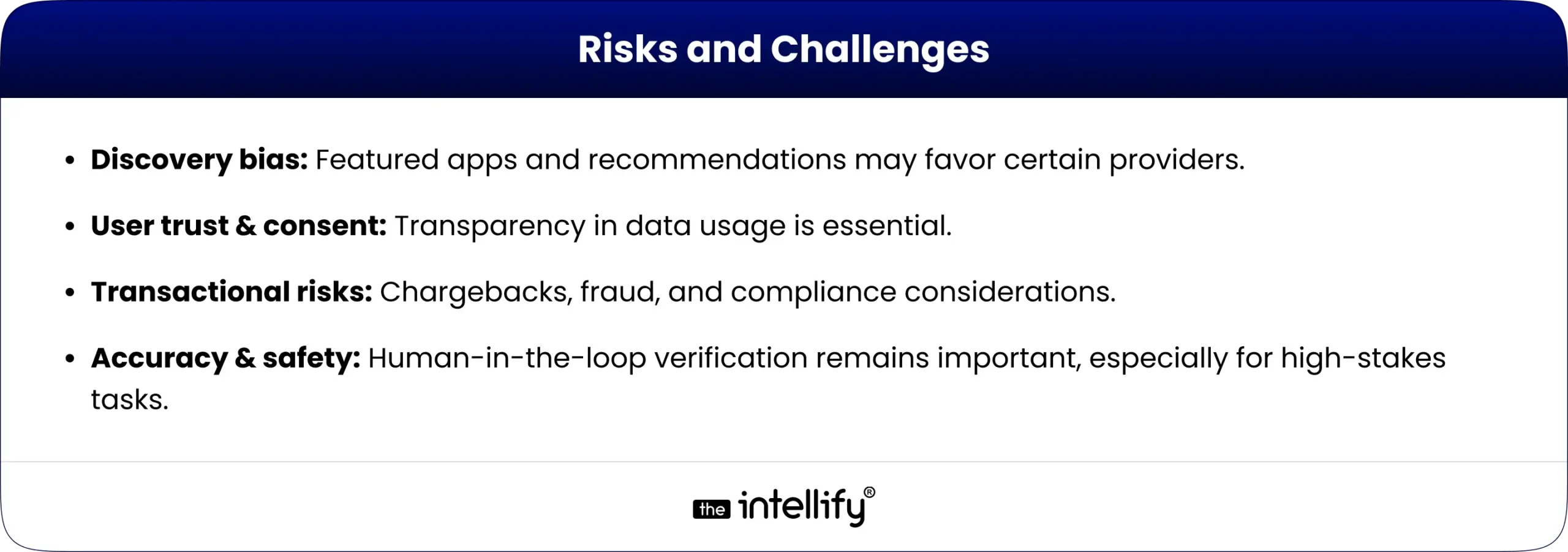
Finding your way in today’s fast-moving world is no longer about unfolding paper maps or staring at confusing 2D navigation apps. With AR Navigation, directions are projected directly onto the real world through your smartphone, tablet, or even AR glasses. Whether it’s walking through an airport, shopping in a mega-mall, visiting a hospital, or driving in a new city, augmented reality navigation turns complex routes into clear, interactive guidance.
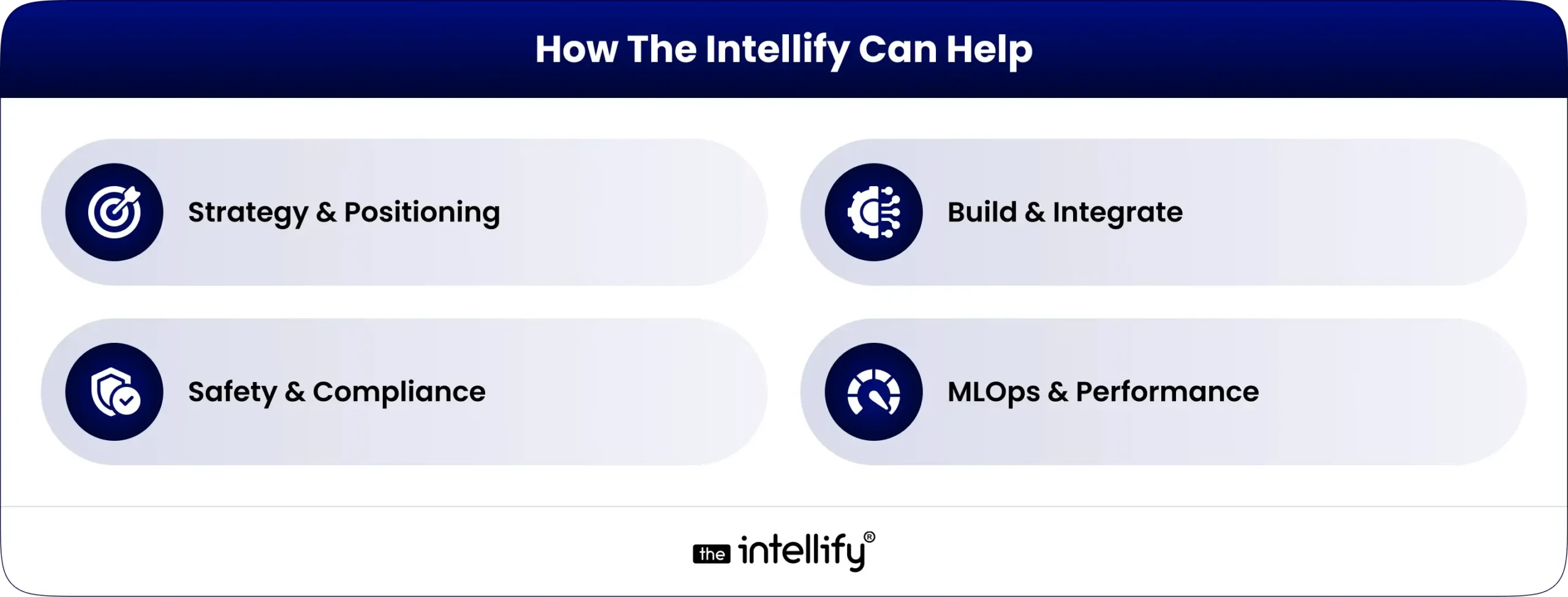
In this blog, we’ll explore what AR navigation is, why AR indoor navigation is gaining massive momentum, real-world examples, the app development process, challenges, and why 2025 is the right year for businesses to invest in AR-based indoor and outdoor navigation apps.

 

What is AR Navigation?

What is AR Navigation?

At its core, AR Navigation (Augmented Reality Navigation) uses the device camera and AR technology to project visual guidance into your real-world view. Instead of interpreting a flat map, you see:
  • 3D arrows on the ground showing where to walk
  • Floating signs labeling shops, gates, or rooms
  • Real-time details like distance, time, or promotions
  • Interactive points of interest (POIs) you can tap for more info

This works both indoors (airports, malls, offices) and outdoors (streets, tourist attractions, driving). Compared to traditional navigation, AR makes the experience immersive, intuitive, and less confusing.


Why AR Indoor Navigation Matters Now

Indoor navigation is notoriously difficult because GPS doesn’t work well inside buildings. With the rise of mega-malls, airports, hospitals, logistics hubs, and corporate campuses, the need for better indoor navigation has skyrocketed.

  • According to industry reports, the global indoor positioning and navigation market is projected to reach tens of billions of dollars by 2030, with AR navigation being one of the strongest growth drivers.
  • Businesses like malls and airports that adopted AR wayfinding already report better customer satisfaction, smoother operations, and even higher revenues due to increased footfall and conversions.
  • With smartphones becoming AR-ready and AR glasses emerging, 2025 marks the perfect time for businesses to adopt AR indoor navigation.


How AR Navigation Works

How AR Navigation Works

AR navigation works by blending the digital world with the physical environment in real time. Think of it as holding your phone or looking through AR glasses and seeing digital arrows, text, or 3D objects guiding you to your destination. Behind this seemingly simple experience lies a combination of advanced technologies:

  • Camera & Sensors: The camera constantly scans the environment while sensors (gyroscope, accelerometer, compass) track movement and orientation.
  • SLAM (Simultaneous Localization and Mapping): This technology builds a map of the environment while tracking the device’s location within it. SLAM ensures your AR overlay sticks precisely to the real world.
  • GPS & Beacons: Outdoors, GPS provides location accuracy. Indoors, where GPS often fails, Bluetooth beacons, Wi-Fi triangulation, or LiDAR-based positioning take over.
  • Cloud Anchors & 3D Mapping: AR navigation apps often use cloud anchors to store digital markers at physical spots. This helps multiple users see consistent AR guidance in the same location.
  • Rendering in AR: Once location and orientation are locked, digital arrows, lines, or instructions are overlaid in your camera view, guiding you naturally as if they exist in real life.

In simple words, AR navigation works like a live GPS map with visual overlays, ensuring users don’t just read directions but see them directly on their path.


Overview of Indoor Positioning Technologies

Since GPS doesn’t work indoors, AR-based indoor navigation relies on alternative technologies:

  • Wi-Fi Fingerprinting: Detects signal strength from Wi-Fi routers to locate users.
  • Bluetooth Beacons: Small devices installed around spaces to transmit location data.
  • Ultra-Wideband (UWB): Provides centimeter-level accuracy, ideal for airports and warehouses.
  • Visual Positioning Systems (VPS): Uses camera input + AI to recognize surroundings and place AR overlays.
  • Marker-Based Systems: Simple, cost-effective for smaller venues like museums.
  • Sensor Fusion: Combines data from accelerometers, gyroscopes, and magnetometers for better accuracy.

In practice, AR-based indoor navigation apps use a hybrid of these methods for maximum precision.


Top AR Navigation Use Cases

AR Navigation Use Cases
AR navigation isn’t just a futuristic gimmick, it’s already transforming industries. Here are the most promising use cases:

1. Airports & Train Stations

Large transit hubs are often overwhelming. AR navigation helps passengers quickly find gates, check-in counters, baggage claims, or even the nearest coffee shop.
For example, Gatwick Airport in London tested AR wayfinding to reduce passenger stress.

2. Shopping Malls & Retail Stores

Instead of wandering around, customers can follow AR directions to a specific store or even a product aisle. Retailers also use it to highlight promotions or guide shoppers to seasonal deals. Imagine walking in a mall and seeing a floating arrow guiding you straight to “50% off sneakers.”

3. Hospitals & Healthcare Facilities

Hospitals can be confusing for patients and visitors. AR indoor navigation ensures people easily find emergency rooms, wards, or doctors’ offices. It improves patient experience and reduces the burden on hospital staff.

4. Museums & Tourist Attractions

AR wayfinding enriches tours by guiding visitors to exhibits while also offering extra information in AR like a virtual guide standing beside a sculpture explaining its history.

5. Logistics & Warehouses

Workers in large warehouses can use AR glasses or mobile apps to locate goods quickly. Instead of scanning hundreds of racks, AR arrows guide them to the exact spot. DHL already uses AR for faster picking operations.

6. Events & Stadiums

At concerts, exhibitions, or sports stadiums, AR navigation helps attendees find seats, exits, restrooms, and food counters without confusion.


Business Benefits of AR Navigation

Companies adopting AR navigation unlock several advantages:

  • Improved User Experience (UX): Stress-free navigation reduces frustration.
  • Revenue Growth: Guided shoppers are more likely to discover and purchase.
  • Operational Efficiency: Staff spend less time answering “where is X?” questions.
  • Accessibility & Inclusivity: Tailored navigation for mobility-impaired visitors.
  • Data Insights: Heatmaps of visitor flows → smarter layout design.
  • Brand Differentiation: Innovative experience = stronger brand image.

In short, better navigation means happier customers, faster operations, and higher revenues.


Real-World Examples of Augmented Reality Navigation

Several global brands have already embraced AR navigation:

  • Google Maps AR (Live View): Google introduced AR overlays in Maps, letting users follow arrows through their camera view for walking navigation in cities.
  • Bing Maps AR: Microsoft also experimented with AR-driven navigation to enhance map usability.
  • Mercedes-Benz MBUX AR: This luxury car system overlays navigation arrows directly on the windshield, guiding drivers without distractions.
  • Hyundai & Nissan AR Dashboards: Both automakers are investing in AR-based driving navigation to improve safety and driving convenience.
  • DHL Logistics: DHL equips warehouse workers with AR glasses that guide them to the right shelves, reducing picking time.
  • Walmart: The retail giant is experimenting with AR indoor navigation to help shoppers locate products faster.

These examples show that AR navigation is already mainstream, and businesses across industries from transport to retail are betting on it for the future.


How to Develop an AR Navigation App: Step-by-Step Process

AR Navigation App Development Process

Building an AR navigation app involves multiple stages. Here’s a step-by-step guide:

1. Define Purpose & Use Case

  • Is your app for airports, malls, hospitals, or logistics?
  • Clear objectives shape the entire development.

2. Select Indoor Positioning Technology

  • GPS for outdoors, beacons, Wi-Fi, LiDAR, or visual markers for indoors.
  • The right choice ensures accuracy.

3. Create 3D Maps & AR Anchors

  • Developers build a digital twin of the environment.
  • Anchors are set at key points (entrances, corridors, exits) for AR overlays.

4. Design User Interface (UI)

  • Keep it simple: arrows, markers, text prompts.
  • Avoid clutter; the goal is clarity.

5. Develop & Integrate AR Features

  • Using ARKit, ARCore, or Unity for AR rendering.
  • Integrate with APIs like Google Maps or custom positioning systems.

6. Test in Real Environments

  • AR navigation needs real-world testing to fine-tune accuracy.
  • Developers simulate walking, driving, or indoor navigation scenarios.

7. Ensure Scalability & Cloud Sync

  • Cloud anchors allow multiple users to share the same AR guidance.
  • Essential for large venues like airports or malls.

8. Launch & Maintain

  • Once deployed, collect user feedback.
  • Regular updates improve accuracy and experience.

A successful AR navigation app balances accuracy, speed, and user-friendliness.


Common Challenges in AR Indoor Navigation

  • GPS Limitations Indoors: GPS signals weaken inside buildings, making alternative tech (beacons, Wi-Fi, LiDAR) necessary.
  • High Development Costs: Building accurate 3D maps and AR experiences requires time and investment.
  • Battery & Device Performance: Continuous AR rendering drains battery quickly. Developers need to optimize apps for efficiency.
  • User Privacy & Data Security: Location tracking raises privacy concerns. Businesses must ensure compliance with data regulations.
  • Scalability Issues: AR navigation for small venues is simpler, but scaling to entire airports or cities is complex.
  • Maintenance of Maps: Indoor layouts often change. Apps need regular updates to remain accurate.

Solution: Work with experienced AR developers, use hybrid positioning, and build easy content management systems.


Future of Augmented Reality Navigation

Future of AR Navigation

The future of AR navigation looks bright and promising:

  • Integration with AR Glasses: Devices like Apple Vision Pro or Meta’s AR glasses could make AR navigation hands-free and more natural.
  • 5G & Edge Computing: Faster data transfer enables real-time updates, reducing latency in AR overlays.
  • AI + AR Navigation: Artificial intelligence can predict user behavior and suggest smarter routes (e.g., avoiding crowded areas in malls).
  • City-Wide AR Navigation: Imagine walking anywhere in a city with AR overlays guiding you, replacing traditional maps entirely.
  • Accessibility Improvements: AR navigation will help people with disabilities. e.g., visually impaired users can get voice + AR guidance for safer mobility.

By 2025 and beyond, augmented reality navigation will move from “nice-to-have” to standard expectation in airports, malls, hospitals, and smart cities.


Why Choose The Intellify for AR Navigation App Development

If you’re considering AR navigation development, you need a trusted partner. That’s where The Intellify stands out:

  • Proven Expertise: With years of experience in AR/VR and mobile app solutions, The Intellify has built AR apps for global clients.
  • Custom Solutions: We don’t offer one-size-fits-all apps. Every AR navigation solution is tailored to the client’s venue, business goals, and users.
  • Cutting-Edge Tech: Our developers leverage ARKit, ARCore, Unity, and AI-powered positioning for unmatched accuracy.
  • Focus on UX: We prioritize intuitive, human-centric designs that users love.
  • Scalable Solutions: Whether you need AR navigation for a single hospital or an entire airport, we deliver apps that scale.
  • End-to-End Support: From consultation and design to deployment and maintenance, we stay with you throughout.

With The Intellify, you don’t just get an app, you get a strategic AR partner helping you lead the digital future.
Learn more on our AR Navigation App Solution page.


AR Navigation Development Company

Final Thought

Navigation has evolved from paper maps to GPS, and now to AR navigation where the real and digital worlds merge seamlessly. From AR GPS drive walk navigation outdoors to AR-based indoor navigation for malls, airports, hospitals, and warehouses, businesses are discovering both user experience and revenue gains.
As AR adoption accelerates in 2025, the question is no longer “Should we adopt AR navigation?” but rather “How fast can we implement it?”
If you’re ready to enhance customer journeys, optimize operations, and future-proof your business, The Intellify is your partner in building world-class AR navigation apps.


Frequently Asked Questions (FAQs)

1. What is AR Navigation?

AR Navigation, or augmented reality navigation, overlays digital directions on real-world surroundings through phones, AR glasses, or in-car displays. Instead of a flat map, users see arrows and markers guiding them in real time. From malls to airports, it makes movement easier. The Intellify builds AR navigation apps tailored for industries like retail, logistics, and automotive.

2. How does AR indoor navigation work?

AR indoor navigation uses Wi-Fi, Bluetooth beacons, QR codes, or visual markers to pinpoint a user’s location where GPS fails. It then overlays arrows and signs on a live camera feed to guide users through halls, gates, or rooms. The Intellify designs these systems to simplify complex spaces such as airports, malls, and hospitals.

3. What are the top use cases of AR navigation?

AR navigation is widely used in:

  • Airports & Stations – Easy wayfinding to gates and exits.
  • Malls & Retail – Store discovery and promotions.
  • Hospitals – Quick routes to wards and labs.
  • Museums & Exhibitions – Interactive visitor experiences.
  • Logistics – Faster item picking and routing.

The Intellify builds industry-specific AR navigation apps for these scenarios.

4. What are the benefits of AR navigation for businesses?

Key benefits include:

  • Better visitor experience.
  • Increased customer engagement.
  • Higher sales via AR promotions.
  • Operational efficiency in logistics and healthcare.
  • Stronger brand image.

With The Intellify’s AR expertise, businesses can gain these advantages while staying future-ready.

5. What challenges exist in AR indoor navigation?

Challenges include GPS inaccuracy indoors, reliance on Wi-Fi/beacons, higher development costs, device compatibility, and frequent updates. Still, with expert partners like The Intellify, businesses can overcome these hurdles through advanced tech and scalable solutions.

6. What is the future of AR navigation?

The future is immersive and hands-free with AR glasses, AI, and 5G. Soon, navigation will project directly on windshields, store aisles, or museum floors in real time. Early adopters will stand out, and The Intellify is already helping brands build future-ready AR navigation apps.

View
Case Study