Enterprise AI Strategy & Adoption: Step-by-Step Implementation Guide

Summary:
In today’s fast-paced business environment, enterprise AI is no longer just a buzzword; it’s become essential. Its potential to reshape operations, enhance decision-making, and drive efficiency is making AI a crucial part of organizational strategies around the globe. In this guide, we’ll explore how businesses can methodically adopt AI, from crafting a solid strategy to understanding potential obstacles and recognizing the benefits.


How Artificial Intelligence is Reshaping Large Enterprises

Shift from experimental AI projects to structured enterprise AI adoption

For many organizations, the journey into AI began with small, experimental projects. But as companies see the real benefits of AI, the focus is shifting toward more scalable and structured adoption. Businesses are now keen on integrating AI into their core functions rather than treating it like just another tech upgrade.

Rising pressure for operational efficiency and smarter decision-making

In the current economic landscape, there’s mounting pressure to streamline operations while still making insightful decisions. AI tools allow organizations to sift through vast amounts of data and extract meaningful insights, enabling quicker, smarter choices that drive real value.

Why leadership alignment is critical from the beginning

Nothing ensures successful AI adoption like alignment among leadership. Leaders must champion AI initiatives, making sure all departments are synced on goals, expectations, and resource allocation.


What an Effective Enterprise AI Strategy Looks Like

Aligning AI with business goals

Before diving into AI implementation, organizations need to define clear business objectives that align with their overall strategy. This approach ensures that AI initiatives are focused on creating genuine value.

Connecting strategy with measurable outcomes

Establishing KPIs to assess AI performance from the very beginning is essential. By linking AI strategy to measurable outcomes, organizations can make iterative adjustments and maximize impact.

Leadership and cross-functional ownership

Leadership needs to do more than just give a thumbs-up; they should actively engage in this journey. Empowering cross-functional teams with AI knowledge fosters a sense of ownership that leads to more effective implementations.


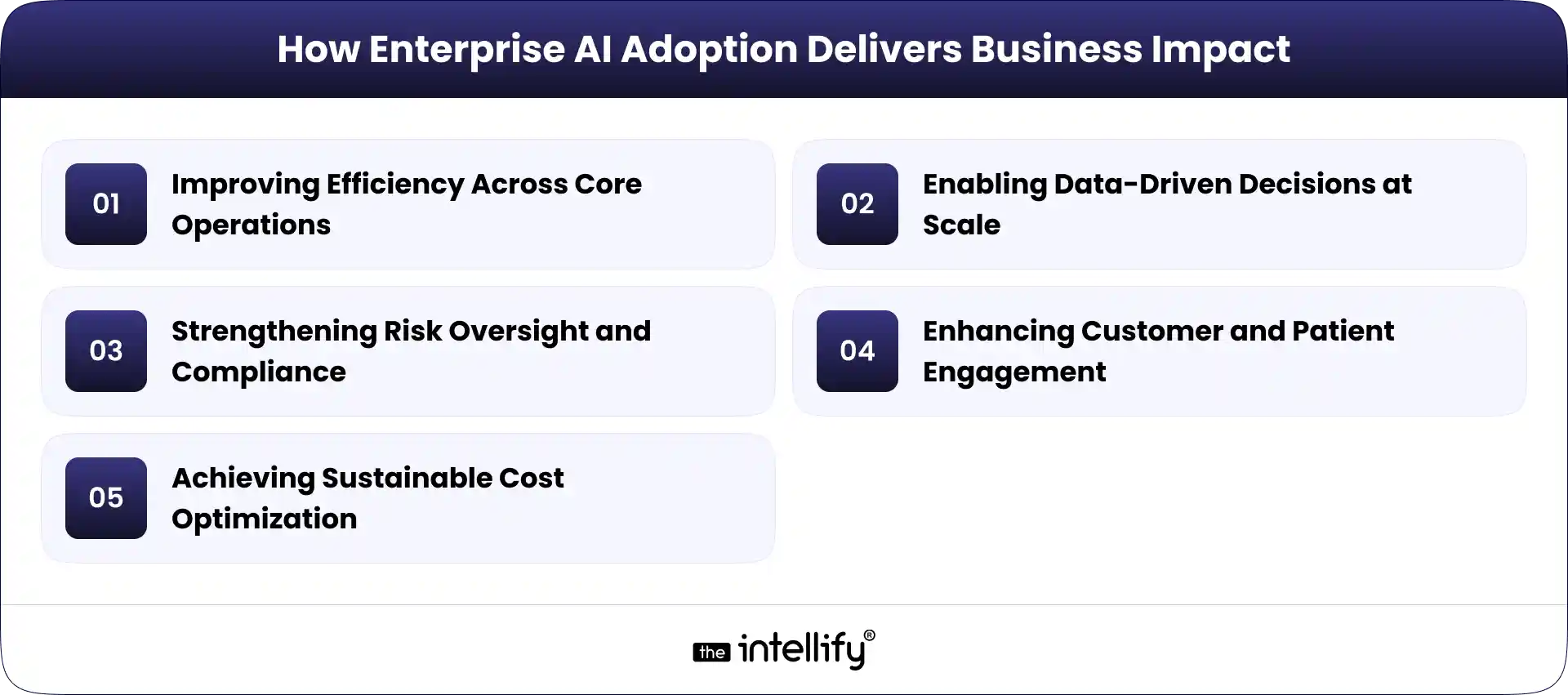
How Enterprise AI Adoption Delivers Business Impact
Enterprise AI Adoption Business Impact

Improving Efficiency Across Core Operations

AI has the power to significantly boost efficiency by automating routine tasks, optimizing workflows, and speeding up processing times, all of which lead to cost savings and higher productivity.

Enabling Data-Driven Decisions at Scale

With strong data analysis capabilities, AI helps organizations make informed decisions based on real-time insights. This agility supports responsive strategies that can quickly adapt to market changes.

Strengthening Risk Oversight and Compliance

AI enhances risk management by spotting potential issues before they become serious problems. Through data pattern analysis, organizations can meet compliance requirements while bolstering their security posture.

Enhancing Customer and Patient Engagement

AI tools like chatbots and personalized recommendation systems allow brands to engage effectively with customers, boosting satisfaction and fostering loyalty.

Achieving Sustainable Cost Optimization

AI paves the way for smarter resource allocation and optimization, ensuring sustainable cost management. Organizations can pinpoint wasteful practices that can either be improved or removed.


Common Barriers to Enterprise AI Adoption

Legacy Infrastructure and Disconnected Data

Many enterprises grapple with outdated technology and siloed data, which complicates the implementation of effective AI solutions.

Regulatory Complexity and Data Privacy Risks

Navigating regulatory hurdles can feel overwhelming. Companies need to prioritize data privacy and compliance to steer clear of potential pitfalls.

Lack of Clear Governance and Ownership

Without a governance framework, AI initiatives may become misaligned and misused, hampering overall success.

Internal Skill and Capability Gaps

Organizations lacking the right talent and training may struggle to unlock AI’s full potential, resulting in stagnant or underperforming projects.

Organizational Readiness and Change Resistance

Resistance to change can hinder AI projects. It’s vital to cultivate a culture of acceptance and understanding regarding AI for smooth integration.

 

AI implementation guide


Enterprise AI Implementation Roadmap

Step 1 – Define Clear Objectives

Start by identifying specific business goals and how AI can help achieve them. This clarity will serve as the bedrock for all subsequent efforts.

Step 2 – Assess Data and Infrastructure

Evaluate existing data systems and infrastructure to confirm they can effectively support new AI solutions.

Step 3 – Identify High-Impact Use Cases

Focus on high-impact use cases that promise significant returns. Allocate resources to areas likely to generate the most value.

Step 4 – Establish Governance and Risk Controls

Implement a strong governance framework to oversee AI initiatives, ensuring that all ethical and compliance standards are met.

Step 5 – Run Pilot Projects

Before scaling, run pilot projects to test assumptions and methodologies. Gather insights from these tests to fine-tune your approaches.

Step 6 – Scale Across the Organization

Once pilot projects validate your strategies, it’s time to scale AI solutions throughout the organization, making sure every department benefits.

Step 7 – Monitor, Measure, and Improve

Regularly assess the performance of AI initiatives, adapt your strategies based on results, and keep seeking improvement.


Key Areas of Enterprise AI Use Cases

1. Operational Optimization in Healthcare

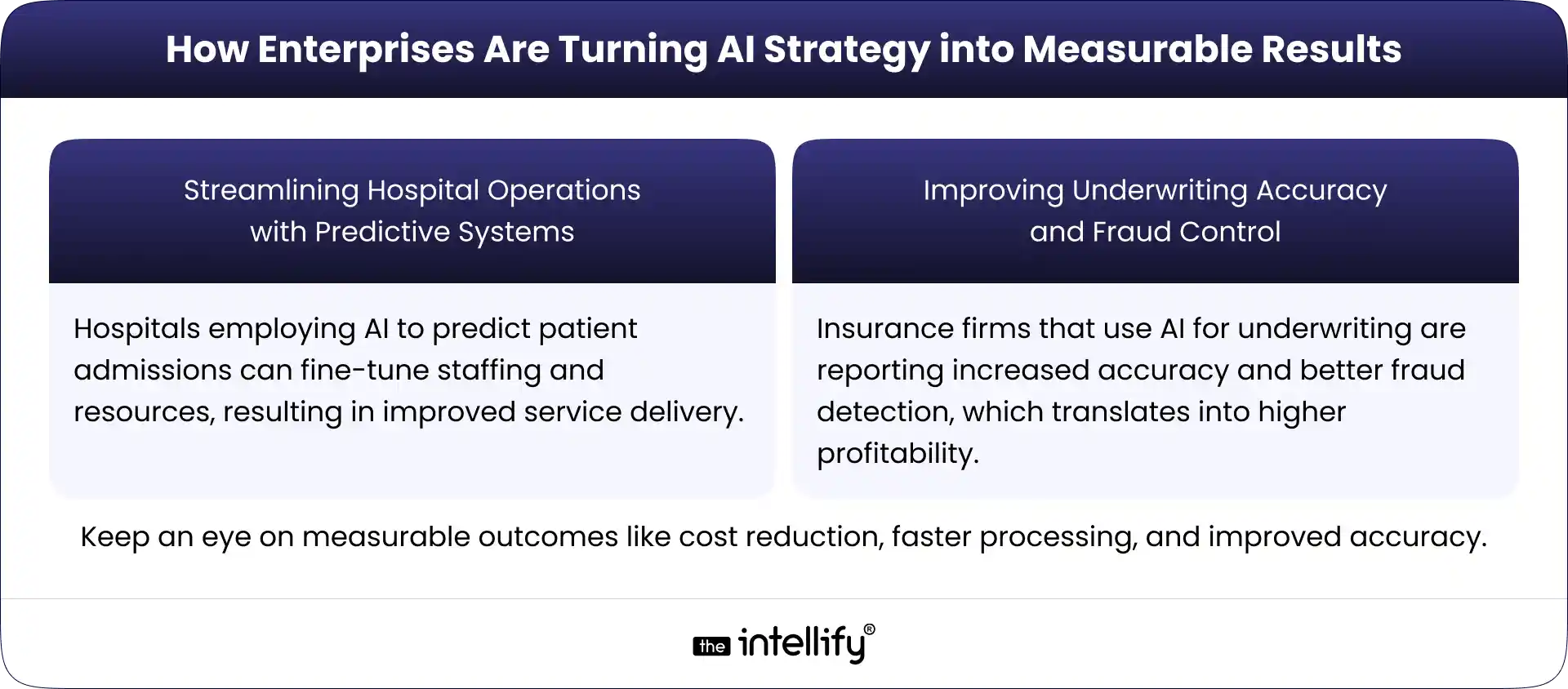
AI can analyze patient data to boost operational efficiencies, reduce wait times, and enhance overall patient care.

2. Risk Modeling and Claims Efficiency in Insurance

Insurance companies use AI for predictive risk modeling, faster claims processing, and reduced fraud. Many are adopting advanced Enterprise AI solutions for Insurance to improve underwriting accuracy, automate claims workflows, and strengthen compliance.

3. Fraud Prevention and Compliance Monitoring

AI algorithms can keep a watchful eye on transactions in real-time, helping organizations swiftly identify and tackle fraudulent activities.

4. Intelligent Workflow Automation Across Functions

By automating repetitive tasks across departments, AI liberates human capital for more strategic work, thereby boosting productivity.
 

AI Strategy into Measurable Results


Governance and Responsible AI Practices

Data Governance Standards

Strong data governance standards should be implemented to assure data integrity and accountability.

Ethical and Transparent AI Use

Place a priority on ethical considerations in AI deployment to build trust among stakeholders and customers.

Regulatory Alignment

Stay up to date with evolving regulations to avoid legal consequences and improve your reputation.

Ongoing Risk Management

Keep an eye on potential risks and incorporate feedback mechanisms to navigate challenges effectively.


Measuring ROI and Business Impact

1. Financial performance metrics:- Look at cost reductions and revenue boosts post AI implementation.

2. Operational improvements:- Assess productivity gains and process efficiencies that can be attributed to AI.

3. Adoption and usage indicators:- Monitor engagement with the new technologies and systems.

4. Long-term strategic value:- Evaluate how AI fits into long-term business strategies.


Future Trends in Enterprise AI Strategy

1. Generative AI integration:- Look for AI algorithms to start producing creative outputs, spurring innovation across sectors.

2. Intelligent decision support:- AI will enable even more advanced predictive insights for better decision-making.

3. Enterprise-wide automation:- Expect broader adoption of AI automation across various business functions.

4. Human-AI collaboration:- The future will enhance cooperation between human capabilities and AI solutions, driving overall efficiency.
 

Enterprise AI Solutions


Conclusion:-

Charting the path to effective enterprise AI adoption can definitely feel daunting, but the rewards are significant. By taking a structured approach, companies can harness AI to optimize processes, improve engagement, and achieve sustainable growth. The future isn’t going to wait, so adopting enterprise AI isn’t just advantageous, it’s essential.

In practice, turning strategy into execution requires both technical clarity and strong business alignment. Many enterprises collaborate with experienced teams that understand this balance. Organizations like The Intellify, for example, work alongside enterprises to translate AI strategy into practical roadmaps that support scalable and responsible adoption.


Frequently asked questions

1. What is enterprise AI, and why is it important for businesses?

Enterprise AI helps organizations automate processes, improve decision-making, and use data more effectively. It supports long-term growth and competitiveness.

2. How do you start an enterprise AI strategy?

Start by defining business goals, assessing data readiness, and selecting high-impact use cases. A clear roadmap helps reduce risks and improve success.

3. What are the common challenges in adopting AI at the enterprise level?

Common challenges include outdated systems, data silos, compliance risks, skill gaps, and resistance to change.

4. How can enterprises measure the success of their AI initiatives?

Success is measured through cost savings, productivity gains, accuracy, system adoption, and overall business impact.

5. Which industries benefit most from enterprise AI adoption?

Healthcare, finance, retail, manufacturing, and insurance benefit the most from automation, analytics, and predictive insights.

6. How do leadership and governance impact AI adoption?

Strong leadership and clear governance ensure AI aligns with business goals, remains compliant, and scales effectively.

7. What practical steps should be in an AI adoption roadmap?

An effective roadmap includes goal setting, data assessment, pilot testing, scaling, governance, and continuous improvement.
How AI Automation Is Transforming Internal Operations in HR, Finance & IT

Summary:
This blog explains why AI automation is becoming essential for modern business operations. It covers how AI automation differs from traditional automation, where it fits across HR, finance, and IT, and the real operational costs of relying on manual processes. The article also explores industry use cases, measurable benefits, implementation steps, and future trends, helping businesses understand how AI automation improves efficiency, accuracy, scalability, and employee productivity across internal teams.


Why AI Automation Is Becoming a Business Imperative

Most internal teams today are stretched thin. HR is juggling hiring and onboarding. Finance is chasing invoices and approvals. IT is buried under tickets that all feel “urgent.” None of this is new, but the pressure has quietly crossed a line.

The problem isn’t effort, it’s volume. As businesses grow, internal operations don’t just get bigger; they get messier. Manual handoffs increase. Dependencies multiply. One missed approval email can stall an entire process. We’ve all seen it happen. You wait. You follow up. You wait again.

Traditional automation helped for a while. Rule-based workflows, scripts, and macros are useful, but rigid. They work only when everything behaves exactly as expected. And let’s be honest, real operations never do. That’s why AI automation is no longer a “nice to have.” It’s becoming a strategic requirement.

This guide breaks down what AI automation really means, how it fits into HR, finance, and IT operations, what happens when businesses delay adopting it, and how organizations can implement it without chaos or burnout.


What Is AI Automation and How Is It Different?

AI automation goes beyond predefined rules. Instead of just following instructions, it learns from data, adapts to patterns, and supports decisions, not just tasks. This difference matters more than it sounds.

AspectBasic AutomationAI Automation
System LogicWorks on fixed rules. If X happens, it does Y.Learns from past data and improves decisions over time.
Workflow BehaviorFollows static workflows that break when conditions change.Adapts automatically when inputs, priorities, or situations shift.
Response to ChangeNeeds manual updates for every new scenario.Adjusts on its own based on patterns and context.
Task HandlingFocuses only on completing predefined tasks.Supports smarter decisions along with task execution.
Error ManagementOften misses unusual cases or exceptions.Detects anomalies and flags risks early.
ScalabilityBecomes harder to manage as processes grow.Scales easily with increasing data and complexity.
Business ImpactImproves speed but offers limited intelligence.Improves speed, accuracy, and strategic insight.


Where AI Automation Fits in Internal Operations

AI automation isn’t limited to one department. It sits quietly across daily operations, smoothing edges where friction usually shows up.

1. It supports daily process management, keeping routine workflows moving without constant supervision.

2. It powers data-driven workflows, where decisions are based on real-time signals instead of outdated reports.

3. It improves cross-functional coordination, so HR, finance, and IT stop working in isolation.

Think fewer “Who owns this?” emails and more things simply moving forward.


The Cost of Operating Without AI Automation

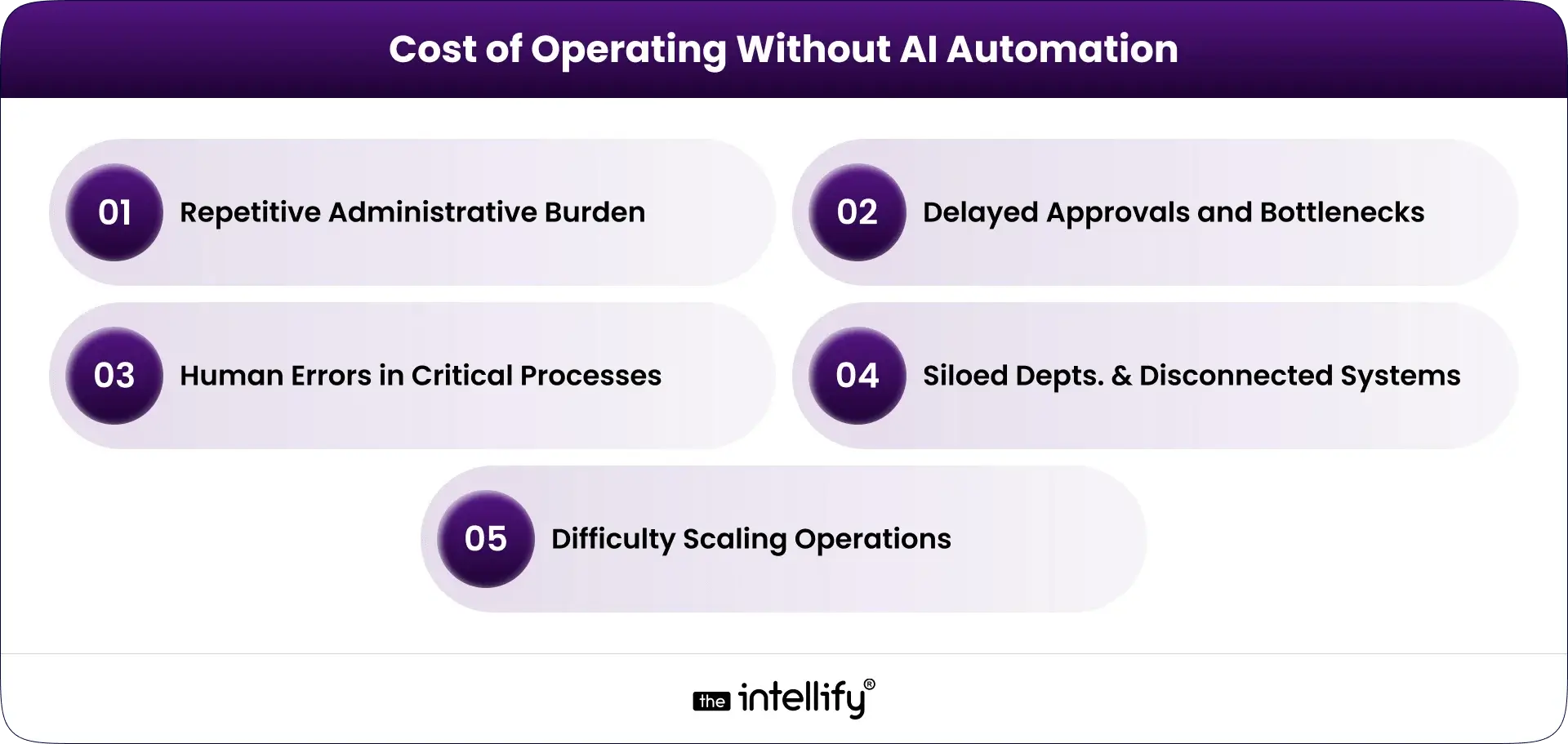
Cost of Operating Without AI Automation

Avoiding AI automation doesn’t keep things stable. It slowly makes operations heavier, slower, and harder to scale.

Repetitive Administrative Burden

Teams spend hours on data entry, document checks, and manual updates. It’s exhausting work, and nobody was hired for it.

Delayed Approvals and Bottlenecks

One unavailable manager. One missed notification. Suddenly payroll, procurement, or onboarding stalls. These delays compound quickly.

Human Errors in Critical Processes

Manual systems invite mistakes. A wrong number in payroll. A duplicate invoice. A missed compliance deadline. Fixing errors costs more than preventing them.

Siloed Departments and Disconnected Systems

When systems don’t talk to each other, people fill the gap with emails, spreadsheets, and workarounds that don’t scale.

Difficulty Scaling Operations

Growth without automation means hiring more people just to keep up. That’s expensive and unsustainable.


Market Trends and Adoption of AI Automation

AI automation adoption is accelerating, especially in mid-sized and large enterprises.

Organizations are investing heavily in intelligent workflows that reduce dependency on manual coordination. There’s a clear shift toward operational intelligence, where systems don’t just execute, they observe and suggest improvements. And businesses are prioritizing automation now because labor costs, compliance pressure, and customer expectations are all rising at once. Waiting feels safer, but it’s usually costlier.


AI Automation in HR – Smarter Workforce Management

HR teams deal with sensitive data, tight timelines, and constant context switching. AI automation helps by quietly removing friction.

Intelligent Hiring and Resume Screening

AI systems scan resumes, rank candidates, and highlight relevant experience without bias creeping in through fatigue or rushed decisions.

Automated Onboarding and Documentation

Offer letters, policy acknowledgments, and account setup are handled automatically, so new hires don’t start their first day confused or blocked.

Payroll, Attendance, and Compliance Support

AI automation flags inconsistencies before payroll runs and ensures compliance checks don’t rely on memory or spreadsheets.

Employee Performance and Engagement Insights

Patterns in feedback, attendance, and output help HR act early before disengagement turns into attrition.


AI Automation in Finance – Faster, Smarter Financial Operations

Finance teams need accuracy, speed, and clarity. AI automation supports all three without adding risk.

Invoice and Expense Automation

Invoices are matched, validated, and approved faster, with anomalies flagged instead of overlooked.

Budget Planning and Financial Forecasting

AI models analyze trends and adjust forecasts dynamically no waiting for month-end closures.

Fraud Detection and Risk Monitoring

Unusual transactions stand out immediately, not weeks later during audits.

Regulatory Compliance and Reporting

Compliance checks become continuous, not reactive. Reporting becomes simpler, cleaner, and more reliable.


AI Automation in IT Support – Smarter, Faster Service Delivery

IT teams are expected to keep everything running, often with limited resources.

Smart Helpdesk and Ticket Management

AI categorizes tickets, assigns priority, and routes issues automatically. No more manual triage.

Automated Issue Detection and System Monitoring

Problems are detected before users complain. Sometimes, before anyone notices at all.

AI Chatbots for Internal Support

Employees get instant answers to common IT questions without waiting in queues.

Workflow Automation for IT Teams

Patch management, access provisioning, and routine tasks happen on schedule without reminders.


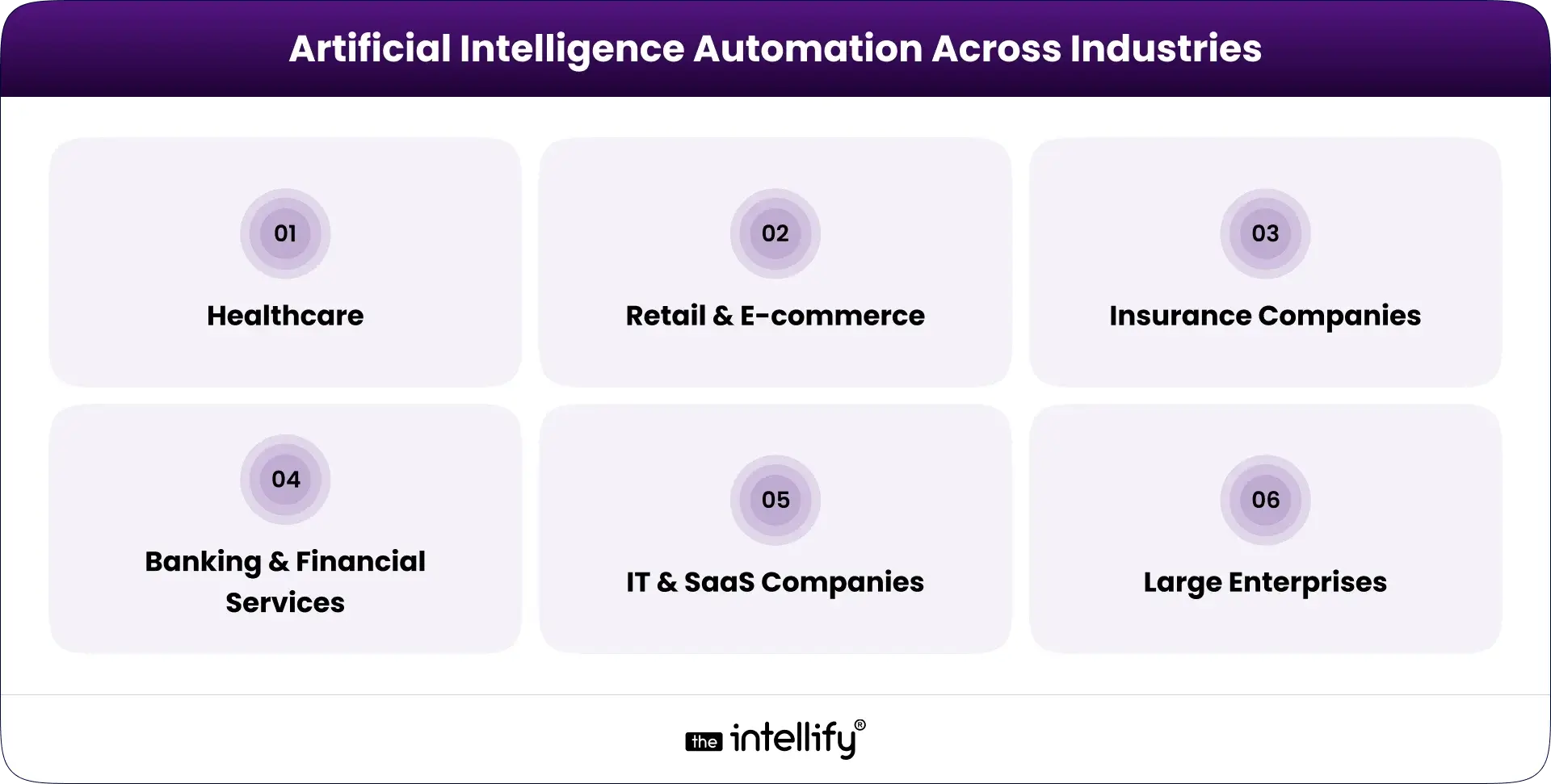
AI Automation Across Industries: Real-World Applications

AI automation across industries

Healthcare

  • Patient billing workflows run faster and cleaner.
  • Staff scheduling adapts automatically to demand and availability.

Retail & E-commerce

  • Inventory and finance systems stay in sync.
  • Workforce scaling during peak demand becomes predictable, not chaotic.

Insurance Companies

  • Claims processing accelerates.
  • Risk assessment becomes more consistent.

Banking & Financial Services

  • Loan processing automation reduces turnaround time.
  • Risk monitoring systems catch issues early.

IT & SaaS Companies

  • Internal support systems scale with growth.
  • Subscription revenue forecasting improves accuracy.

Large Enterprises

  • Multi-location operations stay coordinated.
  • Global compliance becomes manageable instead of overwhelming.


AI automation solutions


Key Benefits of AI Automation Across Internal Teams

AI automation brings steady, practical improvements to how teams work every day. It focuses on removing friction, not adding complexity.

1. Reduced operational costs

By cutting manual work and reducing errors, AI automation helps lower processing and rework costs without affecting quality.

2. Increased productivity

Teams spend less time on routine tasks and more time on meaningful work, improving overall output and focus.

3. Improved accuracy and compliance

Built-in checks and monitoring reduce mistakes in payroll, invoicing, and reporting, while keeping compliance on track.

4. Faster, data-backed decisions

Real-time insights replace delayed reports, helping managers act quickly and with confidence.

5. Better employee experience

Less repetitive work means lower stress and better engagement across departments.

6. Scalable growth without increasing headcount

Operations can grow without constantly adding staff, making expansion more manageable.


AI Automation as an Operational Partner, Not a Replacement

AI automation supports people. It doesn’t replace them.

1. Supporting HR Professionals:- HR spends less time on admin and more time on people.

2.Enabling Finance Teams to Focus on Strategy:- Finance shifts from reconciliation to planning and insight.

3.Empowering IT Teams with Predictive Tools:- IT becomes proactive instead of reactive.


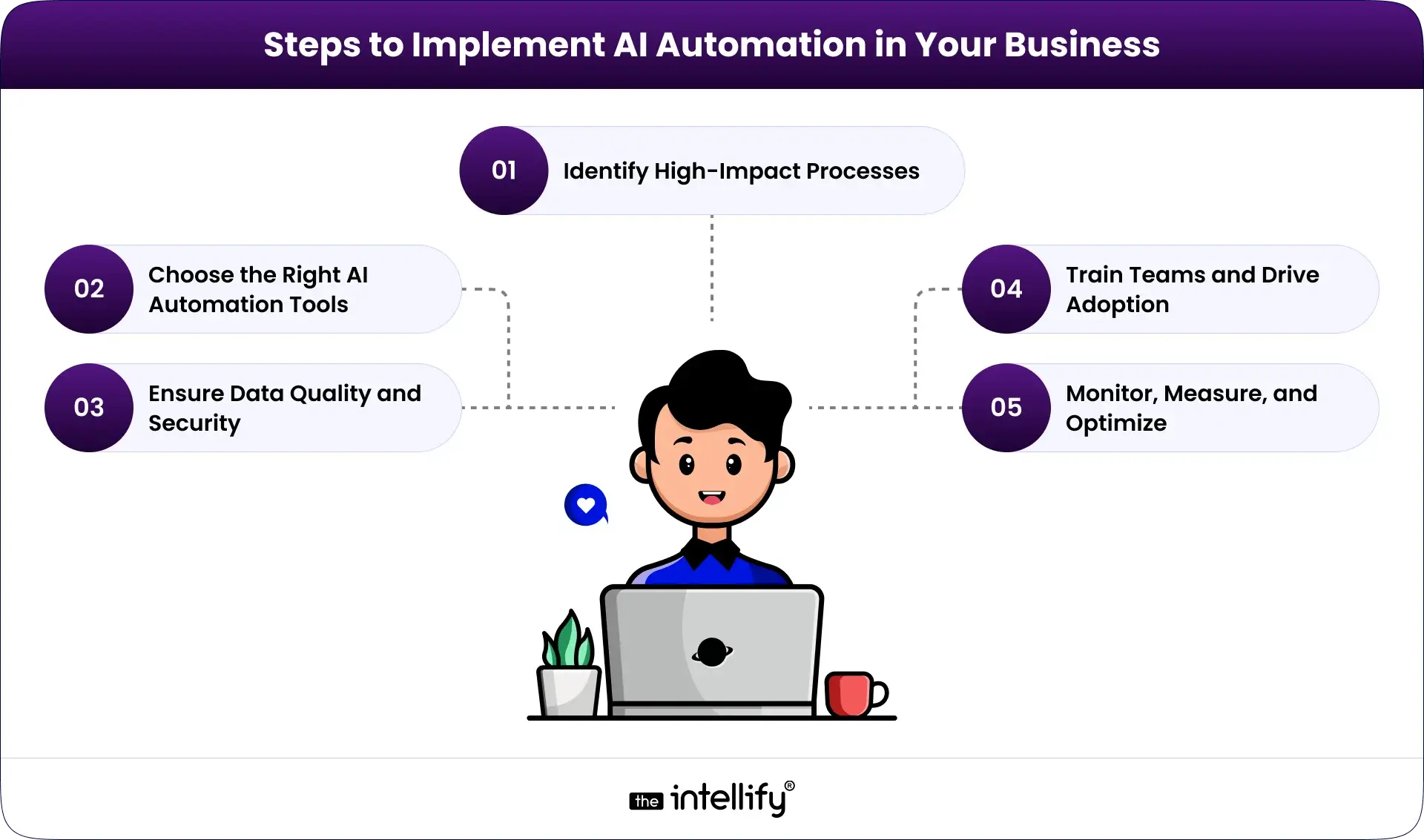
Steps to Implement AI Automation in Your Organization

Steps for AI Automation in Your Business

1. Identify High-Impact Processes

Start with repetitive, error-prone workflows.

2. Choose the Right AI Automation Tools

Flexibility, integration, and security matter more than features.

3. Ensure Data Quality and Security

AI is only as good as the data it learns from.

4. Train Teams and Drive Adoption

Automation works when people trust it.

5. Monitor, Measure, and Optimize

Treat automation as a system that evolves, not a one-time setup.


Key Challenges Businesses Face Without AI Automation

Businesses that rely mainly on manual systems often face growing operational pressure. Over time, these issues affect efficiency, costs, and employee motivation.

  • Heavy Dependence on Manual Processes:-  Many teams depend on spreadsheets, emails, and manual entry. This leads to repetitive work, slow approvals, and administrative overload, leaving little time for important tasks.
  • Slow and Fragmented Workflows:- When HR, finance, and IT use disconnected tools, workflows slow down. Updates are delayed, visibility is limited, and teams waste time coordinating basic information.
  • Increased Risk of Errors:- Manual handling increases the chance of payroll mistakes, invoice mismatches, and missed compliance checks. These errors often require extra time and effort to fix.
  • Limited Data Insights for Decision-Making:- Without automation, reports are often outdated. Financial insights arrive late, and leaders lack clear, predictive information for planning.
  • Difficulty Scaling Operations:- As workloads increase, efficiency does not always improve. Companies hire more staff just to keep up, creating higher costs and operational strain.
  • Employee Frustration and Low Productivity:- Too much routine work reduces focus and motivation. Employees have less time for strategic work, leading to slower responses and lower engagement.


The Future of AI Automation in Business Operations

AI automation is moving beyond simple task support. The next phase focuses on smarter, connected systems that guide operations in real time.

Agentic AI assistants will manage workflows from start to finish, reducing manual coordination between teams. Instead of reacting to problems, businesses will rely on predictive operational intelligence to identify delays and risks early.

Enterprise platforms will become more connected, allowing HR, finance, and IT to share data seamlessly. At the same time, processes will continuously improve in the background through ongoing monitoring and learning.


Conclusion

Modern enterprises aren’t defined by size. They’re defined by how smoothly things run when nobody’s watching. AI automation isn’t about replacing teams. It’s about giving them breathing room. Fewer blockers. Fewer errors. Fewer “Can you follow up on this?” messages.

Organizations that adopt AI automation early build operations that scale calmly. Those who wait often spend years untangling avoidable complexity.

If you’re exploring AI automation for HR, finance, or IT and want a practical, business-first approach, the right implementation partner makes all the difference. That’s where The Intellify helps organizations design AI automation that fits real operations, not just diagrams.


AI Automation for Operations


Frequently Asked Questions (FAQs)

1. What exactly is AI automation in business operations?

AI automation uses intelligent systems to manage repetitive and data-heavy business tasks. Unlike basic automation, it can learn from past activity and adjust to new situations. It helps HR, finance, and IT teams work faster, reduce errors, and make better decisions. Companies like The Intellify design AI automation systems that fit real workflows, not just technical models.

2. How does AI automation differ from traditional automation?

Traditional automation follows fixed rules and breaks when conditions change. AI automation learns from data and adapts over time. It can handle documents, emails, and changing processes without constant reprogramming. This makes it more reliable for growing businesses with complex operations.

3. Can AI automation replace human workers?

No. AI automation supports employees rather than replacing them. It handles routine tasks so teams can focus on planning, problem-solving, and strategy. When implemented properly, it reduces burnout and improves job satisfaction instead of eliminating roles.

4. What are common use cases of AI automation across departments?

Common use cases include resume screening in HR, invoice processing in finance, and ticket management in IT. It is also used for reporting, compliance checks, and internal support. These applications help departments work together more smoothly and reduce manual coordination.

5. Is AI automation only for large companies?

AI automation is useful for businesses of all sizes. Small and mid-sized companies often start with one or two workflows and expand gradually. With the right implementation partner, organizations can adopt automation without heavy upfront investment.

6. What are the costs and challenges of implementing AI automation?

Costs depend on system complexity, data readiness, and integration needs. Common challenges include poor data quality, resistance to change, and security concerns. These issues can be managed through proper planning, training, and phased implementation.

7. How can AI automation improve decision-making?

AI automation analyzes real-time data, identifies patterns, and highlights risks early. This helps managers make informed decisions instead of relying on delayed reports. Over time, it builds a clearer view of operations and supports long-term planning.

View
Case Study