Digital Twin in Manufacturing & Industrial Operations: A Practical Guide

Summary:
Digital twin in manufacturing enables organizations to improve visibility, efficiency, and decision-making across industrial operations. Creating real-time digital replicas of physical assets, it supports predictive maintenance, process optimisation, and smarter planning. The guide covers how the technology works, key benefits, practical use cases, implementation challenges, and future trends, helping manufacturers understand how to adopt and scale digital twin solutions effectively.


The Shift Toward Data-Driven Manufacturing

Walk into any modern factory today, and you’ll notice something right away: it’s no longer just machines and people. It’s screens, dashboards, alerts data everywhere. And honestly, it’s getting a bit overwhelming.

Manufacturing environments have become more complex than ever. Multiple production lines, global supply chains, fluctuating demand, it’s not simple anymore. A small delay in one area can quietly ripple across the entire operation. That’s where the real challenge kicks in.

Most manufacturers still rely on traditional monitoring methods. Reports. Periodic checks. Manual inspections. The problem? These methods are always a step behind. By the time you spot an issue, It’s already costing you. There’s a growing need for something better. Something real-time. Something that shows what’s happening right now, not what happened yesterday.

This is exactly where the digital twin in manufacturing starts to make sense. Digital technologies are quietly reshaping how factories operate. Instead of guessing, teams can now see, test, and predict outcomes before they happen. It’s less firefighting, more foresight.

In this guide, we’ll break down how digital twin technology actually works in manufacturing. No buzzwords. No overcomplicated explanations. Just a practical look at how it helps improve operations and where it fits in real-world industrial setups.


Digital Twin in Manufacturing and Industrial Environments
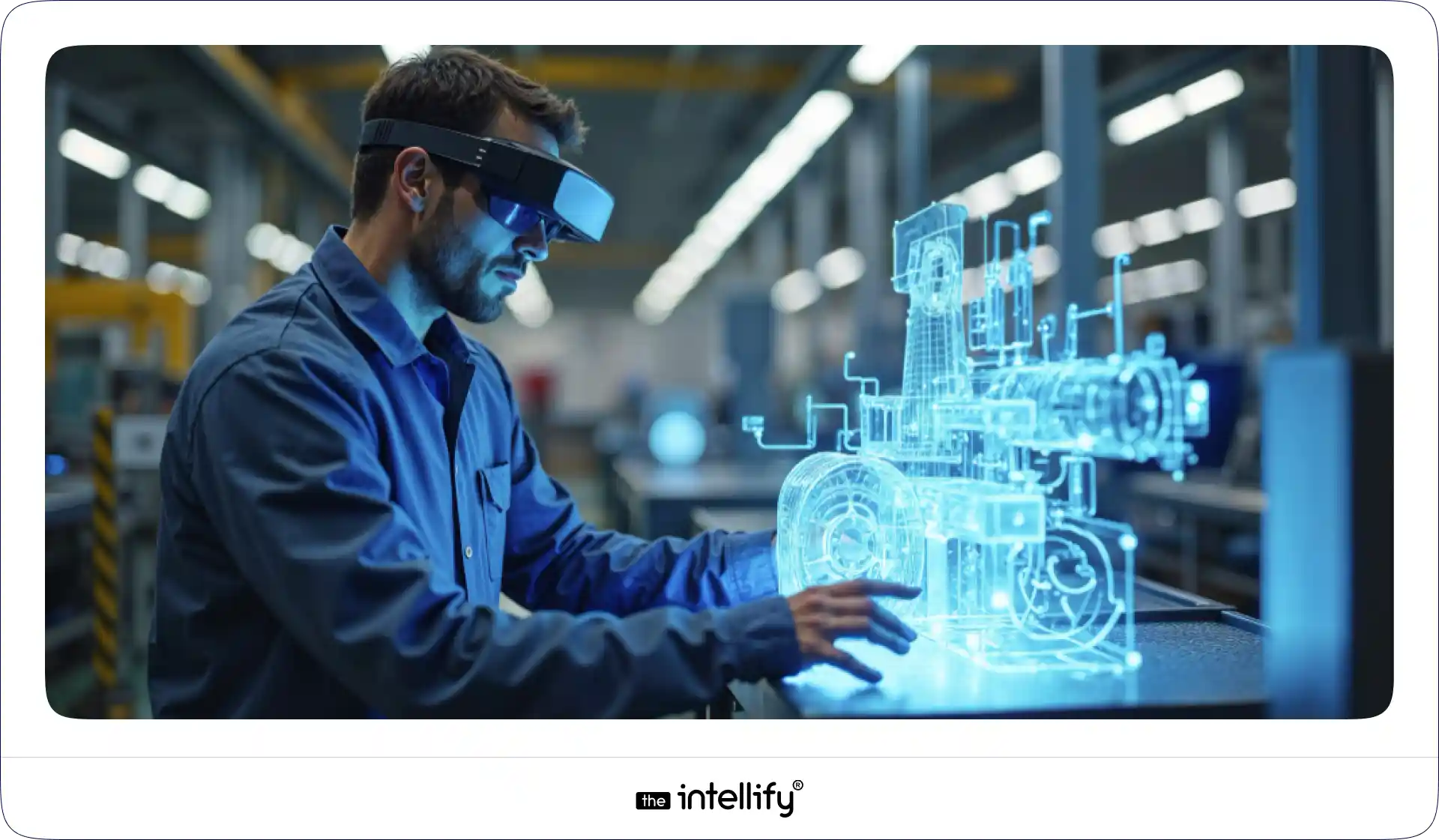
Digital Twin in Manufacturing

In an industrial setting, a digital twin in manufacturing goes beyond a single machine. It connects multiple systems, equipment, workflows, people, and processes into one unified digital environment. Think of it like a live control room but smarter. Again, to keep things clear:

  • A basic digital model shows how something looks
  • A simulation shows how something might behave
  • A real-time digital twin shows how something is behaving right now

That real-time connection is powered by data. Machines on the shop floor send continuous updates. These updates feed into a virtual system that mirrors operations as they happen. It’s like watching your factory run from inside a screen.

This applies across:

  • Assembly lines
  • Production equipment
  • Warehousing systems
  • Entire manufacturing plants

What’s interesting is how quickly this is expanding beyond manufacturing, into energy, logistics, and even infrastructure. The reason is simple. Industrial operations can’t afford blind spots anymore.


How Digital Twins Enhance Manufacturing & Industrial Operations

Here’s where it gets practical. With industrial digital twin solutions, manufacturers can actually improve operations, not just monitor them. Data flows continuously from the shop floor into digital platforms. This creates visibility that most factories never had before. You can see:

  • Which machines are underperforming
  • Where production is slowing down
  • How efficiently resources are being used

And instead of reacting to breakdowns, teams can act early. Predictive insights allow maintenance teams to fix issues before they become failures. That alone can save a surprising amount of time and cost. (Seriously, unplanned downtime is a silent killer.)

Another benefit is how easily this fits into existing systems. You don’t have to rip everything out and start from scratch. Digital twins can layer on top of your current infrastructure and gradually enhance it.


Key Benefits for Manufacturers

Let’s not overcomplicate this. The value comes down to a few clear outcomes.

  • Reduced unplanned downtime: Machines don’t just stop suddenly anymore. You see problems coming.
  • Improved productivity and throughout: When systems run smoothly, output naturally improves.
  • Better product quality and consistency: You catch variations early. That means fewer defects and less rework.
  • Enhanced worker safety: Monitoring conditions helps reduce risk, especially in high-risk environments.
  • Lower operational waste and energy use: You can actually see where resources are being wasted. And fix it.
  • Greater visibility across complex processes: When operations get complex, visibility becomes everything.


Practical Use Cases Across the Manufacturing Lifecycle

  • Predictive Maintenance of Critical Equipment: Machines are monitored continuously, helping teams fix issues before they lead to breakdowns.
  • Production Line Optimization and Balancing: Manufacturers can identify slow points and adjust workflows to keep production running smoothly.
  • Factory Layout Planning and Process Testing: Different layouts and process changes can be tested digitally before making physical changes.
  • Supply Chain Coordination and Inventory Planning: Better visibility helps align inventory with demand and avoid overstocking or shortages.
  • Remote Monitoring of Distributed Facilities: Teams can track performance across multiple locations without being physically present.
  • Energy and Resource Management: Usage patterns can be analyzed to reduce waste and improve overall efficiency.
 

Digital twin for manufacturing solutions


Enabling Smart Factories and Industry 4.0 Initiatives

Digital twins are a big part of the whole Industry 4.0 shift. Factories are becoming more connected. More automated. More flexible. Digital twins sit right in the middle of this. They connect with:

  • Robotics
  • Automation systems
  • AI-driven tools

This allows manufacturing systems to adapt faster. Instead of fixed processes, you get flexible production models that adjust based on real-time data. Over time, this leads to something bigger, self-optimizing operations. Not fully autonomous (yet), but getting close.


Using Real-Time Data to Improve Operations

Real-time data changes how decisions are made on the shop floor. Instead of relying on reports or past trends, teams can see what’s happening as it unfolds. This makes operations more responsive, a bit more predictable, and honestly… less stressful to manage.

1. Testing Scenarios Without Disrupting Production

Teams can simulate changes in a digital environment before applying them in real operations. This reduces risk and avoids unnecessary downtime.

2. Identifying Bottlenecks Early

Small delays or inefficiencies can be spotted early, before they turn into larger production issues.

3. Planning Capacity and Demand Changes

Manufacturers can adjust plans based on current data, making it easier to handle demand shifts without overloading systems.

4. Supporting Data-Driven Decisions

Managers have access to live insights, helping them make faster and more accurate decisions instead of relying on assumptions.

5. Faster Response to Disruptions or Failures

When something goes wrong, teams can react quickly, minimizing downtime and keeping operations on track.


Cost Considerations and Business Value

Let’s talk money. Because this is where most decisions get stuck. Digital twin implementation does require investment. There’s no way around that. But the returns usually show up in places like:

  • Reduced downtime
  • Lower maintenance costs
  • Improved efficiency
  • Less material waste

Some gains are immediate. Others take time. That’s why most manufacturers start small.

Instead of applying digital twins everywhere, they begin with high-impact assets like machines that are critical or prone to failure. Success is usually measured through operational metrics. Not vanity numbers. Real things like uptime, output, and cost savings.


Implementation Challenges and Practical Barriers

Digital twin adoption sounds straightforward on paper but in reality, there are a few bumps along the way. Most of them aren’t technical alone, they’re operational too.

Data Availability and Quality Issues

Digital twins rely heavily on data. If the data is incomplete, outdated, or just messy, the insights won’t be reliable. And that can create more confusion than clarity.

Integration with Legacy Systems

Many manufacturing setups still run on older systems. Connecting them with modern digital platforms isn’t always smooth, it takes effort, and sometimes a bit of workaround thinking.

Upfront Investment and Organizational Readiness

There’s an initial cost involved, both in technology and setup. Plus, not every organization is immediately ready to adopt something this data-driven.

Skills Gaps and Training Needs

Teams need to understand how to use and interpret digital twin systems. Without proper training, even the best tools can end up underused.

Cybersecurity and Data Governance Concerns

With more connected systems comes more risk. Protecting operational data and ensuring proper access control becomes critical.

Managing Change Across Teams

And then there’s the human side. Not everyone is quick to adopt new systems. Change takes time, and getting teams aligned can be… a bit of a process.


How to Get Started with Digital Twin Adoption
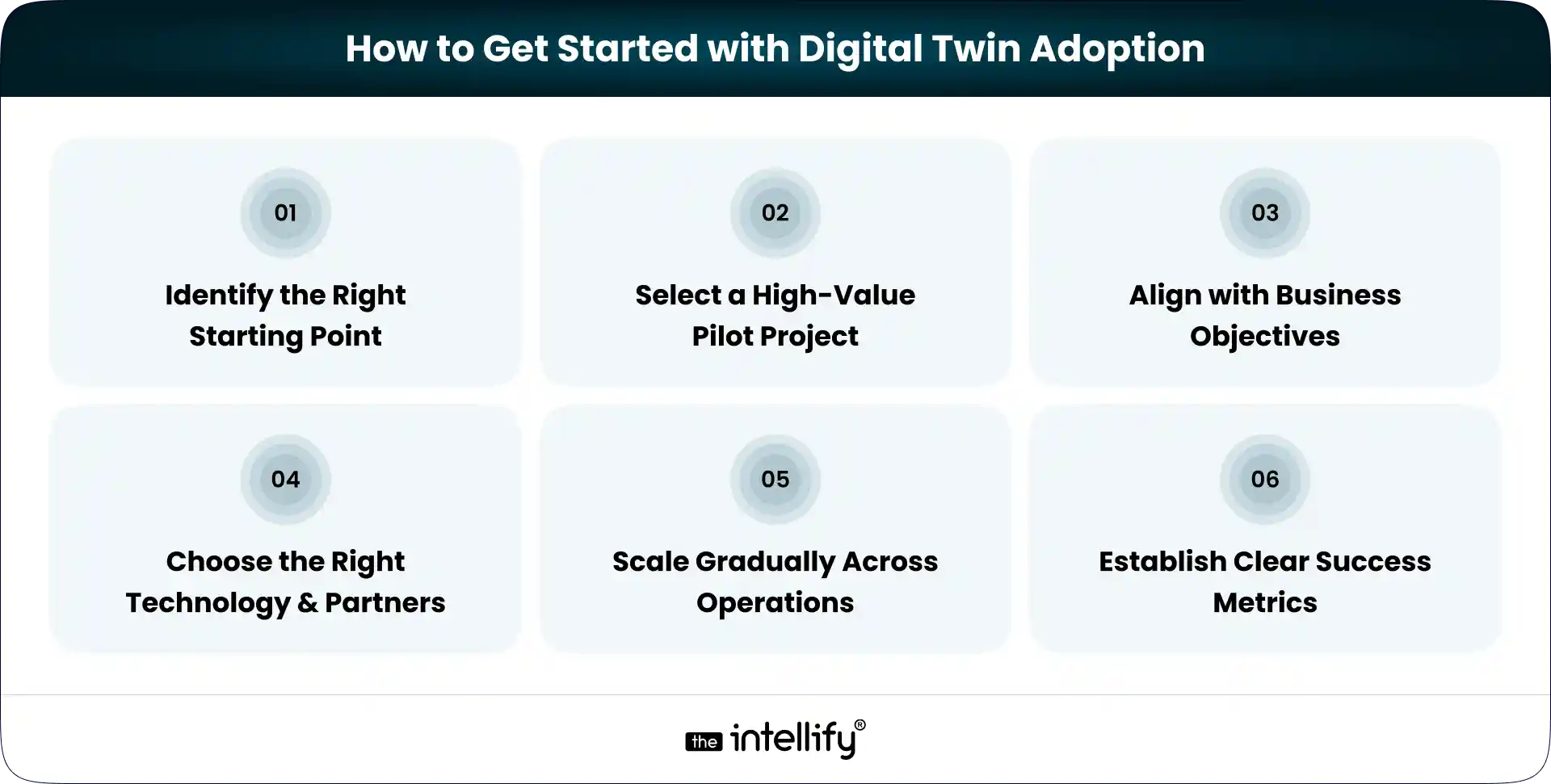
How to Get Started with Digital Twin Adoption

Getting started with a digital twin doesn’t have to be complicated. In fact, keeping it simple at the beginning usually works better.

1. Identify the Right Starting Point

Look for an area where problems show up often or where delays actually hurt operations. It could be a machine that breaks down too often or a process that slows everything else.

2. Select a High-Value Pilot Project

Don’t try to fix everything at once. Pick one use case that can show clear results, something measurable, not vague.

3. Align with Business Objectives

Make sure the effort connects to real goals. Reducing downtime, improving output, cutting waste, and keeping it tied to what matters.

4. Choose the Right Technology and Partners

Tools matter, but so do the people implementing them. A good partner can save a lot of trial and error (and frustration, honestly).

5. Scale Gradually Across Operations

Once the pilot works, expand step by step. No need to rush. Scaling slowly helps avoid unnecessary chaos.

6. Establish Clear Success Metrics

Define what success looks like early on. Track things like uptime, efficiency, or cost savings so you know what’s actually improving.


The Future of Digital Twin Technology in Manufacturing

The future of digital twins isn’t some far-off idea, it’s already starting to take shape. And honestly, it’s moving faster than most teams expect.

Rise of AI-Driven Insights and Automation

Digital twins are getting smarter. With AI layered in, they won’t just show what’s happening, they’ll suggest what to do next (and sometimes even act on it).

Expansion Beyond Individual Assets

What started with single machines is now scaling up. Manufacturers are beginning to create digital twins for entire production lines, factories, and even full value chains.

Stronger Focus on Sustainability and Resilience

There’s growing pressure to reduce waste and energy use. Digital twins help track and optimize resources, making operations more efficient and a bit more future-proof.

Move Toward Autonomous and Self-Adjusting Systems

We’re slowly heading toward factories that can adjust themselves. Not fully hands-off yet, but definitely less dependent on constant manual intervention.

Continuous Evolution in the Coming Years

This space isn’t standing still. As technology improves, digital twins will become more accessible, more accurate, and honestly… more expected than optional.

 

Manufacturing digital twin services


Conclusion

Digital twin in manufacturing is becoming a practical tool for improving visibility, efficiency, and decision-making across operations. It helps teams reduce downtime, optimize processes, and respond faster to issues. What once felt experimental is now moving into core operations. Manufacturers are adopting it not for innovation alone, but to stay competitive and efficient.

Early adoption gives organizations an edge, especially as digital capabilities become more common. Looking ahead, digital twins are likely to become a standard part of modern manufacturing, not just an added advantage.


Frequently Asked Questions (FAQs)

1. How is a digital twin different from a simulation in manufacturing?

A simulation tests scenarios based on assumptions, usually during planning. A digital twin stays connected to the real system using live data. It reflects actual performance in real time, which makes it more useful for monitoring, predicting issues, and improving day-to-day operations.

2. Do small or mid-sized manufacturers benefit from digital twins, or is it only for large enterprises?

Digital twins are not limited to large enterprises. Smaller manufacturers can start with one critical machine or process. Even a small setup can reduce downtime and improve maintenance planning without requiring a heavy upfront investment.

3. What kind of data is needed to create a digital twin?

Data typically comes from sensors, machines, production systems, and maintenance records. The focus is on understanding real performance. Clean and relevant data is more important than collecting large volumes of it.

4. How does a digital twin help reduce unexpected equipment failures?

It continuously tracks performance and detects early warning signs like unusual vibration, temperature changes, or drops in efficiency. This allows teams to fix issues before they turn into breakdowns.

5. Can digital twins improve production planning and scheduling?

Yes. They allow teams to test different production scenarios using real data. This helps identify bottlenecks, optimize workflows, and adjust schedules without interrupting actual production.

6. Is implementing a digital twin disruptive to ongoing operations?

Most companies start with a small pilot, such as a single machine or production line. This approach keeps disruption low and allows teams to learn before scaling.
How AI Automation Is Transforming Internal Operations in HR, Finance & IT

Summary:
This blog explains why AI automation is becoming essential for modern business operations. It covers how AI automation differs from traditional automation, where it fits across HR, finance, and IT, and the real operational costs of relying on manual processes. The article also explores industry use cases, measurable benefits, implementation steps, and future trends, helping businesses understand how AI automation improves efficiency, accuracy, scalability, and employee productivity across internal teams.


Why AI Automation Is Becoming a Business Imperative

Most internal teams today are stretched thin. HR is juggling hiring and onboarding. Finance is chasing invoices and approvals. IT is buried under tickets that all feel “urgent.” None of this is new, but the pressure has quietly crossed a line.

The problem isn’t effort, it’s volume. As businesses grow, internal operations don’t just get bigger; they get messier. Manual handoffs increase. Dependencies multiply. One missed approval email can stall an entire process. We’ve all seen it happen. You wait. You follow up. You wait again.

Traditional automation helped for a while. Rule-based workflows, scripts, and macros are useful, but rigid. They work only when everything behaves exactly as expected. And let’s be honest, real operations never do. That’s why AI automation is no longer a “nice to have.” It’s becoming a strategic requirement.

This guide breaks down what AI automation really means, how it fits into HR, finance, and IT operations, what happens when businesses delay adopting it, and how organizations can implement it without chaos or burnout.


What Is AI Automation and How Is It Different?

AI automation goes beyond predefined rules. Instead of just following instructions, it learns from data, adapts to patterns, and supports decisions, not just tasks. This difference matters more than it sounds.

Aspect Basic Automation AI Automation
System Logic Works on fixed rules. If X happens, it does Y. Learns from past data and improves decisions over time.
Workflow Behavior Follows static workflows that break when conditions change. Adapts automatically when inputs, priorities, or situations shift.
Response to Change Needs manual updates for every new scenario. Adjusts on its own based on patterns and context.
Task Handling Focuses only on completing predefined tasks. Supports smarter decisions along with task execution.
Error Management Often misses unusual cases or exceptions. Detects anomalies and flags risks early.
Scalability Becomes harder to manage as processes grow. Scales easily with increasing data and complexity.
Business Impact Improves speed but offers limited intelligence. Improves speed, accuracy, and strategic insight.


Where AI Automation Fits in Internal Operations

AI automation isn’t limited to one department. It sits quietly across daily operations, smoothing edges where friction usually shows up.

1. It supports daily process management, keeping routine workflows moving without constant supervision.

2. It powers data-driven workflows, where decisions are based on real-time signals instead of outdated reports.

3. It improves cross-functional coordination, so HR, finance, and IT stop working in isolation.

Think fewer “Who owns this?” emails and more things simply moving forward.


The Cost of Operating Without AI Automation

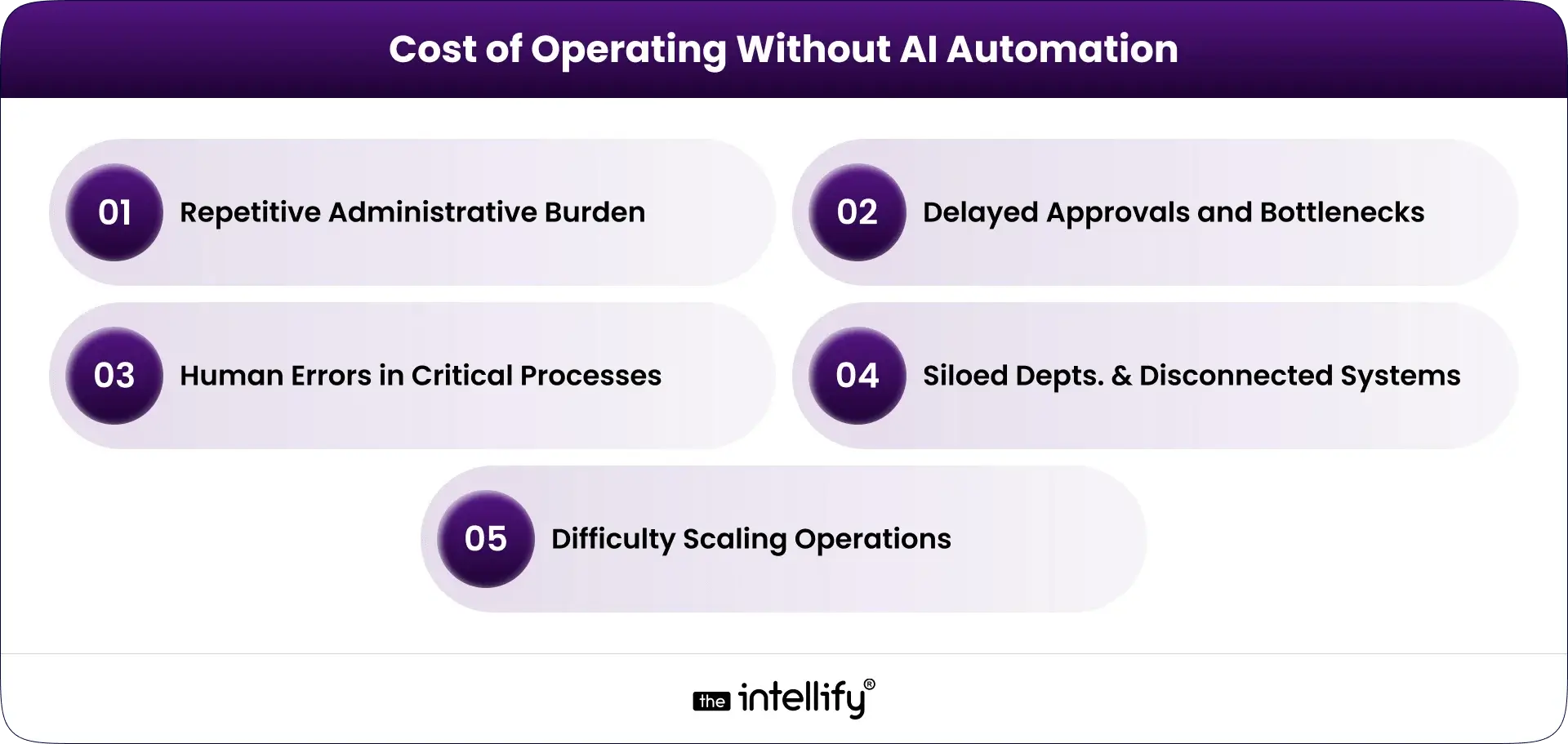
Cost of Operating Without AI Automation

Avoiding AI automation doesn’t keep things stable. It slowly makes operations heavier, slower, and harder to scale.

Repetitive Administrative Burden

Teams spend hours on data entry, document checks, and manual updates. It’s exhausting work, and nobody was hired for it.

Delayed Approvals and Bottlenecks

One unavailable manager. One missed notification. Suddenly payroll, procurement, or onboarding stalls. These delays compound quickly.

Human Errors in Critical Processes

Manual systems invite mistakes. A wrong number in payroll. A duplicate invoice. A missed compliance deadline. Fixing errors costs more than preventing them.

Siloed Departments and Disconnected Systems

When systems don’t talk to each other, people fill the gap with emails, spreadsheets, and workarounds that don’t scale.

Difficulty Scaling Operations

Growth without automation means hiring more people just to keep up. That’s expensive and unsustainable.


Market Trends and Adoption of AI Automation

AI automation adoption is accelerating, especially in mid-sized and large enterprises.

Organizations are investing heavily in intelligent workflows that reduce dependency on manual coordination. There’s a clear shift toward operational intelligence, where systems don’t just execute, they observe and suggest improvements. And businesses are prioritizing automation now because labor costs, compliance pressure, and customer expectations are all rising at once. Waiting feels safer, but it’s usually costlier.


AI Automation in HR – Smarter Workforce Management

HR teams deal with sensitive data, tight timelines, and constant context switching. AI automation helps by quietly removing friction.

Intelligent Hiring and Resume Screening

AI systems scan resumes, rank candidates, and highlight relevant experience without bias creeping in through fatigue or rushed decisions.

Automated Onboarding and Documentation

Offer letters, policy acknowledgments, and account setup are handled automatically, so new hires don’t start their first day confused or blocked.

Payroll, Attendance, and Compliance Support

AI automation flags inconsistencies before payroll runs and ensures compliance checks don’t rely on memory or spreadsheets.

Employee Performance and Engagement Insights

Patterns in feedback, attendance, and output help HR act early before disengagement turns into attrition.


AI Automation in Finance – Faster, Smarter Financial Operations

Finance teams need accuracy, speed, and clarity. AI automation supports all three without adding risk.

Invoice and Expense Automation

Invoices are matched, validated, and approved faster, with anomalies flagged instead of overlooked.

Budget Planning and Financial Forecasting

AI models analyze trends and adjust forecasts dynamically no waiting for month-end closures.

Fraud Detection and Risk Monitoring

Unusual transactions stand out immediately, not weeks later during audits.

Regulatory Compliance and Reporting

Compliance checks become continuous, not reactive. Reporting becomes simpler, cleaner, and more reliable.


AI Automation in IT Support – Smarter, Faster Service Delivery

IT teams are expected to keep everything running, often with limited resources.

Smart Helpdesk and Ticket Management

AI categorizes tickets, assigns priority, and routes issues automatically. No more manual triage.

Automated Issue Detection and System Monitoring

Problems are detected before users complain. Sometimes, before anyone notices at all.

AI Chatbots for Internal Support

Employees get instant answers to common IT questions without waiting in queues.

Workflow Automation for IT Teams

Patch management, access provisioning, and routine tasks happen on schedule without reminders.


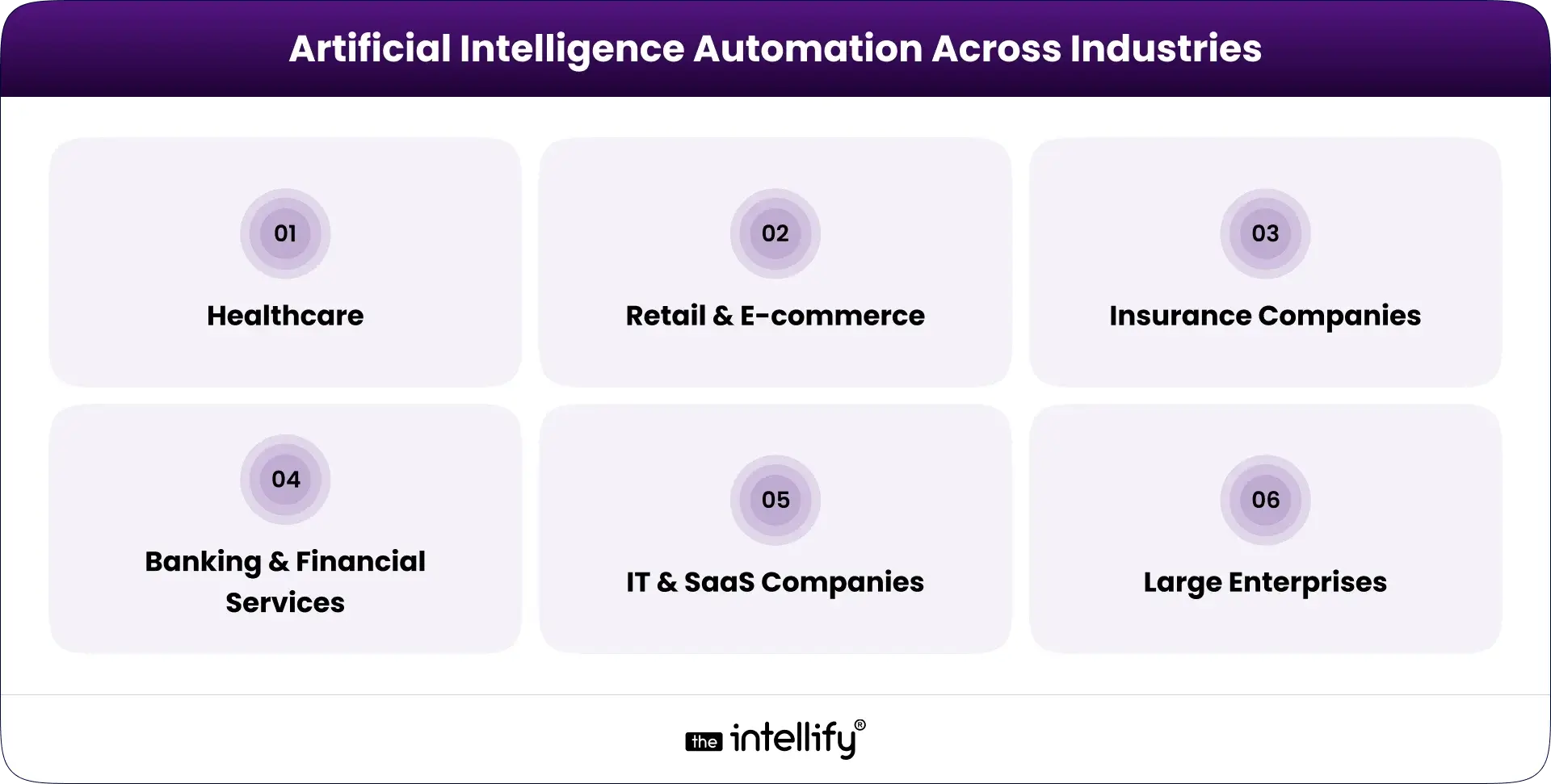
AI Automation Across Industries: Real-World Applications

AI automation across industries

Healthcare

  • Patient billing workflows run faster and cleaner.
  • Staff scheduling adapts automatically to demand and availability.

Retail & E-commerce

  • Inventory and finance systems stay in sync.
  • Workforce scaling during peak demand becomes predictable, not chaotic.

Insurance Companies

  • Claims processing accelerates.
  • Risk assessment becomes more consistent.

Banking & Financial Services

  • Loan processing automation reduces turnaround time.
  • Risk monitoring systems catch issues early.

IT & SaaS Companies

  • Internal support systems scale with growth.
  • Subscription revenue forecasting improves accuracy.

Large Enterprises

  • Multi-location operations stay coordinated.
  • Global compliance becomes manageable instead of overwhelming.


AI automation solutions


Key Benefits of AI Automation Across Internal Teams

AI automation brings steady, practical improvements to how teams work every day. It focuses on removing friction, not adding complexity.

1. Reduced operational costs

By cutting manual work and reducing errors, AI automation helps lower processing and rework costs without affecting quality.

2. Increased productivity

Teams spend less time on routine tasks and more time on meaningful work, improving overall output and focus.

3. Improved accuracy and compliance

Built-in checks and monitoring reduce mistakes in payroll, invoicing, and reporting, while keeping compliance on track.

4. Faster, data-backed decisions

Real-time insights replace delayed reports, helping managers act quickly and with confidence.

5. Better employee experience

Less repetitive work means lower stress and better engagement across departments.

6. Scalable growth without increasing headcount

Operations can grow without constantly adding staff, making expansion more manageable.


AI Automation as an Operational Partner, Not a Replacement

AI automation supports people. It doesn’t replace them.

1. Supporting HR Professionals:- HR spends less time on admin and more time on people.

2.Enabling Finance Teams to Focus on Strategy:- Finance shifts from reconciliation to planning and insight.

3.Empowering IT Teams with Predictive Tools:- IT becomes proactive instead of reactive.


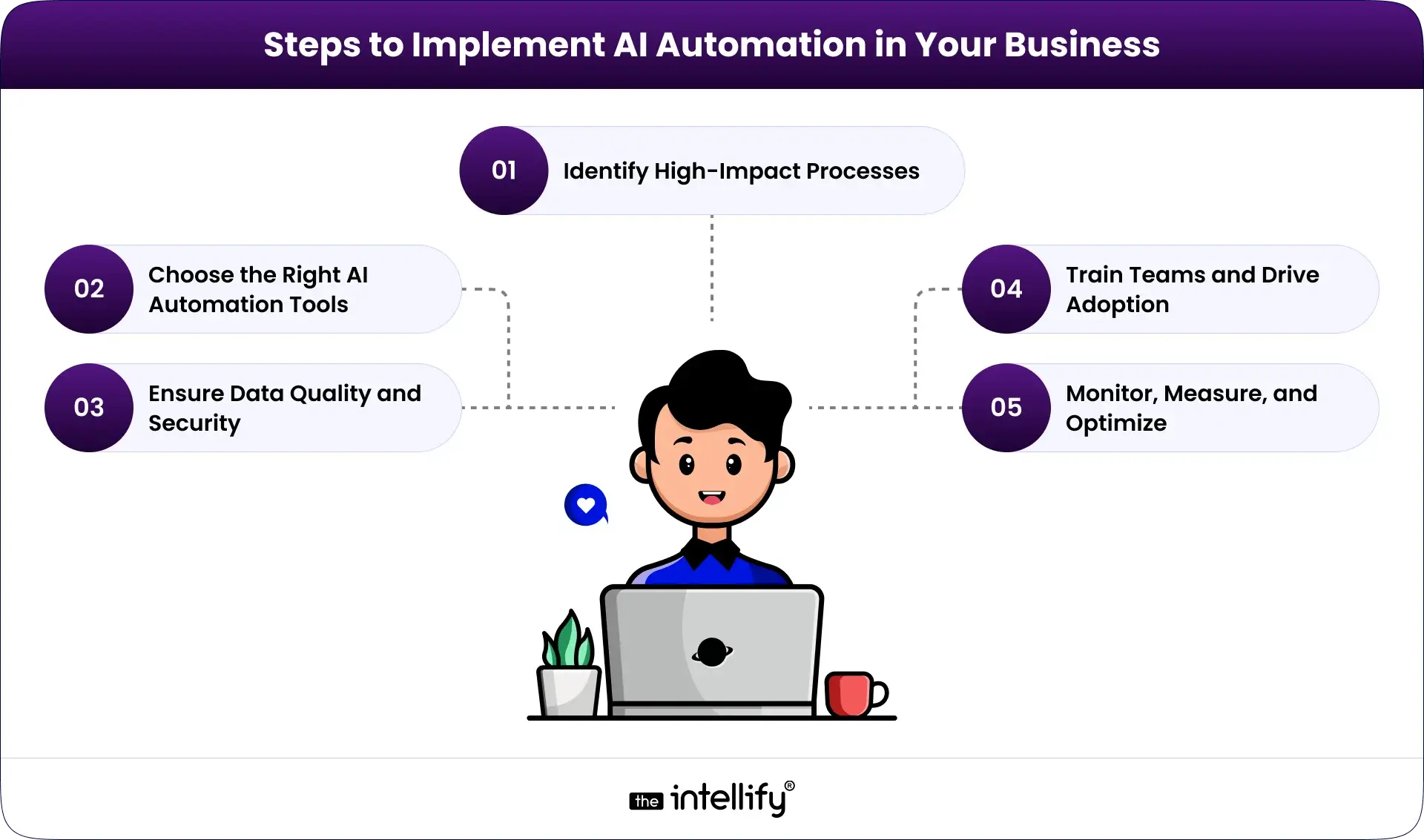
Steps to Implement AI Automation in Your Organization

Steps for AI Automation in Your Business

1. Identify High-Impact Processes

Start with repetitive, error-prone workflows.

2. Choose the Right AI Automation Tools

Flexibility, integration, and security matter more than features.

3. Ensure Data Quality and Security

AI is only as good as the data it learns from.

4. Train Teams and Drive Adoption

Automation works when people trust it.

5. Monitor, Measure, and Optimize

Treat automation as a system that evolves, not a one-time setup.


Key Challenges Businesses Face Without AI Automation

Businesses that rely mainly on manual systems often face growing operational pressure. Over time, these issues affect efficiency, costs, and employee motivation.

  • Heavy Dependence on Manual Processes:-  Many teams depend on spreadsheets, emails, and manual entry. This leads to repetitive work, slow approvals, and administrative overload, leaving little time for important tasks.
  • Slow and Fragmented Workflows:- When HR, finance, and IT use disconnected tools, workflows slow down. Updates are delayed, visibility is limited, and teams waste time coordinating basic information.
  • Increased Risk of Errors:- Manual handling increases the chance of payroll mistakes, invoice mismatches, and missed compliance checks. These errors often require extra time and effort to fix.
  • Limited Data Insights for Decision-Making:- Without automation, reports are often outdated. Financial insights arrive late, and leaders lack clear, predictive information for planning.
  • Difficulty Scaling Operations:- As workloads increase, efficiency does not always improve. Companies hire more staff just to keep up, creating higher costs and operational strain.
  • Employee Frustration and Low Productivity:- Too much routine work reduces focus and motivation. Employees have less time for strategic work, leading to slower responses and lower engagement.


The Future of AI Automation in Business Operations

AI automation is moving beyond simple task support. The next phase focuses on smarter, connected systems that guide operations in real time.

Agentic AI assistants will manage workflows from start to finish, reducing manual coordination between teams. Instead of reacting to problems, businesses will rely on predictive operational intelligence to identify delays and risks early.

Enterprise platforms will become more connected, allowing HR, finance, and IT to share data seamlessly. At the same time, processes will continuously improve in the background through ongoing monitoring and learning.


Conclusion

Modern enterprises aren’t defined by size. They’re defined by how smoothly things run when nobody’s watching. AI automation isn’t about replacing teams. It’s about giving them breathing room. Fewer blockers. Fewer errors. Fewer “Can you follow up on this?” messages.

Organizations that adopt AI automation early build operations that scale calmly. Those who wait often spend years untangling avoidable complexity.

If you’re exploring AI automation for HR, finance, or IT and want a practical, business-first approach, the right implementation partner makes all the difference. That’s where The Intellify helps organizations design AI automation that fits real operations, not just diagrams.


AI Automation for Operations


Frequently Asked Questions (FAQs)

1. What exactly is AI automation in business operations?

AI automation uses intelligent systems to manage repetitive and data-heavy business tasks. Unlike basic automation, it can learn from past activity and adjust to new situations. It helps HR, finance, and IT teams work faster, reduce errors, and make better decisions. Companies like The Intellify design AI automation systems that fit real workflows, not just technical models.

2. How does AI automation differ from traditional automation?

Traditional automation follows fixed rules and breaks when conditions change. AI automation learns from data and adapts over time. It can handle documents, emails, and changing processes without constant reprogramming. This makes it more reliable for growing businesses with complex operations.

3. Can AI automation replace human workers?

No. AI automation supports employees rather than replacing them. It handles routine tasks so teams can focus on planning, problem-solving, and strategy. When implemented properly, it reduces burnout and improves job satisfaction instead of eliminating roles.

4. What are common use cases of AI automation across departments?

Common use cases include resume screening in HR, invoice processing in finance, and ticket management in IT. It is also used for reporting, compliance checks, and internal support. These applications help departments work together more smoothly and reduce manual coordination.

5. Is AI automation only for large companies?

AI automation is useful for businesses of all sizes. Small and mid-sized companies often start with one or two workflows and expand gradually. With the right implementation partner, organizations can adopt automation without heavy upfront investment.

6. What are the costs and challenges of implementing AI automation?

Costs depend on system complexity, data readiness, and integration needs. Common challenges include poor data quality, resistance to change, and security concerns. These issues can be managed through proper planning, training, and phased implementation.

7. How can AI automation improve decision-making?

AI automation analyzes real-time data, identifies patterns, and highlights risks early. This helps managers make informed decisions instead of relying on delayed reports. Over time, it builds a clearer view of operations and supports long-term planning.

View
Case Study