Augmented Reality in Retail: How It Improves the Shopping Experience

Summary:
Shopping today is becoming more interactive and experience-driven, with technologies like augmented reality in retail helping customers make better decisions. By enabling virtual try-ons and real-world product visualization, AR reduces uncertainty and improves confidence before purchase. This blog explores how AR enhances customer experience, connects online and in-store journeys, and helps businesses achieve higher conversions, fewer returns, and stronger engagement.


Changing Expectations in the Retail Shopping Experience

Shopping today is no longer just about finding the right product at the right price. People expect more clarity and confidence before they buy. With so many options available online, customers want to understand how a product will actually look, feel, or fit into their lives before making a decision.

At the same time, traditional product pages are not always enough. Images and videos give some idea, but they don’t fully answer real questions customers have in mind. This is why there’s a growing shift toward more interactive and experience-driven shopping, where people can explore products in a more realistic and meaningful way.


Understanding Augmented Reality in Retail Environments

Augmented reality in retail allows customers to see digital products in their real-world environment using their phone, tablet, or in-store screens. Instead of imagining how something might look, they can place it in their space or try it virtually. This makes the shopping experience more practical and easier to understand.

It works across different touchpoints. On websites or apps, customers can use their camera to interact with products, while in physical stores, tools like smart mirrors or AR displays enhance product discovery. Compared to traditional online shopping, this approach feels more real and helps bridge the gap between browsing and actually experiencing a product.


Where Traditional Shopping Falls Short for Customers

Lack of real-world context

Most online listings don’t show how a product fits into real life. Customers often struggle to judge size, placement, or overall look, which makes decisions harder.

Uncertainty in buying decisions

When customers feel unsure, they tend to delay purchases or keep comparing options. This slows down the buying process and creates friction.

Dependence on guesswork

Without proper visualization, people rely on assumptions. In many cases, this leads to mismatched expectations after purchase.

Gap between online and in-store experience

In-store shopping allows customers to touch and try products, while online shopping doesn’t offer that same confidence. This gap often leads to hesitation or incomplete purchases.


How AR in Retail Helps Customers Make Better Buying Decisions

Visualizing products in real environments

AR in retail allows customers to see products in their own space, whether it’s furniture in a room or decor on a wall. As a result, the experience feels more real and easier to relate to.

Trying products virtually

From clothes to eyewear, customers can try products without physically using them. This makes it easier to understand fit, style, and overall appearance before buying.

Reducing confusion

When customers can clearly see how a product looks and works, many of their doubts are removed. This simplifies the entire decision-making process.

Building confidence while choosing

With better clarity, customers feel more sure about their choices. This often leads to quicker decisions and fewer second thoughts.
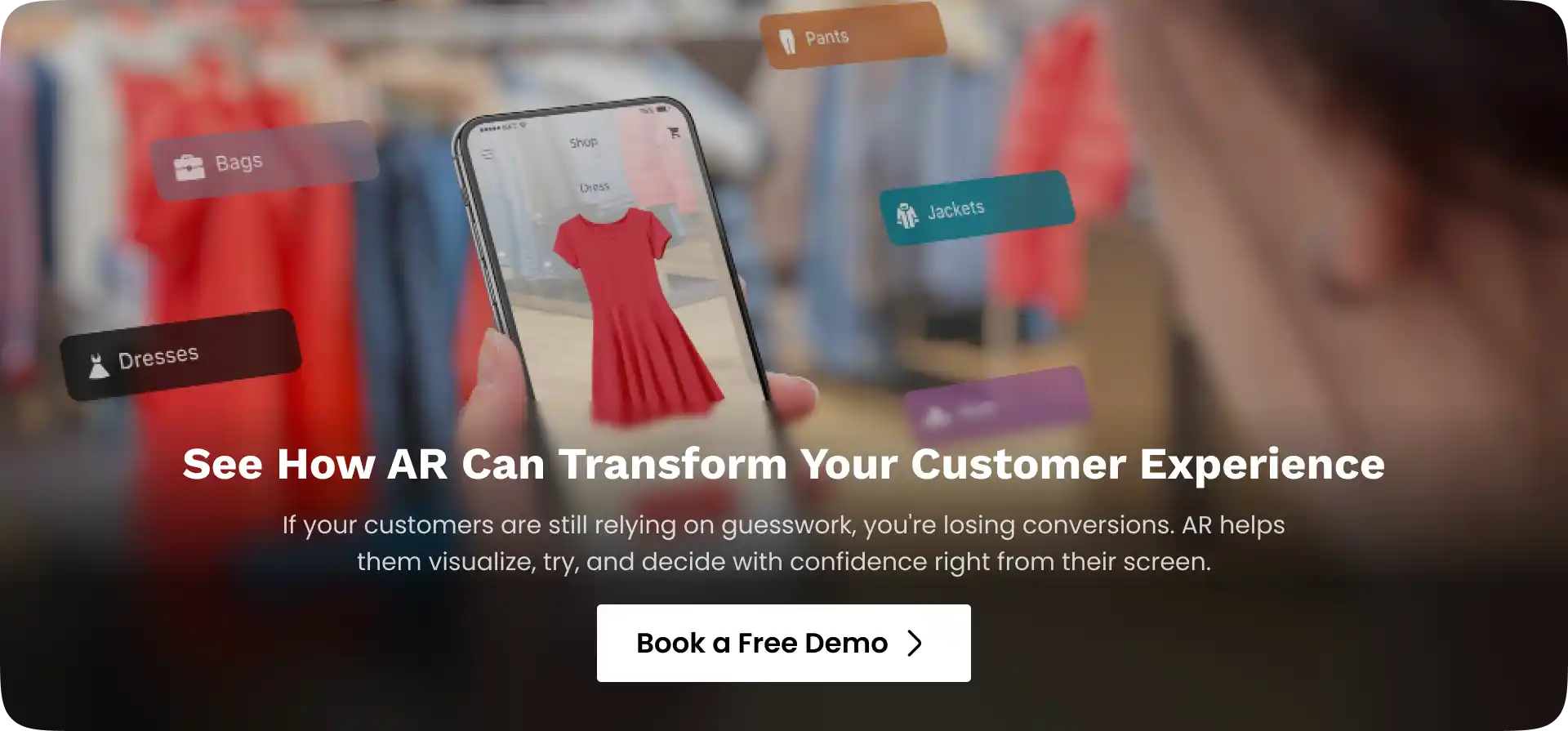
 

Augemented reality retail solutions


Practical Use Cases of AR in Retail Industry

Virtual try-ons

Retailers use AR to let customers try products like clothes, eyewear, or makeup without physically using them. This makes it easier to compare options and choose what suits them best.

Product placement in real spaces

Furniture and home decor brands allow customers to place products in their own rooms using their phone camera. This gives a clearer idea of size, fit, and how the product blends with the surroundings.

Interactive product experiences

AR can highlight product features in a more visual way. Instead of relying only on descriptions, customers can explore how a product works in a more practical manner.

In-store AR features

Physical stores use tools like smart mirrors or AR screens to improve product discovery. These features make browsing more engaging and reduce the effort of trying multiple items manually.

Online vs in-store AR usage

Online AR focuses on helping customers make decisions from home, while in-store AR enhances the physical shopping experience. Together, they create a more complete and connected journey.


Creating More Personalized Shopping Experiences with AR

Personalized product previews

AR can display products based on what a customer prefers or searches for. This makes the experience feel more relevant instead of showing the same options to everyone.

Integration with smart recommendations

When combined with customer data, AR can suggest products that match past behavior or interests. For example, it can highlight items similar to what a user has already explored.

Context-based experiences

AR can adapt based on location, time, or usage. Showing how a product fits into a specific environment makes the experience more practical and relatable.

More engaging shopping journeys

When the experience feels personalized, customers naturally spend more time exploring. This increases engagement and improves the chances of conversion.


Business Benefits of AR for Retailers

  • Improved conversion rates: When customers understand a product clearly, they are more confident in their decision. This directly increases the likelihood of completing a purchase.
  • Reduced returns: Clear expectations before buying help reduce mismatches after delivery. As a result, return rates tend to decrease.
  • Higher engagement: Interactive experiences keep customers involved for longer periods. This improves overall interaction with the brand.
  • Stronger brand recall: Unique and interactive experiences leave a lasting impression. Customers are more likely to remember and return to brands that offer something different.


Augmented Reality in Retail: Applications Across Key Segments
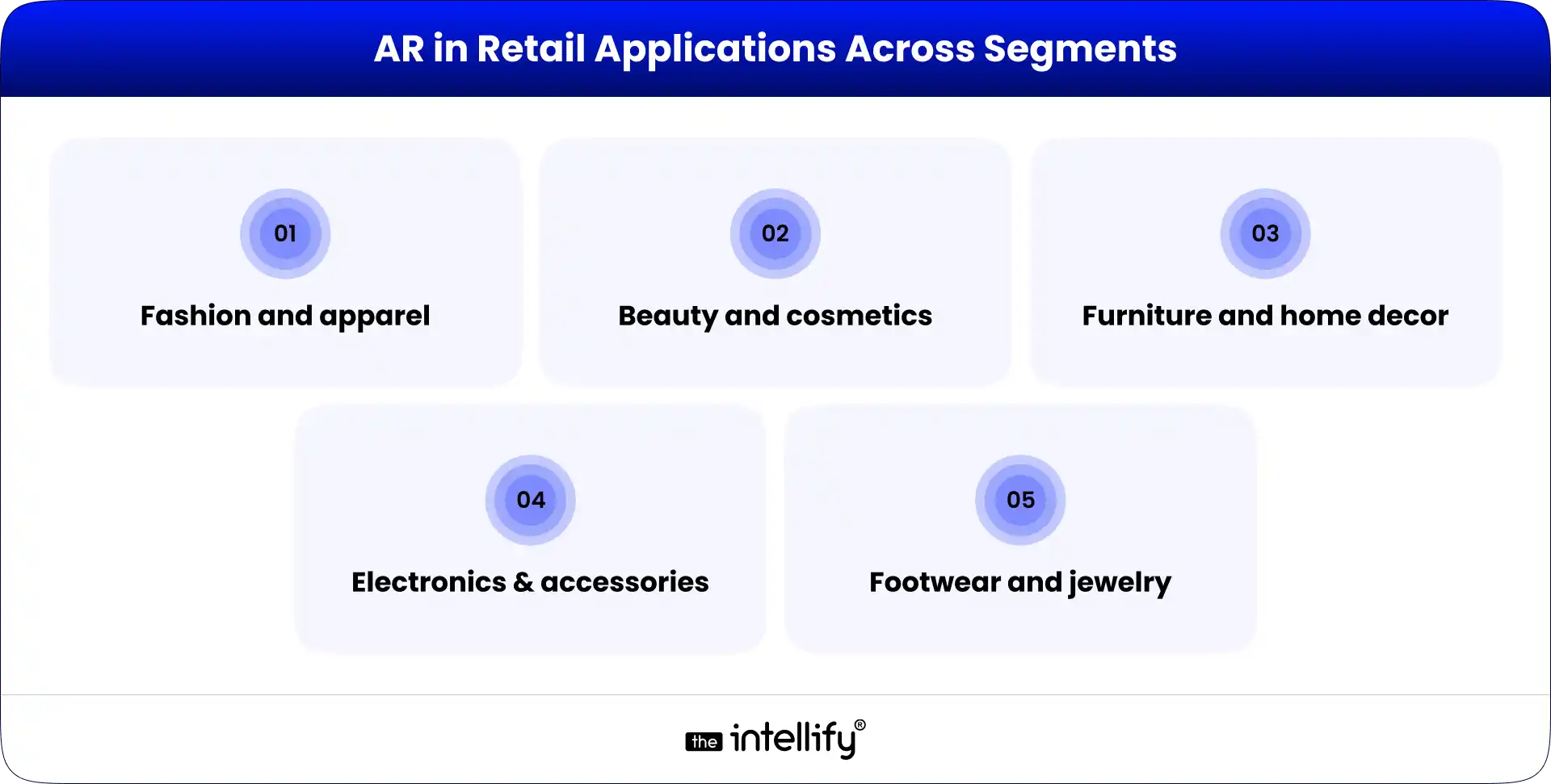
AR in Retail Applications

  • Fashion and apparel: Customers can try outfits virtually and see how they look before buying. This reduces effort and helps in making quicker decisions.
  • Beauty and cosmetics: AR allows users to test shades and products in real time. This removes confusion and helps them choose more accurately.
  • Furniture and home decor: Customers can place furniture in their own space and see how it fits with their surroundings. This avoids mistakes related to size or design.
  • Electronics and accessories: AR makes it easier to explore product features visually. Customers can understand usability without relying only on specifications.
  • Footwear and jewelry: These categories benefit from better visualization of design and fit. Customers can notice finer details, which supports better decision-making.


Challenges in Adopting AR in Retail Solutions

Development and setup:  Building AR experiences requires planning, tools, and investment. For larger product catalogs, this process can take time initially.

Device compatibility: Not all devices support AR at the same level. Ensuring a smooth experience across different platforms can be a challenge.

User adoption: Some customers may not be familiar with AR features right away. Keeping the experience simple is important to encourage usage.

Content maintenance: AR depends on accurate and updated 3D models. Maintaining this content consistently requires ongoing effort.


Opportunities for Retail Growth Using AR

Connecting online and offline retail: AR helps bring consistency between digital and physical shopping. Customers can move between both without losing context.

Creating unique experiences: Retailers can offer something more interactive and memorable. This helps them stand out in a competitive market.

Supporting omnichannel strategies: AR works across apps, websites, and stores. It ensures a smoother and more connected customer journey.

Building customer trust: When customers feel confident in their decisions, trust naturally increases. Over time, this leads to repeat purchases and stronger relationships.


The Future of AR for Retail Experiences

AR for the retail industry is becoming more accessible, especially with mobile and web-based experiences. Customers no longer need advanced tools simple devices are enough to access AR features, making it easier for brands to adopt.

As AR continues to evolve, it will work more closely with data and personalization systems. This will make shopping more intuitive, where customers can explore, compare, and decide in a seamless way across both online and offline channels.


AR in retail development services


Conclusion

Augmented reality is helping customers shop with more clarity and confidence. It reduces uncertainty, improves understanding, and makes the entire process more engaging. For businesses, it brings better conversions, fewer returns, and stronger customer connections.

As adoption grows, AR will become a natural part of retail experiences. It will continue to close the gap between online and in-store shopping, making the journey smoother and more effective for both customers and retailers.


Frequently Asked Questions (FAQs)

1. Is augmented reality in retail only useful for online shopping?

No, it works in both. Online, it helps customers visualize products at home. In physical stores, it’s used through smart mirrors, product scanners, or guided experiences to make shopping more interactive.

2. What kind of products benefit the most from AR in retail?

Products where size, fit, or appearance matters the most like clothing, furniture, beauty products, eyewear, and even footwear—see the biggest impact from AR experiences.

3. Does AR really reduce product returns in eCommerce?

Yes, because customers know what to expect before buying. When they can visualize size, fit, or placement accurately, there are fewer surprises after delivery, which naturally reduces returns.

4. Is augmented reality expensive for retailers to implement?

It depends on the scale. Basic AR features like product visualization can be implemented with moderate investment, while advanced experiences (like full virtual stores) require more resources and planning.

5. How is AR different from regular product images or videos?

Images and videos show a fixed view, while AR allows customers to interact with the product in their own space. This makes the experience more realistic and useful for decision-making.

6. Can AR personalize the shopping experience for each customer?

Yes, AR can be combined with data and AI to show products based on user preferences, past behavior, or even real-time context, making the experience more relevant and tailored.
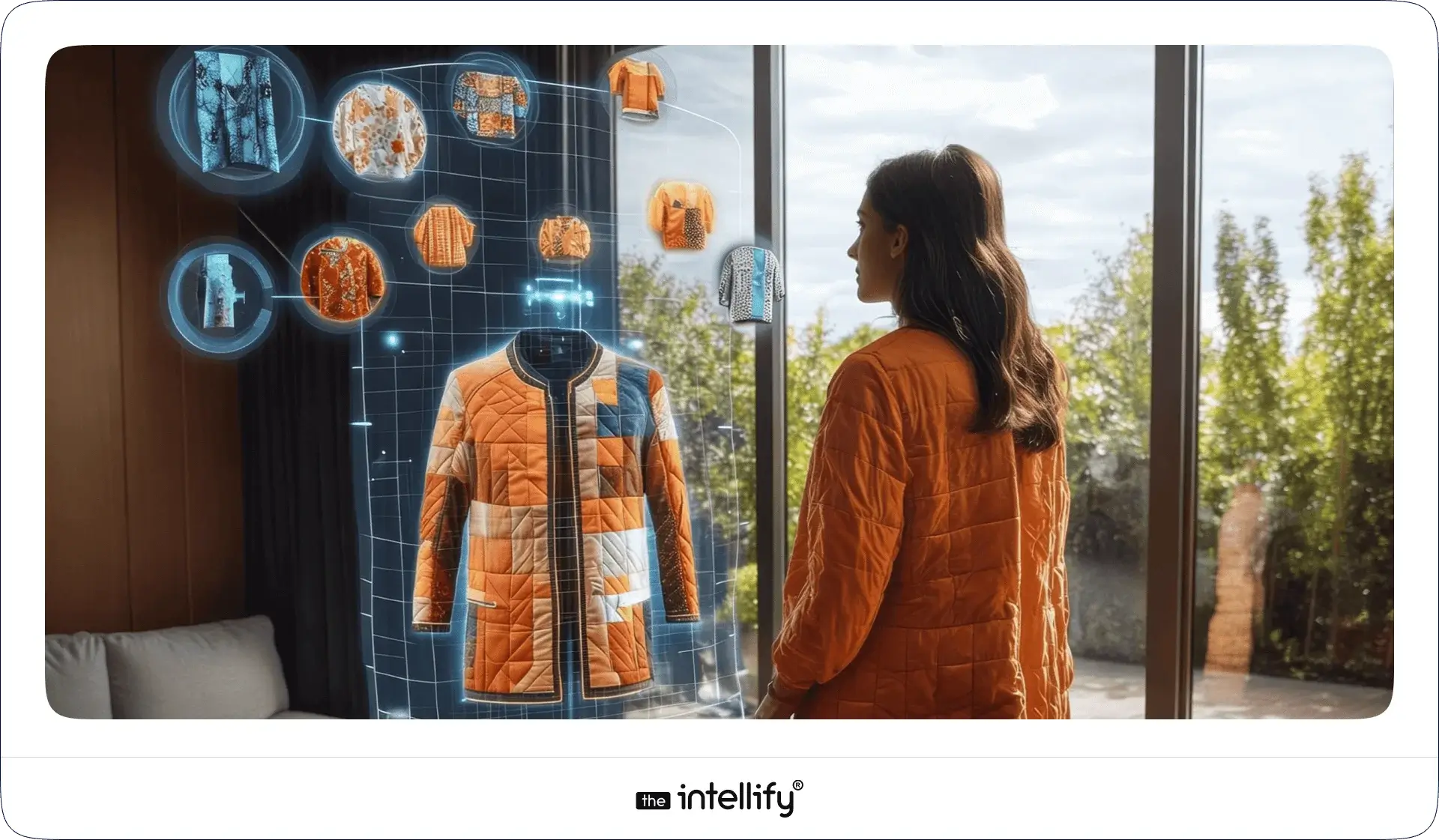
How AR Virtual Try-On Improves Online Shopping Experience

Summary:
AR virtual try-on is reshaping online shopping by letting customers preview products on themselves or in their real environment before purchasing. This guide breaks down how virtual try-on works, the technology behind it, and where it’s used across e-commerce. It also explores business and customer benefits, development steps, key challenges, and how virtual try-on is becoming a standard feature in modern digital retail experiences.

Does this shade suit my skin tone? Will these glasses slide down my nose? Is that sofa too big for the corner near the window?

Most shoppers guess. Many guess wrong. That’s why returns keep growing.

Virtual try-on changes that dynamic. As augmented reality becomes more common in e-commerce and retail, brands are realizing that customers don’t want more images or videos. They want context. They want to see the product on them or in their space.

AR virtual try-on bridges the gap between physical and digital shopping. It removes imagination from the process and replaces it with clarity, and that shift is redefining how people buy online.


What Is an AR Virtual Try-On Solution?

An AR virtual try-on solution lets customers preview products using their device camera before making a purchase.

Using augmented reality, digital versions of products like makeup, eyewear, apparel, or furniture are overlaid onto real people or real environments in real time. The product responds naturally as the user moves, turns, or changes angles.

This experience is very different from static product images or photo uploads. Static previews show what a product looks like. Real-time AR shows how it fits, sits, or feels.

Virtual try-on experiences can be web-based (WebAR) or app-based. WebAR offers quick access with no downloads, while native apps allow deeper customization and performance control. Both approaches work when aligned with the right use case.


How AR Works in Virtual Try-On Experiences

AR Virtual Try-On Experience

1. Core Technology Behind Virtual Try-On

Several technologies work together behind the scenes.

Computer vision enables the system to recognize faces, bodies, hands, or physical spaces. Object tracking keeps products aligned as users move. Detection models map facial landmarks, body proportions, or room dimensions. Real-time rendering ensures smooth visuals without lag.

When tracking slips or rendering slows, users notice immediately. A reliable virtual try-on experience depends on precision as much as speed.

2. User Journey Flow

From the user’s perspective, the flow feels simple.

  • They activate the camera.
  • They select a product.
  • They see a live preview instantly.

Most users instinctively adjust their position, tilting their head, stepping back, or rotating the phone. A good AR try-on responds without delay. From there, users can save a look, share it, or move straight to purchase. The best experiences stay out of the way and let curiosity do the work.


Key Components of an AR Virtual Try-On for E-Commerce

3D product models

High-quality 3D product models are the foundation of any virtual try-on experience. They need to look close to the real product, showing details clearly without feeling heavy or artificial. When models are realistic, customers trust what they’re seeing and stay engaged longer.

Accurate sizing and alignment

Correct sizing and alignment matter more than visual effects. Products should sit naturally on the user’s face, body, or space. Even small misalignment can break trust, while proper scaling helps customers feel confident about how the product will look in real life.

Device and browser compatibility

Virtual try-on should work smoothly across phones, tablets, and browsers. Users won’t troubleshoot technical issues just to try a product. Broad compatibility ensures more people can access the experience without friction.

Performance and load optimization

Speed plays a quiet but important role. Slow loading or laggy visuals quickly frustrate users. A fast, responsive experience keeps attention focused on the product instead of the technology behind it.

Analytics and behavior tracking

Analytics help businesses understand how customers use virtual try-on features. Tracking interactions, drop-offs, and popular products makes it easier to improve the experience and guide better decisions over time.

Integration with product pages and carts

Virtual try-on should connect directly to product pages and shopping carts. When users can move from trying a product to buying it without extra steps, the experience feels natural and conversions improve.


Real-World Examples of Successful Virtual Try-On

Beauty & cosmetics brands

Beauty brands such as L’Oréal and Sephora use virtual try-on to let customers test makeup shades in real time. Shoppers can switch colors, compare looks, and experiment freely without wiping off lipstick or guessing how a product might look under different lighting.

Eyewear and accessories

Eyewear brands like Warby Parker rely on AR virtual try-on to show how frames fit different face shapes. Customers can see how glasses sit on their nose, how wide the frames feel visually, and whether the style matches their features before placing an order.

Fashion and footwear

Fashion and footwear retailers, including Zara and Nike, use virtual try-on to improve product discovery. These experiences help shoppers preview styles, understand proportions, and feel more confident about fit and appearance when shopping online.

Furniture and Home décor

Brands like IKEA use AR to help customers place furniture in their actual living spaces. This allows shoppers to check size, layout, and visual balance before buying, which is especially useful when shopping for larger home items online.

What these brands achieved

Across industries, virtual try-on has led to stronger engagement, higher conversion rates, and fewer product returns. More importantly, shoppers feel confident about their choices, reducing hesitation and second thoughts during checkout.


Steps to Build an AR Virtual Try-On Solution

Steps to Build AR Virtual Try-On

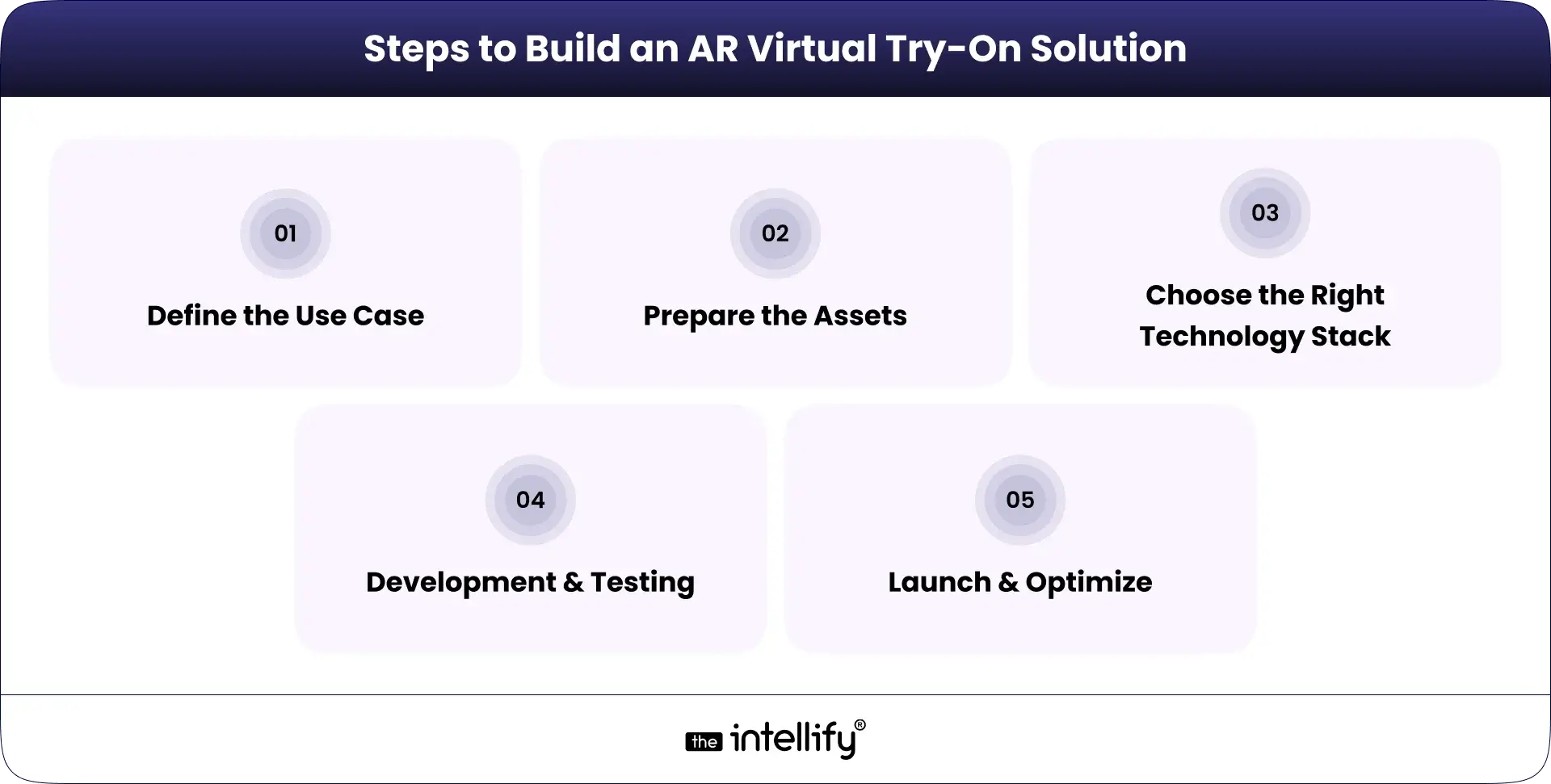
1. Define the Use Case

  • Product category: Pinpoint which products would benefit most from AR.
  • Platform (web, app, in-store): Decide if the solution will be web-based, app-based, or both.
  • Customer journey stage: Identify where in the customer journey AR fits best.

2. Prepare the Assets

  • Product scanning or 3D modeling: Get high-quality 3D images to ensure realism.
  • Texture and material accuracy: Make sure the materials look authentic and true to life.

3. Choose the Right Technology Stack

  • WebAR vs native AR: Choose the right approach based on your resources and desired user experience.
  • SDKs, frameworks, and engines: Select the tools that best align with your platform choice.

4. Development & Testing

  • Tracking accuracy: Test how well the AR aligns with user movements.
  • Performance across devices: Ensure a uniform performance on various devices.
  • UX refinement: Collect feedback for ongoing improvements.

5. Launch & Optimize

  • A/B testing: Try out different features to see which ones resonate best with users.
  • Analytics-driven improvements: Use data insights to continually refine the experience.


Virtual Try-On Solutions


Benefits of Virtual Try-On for Businesses

Higher conversion rates: When customers can see how a product looks or fits before buying, they feel more confident. That confidence often turns into completed purchases.

Reduced product returns: Virtual try-on sets clearer expectations. When products match what customers saw during try-on, returns naturally drop.

Lower customer hesitation: Letting shoppers try before they buy removes doubt. Decisions feel easier, and checkout happens faster.

Increased time on site: Interactive try-on experiences encourage users to explore more products, spend more time browsing, and stay engaged longer.

Stronger brand differentiation: Offering virtual try-on helps brands stand out in crowded markets by providing a more useful and memorable shopping experience.


Benefits of Virtual Try-On for Customers

Try before buying from anywhere: Customers can preview products from home, at work, or on the move. Seeing items on themselves or in their space helps them feel more comfortable before buying.

Better confidence in purchase decisions: Real-time previews reduce guesswork. When shoppers know what to expect, trust increases and second thoughts decrease.

Fun, interactive shopping experience: Virtual try-on adds an interactive layer to shopping. Instead of scrolling endlessly, customers can explore products in a more engaging way.

Fewer sizing and style mistakes: AR helps shoppers choose items that fit their size, style, and space more accurately, reducing the chance of ordering the wrong product.

Faster decision-making: Quick, clear previews make decisions easier. Customers spend less time doubting and more time moving forward with their purchase.


Use Cases of AR Virtual Try-On in Shopping

Use Cases of AR Virtual Try-On in Shopping

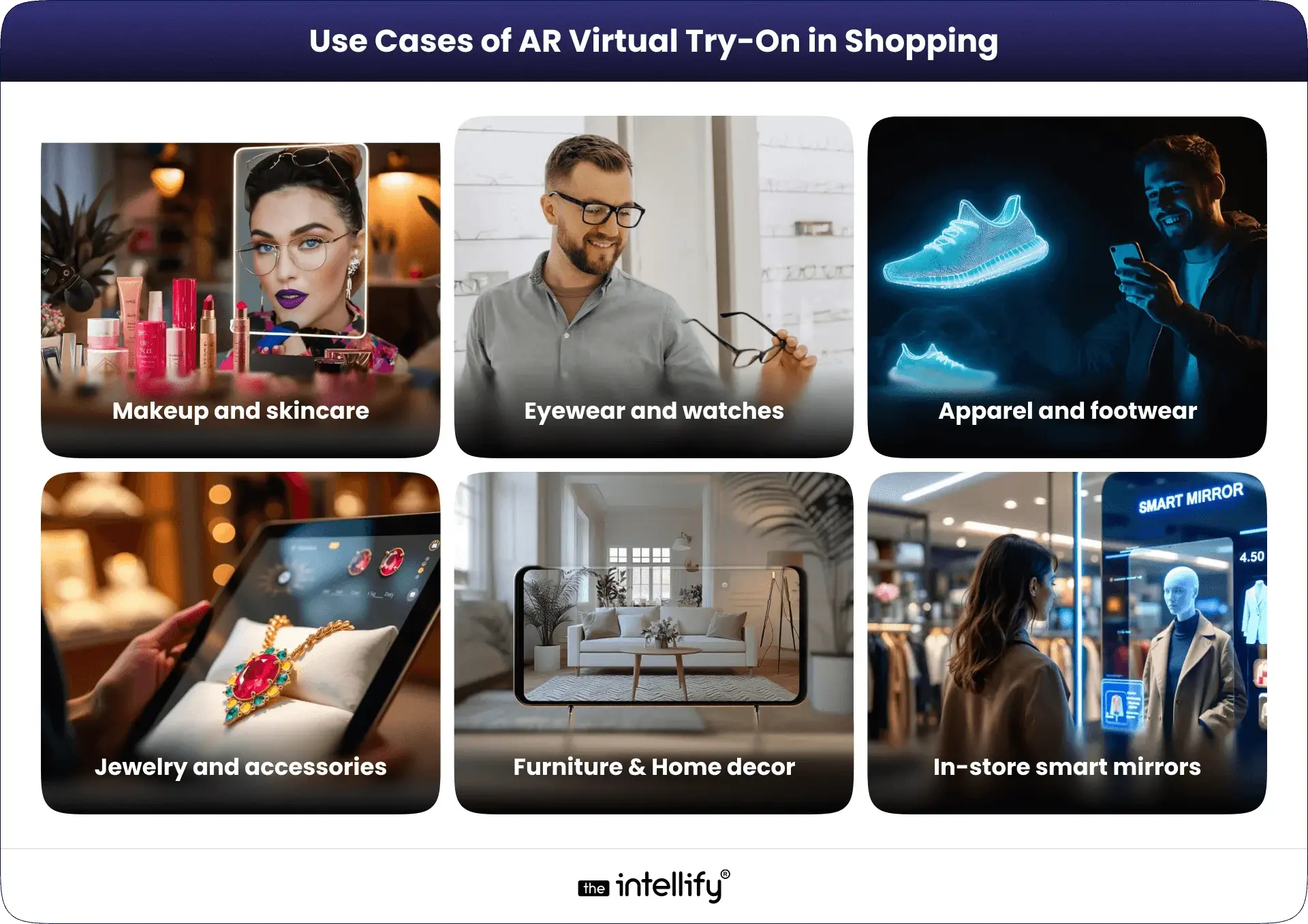
1. Makeup and skincare: Virtual try-on lets shoppers test shades, finishes, and tones in real time, helping them find what suits their skin without physical samples.

2. Eyewear and watches: AR helps customers see how frames or watches look on their face or wrist, making it easier to judge style and fit before buying.

3. Apparel and footwear: Shoppers can preview how clothes or shoes sit on their body, giving a better sense of proportions and overall look.

4. Jewelry and accessories: Virtual try-on allows users to see how rings, necklaces, or earrings complement their outfit and personal style.

5. Furniture placement at home: AR helps customers place furniture or décor items in their actual living space, making size and layout easier to judge.

6. In-store smart mirrors: Interactive smart mirrors allow shoppers to try products digitally inside physical stores, blending online convenience with in-store browsing.

You can also read our detailed blog on virtual try-on use cases


Impact on Customer Experience & Business Operations

1. Customer Experience

Virtual try-on reduces guesswork and builds trust. Customers feel informed rather than pressured. That sense of control leads to stronger engagement and satisfaction.

2. Business Operations

On the operational side, fewer returns reduce logistics costs. Try-on data supports better merchandising and inventory decisions. Customer support teams face fewer pre-purchase questions, streamlining workflows.


Challenges & Limitations to Consider

Accuracy expectations: Customers often expect virtual try-on results to perfectly match real-life products. When visuals feel even slightly off, trust can drop quickly.

Device performance differences: Not all smartphones or browsers handle AR at the same level. Older devices may struggle with tracking, speed, or visual quality.

3D content creation cost: Creating accurate, high-quality 3D product models takes time and resources, especially for large or frequently changing catalogs.

Privacy and camera permissions: Some users hesitate to enable camera access. Clear communication about data use is important to reduce concerns and build confidence.

User onboarding friction: If instructions feel confusing or setup takes too long, users may drop off early. A simple, guided entry into the experience makes a noticeable difference.


The Future of Virtual Try-On in Retail

The future of AR virtual try-on is moving toward more accurate and personalized experiences. Better AI integration will improve sizing, tracking, and product recommendations, making try-ons feel more natural and responsive. As these technologies mature, virtual try-on will shift from being a helpful feature to an expected part of online shopping, especially for brands focused on reducing friction and building customer confidence.


From Idea to Experience: How Brands Begin with Virtual Try-On

Building a virtual try-on experience starts long before development. Brands need clarity on what problem they are solving, which products benefit most from try-on, and where the experience fits in the customer journey.

Key early steps usually include:

  • Defining clear business and user goals
  • Understanding target audiences and device usage
  • Deciding whether the experience should live on the web, in an app, or in-store

Once the direction is clear, working with experienced AR teams helps reduce trial-and-error. This is where teams like The Intellify support brands by validating use cases, selecting the right technology approach, and testing early prototypes with real users. The focus stays on building something useful, stable, and easy to adopt, not just visually impressive.


Build an virtual try-on


Conclusion: Virtual Try-On Is Becoming a Shopping Standard

AR virtual try-on is no longer an experiment or a short-term trend. It’s becoming a practical part of how people shop online. By reducing guesswork, improving engagement, and helping customers feel confident before buying, virtual try-on solves real problems for both shoppers and retailers.

For brands exploring how to adopt this approach, starting with the right strategy and technology matters. Teams like The Intellify often help businesses assess where virtual try-on fits best, test ideas, and build experiences that are useful, not overcomplicated.


Frequently asked questions

1. What is AR virtual try-on and how does it work?

AR virtual try-on uses your camera and augmented reality to show how a product might look on you or in your space. Instead of just photos, you see a live preview that moves with you, helping you decide before you buy.

2. How does virtual try-on make online shopping better?

It helps reduce guesswork. When you can see how something actually looks or fits, you feel more confident buying it. That often leads to happier customers, fewer returns, and faster decision-making.

3. Do I need to download a special app to use virtual try-on?

Not always. Many brands now let you use AR try-on right in your phone or laptop browser without an app. All you usually need is camera access and a product page that supports it.

4. Is virtual try-on accurate for all types of products?

Accuracy depends on the product and technology. It’s very good for things like eyewear, jewelry, makeup, watches, and furniture placement. For clothing, it helps with style and look, but size and fit might still need traditional size guides.

5. Can virtual try-on help reduce product returns?

Yes. When shoppers can preview items realistically, they are less likely to be surprised when the product arrives. That means fewer returns and less disappointment for customers and retailers alike.

6. Is my privacy safe when using virtual try-on tools?

In most cases, yes. Good virtual try-on tools only use your camera temporarily to generate a live preview and don’t store your personal image unless you choose to save or share it. Always check the privacy notes if you’re unsure.

7. What kinds of products benefit the most from virtual try-on?

Products where appearance matters most benefit the most like glasses, hats, jewelry, makeup, shoes, and even home items such as furniture. These are things where seeing it “on you” or “in your room” really helps your choice.

View
Case Study