Summary:
This guide explains how technology can help Direct Primary Care practices scale without increasing administrative workload at the same pace. It covers DPC software, membership management, scheduling, billing, patient communication, automation, AI, and healthcare platform modernization, while outlining practical ways practices can build a more connected and scalable technology infrastructure.
Running a Direct Primary Care (DPC) practice is different from running a traditional fee-for-service practice. The membership model can give physicians more predictable revenue and more time with patients. But growth brings its own problems.
More members mean more appointments, messages, payments, onboarding tasks, reminders, and questions for the practice team to handle.
At first, these tasks may be manageable with spreadsheets, email, phone calls, and a few separate software tools. Then the practice grows. Suddenly, the same processes that worked for 200 members start creating friction at 500 or 1,000.
That is where DPC technology becomes important.
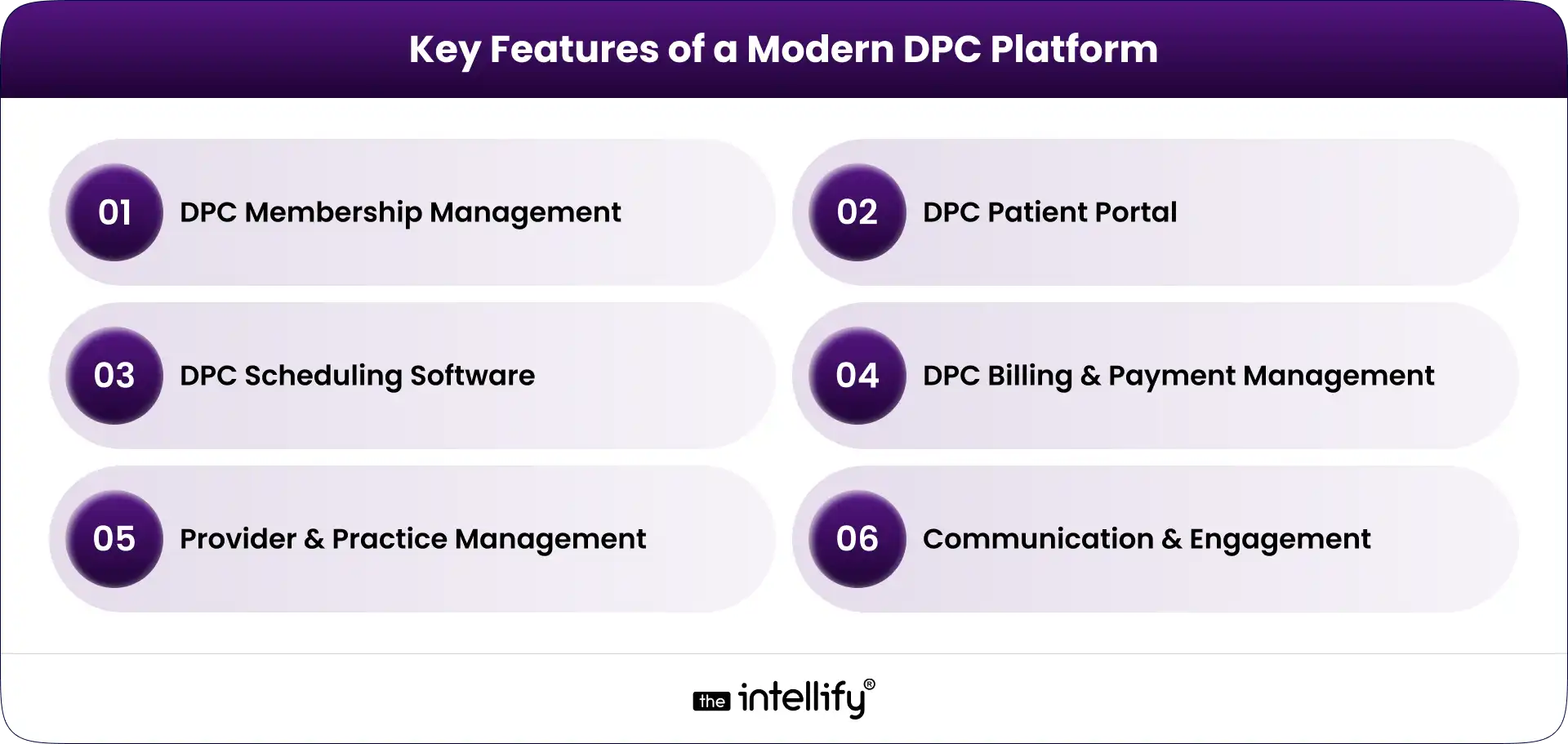
A well-designed Direct Primary Care platform can connect membership management, scheduling, billing, communication, patient self-service, and reporting in one operational environment. The goal isn’t to add technology for the sake of it. It is to make growth easier to manage without allowing administrative work to take over the practice.
What Does Scaling a Direct Primary Care Practice Actually Mean?
Scaling a DPC practice isn’t simply about adding more patients.
The real question is: Can the practice support more members without increasing administrative complexity at the same rate?
If every additional 100 members requires another large increase in staff time, phone calls, manual data entry, and billing work, the practice may be growing without actually becoming more efficient.
Growth Isn’t Just About Adding More Patients
Sustainable DPC growth usually involves several things happening together:
- Increasing membership without compromising care quality
- Making appointments easier to manage
- Keeping physicians focused on patient care
- Reducing repetitive administrative work
- Collecting recurring membership payments reliably
- Giving patients convenient ways to communicate with the practice
- Understanding what is happening across the practice through useful data
A growing DPC practice needs operating processes that can handle a higher volume. Technology can support those processes, but only when it is designed around how the practice actually works.
Where Traditional DPC Operations Start to Struggle
Many practices begin with simple tools. A calendar handles appointments. A payment system handles memberships. Email handles communication. Staff maintain spreadsheets to track information.
That setup isn’t necessarily wrong. The trouble starts when these systems don’t communicate with one another.
Staff may need to enter the same information several times. A patient’s membership status might sit in one system while billing information lives somewhere else. Appointment changes may require manual follow-up.
Those small inefficiencies add up. And when something goes wrong, figuring out where the problem started can be frustrating.
Why Technology Matters as a DPC Practice Grows
Technology should solve operational problems, not create another layer of them. The right DPC software can take routine work away from staff, make information easier to access, and give patients more control over simple tasks.
Reduce Repetitive Administrative Work
Consider patient onboarding. Without automation, a new member may require a staff member to send forms, check whether they were completed, update records, confirm payment, send instructions, and schedule an initial visit.
A connected workflow can handle much of that process automatically. The staff still has oversight, but they aren’t manually pushing every step forward.
The same idea applies to appointment reminders, membership notifications, payment follow-ups, and other routine tasks.
Give Patients More Ways to Manage Their Care
Patients are used to handling many everyday services online. Healthcare is no exception. A DPC patient portal can let members:
- View or request appointments
- Complete forms
- Send secure messages
- Review relevant information
- Receive practice updates
- Manage certain account details
This doesn’t mean every patient interaction should become digital. Some people will always want to call. That’s fine. The point is to give patients options while reducing unnecessary work for the front desk.
Give Physicians and Staff Better Operational Visibility
As membership grows, practice leaders need more than individual records. They need to see what is happening across the business.
A modern DPC platform can bring information about memberships, appointments, billing, communication, and operational activity into a more connected view.
That makes it easier to identify issues early instead of discovering them after they become bigger problems.
7 Ways Technology Can Help Scale a DPC Practice
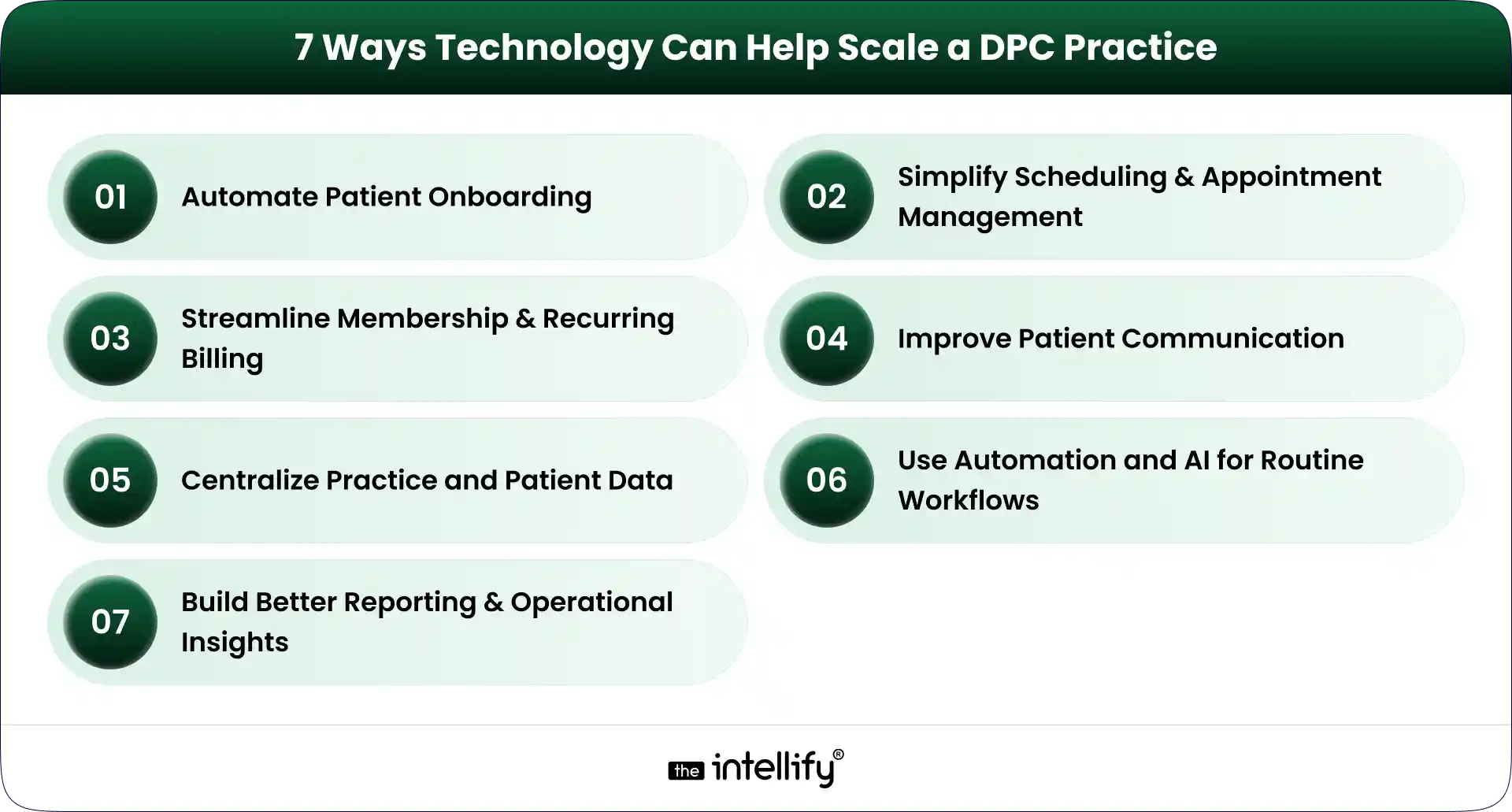
Technology can support nearly every part of the DPC member journey. But seven areas tend to have the biggest operational impact.
1. Automate Patient Onboarding
Patient onboarding is one of the first places where manual processes become difficult to maintain.
A DPC membership platform can guide a new member through registration, forms, consent, payment, and initial appointment scheduling.
For example, a new member could:
- Register online.
- Select a membership plan.
- Complete required information.
- Submit payment details.
- Receive onboarding instructions.
- Schedule an initial appointment.
The workflow can then notify staff when human attention is actually needed. This creates a better experience for the patient and reduces repetitive work for the practice team.
2. Simplify Scheduling and Appointment Management
Scheduling sounds simple until appointment volume increases. Phone calls, cancellations, rescheduling, reminders, provider availability, and different appointment types can quickly become a daily headache.
DPC scheduling software can give patients online access to available appointment slots while allowing staff to maintain control over scheduling rules. Useful capabilities can include:
- Online appointment booking
- Automated reminders
- Rescheduling
- Cancellation workflows
- Calendar integration
- Provider availability management
- Appointment-type configuration
The objective is not to remove staff from scheduling. It is to stop staff from spending their day doing tasks that patients can safely handle themselves.
3. Streamline Membership and Recurring Billing
Membership billing is central to the DPC model. A DPC billing software solution can help practices manage recurring payments, membership status, payment failures, invoices, and account changes.
Automated payment workflows can also reduce the awkward situation where staff have to repeatedly contact members about missed payments.
A good billing workflow should make it clear:
- Who is an active member?
- Which plan are they enrolled in?
- When is the next payment due?
- Did the payment succeed?
- Is an account past due?
- Has a membership been paused or canceled?
The more members a practice has, the more important this visibility becomes.
4. Improve Patient Communication
Patient communication doesn’t stop when an appointment ends. Members may have questions, need follow-up information, or simply need to know what happens next.
A DPC patient portal can provide a secure channel for appropriate communication between patients and the practice.
Automated messages can also handle routine updates such as appointment reminders, onboarding instructions, and payment notifications.
For practices with higher call volumes, AI-powered or automated communication can potentially help with common administrative questions and routing. But clinical questions still need appropriate clinical oversight. That distinction matters.
5. Centralize Practice and Patient Data
Disconnected systems create unnecessary work. When membership data, scheduling, billing, patient communication, and clinical information sit in separate systems, staff often end up acting as the bridge between them.
A connected DPC platform can reduce that problem by integrating the systems and workflows that the practice depends on.
The exact architecture will vary by practice. Some may use an existing EHR and add a membership layer. Others may need deeper integrations or a more customized platform.
The goal is the same: reduce unnecessary movement of information between systems.
6. Use Automation and AI for Routine Workflows
AI is becoming part of healthcare operations, but it needs to be used carefully. For DPC practices, practical use cases can include:
- Handling common administrative questions
- Appointment reminders
- Basic patient routing
- Follow-up notifications
- Intake assistance
- Voice-based administrative interactions
- Staff workflow automation
The best use cases are often the less glamorous ones. If a staff member answers the same five questions 30 times a week, that is a potential automation opportunity.
AI shouldn’t be treated as a replacement for physicians. It should handle appropriate routine work so clinicians and staff can spend more time on tasks that actually require their expertise.
7. Build Better Reporting and Operational Insights
Growth becomes difficult to manage when practice leaders can’t see what is happening. A modern DPC technology stack can provide reporting around areas such as:
- Membership growth
- Membership churn
- Appointment volume
- No-shows
- Payment collection
- Outstanding balances
- Patient engagement
- Staff workload
These numbers don’t need to become a giant dashboard nobody checks. A smaller set of useful metrics is often better.
For a multi-provider or multi-location DPC organization, however, this visibility becomes increasingly important. Leaders need to understand which locations are growing, where operational bottlenecks exist, and whether processes are keeping pace.
What Should a Modern DPC Technology Stack Include?
A modern DPC platform doesn’t necessarily mean one giant piece of software that does everything. It means the important systems work together.
| Capability | What It Helps With |
|---|---|
| Patient portal | Patient self-service and communication |
| Scheduling | Appointment booking and reminders |
| Membership management | Enrollment and member lifecycle |
| Billing | Recurring payments and payment tracking |
| EHR/clinical integration | Patient and clinical data workflows |
| Automation | Repetitive administrative processes |
| Analytics | Practice performance and growth |
| Communication | Patient engagement and notifications |
The right combination depends on the practice. A small single-location clinic may need a relatively simple setup. A larger DPC organization may require deeper integrations, custom workflows, centralized reporting, and more sophisticated automation.
That is why choosing DPC software should start with operational requirements rather than a feature checklist.
When Should a DPC Practice Consider Upgrading Its Technology?
There isn’t one membership number that automatically means a practice needs new software. Instead, look for operational signals.
1. Your Team Is Spending Too Much Time on Manual Tasks
If staff repeatedly copy information between systems, manually send reminders, or chase routine paperwork, it may be time to rethink the workflow.
2. Patient Volume Is Growing Faster Than Operations
If membership is increasing but administrative work is increasing even faster, the current technology setup may not be scaling properly.
3. You Are Managing Too Many Disconnected Tools
Five tools aren’t necessarily better than one. When those tools don’t share information, however, the practice can end up paying for integration problems with staff time.
4. You Are Opening Additional Locations
Multi-location DPC practices usually need stronger centralized systems for memberships, billing, scheduling, reporting, and user management.
What works for one location may become messy across three or five.
5. Your Existing Software Limits New Workflows
Sometimes the problem isn’t that the existing system is bad. It may simply have been designed for an earlier stage of the practice.
If you can’t introduce a workflow you now need because the software doesn’t support it, modernization may be worth considering.
6. Patients Expect More Digital Self-Service
Patients increasingly expect convenient digital options for scheduling, communication, forms, and account management.
A practice doesn’t need to digitize everything. But basic self-service capabilities can remove friction for both patients and staff.
Buy DPC Software or Build a Custom DPC Platform?
This is one of the bigger technology decisions a growing DPC practice can face. There isn’t a universal answer.
When Off-the-Shelf DPC Software Makes Sense
Off-the-shelf DPC software can be a practical choice when:
- Your workflows are relatively standard
- You need to implement quickly
- You don’t need extensive customization
- Existing integrations meet your requirements
- Your practice is comfortable adapting some processes to the software
The main advantage is simplicity. You aren’t responsible for building and maintaining every feature yourself.
When a Custom DPC Platform May Be Better
Custom DPC development becomes more relevant when the practice has requirements that standard products can’t handle well. That may include:
- A unique membership model
- Complex billing rules
- Multiple locations or entities
- Specialized integrations
- A highly customized patient experience
- Existing legacy systems
- Proprietary workflows
- Specific reporting requirements
Custom doesn’t automatically mean better. It means the technology can be designed around the practice instead of forcing the practice to work around the software.
A Hybrid Approach Can Also Work
There is another option: modernize in stages.
A practice might keep its existing EHR while improving its membership, billing, scheduling, patient portal, or communication layer.
This approach can make sense when the underlying clinical system still works, but the surrounding technology has become outdated.
That is where healthcare platform modernization can be useful. Instead of throwing everything away, the practice can identify what needs to change and improve those areas first.
How to Modernize DPC Technology Without Disrupting Patient Care
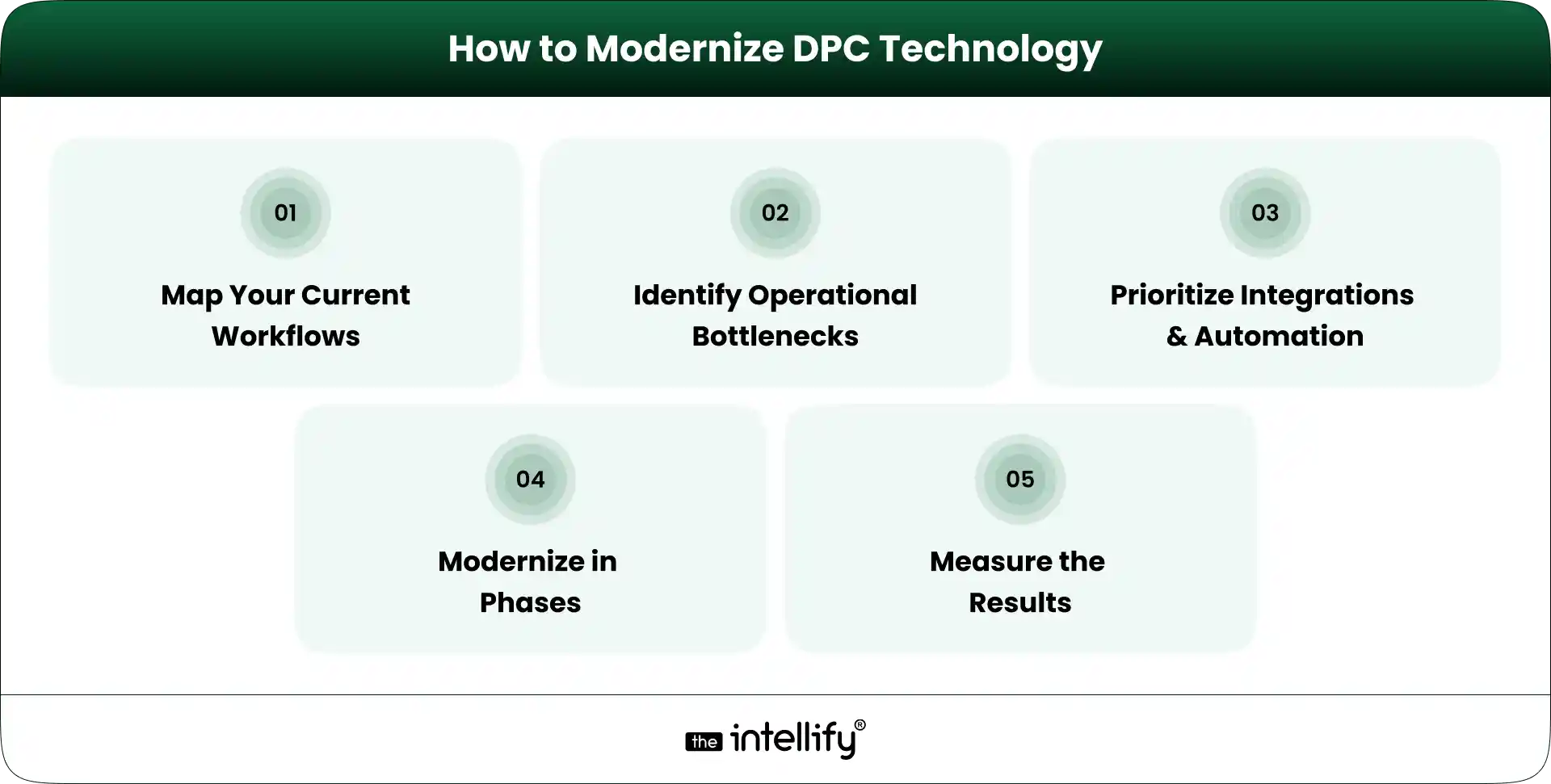
Technology projects can become disruptive when practices try to change too much at once. A phased approach is usually easier to manage.
1. Map Your Current Workflows
Document what actually happens today. Follow the member journey from registration to onboarding, appointment scheduling, billing, communication, and ongoing care.
Don’t just document what the software is supposed to do. Document what staff actually do. That difference can be revealing.
2. Identify the Biggest Operational Bottlenecks
Look for tasks that consume significant staff time or regularly create errors. For example:
- Manual data entry
- Payment follow-ups
- Appointment coordination
- Patient inquiries
- Repetitive reporting
- Duplicate information across systems
3. Prioritize Integrations and Automation
Not every workflow needs automation. Prioritize tasks that are repetitive, predictable, high-volume, and relatively low-risk.
At the same time, identify which systems need to exchange data. Integration can be just as important as automation.
4. Modernize in Phases
Instead of replacing everything in one project, establish clear phases. For example:
Phase 1: Membership and onboarding
Phase 2: Scheduling and patient communication
Phase 3: Billing and payment workflows
Phase 4: Reporting and automation
Phase 5: Advanced AI or voice workflows
The exact order should depend on the practice’s bottlenecks.
5. Measure the Results
Technology should produce measurable operational improvements. Useful KPIs can include:
- Administrative time per member
- Scheduling time
- Payment collection rate
- Patient response time
- Membership retention
- Staff workload
If a new system doesn’t improve the workflow, it’s worth asking why.
Common Technology Mistakes DPC Practices Should Avoid
Technology can solve problems, but a poorly planned implementation can create new ones.
Adding Too Many Disconnected Tools
More software doesn’t automatically mean better operations. Every new system introduces another login, workflow, integration, and potential failure point.
Automating Before Fixing the Workflow
Automating a bad process simply makes the bad process happen faster. Map the workflow first. Then decide what should be automated.
Ignoring the Patient Experience
A practice may save staff time while making things harder for patients. That is not a successful technology project. Test workflows from the member’s perspective, too.
Treating Security and Compliance as an Afterthought
Healthcare technology handles sensitive information. Security, access controls, data protection, auditability, and applicable healthcare compliance requirements need to be considered from the beginning, not added at the end.
Choosing Software That Cannot Scale With the Practice
A tool that works for 150 members may not work for 1,500. Before selecting a DPC platform, consider where the practice expects to be in the next few years.
Replacing Everything at Once
A complete technology replacement can create unnecessary risk. If an existing system still works well, keep it where practical and modernize the parts that are holding the practice back.
How The Intellify Can Help Modernize a DPC Practice
The technology needs of every DPC practice are a little different. The Intellify can help practices and healthcare organizations evaluate those requirements and build or modernize technology around their actual workflows.
That can include:
- Custom DPC platform development
- DPC platform modernization
- Patient-facing digital experiences
- Workflow automation
- Third-party integrations
- Scheduling and billing workflows
- Patient portals
- Scalable application architecture
- AI and automation for appropriate operational use cases
The starting point shouldn’t be a list of features. It should be the practice’s current workflow, its biggest operational problems, and where it wants to go next.
Final Thoughts: Scale the Practice, Not the Administrative Burden
Scaling a Direct Primary Care practice is not just a matter of bringing in more members.
The operating model has to scale, too. Scheduling, onboarding, billing, communication, reporting, and patient self-service all become more important as membership grows. If those processes remain heavily manual, growth can create a surprising amount of administrative pressure.
The right DPC technology strategy can change that. A modern DPC platform should connect the workflows that matter, automate appropriate repetitive tasks, and make information easier for staff and patients to access. But there is no single technology stack that works for every practice.
Start with the bottlenecks. Understand the workflows. Decide what should be integrated, automated, replaced, or left alone.
Then build from there. The goal is simple: help the practice grow without making the administrative burden grow at the same speed.

Frequently Asked Questions (FAQs)
1. How can DPC software help a practice scale?
DPC software can reduce repetitive administrative work, automate recurring processes, support online scheduling and payments, improve patient communication, and provide better visibility into membership and practice operations.
2. Can DPC practices automate membership billing?
Yes. DPC practices can use billing technology to manage recurring membership payments, track payment status, handle failed transactions, and maintain membership billing records. The specific capabilities depend on the software and payment infrastructure being used.
3. Should a DPC practice buy software or build a custom platform?
It depends on the practice’s requirements. Off-the-shelf DPC software can be suitable for standard workflows and faster implementation. A custom DPC platform may make more sense when a practice needs unique workflows, specialized integrations, complex membership models, or greater control over the patient experience.
4. How can AI help a Direct Primary Care practice?
AI can support appropriate administrative tasks such as routine inquiries, appointment workflows, patient routing, reminders, intake assistance, and voice-based interactions. Clinical decisions and sensitive patient situations still require appropriate human oversight.
5. How do you modernize an existing DPC platform?
Start by mapping existing workflows and identifying bottlenecks. Then prioritize integrations, automation, and patient-facing improvements. A phased modernization approach can allow the practice to improve outdated components without replacing every system at once.