How to Automate Patient Onboarding in a Direct Primary Care Practice

Summary:
Patient onboarding automation helps Direct Primary Care (DPC) practices simplify registration, digital intake forms, membership agreements, payment setup, and patient communication. This blog explains how to automate key onboarding workflows, integrate existing healthcare systems, protect patient information, and measure operational improvements. It also covers implementation best practices to help DPC practices reduce administrative work and deliver a smoother patient enrollment experience.


Patient onboarding sets the tone for the entire patient-provider relationship. In a Direct Primary Care (DPC) practice, it also involves more than filling out registration forms. Patients may need to review membership agreements, provide medical history, authorize recurring payments, and learn how to communicate with their physician.

When these steps rely on emails, paper forms, spreadsheets, and manual follow-ups, the process can quickly become difficult to manage. Staff spend time chasing missing information instead of helping patients, while new members may be left wondering what to do next.

DPC Patient onboarding automation offers a practical way to address these problems. By connecting digital intake forms, membership enrollment, payment setup, and patient communication, DPC practices can reduce repetitive administrative work and create a more consistent enrollment experience.

The goal isn’t to remove the personal touch that makes Direct Primary Care appealing. It’s to make the administrative side of joining a practice simpler for everyone.


Why Patient Onboarding Matters in Direct Primary Care

Direct Primary Care operates on a membership-based model in which patients typically pay their physician or practice a recurring fee for defined primary care services. That makes enrollment an important part of both practice operations and the patient experience.

Before a new member can begin using the practice’s services, the team may need to collect contact information, review medical history, obtain signed agreements, configure billing, and explain how to schedule appointments or contact the care team.

If these steps happen across disconnected systems, even a straightforward enrollment can involve unnecessary back-and-forth.

A patient might submit a registration form but forget the membership agreement. Another might complete every document but fail to finish payment authorization. Staff then have to identify the missing step and follow up manually.

A structured onboarding workflow helps prevent these gaps. It gives patients clear instructions and helps staff see which tasks are complete and which still need attention.

For growing DPC practices, that consistency matters. Adding more members shouldn’t automatically mean adding the same amount of administrative work.


Common Patient Onboarding Challenges in DPC Practices

Many DPC practices begin with simple tools and manual processes. These may work well when membership numbers are small, but problems can emerge as enrollment increases.

Common challenges include:

  • Manual registration: Staff enter the same patient details into multiple systems, increasing the chance of errors.
  • Incomplete intake forms: Missing medical history, contact information, or consent documents can delay enrollment.
  • Membership agreement delays: Teams spend time sending documents, requesting signatures, and checking whether agreements have been completed.
  • Disconnected billing and scheduling: Payment records, membership status, and appointment systems may not stay synchronized.
  • Inconsistent follow-ups: Some patients receive several reminders, while others may receive none.
  • Limited workflow visibility: Staff struggle to determine which patients are ready for onboarding completion and which require assistance.

These issues aren’t always caused by poor software. Sometimes, the process itself needs attention.

For example, automating a confusing enrollment process won’t necessarily make it better. The practice should first identify unnecessary steps, clarify responsibilities, and decide which activities can safely happen without manual intervention. Once the workflow is clear, automation becomes much easier to implement.


How to Automate Patient Onboarding in a Direct Primary Care Practice
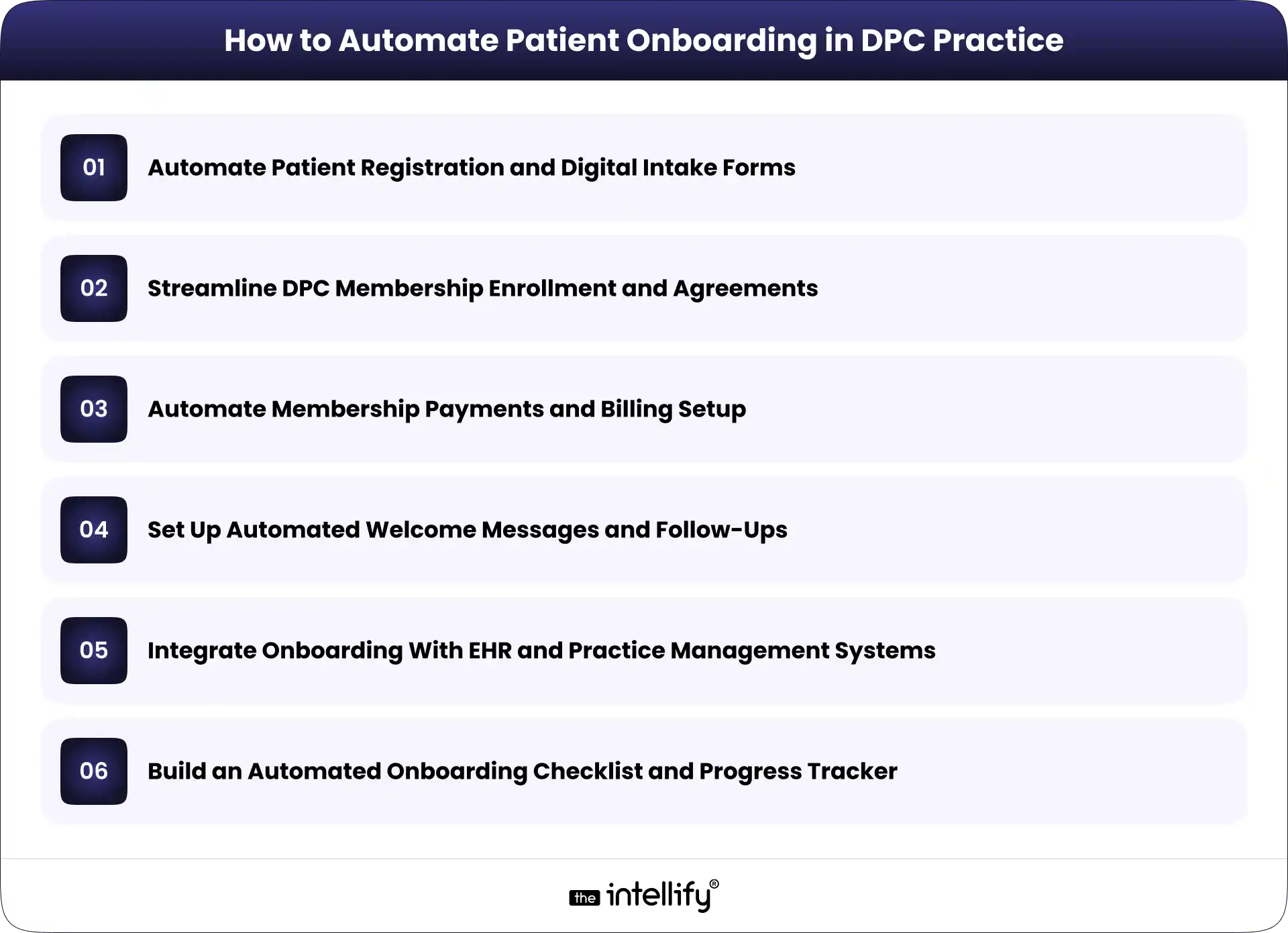
How to Automate Patient Onboarding in DPC Practice

The most effective approach is to automate individual onboarding tasks while keeping the entire patient journey connected. Here are six practical ways to do that.

1. Automate Patient Registration and Digital Intake Forms

Start with the first information a practice collects from a prospective or newly enrolled member.

Digital patient intake forms allow patients to submit contact details, demographics, medical history, relevant health information, and communication preferences through a secure online process.

Instead of manually transferring information from paper forms, the practice can route submitted data into its designated patient management system, where supported.

A well-designed form should also make completion easier. Conditional questions can display relevant fields based on previous answers, while required-field validation can flag missing information before submission.

For instance, a new patient may be asked to provide current medications and relevant medical history. If a particular section doesn’t apply, the form can avoid presenting unnecessary follow-up questions.

Keep the process manageable. A lengthy form that asks for everything at once may discourage completion, especially on mobile devices.

The goal is to collect the information the practice actually needs, explain why it’s needed, and avoid asking patients to enter the same details repeatedly.

2. Streamline DPC Membership Enrollment and Agreements

Membership enrollment is another strong candidate for automation because it involves several steps that follow a predictable sequence.

A typical workflow may include:

  • Sending the membership agreement to the patient.
  • Providing clear instructions for reviewing the terms.
  • Collecting an electronic signature.
  • Recording the agreement’s completion status.
  • Updating the patient’s enrollment record.

With an integrated workflow, completing one step can trigger the next action. For example, a signed agreement may update the enrollment record and notify staff that the patient is ready for the next stage. Practices can also configure reminders for unsigned agreements, reducing the need for staff to check each record manually.

However, automation should not replace clear communication. Membership terms, fees, covered services, cancellation policies, and other relevant conditions should be easy to understand before patients agree to them.

Unusual cases, incomplete agreements, or questions about membership terms should still reach the appropriate staff member.

3. Automate Membership Payments and Billing Setup

Payment setup is a key part of many DPC onboarding workflows. Depending on the practice’s model, patients may need to authorize recurring monthly payments or select another available payment arrangement.

Automated billing workflows can help practices collect payment authorization, send confirmation messages, update membership records, and notify staff when an issue needs attention.

Consider a new member who completes registration and signs the membership agreement. Once the required conditions are met, the system can direct the patient to a supported payment processor and update the onboarding status after receiving confirmation.

If a payment fails, the workflow can send an appropriate notification and create a follow-up task rather than leaving staff to discover the issue later.

It’s important to keep payment handling secure. Practices should use suitable payment processing services and avoid storing unnecessary payment information in patient records.

Billing rules also need to reflect the practice’s actual membership policies. Automation should not activate a membership, charge a patient, or change payment terms without the appropriate authorization and conditions being met.

4. Set Up Automated Welcome Messages and Follow-Ups

Patients shouldn’t have to guess what happens after they sign up.

A welcome message can explain the next steps, provide instructions for accessing the patient portal, describe how to schedule appointments, and outline the appropriate ways to contact the practice.

These messages can be triggered by specific events, such as successful enrollment or completion of required forms. For example, a DPC practice might configure the following sequence:

  • After registration: Send a confirmation and explain the remaining steps.
  • After agreement completion: Confirm receipt and provide the next instructions.
  • After enrollment completion: Send a welcome message with relevant practice information.
  • When required information is missing: Send a reminder with a secure way to complete the outstanding task.

This approach helps patients receive relevant information at the right time without requiring staff to write every message individually.

Still, more messages don’t necessarily mean better communication. Keep reminders limited, useful, and easy to understand. Avoid including sensitive medical details in ordinary email or text notifications unless the communication method and workflow have been appropriately evaluated.

Automation should handle routine updates, while questions about symptoms, treatment, or other clinical concerns should be routed through the practice’s appropriate communication process.

5. Integrate Onboarding With EHR and Practice Management Systems

Automation becomes much more useful when information can move between the systems a DPC practice already uses.

These may include an electronic health record (EHR), practice management software, a patient portal, a membership platform, a scheduling tool, and a payment processor.

Without integration, staff may need to enter the same information into several places. That creates extra work and makes inconsistencies more likely.

An integrated onboarding workflow can transfer approved registration data to the appropriate system, create or update patient records, synchronize enrollment status, and trigger relevant notifications.

For example, when a patient’s enrollment is confirmed, the system might update the membership platform and notify the team that the record is ready for review.

The technical approach depends on what the existing systems support. Available APIs, built-in integrations, data formats, and vendor restrictions will influence the options.

Before connecting systems, define which platform owns each type of information, how duplicate records will be handled, and what happens when a synchronization fails.

The workflow should also include appropriate access controls and error reporting. Integration isn’t just about moving data quickly; it’s about making sure information reaches the correct destination and remains reliable.

6. Build an Automated Onboarding Checklist and Progress Tracker

Even with automated forms, agreements, and notifications, staff need a clear view of the patient’s overall onboarding status. A centralized checklist can track important milestones, such as:

  • Registration form submitted.
  • Required information reviewed.
  • Membership agreement signed.
  • Payment authorization completed.
  • Patient record created or updated.
  • Welcome communication sent.
  • Outstanding issues resolved.

Each task can have a defined status, such as pending, completed, or requiring review.

When a patient misses a required step, the system can trigger a reminder or create a task for the appropriate staff member. When an exception occurs, such as conflicting patient information, the workflow can pause for manual review.

This is particularly useful when several staff members share onboarding responsibilities. Everyone can see what has been completed without searching through email threads or asking colleagues for updates.

A progress tracker also helps practice owners identify recurring bottlenecks. If membership agreements regularly remain unsigned, for example, the practice can review the wording, delivery timing, or signing experience.

The objective is straightforward: give staff visibility into the process while allowing routine tasks to move forward automatically.
 

Patient onboarding automation


Step-by-Step Process to Implement Patient Onboarding Automation

A successful implementation doesn’t require automating every task at once. Start with the biggest operational problems and expand as the practice learns what works.

Step 1: Map the existing onboarding workflow.

Document the journey from initial inquiry to completed enrollment. Include forms, agreements, billing, record creation, communication, and staff responsibilities.

Step 2: Identify repetitive tasks and delays.

Look for duplicate data entry, frequent follow-ups, missing documents, and steps that regularly require manual intervention. These are potential automation opportunities.

Step 3: Prioritize the highest-impact processes.

Choose one or two manageable starting points, such as digital intake forms or automated agreement reminders. Consider how often a task occurs, how much time it consumes, and the consequences of an error.

Step 4: Select or customize suitable software.

Evaluate existing tools before purchasing replacements. Consider integration options, security requirements, usability, maintenance, and the ability to support the practice’s actual workflow.

Step 5: Test the workflow before rolling it out.

Use realistic test scenarios, including incomplete forms, failed payments, duplicate records, and system errors. Confirm that expected actions occur and that exceptions reach the right person.

Step 6: Train staff and refine the process.

Explain how the new workflow operates, when manual review is required, and how staff should report problems. Review performance regularly and adjust the process as needed.

A phased approach makes it easier to identify problems early without disrupting the entire enrollment process.


Best Practices for Secure and Patient-Friendly Onboarding Automation

Automation involves patient information, so security and usability must be considered from the beginning.

For US practices subject to HIPAA, the HHS Security Rule requires appropriate safeguards for electronic protected health information. These include administrative, physical, and technical protections designed to preserve the confidentiality, integrity, and availability of that information. See the HHS HIPAA Security Rule guidance.

Keep these practices in mind:

  • Review vendor responsibilities: Determine whether software providers or integration partners qualify as business associates and whether a business associate agreement is required.
  • Control access: Give staff access according to their responsibilities and use appropriate authentication.
  • Protect data transfers: Evaluate encryption, audit logging, and other safeguards across connected systems.
  • Design for mobile users: Make forms readable, accessible, and easy to complete on a phone.
  • Maintain human oversight: Route unusual cases, data discrepancies, and sensitive questions to staff.
  • Limit unnecessary communication: Send useful reminders without overwhelming patients or exposing sensitive information.

The HHS guidance on business associates provides further information about vendor relationships and contractual responsibilities.
One important distinction: using software advertised as HIPAA-compliant does not automatically make an entire onboarding workflow compliant. The practice must evaluate its actual configuration, policies, vendors, and data-handling procedures.


How The Intellify Can Help Automate DPC Patient Onboarding

Automating patient onboarding often involves more than adding a digital form or scheduling a few reminders. The real challenge is connecting the right processes while keeping existing systems, patient information, and staff responsibilities aligned.

The Intellify helps businesses explore healthcare software development, system integration, and workflow automation solutions based on their operational needs.

For a DPC practice, this may involve connecting digital intake forms with membership records, streamlining enrollment workflows, integrating existing practice management systems, or building a centralized view of onboarding progress.

The right approach depends on the software already in place, the practice’s enrollment process, and its technical and security requirements. A full platform replacement isn’t always necessary.

Want to simplify patient onboarding in your DPC practice? Discuss your current workflow with The Intellify to identify practical opportunities for automation and integration.


Conclusion

Patient onboarding automation can help Direct Primary Care practices reduce repetitive administrative work, organize enrollment tasks, and give new members a clearer path into the practice. The key is to focus on the processes that create the most friction, connect systems where practical, and preserve human oversight when it matters.

Start with a clear workflow, measure the results, and expand automation based on actual needs rather than assumptions.

If your practice is spending too much time managing forms, agreements, payments, and follow-ups, we can help you explore a more connected approach to DPC patient onboarding.
 

Direct Primary Care patient onboarding


Frequently Asked Questions (FAQs)

1. What is patient onboarding automation in Direct Primary Care?

Patient onboarding automation uses software to manage repetitive enrollment tasks, such as collecting registration information, sending membership agreements, tracking completion, setting up payment workflows, and delivering welcome messages. It helps DPC practices reduce manual work while maintaining oversight of important patient information.

2. What parts of DPC patient onboarding can be automated?

Practices can automate digital intake forms, agreement reminders, electronic signature workflows, payment confirmations, welcome messages, checklist updates, and supported data transfers between connected systems. Tasks involving clinical judgment, unusual circumstances, or sensitive questions should remain subject to appropriate human review.

3. Is patient onboarding automation HIPAA-compliant?

It can be designed to support HIPAA compliance, but compliance depends on the complete workflow. Practices must evaluate applicable requirements, vendor responsibilities, access controls, security safeguards, and how patient information is stored and transferred. A software product alone cannot guarantee compliance.

4. Can a DPC practice automate onboarding without replacing its existing software?

Yes, depending on the capabilities of the current systems. Built-in integrations, APIs, and other supported connections may allow a practice to automate selected workflows without replacing its entire platform. A technical assessment can help determine which options are practical.

5. How long does it take to implement patient onboarding automation?

Implementation time varies according to workflow complexity, integration requirements, existing software capabilities, security reviews, and testing needs. A simple reminder workflow may be quicker to implement than a solution connecting multiple systems. Defining the scope and starting with a focused pilot can make the process more manageable.
How to Integrate AI Into an Existing DPC Platform Without Rebuilding It

Summary:
This blog explains how to integrate AI into an existing Direct Primary Care (DPC) platform without rebuilding the entire system. It covers AI use cases, API integrations, implementation steps, HIPAA compliance, security considerations, common challenges, and costs. DPC practices can use these insights to modernize existing software, streamline administrative workflows, and improve operational efficiency.


Direct Primary Care (DPC) practices are looking for ways to make everyday operations easier. From answering patient calls to managing memberships and scheduling appointments, there is plenty of work that happens outside the exam room. AI can help with some of these tasks, but adding it to an existing platform can feel like a major technical project.

The good news? You don’t necessarily need to rebuild your entire DPC platform to start using AI.

With the right integration strategy, practices can introduce AI capabilities while keeping their existing software, patient records, and core workflows in place. The key is understanding which tasks need improvement, how current systems exchange data, and where AI can fit without creating new problems.

This guide explains how to integrate AI into an existing DPC platform, the technologies involved, the security considerations to address, and when modernization makes more sense than a complete rebuild.


Why DPC Platforms Need AI Integration

DPC practices operate differently from traditional fee-for-service medical practices. Their membership-based model depends on ongoing patient relationships, accessible care, and predictable administrative processes.

However, managing those relationships still requires time. Staff members handle appointment requests, membership questions, payment issues, patient messages, and follow-ups. When these tasks pile up, they can take attention away from patients.

AI integration offers a way to reduce some of that workload without changing the entire operating model.

Growing Administrative Workloads in DPC Practices

A growing DPC practice may receive more calls, messages, scheduling requests, and membership inquiries than its team can comfortably manage. Even routine questions can interrupt staff throughout the day.

AI voice agents, automated messaging, and workflow assistants can help handle repetitive tasks, such as answering common questions, collecting appointment preferences, and routing requests to the right team member.

For example, an AI voice agent could answer basic questions about office hours and collect a patient’s preferred appointment time. Staff can then review or confirm the request through the existing scheduling system.

The goal isn’t to automate every interaction. It’s to reduce repetitive work while keeping personal care at the center of the DPC experience.

Limitations of Traditional DPC Software

Many established DPC platforms already support essential functions, including membership management, billing, scheduling, and patient communication. But these systems may lack advanced automation or intelligent assistance.

Some platforms also operate in separate environments. Patient messages might live in one system, while scheduling and membership information sit in another. This can make routine tasks harder to coordinate.

AI integration can help connect these workflows, provided the underlying systems offer suitable APIs, data access, or other supported integration methods.


Which AI Capabilities Can You Add to an Existing DPC Platform?

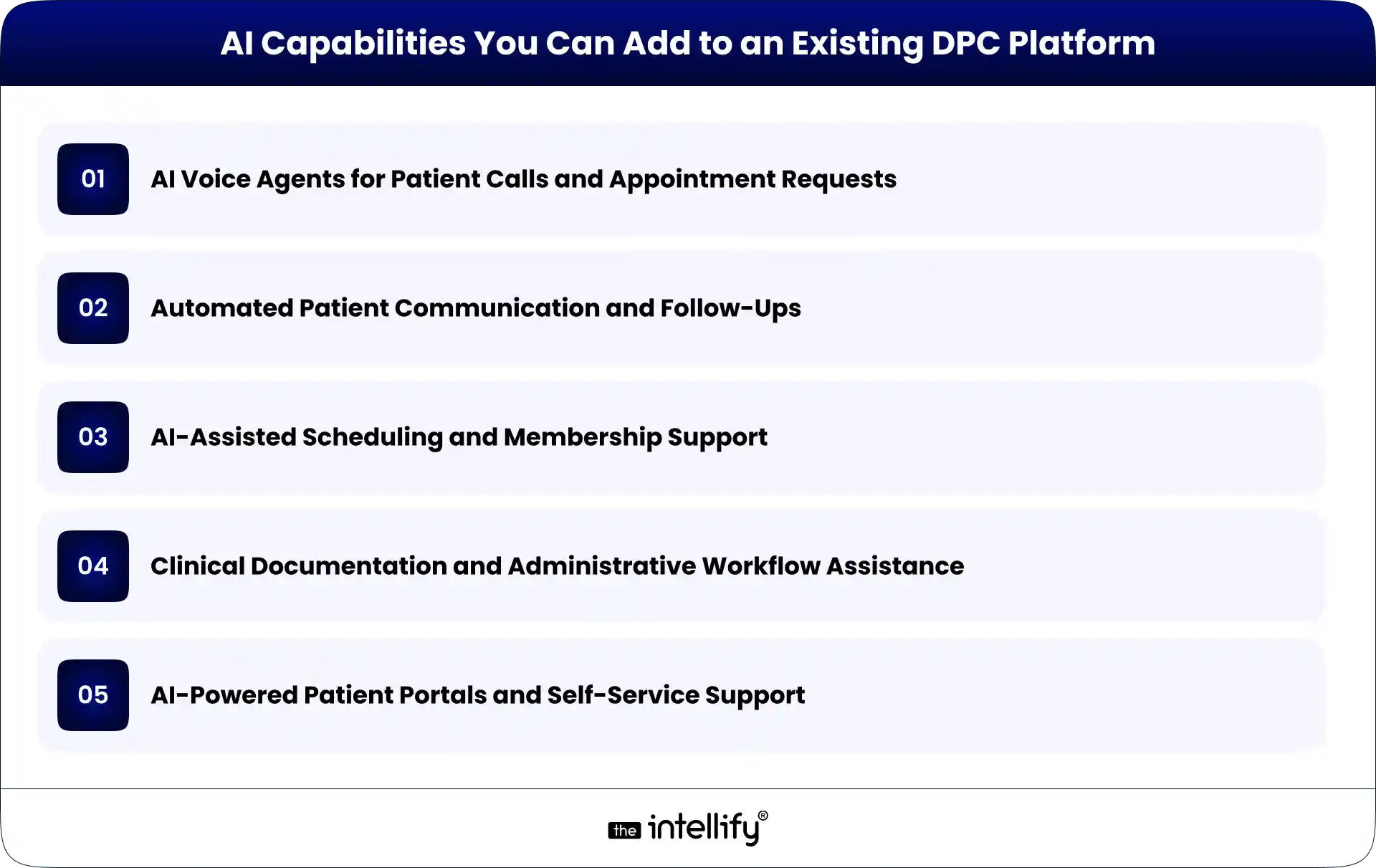
AI Capabilities You Can Add to an Existing DPC Platform

The best AI features depend on a practice’s operational challenges, software architecture, and patient needs. Rather than adding AI simply because it’s available, start with tasks that consume time and follow reasonably clear rules.

AI Voice Agents for Patient Calls and Appointment Requests

AI voice agents can answer incoming calls, respond to common questions, collect information, and route callers based on their needs.

When integrated with the appropriate systems, they may also check appointment availability or submit scheduling requests. Access to patient information and the ability to make changes should be limited to authorized workflows.

For medical concerns that require clinical judgment, the system should direct patients to qualified staff or established clinical escalation procedures.

Automated Patient Communication and Follow-Ups

AI-assisted communication can help practices manage appointment reminders, routine follow-ups, and frequently asked questions.

For example, a platform could trigger an approved reminder after an appointment is scheduled. An AI assistant may also help draft responses to common administrative questions.

Messages involving sensitive health information need appropriate safeguards, and clinical communications should receive human review when necessary.

AI-Assisted Scheduling and Membership Support

Scheduling tools can help patients find suitable appointment times, while membership support assistants can answer questions about enrollment, renewals, billing processes, and membership policies.

These capabilities work best when they use current information from the relevant systems. If membership status or appointment availability is outdated, the AI may provide an incorrect answer.

Integration should therefore include reliable data access and clear rules for when the system must defer to a staff member.

Clinical Documentation and Administrative Workflow Assistance

AI tools can assist with drafting clinical notes, summarizing permitted information, and organizing administrative documentation.

However, clinical documentation requires greater oversight than routine scheduling. Providers must be able to review and correct AI-generated content before it becomes part of the official record.

The technology should support clinical work, not independently make decisions that require professional judgment.

AI-Powered Patient Portals and Self-Service Support

An AI assistant within a patient portal can help users navigate available services, locate relevant information, and understand administrative processes.

With appropriate authentication and permissions, it may retrieve specific information from connected systems.

The assistant should not expose information from another patient’s record or provide clinical guidance beyond its approved scope. Clear escalation options are important, especially when a question falls outside the assistant’s capabilities.


How to Integrate AI Into an Existing DPC Platform: Step by Step

Successful AI integration starts with understanding the existing platform. The technology comes later.

Step 1: Audit Your Existing DPC Technology Stack

Document the software currently used for membership management, billing, scheduling, patient communication, EHRs, and reporting.

Identify where information is stored, which systems exchange data, and where staff still rely on manual work. This assessment helps uncover integration opportunities and potential limitations before development begins.

Step 2: Identify the Right AI Use Cases

Choose one or two workflows that create a clear operational burden.

For example, if staff spend considerable time answering routine calls, an AI voice agent may be a suitable starting point. If repeated appointment reminders are the bigger problem, communication automation could offer a better fit.

Define measurable outcomes, such as fewer manual call-handling tasks, shorter response times, or reduced administrative processing time.

Step 3: Check APIs and Integration Options

Next, determine how the existing platform allows external tools to connect.

REST APIs, webhooks, approved data exports, and middleware are common integration options. The appropriate choice depends on the platform’s capabilities and security requirements.

If APIs are unavailable, alternatives may exist, but they require careful evaluation. Direct database access or fragile screen-based automation can create maintenance and security problems. Don’t assume every system can support real-time AI integration. Verify the available interfaces first.

Step 4: Choose Between Third-Party AI Tools and Custom Development

Third-party AI tools may be suitable for standard needs, such as voice interactions or routine message handling. They can reduce the amount of custom development required.

Custom development makes more sense when workflows are specific to the practice, existing systems require specialized integration, or off-the-shelf tools cannot meet the requirements.

The decision should consider integration effort, data handling, customization, vendor dependencies, ongoing costs, and long-term maintenance.

Step 5: Connect AI With Existing Workflows

Once the approach is selected, define how information will move between the AI component and the DPC platform.

For instance, a voice agent might collect an appointment request, send the required information through an API, and create a pending request in the scheduling system.

The integration should specify which data can be accessed, which actions are permitted, and what happens when a request fails.

AI should not receive unrestricted access to patient records or the ability to change important information without appropriate authorization.

Step 6: Test, Validate, and Roll Out Gradually

Test the integration using realistic scenarios before making it available to patients. Check whether information is transferred correctly, permissions work as intended, errors are handled safely, and staff can intervene when necessary.

A limited pilot is often a sensible first step. For example, a practice could enable an AI assistant for routine administrative calls during selected hours before expanding its availability. Collect staff feedback and review patient experiences before increasing the scope.

Step 7: Measure Performance and Improve

After launch, compare results against the original goals. Useful measures may include administrative time saved, call-handling outcomes, scheduling accuracy, escalation rates, staff satisfaction, and patient feedback.

Review failed interactions and recurring issues. Update approved responses, integration rules, and escalation procedures as needed.

AI integration isn’t a one-time task. Ongoing monitoring helps ensure that the system remains useful as the practice and its software evolve.


AI integration in DPC platforms


How AI Integrates With Core DPC Platform Components

AI generally works best as an additional layer that interacts with existing systems through defined interfaces.

Membership Management and Recurring Billing

AI assistants can answer approved membership questions and help staff locate relevant account information. Connected workflows may also support billing inquiries or membership renewal reminders.

Financial changes, cancellations, and other consequential actions should follow established authorization and confirmation processes.

Patient Portals and Communication Systems

AI can help patients navigate portal features, find administrative information, and submit requests.

Integration may use APIs or middleware to exchange permitted information between systems. Authentication, role-based permissions, and appropriate session controls help protect patient data.

Scheduling, EHRs, and Practice Management Software

Scheduling integrations can support appointment requests and availability checks. EHR integrations may support approved documentation or information retrieval workflows.

These systems should remain authoritative for their respective records. AI-generated information should be validated before it updates official data, particularly when clinical information is involved.

Reporting, Analytics, and Operational Dashboards

AI can help summarize operational trends, categorize routine requests, and identify recurring administrative bottlenecks.

For example, a practice could analyze aggregated call data to understand when demand is highest. Reports should use appropriate access controls and data minimization, especially when patient information is involved.


Security, HIPAA, and Patient Data Considerations

Healthcare AI integration requires more than a working technical connection. Patient privacy and security must be part of the design from the beginning.

For U.S. DPC practices, relevant considerations include:

  • HIPAA obligations: Determine which HIPAA requirements apply to the practice and the systems involved. When a vendor acts as a business associate, a business associate agreement may be required.
  • Access controls: Limit AI systems to the minimum information and permissions needed for their specific tasks.
  • Data protection: Use appropriate encryption, secure authentication, and protected data transmission.
  • Audit logs: Record relevant access and system actions so incidents can be investigated.
  • Vendor review: Understand how patient data is stored, processed, retained, and used by AI providers.
  • Human oversight: Define when staff must review outputs, approve changes, or take over an interaction.

Avoid sending identifiable patient information to an AI service without confirming that its use is permitted and appropriately safeguarded.

HIPAA compliance is not automatic just because a vendor offers healthcare AI features. The practice must assess the complete workflow, contractual arrangements, and applicable obligations.


AI Integration vs. Rebuilding Your DPC Platform

The right approach depends on the condition of the existing software and the changes the practice needs.

Factor AI integration Complete rebuild
Initial scope Focused on selected capabilities Replaces or redesigns much of the platform
Existing workflows Largely retained May require significant changes
Implementation Can be phased Usually involves broader development and migration
Technical flexibility Depends on current architecture Greater freedom to redesign
Main risk Integration limitations Migration, adoption, and implementation complexity

AI integration is often the better starting point when core systems remain reliable and support suitable integration methods.

A rebuild may be justified when the architecture is fundamentally unsuitable, critical components are no longer supported, or ongoing limitations prevent necessary business changes.

There is also a middle ground: modernize selected components while retaining the rest of the platform. The decision should follow a technical assessment, not an assumption that newer software is always better.


How Much Does It Cost to Integrate AI Into a DPC Platform?

There is no single price for AI integration. A simple administrative assistant connected to one system requires a different level of effort than a voice agent that interacts with scheduling, membership records, and multiple healthcare systems.

The main cost factors include:

  • Complexity of the selected AI use case.
  • Availability and quality of APIs.
  • Number of systems that need to connect.
  • Data preparation and migration requirements.
  • Security reviews, testing, and compliance obligations.
  • AI usage fees, infrastructure, monitoring, and maintenance.

A limited pilot can help establish realistic costs before a practice commits to a larger rollout. When evaluating proposals, consider the total cost of ownership rather than development fees alone. Ongoing support, vendor charges, system updates, and future integration needs can all affect the budget.


How The Intellify Can Help Modernize Your DPC Platform

Adding AI to an existing DPC platform requires a clear understanding of the current architecture, operational needs, and integration options.

The Intellify helps businesses explore healthcare software modernization opportunities, including ways to improve existing DPC platforms through targeted development and integration.

Depending on the platform and requirements, a DPC modernization engagement may involve:

  • Assessing existing software architecture and integration limitations.
  • Identifying suitable AI use cases and automation opportunities.
  • Planning API integrations and connections between systems.
  • Developing custom capabilities around existing workflows.
  • Evaluating security requirements and testing integrations before rollout.

The first step is to understand what your current platform already does well and where it falls short. That makes it easier to prioritize useful improvements instead of investing in a complete rebuild without a clear reason.


Final Thoughts

Integrating AI into an existing DPC platform doesn’t have to begin with a complete rebuild. In many cases, practices can start by identifying a specific operational problem, connecting a suitable AI capability, and improving the workflow over time.

The important part is choosing the right use case, checking system compatibility, protecting patient information, and testing each integration before expanding it.

Some platforms will need only a few targeted improvements. Others may require bigger architectural changes. A technical assessment helps determine the difference.

The goal is straightforward: make your existing technology more useful, reduce avoidable administrative work, and give your team more time to focus on patients.


DPC platform modernization solution


Frequently Asked Questions (FAQs)

1. Can you add AI to an existing DPC platform without rebuilding it?

Yes. AI can often be added through APIs, middleware, or integrations with existing software. The available options depend on the platform’s architecture, data access, and security requirements.

2. What AI features are most useful for Direct Primary Care practices?

Useful options include AI voice agents, automated patient communication, scheduling assistance, membership support, and administrative documentation tools. The best starting point is a workflow that consumes significant staff time and can be automated safely.

3. Is AI integration into a DPC platform HIPAA compliant?

AI integration can be designed to support HIPAA compliance, but using an AI tool does not automatically make the complete system compliant. Practices must assess data handling, access controls, vendor agreements, security safeguards, and applicable legal obligations.

4. How long does it take to integrate AI into DPC software?

Timelines vary based on the AI capability, system compatibility, API availability, security requirements, and testing needs. A focused integration with a well-documented system may be simpler than a project involving several legacy systems. A technical assessment is the best way to estimate the timeline.

How to Scale a Direct Primary Care Practice With Technology

Summary:
This guide explains how technology can help Direct Primary Care practices scale without increasing administrative workload at the same pace. It covers DPC software, membership management, scheduling, billing, patient communication, automation, AI, and healthcare platform modernization, while outlining practical ways practices can build a more connected and scalable technology infrastructure.


Running a Direct Primary Care (DPC) practice is different from running a traditional fee-for-service practice. The membership model can give physicians more predictable revenue and more time with patients. But growth brings its own problems.

More members mean more appointments, messages, payments, onboarding tasks, reminders, and questions for the practice team to handle.

At first, these tasks may be manageable with spreadsheets, email, phone calls, and a few separate software tools. Then the practice grows. Suddenly, the same processes that worked for 200 members start creating friction at 500 or 1,000.

That is where DPC technology becomes important.

A well-designed Direct Primary Care platform can connect membership management, scheduling, billing, communication, patient self-service, and reporting in one operational environment. The goal isn’t to add technology for the sake of it. It is to make growth easier to manage without allowing administrative work to take over the practice.


What Does Scaling a Direct Primary Care Practice Actually Mean?

Scaling a DPC practice isn’t simply about adding more patients.

The real question is: Can the practice support more members without increasing administrative complexity at the same rate?

If every additional 100 members requires another large increase in staff time, phone calls, manual data entry, and billing work, the practice may be growing without actually becoming more efficient.

Growth Isn’t Just About Adding More Patients

Sustainable DPC growth usually involves several things happening together:

  • Increasing membership without compromising care quality
  • Making appointments easier to manage
  • Keeping physicians focused on patient care
  • Reducing repetitive administrative work
  • Collecting recurring membership payments reliably
  • Giving patients convenient ways to communicate with the practice
  • Understanding what is happening across the practice through useful data

A growing DPC practice needs operating processes that can handle a higher volume. Technology can support those processes, but only when it is designed around how the practice actually works.

Where Traditional DPC Operations Start to Struggle

Many practices begin with simple tools. A calendar handles appointments. A payment system handles memberships. Email handles communication. Staff maintain spreadsheets to track information.

That setup isn’t necessarily wrong. The trouble starts when these systems don’t communicate with one another.

Staff may need to enter the same information several times. A patient’s membership status might sit in one system while billing information lives somewhere else. Appointment changes may require manual follow-up.

Those small inefficiencies add up. And when something goes wrong, figuring out where the problem started can be frustrating.


Why Technology Matters as a DPC Practice Grows

Technology should solve operational problems, not create another layer of them. The right DPC software can take routine work away from staff, make information easier to access, and give patients more control over simple tasks.

Reduce Repetitive Administrative Work

Consider patient onboarding. Without automation, a new member may require a staff member to send forms, check whether they were completed, update records, confirm payment, send instructions, and schedule an initial visit.

A connected workflow can handle much of that process automatically. The staff still has oversight, but they aren’t manually pushing every step forward.

The same idea applies to appointment reminders, membership notifications, payment follow-ups, and other routine tasks.

Give Patients More Ways to Manage Their Care

Patients are used to handling many everyday services online. Healthcare is no exception. A DPC patient portal can let members:

  • View or request appointments
  • Complete forms
  • Send secure messages
  • Review relevant information
  • Receive practice updates
  • Manage certain account details

This doesn’t mean every patient interaction should become digital. Some people will always want to call. That’s fine. The point is to give patients options while reducing unnecessary work for the front desk.

Give Physicians and Staff Better Operational Visibility

As membership grows, practice leaders need more than individual records. They need to see what is happening across the business.

A modern DPC platform can bring information about memberships, appointments, billing, communication, and operational activity into a more connected view.

That makes it easier to identify issues early instead of discovering them after they become bigger problems.


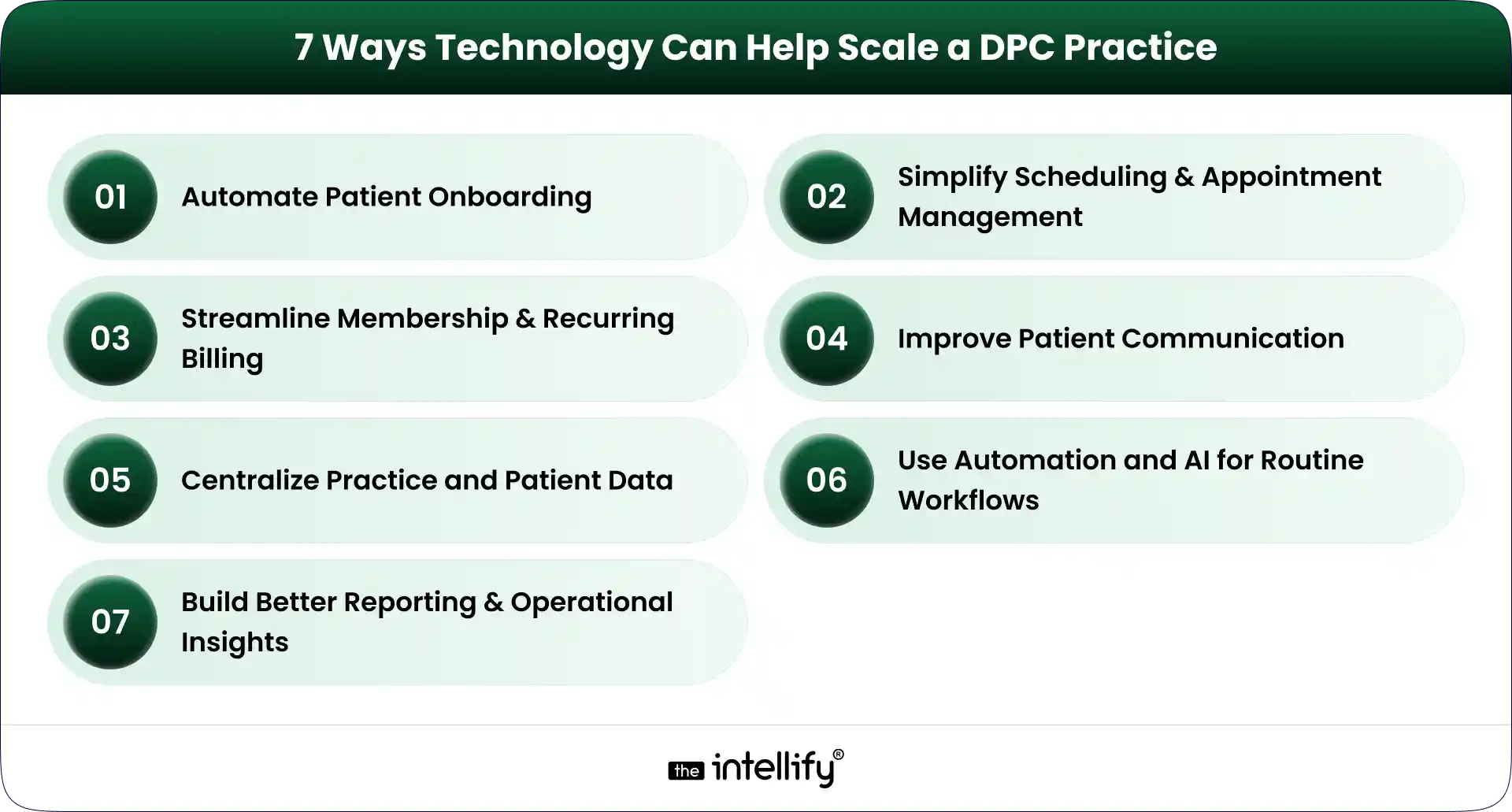
7 Ways Technology Can Help Scale a DPC Practice

7 Ways to Scale a DPC Practice

Technology can support nearly every part of the DPC member journey. But seven areas tend to have the biggest operational impact.

1. Automate Patient Onboarding

Patient onboarding is one of the first places where manual processes become difficult to maintain.

A DPC membership platform can guide a new member through registration, forms, consent, payment, and initial appointment scheduling.

For example, a new member could:

  1. Register online.
  2. Select a membership plan.
  3. Complete required information.
  4. Submit payment details.
  5. Receive onboarding instructions.
  6. Schedule an initial appointment.

The workflow can then notify staff when human attention is actually needed. This creates a better experience for the patient and reduces repetitive work for the practice team.

2. Simplify Scheduling and Appointment Management

Scheduling sounds simple until appointment volume increases. Phone calls, cancellations, rescheduling, reminders, provider availability, and different appointment types can quickly become a daily headache.

DPC scheduling software can give patients online access to available appointment slots while allowing staff to maintain control over scheduling rules. Useful capabilities can include:

  • Online appointment booking
  • Automated reminders
  • Rescheduling
  • Cancellation workflows
  • Calendar integration
  • Provider availability management
  • Appointment-type configuration

The objective is not to remove staff from scheduling. It is to stop staff from spending their day doing tasks that patients can safely handle themselves.

3. Streamline Membership and Recurring Billing

Membership billing is central to the DPC model. A DPC billing software solution can help practices manage recurring payments, membership status, payment failures, invoices, and account changes.

Automated payment workflows can also reduce the awkward situation where staff have to repeatedly contact members about missed payments.

A good billing workflow should make it clear:

  • Who is an active member?
  • Which plan are they enrolled in?
  • When is the next payment due?
  • Did the payment succeed?
  • Is an account past due?
  • Has a membership been paused or canceled?

The more members a practice has, the more important this visibility becomes.

4. Improve Patient Communication

Patient communication doesn’t stop when an appointment ends. Members may have questions, need follow-up information, or simply need to know what happens next.

A DPC patient portal can provide a secure channel for appropriate communication between patients and the practice.

Automated messages can also handle routine updates such as appointment reminders, onboarding instructions, and payment notifications.

For practices with higher call volumes, AI-powered or automated communication can potentially help with common administrative questions and routing. But clinical questions still need appropriate clinical oversight. That distinction matters.

5. Centralize Practice and Patient Data

Disconnected systems create unnecessary work. When membership data, scheduling, billing, patient communication, and clinical information sit in separate systems, staff often end up acting as the bridge between them.

A connected DPC platform can reduce that problem by integrating the systems and workflows that the practice depends on.

The exact architecture will vary by practice. Some may use an existing EHR and add a membership layer. Others may need deeper integrations or a more customized platform.
The goal is the same: reduce unnecessary movement of information between systems.

6. Use Automation and AI for Routine Workflows

AI is becoming part of healthcare operations, but it needs to be used carefully. For DPC practices, practical use cases can include:

  • Handling common administrative questions
  • Appointment reminders
  • Basic patient routing
  • Follow-up notifications
  • Intake assistance
  • Voice-based administrative interactions
  • Staff workflow automation

The best use cases are often the less glamorous ones. If a staff member answers the same five questions 30 times a week, that is a potential automation opportunity.

AI shouldn’t be treated as a replacement for physicians. It should handle appropriate routine work so clinicians and staff can spend more time on tasks that actually require their expertise.

7. Build Better Reporting and Operational Insights

Growth becomes difficult to manage when practice leaders can’t see what is happening. A modern DPC technology stack can provide reporting around areas such as:

  • Membership growth
  • Membership churn
  • Appointment volume
  • No-shows
  • Payment collection
  • Outstanding balances
  • Patient engagement
  • Staff workload

These numbers don’t need to become a giant dashboard nobody checks. A smaller set of useful metrics is often better.

For a multi-provider or multi-location DPC organization, however, this visibility becomes increasingly important. Leaders need to understand which locations are growing, where operational bottlenecks exist, and whether processes are keeping pace.


Direct Primary Care platform


What Should a Modern DPC Technology Stack Include?

A modern DPC platform doesn’t necessarily mean one giant piece of software that does everything. It means the important systems work together.

Capability What It Helps With
Patient portal Patient self-service and communication
Scheduling Appointment booking and reminders
Membership management Enrollment and member lifecycle
Billing Recurring payments and payment tracking
EHR/clinical integration Patient and clinical data workflows
Automation Repetitive administrative processes
Analytics Practice performance and growth
Communication Patient engagement and notifications

The right combination depends on the practice. A small single-location clinic may need a relatively simple setup. A larger DPC organization may require deeper integrations, custom workflows, centralized reporting, and more sophisticated automation.

That is why choosing DPC software should start with operational requirements rather than a feature checklist.


When Should a DPC Practice Consider Upgrading Its Technology?

There isn’t one membership number that automatically means a practice needs new software. Instead, look for operational signals.

1. Your Team Is Spending Too Much Time on Manual Tasks

If staff repeatedly copy information between systems, manually send reminders, or chase routine paperwork, it may be time to rethink the workflow.

2. Patient Volume Is Growing Faster Than Operations

If membership is increasing but administrative work is increasing even faster, the current technology setup may not be scaling properly.

3. You Are Managing Too Many Disconnected Tools

Five tools aren’t necessarily better than one. When those tools don’t share information, however, the practice can end up paying for integration problems with staff time.

4. You Are Opening Additional Locations

Multi-location DPC practices usually need stronger centralized systems for memberships, billing, scheduling, reporting, and user management.

What works for one location may become messy across three or five.

5. Your Existing Software Limits New Workflows

Sometimes the problem isn’t that the existing system is bad. It may simply have been designed for an earlier stage of the practice.

If you can’t introduce a workflow you now need because the software doesn’t support it, modernization may be worth considering.

6. Patients Expect More Digital Self-Service

Patients increasingly expect convenient digital options for scheduling, communication, forms, and account management.

A practice doesn’t need to digitize everything. But basic self-service capabilities can remove friction for both patients and staff.


Buy DPC Software or Build a Custom DPC Platform?

This is one of the bigger technology decisions a growing DPC practice can face. There isn’t a universal answer.

When Off-the-Shelf DPC Software Makes Sense

Off-the-shelf DPC software can be a practical choice when:

  • Your workflows are relatively standard
  • You need to implement quickly
  • You don’t need extensive customization
  • Existing integrations meet your requirements
  • Your practice is comfortable adapting some processes to the software

The main advantage is simplicity. You aren’t responsible for building and maintaining every feature yourself.

When a Custom DPC Platform May Be Better

Custom DPC development becomes more relevant when the practice has requirements that standard products can’t handle well. That may include:

  • A unique membership model
  • Complex billing rules
  • Multiple locations or entities
  • Specialized integrations
  • A highly customized patient experience
  • Existing legacy systems
  • Proprietary workflows
  • Specific reporting requirements

Custom doesn’t automatically mean better. It means the technology can be designed around the practice instead of forcing the practice to work around the software.

A Hybrid Approach Can Also Work

There is another option: modernize in stages.

A practice might keep its existing EHR while improving its membership, billing, scheduling, patient portal, or communication layer.

This approach can make sense when the underlying clinical system still works, but the surrounding technology has become outdated.

That is where healthcare platform modernization can be useful. Instead of throwing everything away, the practice can identify what needs to change and improve those areas first.


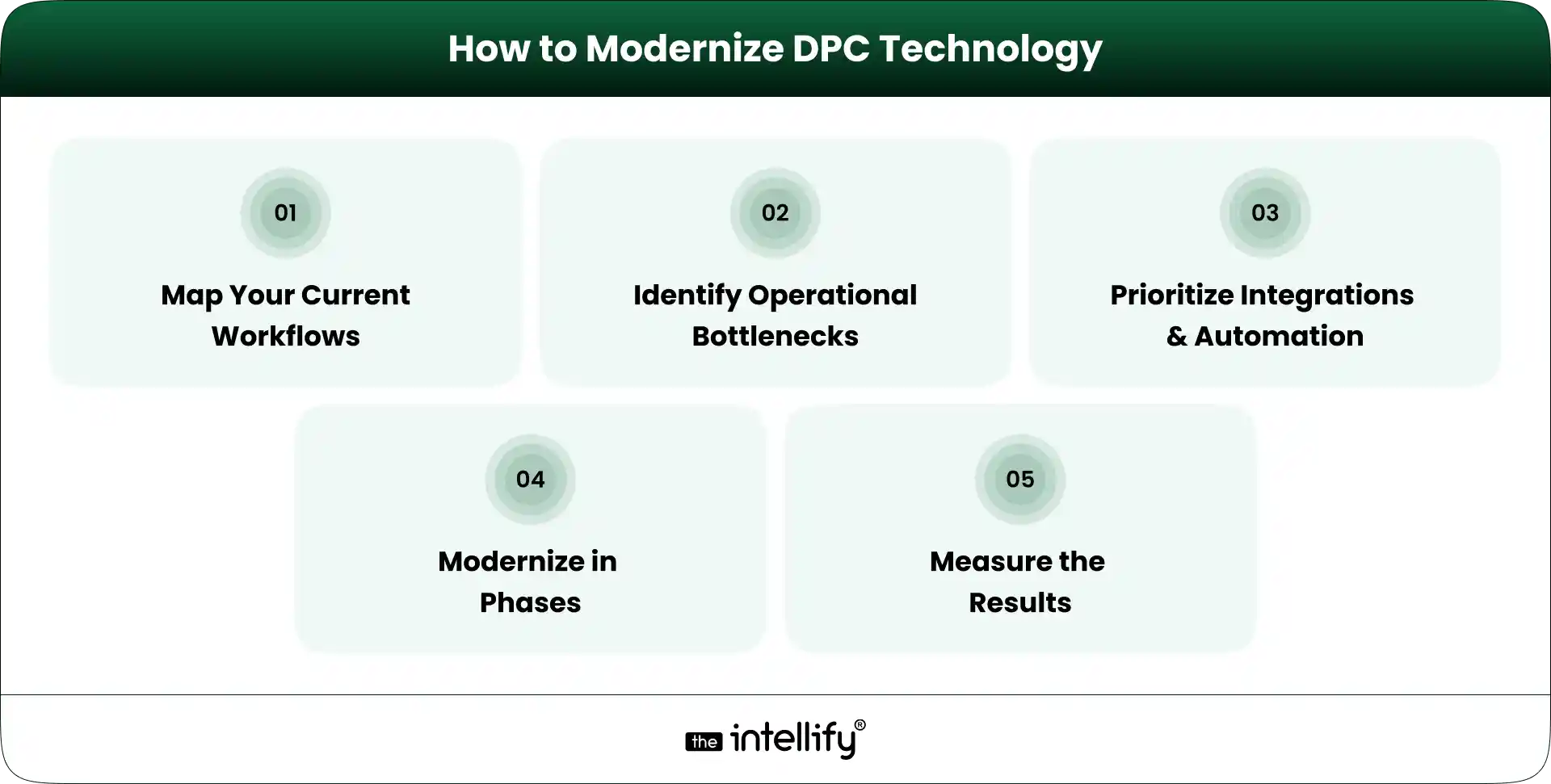
How to Modernize DPC Technology Without Disrupting Patient Care

How to Modernize DPC Technology

Technology projects can become disruptive when practices try to change too much at once. A phased approach is usually easier to manage.

1. Map Your Current Workflows

Document what actually happens today. Follow the member journey from registration to onboarding, appointment scheduling, billing, communication, and ongoing care.

Don’t just document what the software is supposed to do. Document what staff actually do. That difference can be revealing.

2. Identify the Biggest Operational Bottlenecks

Look for tasks that consume significant staff time or regularly create errors. For example:

  • Manual data entry
  • Payment follow-ups
  • Appointment coordination
  • Patient inquiries
  • Repetitive reporting
  • Duplicate information across systems

3. Prioritize Integrations and Automation

Not every workflow needs automation. Prioritize tasks that are repetitive, predictable, high-volume, and relatively low-risk.

At the same time, identify which systems need to exchange data. Integration can be just as important as automation.

4. Modernize in Phases

Instead of replacing everything in one project, establish clear phases. For example:

Phase 1: Membership and onboarding
Phase 2: Scheduling and patient communication
Phase 3: Billing and payment workflows
Phase 4: Reporting and automation
Phase 5: Advanced AI or voice workflows

The exact order should depend on the practice’s bottlenecks.

5. Measure the Results

Technology should produce measurable operational improvements. Useful KPIs can include:

  • Administrative time per member
  • Scheduling time
  • Payment collection rate
  • Patient response time
  • Membership retention
  • Staff workload

If a new system doesn’t improve the workflow, it’s worth asking why.


Common Technology Mistakes DPC Practices Should Avoid

Technology can solve problems, but a poorly planned implementation can create new ones.

Adding Too Many Disconnected Tools

More software doesn’t automatically mean better operations. Every new system introduces another login, workflow, integration, and potential failure point.

Automating Before Fixing the Workflow

Automating a bad process simply makes the bad process happen faster. Map the workflow first. Then decide what should be automated.

Ignoring the Patient Experience

A practice may save staff time while making things harder for patients. That is not a successful technology project. Test workflows from the member’s perspective, too.

Treating Security and Compliance as an Afterthought

Healthcare technology handles sensitive information. Security, access controls, data protection, auditability, and applicable healthcare compliance requirements need to be considered from the beginning, not added at the end.

Choosing Software That Cannot Scale With the Practice

A tool that works for 150 members may not work for 1,500. Before selecting a DPC platform, consider where the practice expects to be in the next few years.

Replacing Everything at Once

A complete technology replacement can create unnecessary risk. If an existing system still works well, keep it where practical and modernize the parts that are holding the practice back.


How The Intellify Can Help Modernize a DPC Practice

The technology needs of every DPC practice are a little different. The Intellify can help practices and healthcare organizations evaluate those requirements and build or modernize technology around their actual workflows.

That can include:

  • Custom DPC platform development
  • DPC platform modernization
  • Patient-facing digital experiences
  • Workflow automation
  • Third-party integrations
  • Scheduling and billing workflows
  • Patient portals
  • Scalable application architecture
  • AI and automation for appropriate operational use cases

The starting point shouldn’t be a list of features. It should be the practice’s current workflow, its biggest operational problems, and where it wants to go next.


Final Thoughts: Scale the Practice, Not the Administrative Burden

Scaling a Direct Primary Care practice is not just a matter of bringing in more members.

The operating model has to scale, too. Scheduling, onboarding, billing, communication, reporting, and patient self-service all become more important as membership grows. If those processes remain heavily manual, growth can create a surprising amount of administrative pressure.

The right DPC technology strategy can change that. A modern DPC platform should connect the workflows that matter, automate appropriate repetitive tasks, and make information easier for staff and patients to access. But there is no single technology stack that works for every practice.

Start with the bottlenecks. Understand the workflows. Decide what should be integrated, automated, replaced, or left alone.

Then build from there. The goal is simple: help the practice grow without making the administrative burden grow at the same speed.


DPC modernization solutions


Frequently Asked Questions (FAQs)

1. How can DPC software help a practice scale?

DPC software can reduce repetitive administrative work, automate recurring processes, support online scheduling and payments, improve patient communication, and provide better visibility into membership and practice operations.

2. Can DPC practices automate membership billing?

Yes. DPC practices can use billing technology to manage recurring membership payments, track payment status, handle failed transactions, and maintain membership billing records. The specific capabilities depend on the software and payment infrastructure being used.

3. Should a DPC practice buy software or build a custom platform?

It depends on the practice’s requirements. Off-the-shelf DPC software can be suitable for standard workflows and faster implementation. A custom DPC platform may make more sense when a practice needs unique workflows, specialized integrations, complex membership models, or greater control over the patient experience.

4. How can AI help a Direct Primary Care practice?

AI can support appropriate administrative tasks such as routine inquiries, appointment workflows, patient routing, reminders, intake assistance, and voice-based interactions. Clinical decisions and sensitive patient situations still require appropriate human oversight.

5. How do you modernize an existing DPC platform?

Start by mapping existing workflows and identifying bottlenecks. Then prioritize integrations, automation, and patient-facing improvements. A phased modernization approach can allow the practice to improve outdated components without replacing every system at once.

Where AI Voice Agents Fit Into a Modern DPC Platform

Summary:
AI voice agents can become a practical part of a modern Direct Primary Care (DPC) platform by handling routine phone interactions, appointment scheduling, membership questions, reminders, and call routing. This guide explains where voice AI fits within the DPC technology stack, what tasks it should and shouldn’t handle, HIPAA considerations, integration requirements, and how practices can adopt voice automation without replacing their existing software.


Direct Primary Care (DPC) is built around access. Patients pay a recurring membership fee in exchange for more direct, ongoing access to primary care, often through in-person visits, virtual care, messaging, and other communication channels.

That creates an interesting technology challenge. A DPC practice may have a modern patient portal, online scheduling, automated billing, and an EHR. But patients still call.

They call to book an appointment. They call because they cannot find something in the portal. They call about a membership. Sometimes they simply want to speak with someone. For a small DPC team, those calls can quickly become a daily interruption.

This is where AI voice agents for DPC can fit into a modern platform. Not as a replacement for physicians or staff, but as a voice-based layer that handles routine conversations and connects patients with the right workflow.

The key is integration. A voice agent works best when it is connected to the DPC platform rather than operating as another isolated phone system.


Why Voice Still Matters in Direct Primary Care

DPC is different from traditional fee-for-service primary care. Patients typically pay a monthly, quarterly, or annual fee directly to the practice for a defined set of primary care services. That model can support more accessible and continuous communication between patients and physicians.

And that communication does not always happen through an app. Some patients prefer messaging. Others prefer online scheduling. Many still prefer picking up the phone.

For a DPC practice, this creates a simple problem: access is part of the value proposition, but handling every call manually does not scale very well.

Staff may spend time answering questions such as:

  • “Can I schedule a visit for tomorrow?”
  • “Can I reschedule my appointment?”
  • “What are your membership options?”
  • “Is my membership active?”
  • “Can the doctor see me virtually?”
  • “What should I do before my appointment?”

None of these questions necessarily require a physician. Yet someone still has to answer.

AI voice agents can take over a defined portion of these conversations, allowing staff to spend more time on requests that actually need human judgment.


What an AI Voice Agent Actually Does in a DPC Platform

An AI voice agent is more than an automated phone menu. A traditional IVR might ask a caller to press 1 for appointments or press 2 for billing. A voice agent can understand a natural request, determine what the patient needs, and trigger an approved workflow.

For example: “I need to move my appointment from Thursday to Friday afternoon.”

Instead of simply routing the call, an integrated voice agent could identify the patient’s request, check available appointment slots, confirm the patient’s identity according to the practice’s workflow, and complete or initiate the scheduling process.

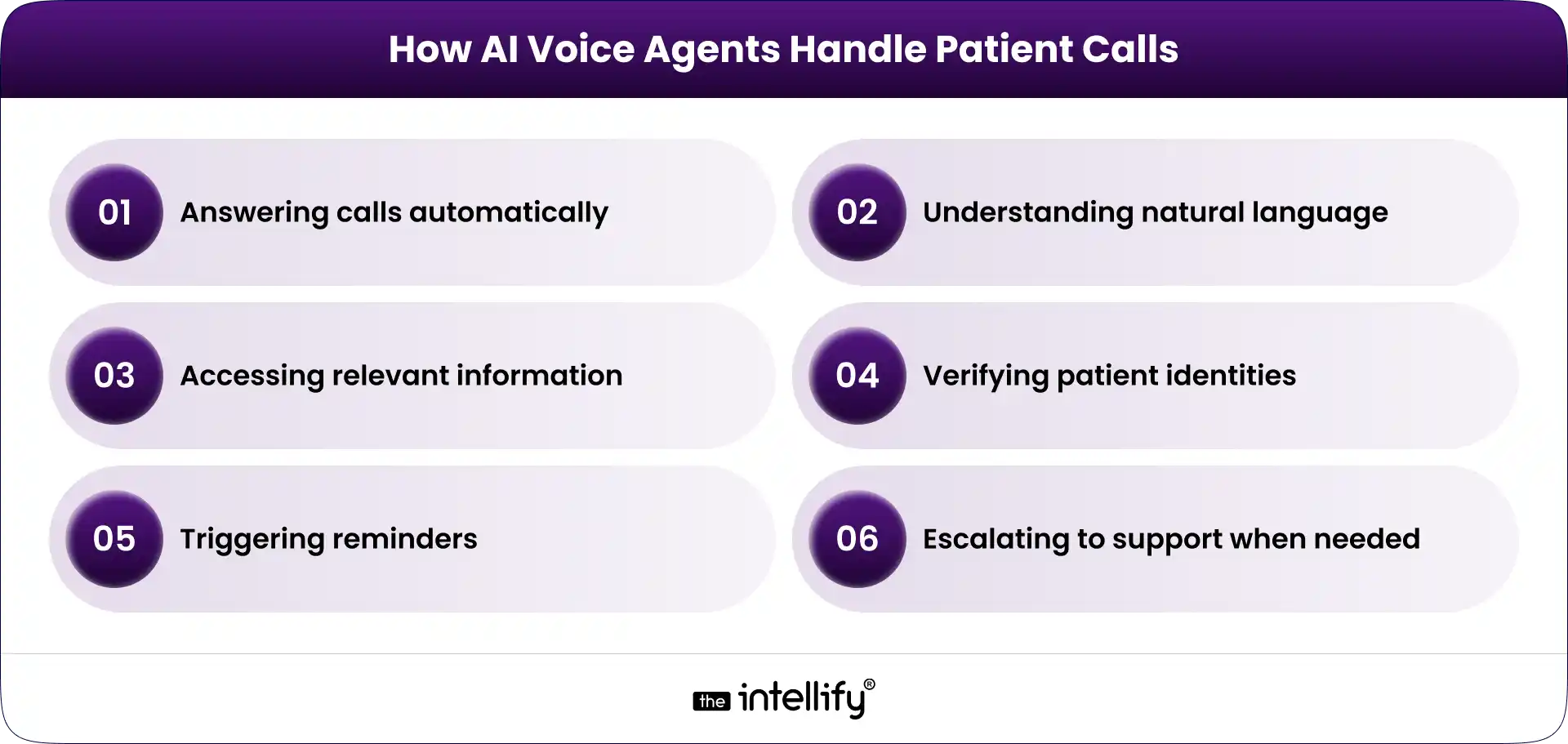
Answers inbound calls

The agent can provide information about office hours, services, locations, membership processes, appointment availability, and other approved practice information.

Handles appointment workflows

Depending on the integrations and permissions, the agent can help patients book, cancel, or reschedule appointments. This can be particularly useful outside normal office hours.

Supports membership-related questions

Because membership management is central to DPC, voice AI can assist with routine questions about enrollment, renewal, billing status, plans, or account processes.

DPC platforms already need to manage membership enrollment, recurring payments, scheduling, communication, and related workflows. Voice simply becomes another interface for accessing those functions.

Routes patient requests

Not every call should be automated. If a patient needs to speak with a nurse, has a complex administrative issue, or requests something outside the agent’s approved capabilities, the system can route the conversation to the appropriate staff member. That boundary matters.


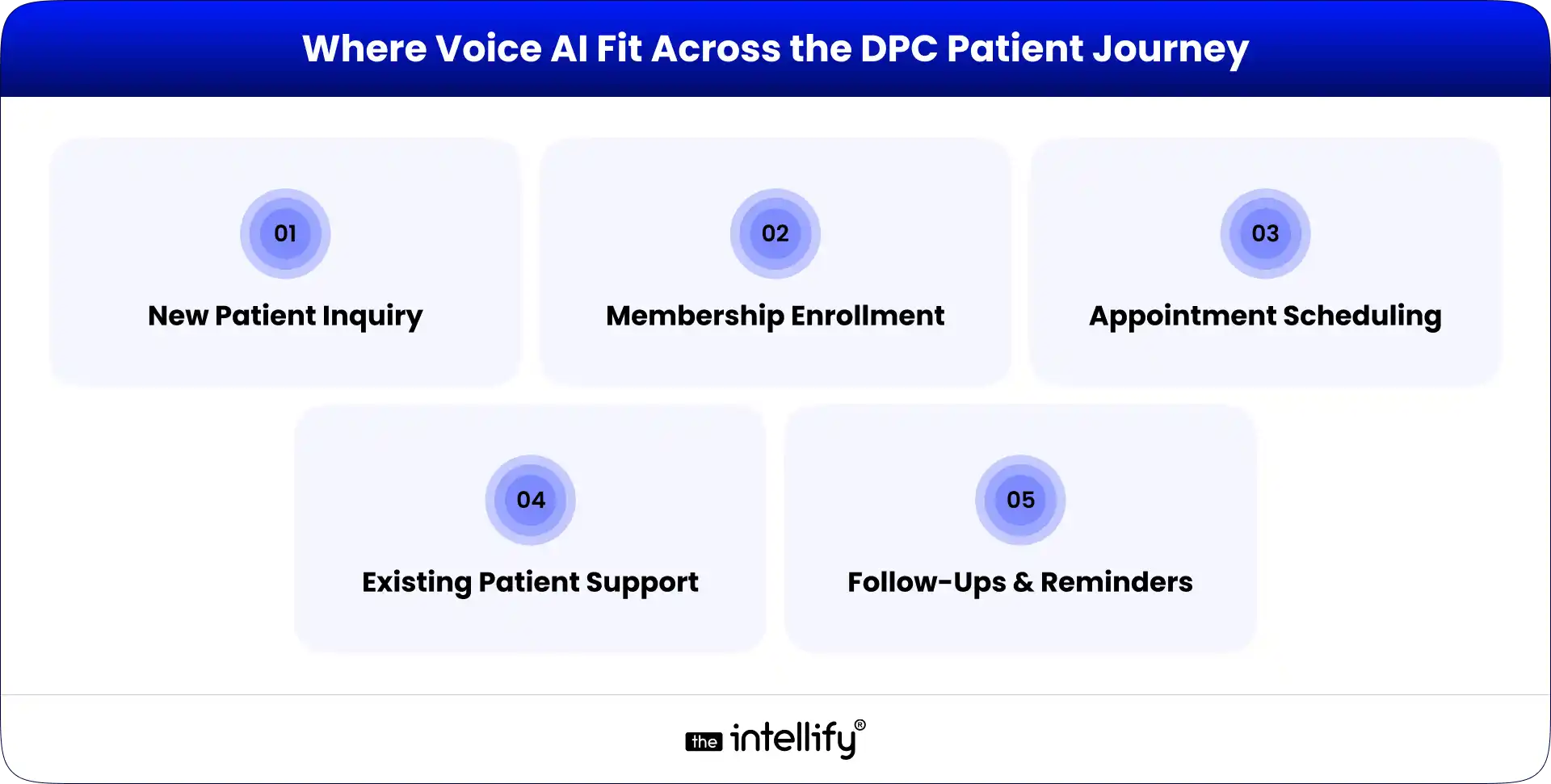
Where AI Voice Agents Fit Across the DPC Patient Journey

Where Voice AI Fit Across the DPC Patient Journey

The most useful way to think about voice AI is not as a standalone feature. Think of it as a layer across the patient journey.

1. New Patient Inquiry

A prospective member may call after finding a DPC practice online. The voice agent can answer basic questions about membership, services, availability, and how enrollment works.

It can also capture contact details or direct the caller to the appropriate enrollment workflow. This means fewer prospective patients reach voicemail simply because the team is busy.

2. Membership Enrollment

Once a patient decides to join, the voice agent can guide them through the next steps.

For example, it could explain how to complete registration, direct them to a secure enrollment page, or answer basic questions about the membership process.

The important point is that the AI should not invent information. It should pull approved information from the platform or knowledge source.

3. Appointment Scheduling

This is one of the clearest use cases. A patient calls: “I need a follow-up next week.”

The voice agent can determine the type of appointment, check scheduling rules, offer appropriate availability, and confirm the booking if the system allows it.

If no suitable appointment is available, the conversation can be escalated rather than forcing an automated answer.

4. Existing Patient Support

After enrollment, patients may call for routine administrative needs. The AI agent can help with approved requests such as appointment changes, office information, basic membership questions, and other non-clinical tasks.

This can reduce the number of repetitive calls reaching front-office staff.

5. Follow-Ups and Reminders

Voice AI can also support outbound communication when appropriate.

For example, a practice could use an automated voice workflow to remind patients about appointments or follow up on an administrative request.

The exact workflow should depend on the practice’s policies, consent requirements, and technical setup.


What AI Voice Agents Should Not Handle

This is where healthcare voice AI needs a different mindset from ordinary customer-service automation. A DPC voice agent should have clear limits.

It should not independently diagnose a patient, make clinical decisions, or present itself as a physician. It should not be used as an emergency response system.

If a caller describes a potentially urgent or emergency situation, the workflow should follow predefined escalation instructions rather than asking the AI to “figure it out.”

The same principle applies to sensitive clinical questions.

A patient might say: “I’ve been having chest pain since this morning. What should I take?”

That is not an appointment-booking problem. The system needs to recognize that the request falls outside its permitted scope and move the caller to the appropriate human or emergency pathway.

The best voice agent is not the one that answers everything. It is the one that knows when not to answer.


How an AI Voice Agent Connects With the DPC Technology Stack

A voice agent becomes much more useful when it can securely interact with the systems already running the practice. A modern DPC platform may include:

  • Patient portal
  • DPC membership management
  • Scheduling
  • EHR/EMR
  • Billing and payments
  • Telehealth
  • Patient messaging
  • CRM
  • Notifications and reminders
  • Reporting and analytics

The voice agent can sit above these systems as a conversational interface.

A simplified workflow looks like this: Patient call → AI voice agent → Intent detection → Authentication/permissions → DPC platform or integrated system → Action → Confirmation or human escalation

For example:

“I want to reschedule my appointment.”

↓

AI identifies scheduling intent

↓

Checks the relevant scheduling system

↓

Offers permitted appointment options

↓

Patient confirms

↓

The Appointment is updated

↓
AI confirms the change

That is far more useful than simply sending the caller to an extension.


AI voice agents for DPC


HIPAA and Security Considerations

Healthcare voice AI cannot be treated like a generic customer-service chatbot.

If a voice solution creates, receives, maintains, or transmits protected health information on behalf of a covered healthcare provider, the vendor relationship may fall under HIPAA business associate requirements. HHS specifically lists third-party AI tools that interact with PHI for activities such as appointment scheduling as an example of a potential business associate service.

That means a DPC practice evaluating voice AI should look beyond the quality of the conversation. Important considerations include:

  • PHI handling
  • Encryption
  • Access controls
  • Authentication
  • Audit logging
  • Data retention
  • Secure API integrations
  • Vendor agreements and BAAs, where applicable
  • Role-based permissions
  • Human escalation procedures

“AI-powered” and ” HIPAA-compliant” are not interchangeable terms. Compliance depends on how the solution is designed, deployed, integrated, and operated.

For a DPC platform, security should be part of the architecture from the beginning, not something added after the voice agent is already live.


AI Voice Agent vs. Traditional Phone Support

Traditional phone support still has an important role in healthcare. The issue is not that humans are bad at answering phones. The issue is that repetitive calls consume a finite amount of staff time.

Traditional Phone Support AI Voice Agent
Staff answers each call AI handles defined routine calls
Limited by staff availability Can operate beyond office hours
Repetitive questions consume time Common questions can be automated
Manual scheduling Can connect to scheduling workflows
Human escalation is natural Complex requests can be escalated
Scaling requires more staff time Scaling can be more software-driven

This does not mean every DPC practice needs to replace its phone team.

In many cases, the better model is AI for routine requests + humans for exceptions and higher-value conversations. That hybrid approach is much more practical.


How to Add Voice AI Without Rebuilding the Entire DPC Platform

Step-by-Step Implementation

A common concern is that adding AI means replacing the existing DPC platform. It doesn’t have to. If the current platform already handles membership, scheduling, patient records, and communication reasonably well, voice AI can potentially be introduced as an additional interface.

The implementation can happen in stages.

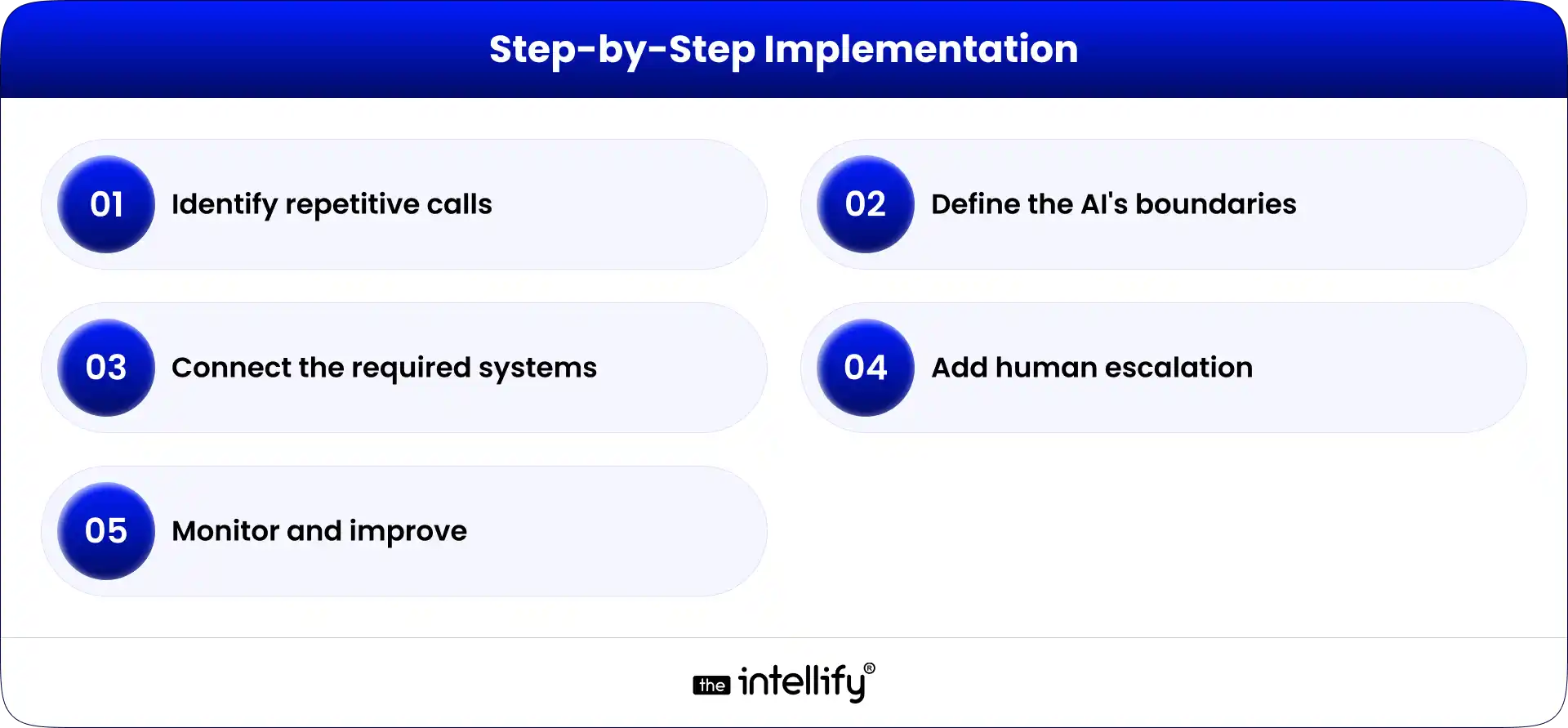
Step 1: Identify repetitive calls

Start with call data. Which requests appear most often? Appointment scheduling? Membership questions? Directions? Prescription-related calls? Billing? Do not automate everything at once.

Step 2: Define the AI’s boundaries

Create a clear list of what the agent can and cannot do. This is especially important for clinical and sensitive requests.

Step 3: Connect the required systems

Use secure APIs and integrations to connect the voice layer with scheduling, membership, CRM, or other relevant systems.

Step 4: Add human escalation

Every production healthcare voice workflow should have a clear path to a human when automation reaches its limit.

Step 5: Monitor and improve

Review failed calls, transfers, misunderstood requests, and patient feedback. Voice AI gets better when the workflow gets better.

If the underlying DPC platform itself is outdated, modernization may be necessary before adding advanced AI capabilities. The Intellify’s DPC platform modernization approach includes AI and EHR/EMR integrations, cloud-native architecture, workflow automation, and patient experience modernization.


When a DPC Practice Should Consider Voice AI

Voice AI makes the most sense when phone demand is creating a real operational problem. Consider it if:

  • Staff frequently miss calls.
  • Patients regularly wait for callbacks.
  • Appointment requests consume significant staff time.
  • The practice receives the same questions every day.
  • After-hours calls are common.
  • The DPC platform already has digital workflows that voice could access.
  • The practice wants to scale without adding phone support at the same rate.

On the other hand, a small practice with very low call volume may not need sophisticated voice automation yet. Technology should solve a problem, not create another project for the team to manage.


Conclusion

AI voice agents can become a useful part of a modern DPC platform, but their role should be clearly defined.

They can handle routine conversations, support appointment workflows, answer approved questions, assist with membership-related requests, and route more complex issues to people.

The bigger opportunity is integration. When voice AI connects with the DPC platform, scheduling system, membership management, EHR, and communication workflows, the phone stops being a disconnected channel and becomes another way for patients to interact with the practice.

For DPC organizations modernizing their technology, that distinction matters.

The goal isn’t to make the practice “more AI.” The goal is to make access easier for patients and repetitive work lighter for staff without compromising clinical judgment, privacy, or the physician-patient relationship.

The Intellify works with healthcare organizations on DPC platform modernization, AI integration, EHR/EMR connectivity, and workflow automation. Its Healthcare2U engagement involved modernizing a large U.S. DPC platform, with reported improvements including 30% faster navigation efficiency and 2X admin task efficiency.

If your DPC platform is already working but struggling with scale, disconnected workflows, or manual patient communication, the next step may not be a complete rebuild. It may be identifying where intelligent automation, including voice, can fit into what you already have.


AI voice assistant for DPC practices


Frequently Asked Questions (FAQs)

1. What is an AI voice agent for DPC?

An AI voice agent is a conversational system that can answer phone calls, understand patient requests, provide approved information, and perform selected workflows such as appointment scheduling or routing. In a DPC environment, it works best as a support layer connected to the existing platform.

2. Can AI voice agents schedule DPC appointments?

Yes, if the voice agent is securely integrated with the practice’s scheduling system and is given appropriate permissions. It can identify scheduling requests, check available slots, book or reschedule appointments, and confirm the outcome.

3. Can an AI voice agent answer medical questions?

It should not independently diagnose conditions or make clinical decisions. Healthcare voice systems should have defined boundaries and escalation workflows for clinical, urgent, or sensitive requests.

4. Are AI voice agents HIPAA-compliant?

A voice agent is not automatically HIPAA-compliant simply because it uses healthcare terminology or is marketed for healthcare. If it handles PHI on behalf of a covered entity, HIPAA requirements may apply, including business associate considerations. The technical architecture, vendor relationship, security controls, and operating procedures all matter.

5. Do DPC practices need to replace their existing software to use voice AI?

Not necessarily. A voice agent can often be added as a new interface through APIs and integrations. However, older DPC platforms may need modernization if their architecture cannot securely support new integrations or automation.

6. What can AI voice agents automate in a DPC practice?

Common opportunities include appointment scheduling, cancellations, rescheduling, practice information, membership-related questions, routine administrative requests, reminders, and call routing. The exact scope should be based on the practice’s workflows and compliance requirements.

Why Healthcare Providers Miss Patient Calls (And How AI Fixes It)

Summary:
Healthcare providers frequently miss patient calls due to busy front desks, high call volumes, and administrative workloads. Every unanswered call can result in lost appointments, reduced patient satisfaction, and missed revenue. This blog explores the key reasons behind missed patient calls and explains how AI voice agents help healthcare organizations improve patient communication, automate appointment scheduling, and support staff more efficiently.


A patient calls your clinic to book an appointment, reschedule a visit, or ask a simple question. But no one answers. For healthcare providers, a missed patient call is more than just a missed conversation. It can lead to lost appointments, frustrated patients, and missed revenue. Most of the time, the problem isn’t poor service; it’s busy front desks, high call volumes, and staff managing multiple responsibilities at once.

To bridge this gap, many healthcare providers are adopting AI voice agents that answer calls instantly, schedule appointments, handle routine inquiries, and support patients 24/7. In this article, we’ll explore why healthcare providers miss patient calls, the hidden impact of those missed opportunities, and how AI voice agents are helping clinics deliver a better patient experience.


Why Healthcare Providers Miss Patient Calls

Most healthcare providers don’t miss patient calls because of poor service. They miss them because front-desk teams are managing multiple responsibilities at the same time. As patient demand continues to grow, answering every call has become increasingly difficult.

Busy Front Desks and Overwhelmed Staff

Receptionists do much more than answer phones. They check in patients, verify insurance, manage appointments, process payments, and support clinical teams. During busy hours, handling in-person patients often takes priority, causing incoming calls to be delayed or missed.

Limited Office Hours

Patients don’t only call during business hours. Many try to schedule appointments in the evenings, on weekends, or during holidays. If they reach voicemail instead of a person, many won’t wait for a callback and may contact another provider.

Multiple Administrative Responsibilities

Front-desk staff also manage referrals, prescription requests, billing inquiries, patient records, and other administrative tasks. With so many responsibilities competing for attention, answering every call immediately isn’t always possible.

High Call Volumes During Peak Hours

Morning rushes, lunch hours, and seasonal illness periods often bring a surge of incoming calls. When several patients call at once, long hold times become unavoidable, leading some callers to abandon the call and look elsewhere.


The Hidden Cost of Missed Patient Calls

A missed phone call may seem like a small issue, but its impact can quickly add up. From lost appointments to increased administrative work, unanswered calls affect both patient experience and clinic performance.

Lost Appointments

Every unanswered call is a missed opportunity to book an appointment. If patients can’t reach your clinic, many will simply contact another provider instead, resulting in lost revenue and fewer patients receiving timely care.

Patients Choosing Another Provider

Today’s patients expect quick responses. When a clinic doesn’t answer the phone, many assume communication will be difficult and choose a provider that’s easier to reach, even if the quality of care is comparable.
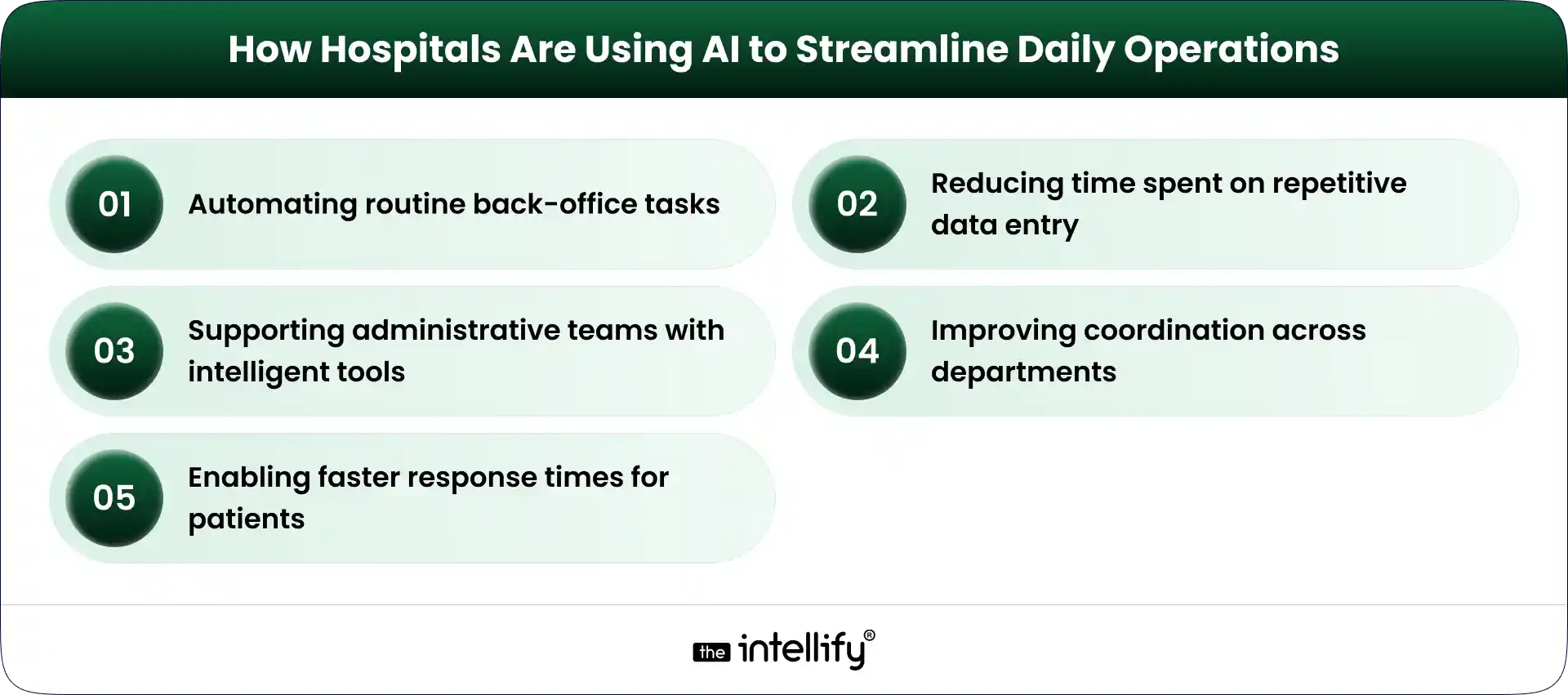
Lower Patient Satisfaction

The patient experience starts with the first interaction. Long hold times, missed calls, or delayed callbacks can create frustration and weaken trust before a patient even visits the clinic.

Increased Workload for Staff

Missed calls don’t disappear; they come back as voicemails, callback requests, and scheduling changes. This creates extra administrative work, increases staff stress, and reduces overall efficiency.


Why Traditional Solutions No Longer Work

Hiring more receptionists used to be the go-to solution for managing patient calls. Today, that’s becoming harder to sustain due to staffing shortages, rising labor costs, and employee turnover.
Even with a larger front-desk team, every call can’t always be answered. Staff are busy assisting patients, handling administrative tasks, taking breaks, or working within fixed office hours.
Many clinics have also turned to voicemail or outsourced answering services. While these options help capture calls, they often don’t provide the instant response patients expect.
As patient expectations continue to evolve, healthcare providers need a solution that can answer every call, support staff, and remain available 24/7not just during office hours.


AI for Clinic Front Desk


How AI Voice Agents Solve the Problem

Healthcare providers don’t need to replace their front-desk teams; they need technology that helps them work more efficiently. AI voice agents answer calls, automate routine tasks, and ensure patients receive timely support without adding to staff workload.

Answer Every Call Instantly

AI voice agents answer every incoming call within seconds, eliminating long hold times and ensuring patients always reach someone, even during peak hours or after the clinic has closed.

Book Appointments Automatically

Patients can book, reschedule, or cancel appointments through a natural voice conversation. The AI follows the clinic’s scheduling rules and updates the calendar automatically.

Handle Common Patient Questions

From office hours and insurance inquiries to provider availability and clinic directions, AI can answer routine questions instantly, allowing staff to focus on patient care.

Route Urgent Calls to Staff

When a patient requires immediate assistance or needs to speak with a specific department, the AI can identify the request and transfer the call to the appropriate team member.

Work 24/7 Without Breaks

Unlike traditional front desks, AI voice agents remain available around the clock. Whether it’s after hours, weekends, or holidays, patients can receive support whenever they call.


A Typical Patient Journey With AI

Here’s how a typical patient interaction flows when an AI voice agent handles the conversation:

Step 1: Patient Calls the Clinic

A patient calls to book an appointment, reschedule a visit, or ask a question, whether it’s during office hours or after the clinic has closed.

Step 2: AI Answers Instantly

Instead of reaching voicemail or waiting on hold, the AI voice agent answers the call immediately and understands the patient’s request through natural conversation.

Step 3: Appointment Is Scheduled

The AI checks real-time availability, books or reschedules the appointment based on the clinic’s scheduling rules, and captures any necessary patient information.

Step 4: Confirmation Is Sent

Once the appointment is confirmed, the patient automatically receives a confirmation via SMS or email with all the relevant details.

Step 5: Clinic Staff Stay Updated

The appointment is synced with the clinic’s scheduling system, allowing front-desk staff to view the latest bookings without any manual data entry.

Step 6: Automated Reminders & Follow-ups

Before the appointment, the AI sends reminders to reduce no-shows. If the patient needs to cancel or reschedule, the AI can handle that conversation as well.

The result? Patients receive quick, convenient support at any time, while healthcare teams spend less time managing phone calls and more time focusing on patient care.


Benefits for Healthcare Providers

Benefits for Healthcare Providers

Adopting AI in healthcare isn’t just about answering more calls. It improves several areas of healthcare operations simultaneously.

Better Patient Satisfaction

Patients appreciate fast responses. When someone calls a clinic and immediately receives help instead of waiting on hold, the overall experience improves. Quick communication builds trust before the patient even walks through the door.

Higher Appointment Conversion

Every answered call creates an opportunity to schedule care. By responding instantly and simplifying the booking process, healthcare providers can convert more inquiries into confirmed appointments while reducing the number of abandoned calls.

Reduced Administrative Burden

Routine conversations consume a significant portion of a receptionist’s day. When AI handles appointment scheduling, FAQs, and basic requests, administrative teams can focus on patients who require personal attention, improving efficiency across the practice.

Lower Operational Costs

Hiring additional staff isn’t always practical. AI voice agents help healthcare providers manage increasing call volumes without expanding front-desk teams, making operations more scalable over time.

Happier Front-Desk Teams

Receptionists often feel overwhelmed when balancing in-person patients with constant phone calls. By handling repetitive conversations, AI reduces pressure on staff and allows them to concentrate on tasks that genuinely require empathy, judgment, and human interaction.


Can AI Replace Your Front Desk?

The short answer is no. Healthcare is built on trust and human relationships. Patients still value speaking with compassionate professionals, especially when discussing complex medical concerns.
AI isn’t designed to replace receptionists; it complements them. Think of it as another member of the administrative team that never misses a call, never gets overwhelmed during busy hours, and can manage repetitive conversations consistently.
This human-plus-AI approach allows clinics to improve efficiency while ensuring patients still receive personal care whenever it’s needed.


What to Look for in an AI Healthcare Voice Agent

Not every AI solution is built for healthcare. Before choosing a platform, healthcare providers should evaluate whether it meets both operational and compliance requirements.
Look for features such as:

  • HIPAA-ready architecture to support patient data privacy.
  • Natural, conversational voice interactions that don’t feel robotic.
  • Integration with EHR and practice management systems.
  • CRM connectivity for better patient communication.
  • Analytics dashboards to monitor call volumes and outcomes.
  • Multi-language support for diverse patient populations.
  • Fast deployment without disrupting existing workflows.

Solutions like Alris AI by The Intellify are designed around these requirements, helping healthcare organizations automate patient conversations while fitting into their existing operational processes.


Why Clinics Are Adopting AI Faster in 2026

Healthcare providers are increasingly adopting AI to improve patient communication and streamline daily operations. Here are the key reasons driving this shift:

  • Rising Patient Expectations: Patients expect quick responses, easy appointment scheduling, and support beyond regular office hours.
  • Ongoing Staffing Challenges: Many clinics continue to face front-desk staffing shortages, making it difficult to manage growing call volumes efficiently.
  • Increasing Competition: With more healthcare options available, clinics need to deliver faster and more convenient patient experiences to stay competitive.
  • Affordable AI Solutions: AI voice technology has become more accessible and cost-effective, making it practical for clinics of all sizes- not just large hospital systems.
  • Reduced Administrative Work: AI automates routine conversations, allowing healthcare staff to spend more time on patient care instead of repetitive administrative tasks.


 AI Receptionist for Clinics


Final Thoughts

Healthcare providers don’t lose patients because they deliver poor medical care. More often, they lose opportunities because patients can’t reach them when they need help.
As patient expectations continue to evolve, answering every call is no longer just a customer service goal- it’s an essential part of delivering accessible healthcare.
AI voice agents offer a practical way to bridge that gap. By answering calls instantly, automating appointment scheduling, handling routine inquiries, and supporting front-desk teams, they help healthcare providers improve both operational efficiency and the patient experience.
If your practice is exploring ways to reduce missed calls without adding more administrative burden, solutions like Alris AI by The Intellify can help create a more responsive and efficient communication workflow.


Frequently Asked Questions (FAQs)

1. Why do healthcare providers miss patient calls?

Healthcare providers often miss calls because front-desk staff manage multiple responsibilities simultaneously, including patient check-ins, scheduling, insurance verification, billing, and administrative tasks. High call volumes and limited office hours also contribute to missed calls.

2. How much revenue can missed calls cost a clinic?

The financial impact varies depending on the practice, but every unanswered call represents a potential missed appointment. Over time, even a small number of missed appointments each week can result in substantial revenue loss while also reducing patient retention.

3. Can AI schedule medical appointments?

Yes. Modern AI voice agents can schedule, reschedule, and cancel appointments by following predefined scheduling rules and integrating with existing healthcare systems.

4. Is an AI voice agent HIPAA compliant?

It depends on the provider. Healthcare organizations should choose AI solutions designed with HIPAA-ready security practices and appropriate safeguards for handling protected health information.

5. Does AI replace receptionists?

No. AI supports reception teams by handling repetitive conversations and routine administrative tasks. Human staff continues to manage complex situations that require empathy, judgment, and personalized assistance.

6. Can Alris AI integrate with existing healthcare systems?

Yes. Alris AI by The Intellify is designed to integrate with healthcare workflows and can connect with scheduling systems, CRM platforms, and other operational tools, helping providers automate patient communication without disrupting existing processes.

AI Appointment Scheduling in Healthcare: How It Works, Key Benefits & Costs in 2026

Summary:
AI appointment scheduling helps healthcare organizations automate booking, reduce no-shows, optimize provider schedules, and improve patient access to care. This guide explains how AI scheduling works, its key benefits, essential features, implementation costs, EHR integration requirements, and future trends shaping healthcare operations in 2026.

A missed appointment doesn’t just create an empty slot in a provider’s calendar. It can delay patient care, increase administrative workload, and reduce revenue. Now multiply that across hundreds or even thousands of appointments each month.

Healthcare organizations today face growing pressure to improve patient access while managing staffing shortages and rising operational costs. At the same time, patients expect the convenience of online booking, instant confirmations, and personalized communication.

This is why AI Appointment Scheduling is gaining traction across healthcare. By combining artificial intelligence, automation, and predictive analytics, healthcare providers can streamline scheduling, reduce no-shows, and improve the overall patient experience.

In 2026, AI-powered scheduling is no longer just a productivity tool. It has become an important part of modern healthcare operations, helping organizations deliver faster, more efficient, and patient-centric care.


Understanding AI Appointment Scheduling in Healthcare

What AI appointment scheduling is

AI appointment scheduling uses artificial intelligence to automate and optimize how healthcare appointments are booked, managed, and followed up.
Unlike traditional scheduling software that simply displays available time slots, AI-driven systems analyze provider availability, patient preferences, appointment types, historical scheduling data, and operational requirements to recommend the most suitable appointments.

How AI scheduling differs from traditional appointment management

Traditional scheduling relies heavily on administrative staff to manage bookings, cancellations, reminders, and rescheduling. AI scheduling platforms automate many of these tasks while continuously optimizing schedules. They can:

  • Recommend ideal appointment slots
  • Predict likely no-shows
  • Fill cancelled appointments automatically
  • Send personalized reminders
  • Manage waitlists in real time

Technologies powering intelligent scheduling systems

Several technologies make AI scheduling possible:

  • Machine Learning: Learns from historical scheduling data.
  • Predictive Analytics: Forecasts appointment demand and cancellation risks.
  • Conversational AI: Enables scheduling through chatbots and virtual assistants.
  • Workflow Automation: Automates reminders, confirmations, and follow-up actions.


How AI appointment scheduling works from booking to follow-up

Patients can book appointments through websites, apps, chatbots, or patient portals. The system analyzes scheduling factors and suggests the best available options.
After booking, automated reminders help reduce no-shows. If cancellations occur, AI can immediately offer those slots to patients on a waitlist. Following the appointment, the system can schedule follow-ups and trigger additional patient communication workflows.


Why Healthcare Organizations Need Smarter Scheduling Systems

Patient expectations have changed dramatically. Most people expect healthcare scheduling to be as simple as booking a flight or reserving a hotel room online. However, many healthcare organizations still struggle with:

  • Long call wait times
  • Scheduling conflicts
  • Double bookings
  • Appointment gaps
  • Last-minute cancellations
  • High no-show rates

These issues affect both patient satisfaction and operational performance.
Manual scheduling processes also place significant pressure on front-desk staff. As healthcare organizations grow, managing appointments across multiple providers and locations becomes increasingly difficult.
AI-powered healthcare software helps address these challenges by automating repetitive tasks, improving schedule utilization, and making it easier for patients to access care.


Key Benefits of AI Appointment Scheduling for Healthcare Providers

Benefits of AI Scheduling for Healthcare Providers

Reducing administrative workload

Administrative teams spend a large portion of their day handling scheduling-related tasks. AI in healthcare automation reduces the need for manual appointment booking, confirmations, reminders, and rescheduling. This allows staff to focus more on patient support and care coordination.

Optimizing provider schedules and appointment availability

AI scheduling systems help ensure providers’ calendars are used efficiently by minimizing gaps and balancing appointment demand. This can increase patient access without requiring additional clinical resources.

Improving resource utilization across departments

Healthcare scheduling often involves more than physicians. Exam rooms, imaging equipment, specialists, and support staff all need coordination. AI helps allocate these resources more effectively, reducing bottlenecks and operational inefficiencies.

Enhancing operational efficiency

Better scheduling leads to:

  • Fewer missed appointments
  • Reduced administrative costs
  • Faster patient access
  • Improved provider productivity

Even small improvements in scheduling efficiency can generate measurable operational benefits.

Supporting growth without increasing administrative burden

As healthcare organizations expand, AI scheduling allows them to manage larger patient volumes without proportionally increasing administrative staff. This scalability is one of the key reasons many providers are investing in intelligent scheduling solutions.


Features to Look for in AI Appointment Scheduling Software

When evaluating AI appointment scheduling software, healthcare organizations should prioritize features that improve both efficiency and patient experience.

Self-service patient scheduling

A strong AI appointment scheduling platform should allow patients to book, reschedule, and cancel appointments online at any time.

Intelligent appointment recommendations

AI should recommend appointments based on provider availability, appointment type, patient preferences, and urgency.

Automated reminders and notifications

Personalized reminders delivered through SMS, email, or voice calls help reduce missed appointments.

Smart waitlist management

Cancelled appointments can be automatically offered to patients seeking earlier availability.

Scheduling analytics and reporting

Look for dashboards that track appointment completion rates, cancellations, no-shows, and provider utilization.

Security, privacy, and compliance capabilities

The platform should support HIPAA-compliant workflows, secure data handling, audit trails, and role-based access controls.

Multi-location and multi-provider support

Organizations with multiple facilities should ensure the platform can manage scheduling across locations and providers from a centralized system.


AI Appointment Scheduling Cost in 2026: Pricing Models & ROI

Key factors that influence implementation costs

Several factors affect the cost of AI appointment scheduling:

  • Practice size
  • Number of providers
  • Integration requirements
  • Customization needs
  • Deployment model

Off-the-shelf vs custom scheduling solutions

Solution Type Estimated Cost
Small Clinic SaaS $100-$1,000/month
Multi-Location Practice $1,500-$5,000/month
Enterprise Health System $25,000-$250,000+ implementation
Custom AI Scheduling Platform $50,000-$300,000+

Understanding the total cost of ownership

Beyond software licensing, organizations should account for:

  • Implementation
  • Integration
  • Training
  • Maintenance
  • Ongoing support

Evaluating long-term return on investment

The ROI often comes from:

  • Reduced no-shows
  • Improved provider utilization
  • Lower administrative costs
  • Increased patient retention
  • Better scheduling efficiency

Hidden costs to watch out for

Organizations should also plan for data migration, workflow redesign, testing, and change management activities.


AI Appointment Scheduling Solutions


Reducing No-Shows and Scheduling Gaps

Missed appointments remain one of the biggest operational challenges in healthcare. AI scheduling platforms help reduce no-shows by identifying patients who are more likely to miss appointments and sending personalized reminders based on patient behavior.
Smart waitlists further improve efficiency by automatically filling cancelled slots with patients seeking earlier appointments. These capabilities help healthcare organizations:

  • Improve attendance rates
  • Reduce revenue loss
  • Increase provider utilization
  • Improve patient access to care

For many organizations, reducing no-shows alone can significantly improve scheduling performance.


Patient Impact: From Booking to Better Outcomes

The patient experience begins long before the appointment itself. AI-powered scheduling contributes to better outcomes by providing:

  • Faster appointment access
  • Reduced scheduling delays
  • Convenient self-service booking
  • Improved follow-up compliance
  • Personalized communication

When patients can access care quickly and easily, they are more likely to remain engaged throughout their treatment journey.
Improved engagement often translates into better adherence, stronger provider relationships, and higher satisfaction levels.


Real-World Applications Across Healthcare Settings

Real-World Applications Across Healthcare

AI appointment scheduling is not limited to one type of healthcare organization. Its value extends across multiple care environments.

Primary care practices

Primary care providers often manage high patient volumes and diverse appointment types. AI scheduling helps optimize calendars, reduce wait times, and improve access to preventive care.

Specialty clinics

Specialty practices often deal with complex scheduling requirements. Whether it’s cardiology, dermatology, orthopedics, or oncology, intelligent scheduling helps coordinate providers, resources, and patient demand more effectively.

Hospitals and health systems

Large healthcare systems face enormous scheduling complexity. AI supports enterprise-wide scheduling optimization across departments, facilities, and care teams.

Telehealth providers

Virtual care depends heavily on efficient scheduling. AI helps manage provider availability, virtual appointment coordination, and patient communications.

Diagnostic and imaging centers

Imaging services often require specialized equipment and coordinated staffing. AI scheduling improves resource utilization while reducing patient wait times.

Behavioral and mental health services

Mental health providers frequently encounter high cancellation rates and ongoing treatment plans. Intelligent scheduling helps maintain appointment continuity and improve patient engagement throughout long-term care programs.


AI Scheduling and EHR Integration: Building Connected Healthcare Workflows

Why EHR integration matters

Scheduling systems deliver the most value when connected to Electronic Health Records (EHRs). Integration allows appointment workflows to synchronize with patient records, provider availability, and care plans.

Benefits of combining scheduling and EHR systems

Organizations can benefit from:

  • Reduced duplicate data entry
  • Improved care coordination
  • Faster scheduling workflows
  • Better patient visibility
  • More accurate records

Important integration considerations for healthcare providers

Before implementation, providers should evaluate:

  • EHR compatibility
  • API availability
  • Data synchronization capabilities
  • Security requirements

HIPAA compliance and data security in EHR-connected workflows

Any AI scheduling solution handling patient data should support HIPAA-compliant processes, encryption, audit logging, access controls, and secure data management.
Organizations should also monitor evolving healthcare AI regulations, including requirements related to transparency and patient communication.


Measuring the Success of AI-Powered Scheduling

Healthcare organizations should establish performance metrics before implementation. Common KPIs include:

  • Appointment completion rates
  • No-show reduction percentages
  • Provider utilization levels
  • Schedule fill rates
  • Patient wait times
  • Patient satisfaction scores
  • Online scheduling adoption rates

Tracking these metrics helps organizations identify optimization opportunities and measure ROI.


Common Challenges & Best Practices for Successful Implementation

While AI scheduling offers significant benefits, implementation requires careful planning. Common challenges include:

  • Data privacy concerns
  • System integration complexity
  • Staff adoption issues
  • Workflow adjustments

Best practices include defining clear objectives, prioritizing patient experience, Training staff thoroughly, monitoring performance continuously, and maintaining strong governance and compliance processes.
Organizations that treat AI scheduling as a long-term operational initiative typically achieve the best results.


Future of AI Appointment Scheduling

The future of healthcare scheduling will become even more intelligent.

Predictive scheduling based on patient behavior

AI systems will increasingly anticipate scheduling needs based on patient history, treatment plans, and behavioral patterns.

Conversational scheduling assistants

Patients will book appointments through natural conversations using chatbots and virtual assistants.

Voice-enabled appointment management

Conversational Voice AI will make scheduling more accessible, particularly for older adults and patients who prefer phone interactions.

Personalized scheduling experiences

Future systems will tailor appointment recommendations based on individual preferences and healthcare needs.

The evolution of intelligent healthcare operations

Scheduling is becoming part of a broader healthcare automation strategy that includes patient engagement, workforce planning, care coordination, and operational optimization.


AI Scheduling Solutions


Conclusion

Appointment scheduling plays a bigger role in healthcare performance than many organizations realize. It affects patient access, provider productivity, operational efficiency, and revenue generation.
AI appointment scheduling helps healthcare providers move beyond manual processes by automating workflows, reducing no-shows, optimizing provider availability, and improving patient experiences.
As healthcare organizations continue their digital transformation in 2026, intelligent scheduling is becoming a strategic investment rather than simply an administrative upgrade.
Providers that embrace AI-driven scheduling today will be better positioned to deliver efficient, connected, and patient-centered care in the years ahead.


Looking to Build a Custom AI Appointment Scheduling Solution?

Every healthcare organization has unique scheduling challenges, workflows, compliance requirements, and patient engagement goals.
At The Intellify, we help healthcare providers design and develop custom AI-powered scheduling solutions that integrate with EHR systems, automate patient communications, reduce no-shows, and improve operational efficiency.
Whether you’re modernizing an existing scheduling process or building a fully connected patient access platform, our team can help create a solution tailored to your organization’s needs.


Frequently Asked Questions (FAQs)

1. How does AI make appointment booking easier for patients?

Patients can book appointments anytime, view available slots instantly, and avoid long phone calls or back-and-forth scheduling. AI-powered systems also provide automated confirmations, reminders, and rescheduling options, creating a more convenient healthcare experience.

2. Can AI scheduling software manage both in-person and virtual appointments?

Yes. Most AI scheduling solutions can manage in-person visits, telehealth appointments, and hybrid care models from a single platform. This helps healthcare organizations provide flexible scheduling options while maintaining a consistent patient experience.

3. Will AI appointment scheduling replace front-desk staff?

No. AI automates repetitive scheduling tasks such as appointment booking, reminders, and rescheduling. This allows front-desk staff to focus on patient support, care coordination, and other high-value responsibilities that require human interaction.

4. What should healthcare providers look for in an AI scheduling solution?

Healthcare providers should look for features such as EHR integration, automated reminders, self-service scheduling, reporting and analytics, HIPAA-compliant security, and scalability. The right solution should fit current operational needs while supporting future growth.

5. What is the biggest benefit of AI appointment scheduling in healthcare?

The biggest benefit is improved scheduling efficiency. AI helps reduce administrative workload, optimize provider availability, minimize no-shows, and make it easier for patients to access care. This leads to better patient experiences and more efficient healthcare operations.

AI Voice Agents for Healthcare: From Appointment Scheduling to Patient Engagement

Summary:
Managing patient calls, appointments, and follow-ups can overwhelm healthcare teams. This blog breaks down how AI voice agents simplify these everyday tasks by automating communication and improving patient engagement. From scheduling to reminders and beyond, it covers practical use cases, benefits, and what to consider before implementation, giving healthcare providers a clear view of how voice AI can support both staff efficiency and patient satisfaction.

Healthcare providers are under constant pressure to manage patient calls, schedule appointments, and reduce no-shows all at the same time. It’s a lot to handle, and honestly, front-desk teams often end up carrying most of that load. When call volumes spike or patients can’t get timely responses, things start slipping.

This is where AI voice agents for healthcare come in. They take over routine conversations, help patients book or manage appointments, and keep communication flowing without delays. Having that kind of support running 24/7 can really ease the burden.

In this blog, we’ll break down how these voice agents work, where they fit in, the benefits they offer, and what to consider before getting started. Let’s get into it.


What are AI Voice Agents in Healthcare?

AI Voice agents are advanced systems that utilize speech recognition, natural language understanding, and conversational AI to interact with patients. Unlike traditional Interactive Voice Response (IVR) systems that can often leave users frustrated, AI voice agents can engage in real conversations, understand context, and provide useful responses.


Common Challenges in Healthcare Communication

Healthcare communication faces several challenges:

  • Long hold times and unanswered calls: Patients often spend too long waiting to talk to someone.
  • Manual appointment booking: Staff waste valuable time scheduling and rescheduling appointments.
  • High rates of no-shows: Missed appointments waste resources and create inefficiencies.
  • Limited staff availability: Many healthcare providers can’t take calls after hours or during peak times.
  • Administrative burden: Front-desk teams often find themselves overwhelmed with routine tasks.
  • Inconsistent patient experiences: Different communication channels can lead to varying experiences for patients.

Automating these areas can greatly boost efficiency and patient satisfaction.


How AI Voice Agents in Healthcare Handle Patient Calls and Requests

How AI Voice Agents Handle Patient Calls

AI voice agents manage patient interactions in a way that feels smooth and less mechanical. Instead of long wait times or confusing menus, patients can just speak and get things done quickly. Here’s how they typically handle different types of requests:

Answering calls automatically: They can pick up calls instantly and manage both incoming and outgoing conversations without delays, even during peak hours.

Understanding natural language: Patients don’t have to follow strict prompts. They can explain their concerns in their own words, and the system understands the intent.

Accessing relevant information: These agents can connect with calendars, Electronic Health Records (EHRs), and scheduling tools to pull the right information in real time.

Verifying patient identities: They check basic patient details before sharing sensitive information, which helps maintain accuracy and security.

Triggering reminders: Appointment confirmations, follow-ups, or even medication reminders can be sent automatically, without staff needing to step in.

Escalating to human support when needed: If something feels too complex or sensitive, the call can be smoothly passed to a human team member no awkward breaks or repetition needed.


Automating Appointment Scheduling with AI Voice Agents

AI voice agents take a lot of the back-and-forth out of scheduling. Instead of waiting on hold or calling multiple times, patients can quickly book or manage appointments without much effort. Here’s how it usually works:

Booking new appointments: They can check provider availability in real time and schedule appointments within seconds, without needing staff involvement.

Rescheduling or canceling: Patients can change or cancel their appointments easily, without going through long call processes.

Handling various preferences: Whether it’s a specific doctor, location, or insurance requirement, the system can factor in these details while booking.

Instant confirmations: Once an appointment is booked or updated, confirmations are sent right away no waiting or follow-ups needed.

Reducing wait times: Since calls are handled automatically, patients don’t have to stay on hold, which makes the whole experience quicker.

Supporting multiple languages: This makes it easier for healthcare providers to serve patients from different backgrounds without communication gaps.


How Voice AI for Healthcare Improves Patient Engagement

Voice AI doesn’t just help with scheduling it keeps patients connected even outside clinic visits. That ongoing communication makes a real difference in how patients follow care plans and stay informed. Here’s how it improves engagement:

Sending medication reminders: Patients get timely reminders, which helps them stay consistent with their treatment without relying on memory alone.

Conducting follow-up calls: After appointments, the system can check in with patients, which feels reassuring and keeps care on track.

Sharing wellness reminders: Simple nudges about check-ups, screenings, or preventive care help patients stay proactive about their health.

Answering common questions 24/7: Patients don’t have to wait for clinic hours. They can get answers anytime, which reduces frustration.

Collecting feedback: Short surveys or quick questions help providers understand patient experiences and improve services over time.

Connecting patients: Regular touchpoints keep patients engaged between visits, instead of only interacting when something goes wrong.


Healthcare AI Voice Agents Solutions


Additional Use Cases Beyond Appointment Scheduling

AI voice agents aren’t limited to just booking appointments. They can handle a wide range of everyday tasks that usually take up a lot of staff time. Once you start using them, you realize how many small things they can take care of.

Prescription refill requests: Patients can request refills without calling multiple times, making the process quicker and less frustrating.

Insurance and billing inquiries: Basic questions about coverage, payments, or bills can be answered instantly, saving time for both patients and staff.

Patient intake: Pre-visit questions and initial details can be collected automatically, which helps speed up the check-in process.

Chronic care check-ins: Regular follow-ups help keep track of patients with ongoing conditions, without needing manual outreach every time.

Lab result notifications: Patients can be notified as soon as results are available, so they’re not left waiting or guessing.

Referral coordination: The system can guide patients through the next steps, making transitions between providers feel more organized and less confusing.


Benefits of Healthcare Voice Agents for Providers and Patients

AI voice agents bring clear benefits on both sides. They reduce the pressure on healthcare teams while making things easier for patients at the same time.

For Healthcare Organizations

Lower administrative workload: Routine tasks like handling calls or scheduling don’t need constant staff involvement, which frees up time for more important work.

Reduced operational costs: With fewer manual processes, there’s less need for additional resources, which can help control overall costs.

Improved staff productivity: Teams can spend more time focusing on patient care instead of getting stuck in repetitive tasks.

Fewer missed appointments: Automated reminders and easy rescheduling options help patients stay on track, which keeps schedules more consistent.

Better resource utilization: Staff time and effort can be used more effectively instead of being spread thin across basic tasks.

For Patients

Faster responses: Patients don’t have to wait on hold or try multiple times to get through they get help almost instantly.

24/7 support: Assistance is available anytime, even outside regular clinic hours, which makes things more convenient.

Easier scheduling: Booking or changing appointments feels simple and quick, without long processes.

Personalized communication: Interactions feel more relevant, whether it’s reminders, follow-ups, or general updates.

Improved overall experience: When everything is quicker and smoother, patients naturally feel more satisfied with the care process.


AI Medical Assistant vs Traditional Call Centers

The difference between AI medical assistants and traditional call centers becomes pretty clear once you look at how they handle everyday tasks. It’s not just about automation it’s about how smoothly things run.

  • Availability: AI agents don’t stick to office hours. They’re available round the clock, which means patients can reach out anytime without waiting for the clinic to open.
  • Response consistency: Unlike human agents who may vary in responses, AI systems provide the same accurate information every time, which helps avoid confusion.
  • Scalability: During peak hours, call volumes can spike. AI agents can handle multiple conversations at once without delays or drop-offs.
  • Faster processing: Routine requests like scheduling or basic queries are handled quickly, so patients don’t spend unnecessary time on calls.
  • Seamless human handoff: When something needs human attention, the transition is smooth. Patients don’t have to repeat everything again, which honestly makes the experience less frustrating.


Key Features to Look for in an AI Voice Agent Healthcare Solution

Healthcare AI Voice Agent Features

When you’re evaluating AI voice agents, it’s easy to get caught up in features. But a few things really matter if you want something that actually works well in a healthcare setup. As the use of AI in Healthcare continues to grow, healthcare providers are looking for tools that are practical, secure, and easy to integrate into everyday operations.

  • Natural, human-like conversations: The interaction shouldn’t feel robotic. Patients should be able to speak normally and still get clear, helpful responses.
  • Appointment scheduling and calendar integration: It should connect directly with your scheduling system so bookings, changes, and cancellations happen without manual effort.
  • EHR and CRM connectivity: Access to patient data is important. Integration with existing systems helps the agent provide accurate and relevant information.
  • HIPAA-compliant security measures: Patient data needs to stay protected. Strong security and compliance aren’t optional here.
  • Multilingual support: If you’re serving a diverse patient base, language flexibility makes a big difference in communication.
  • Analytics and reporting: You should be able to track performance, understand call patterns, and spot areas that need improvement.
  • Custom workflows: Every healthcare setup is different. The system should adapt to your processes instead of forcing you to change everything.


Challenges and Considerations Before Implementation

While promising, there are challenges to consider before jumping in:

  • Data privacy: Compliance with healthcare regulations is non-negotiable.
  • Integration: Solutions must work seamlessly with existing systems.
  • Training for medical terminology: Voice agents need to grasp healthcare language accurately.
  • Human handoff: Creating a smooth transition when needed is essential for a good experience.
  • Adoption: Gaining patient trust often takes time.
  • Ongoing optimization: Regular upgrades ensure effectiveness and adaptability.


Real-World Impact of Voice AI Solutions in Healthcare

When voice AI is actually put into use, the results start showing fairly quickly. It’s not just about saving time it changes how smoothly day-to-day operations run and how patients experience care.

  • Reduction in missed appointments: Automated reminders and easy rescheduling options help patients stay on track, which improves overall adherence.
  • Faster response times: Patients don’t have to wait long to get answers, which makes interactions feel more responsive and reliable.
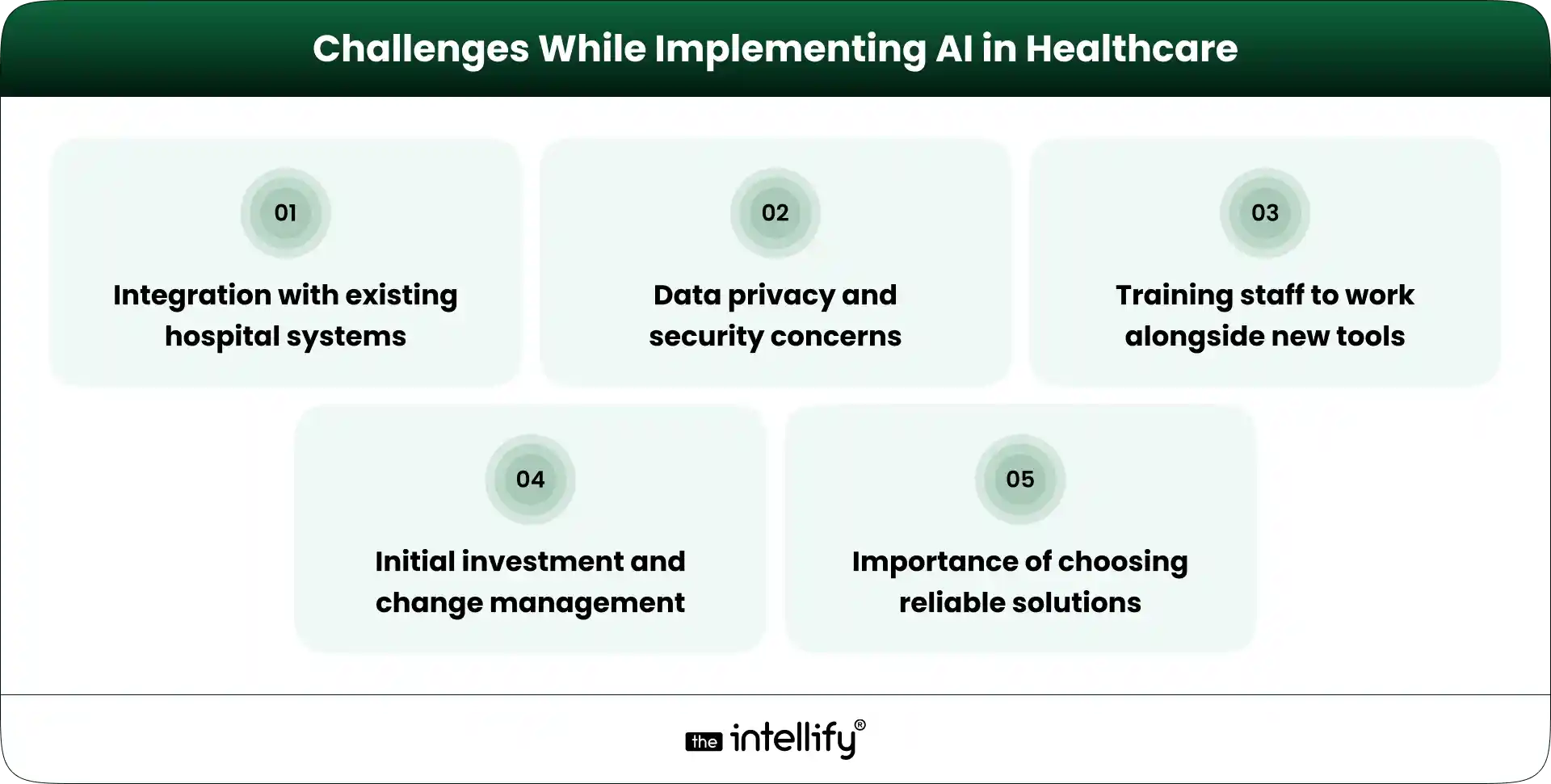
  • Increased satisfaction: When communication is clear and timely, patients naturally feel more supported throughout their care journey.
  • Lower call center workload: A large portion of routine calls gets handled automatically, so staff can focus more on patients instead of repetitive tasks.
  • Better follow-up: Regular check-ins and reminders keep patients engaged, even after their visit is done.

  • Operational efficiency: With fewer delays and less manual work, processes become more streamlined and things just run better overall.


Voice AI for healthcare


Conclusion

AI voice agents in healthcare are more than just a passing trend; they’re turning into essential tools for modernizing patient communication and care operations. By simplifying appointment scheduling and enhancing patient engagement, these solutions empower healthcare organizations to work more efficiently while providing better care.

If you’re contemplating implementing AI voice agents in your healthcare practice, reach out to The Intellify today for tailored solutions that can unlock the full potential of your patient communication.


Frequently asked questions

1. Can AI voice agents call patients with reminders and follow-ups?

Yes. They can make outbound calls to confirm appointments, send medication reminders, share pre-visit instructions, and follow up after consultations to keep patients informed and engaged.

2. What types of patient requests can healthcare voice agents handle?

Healthcare voice agents can assist with appointment booking, prescription refill requests, billing questions, insurance inquiries, lab result notifications, and general FAQs.

3. How are AI voice agents different from traditional IVR systems?

Traditional IVR systems rely on fixed menu options, while AI voice agents understand natural conversation. Patients can speak normally instead of navigating through multiple keypad prompts.

4. Can AI voice agents work after clinic hours?

Yes. One of the biggest advantages of voice AI for healthcare is 24/7 availability, allowing patients to schedule appointments and get answers even when staff are unavailable.

5. How do AI voice agents help reduce missed appointments?

They automatically send confirmations, reminders, and rescheduling options. This helps patients remember upcoming visits and makes it easier to adjust appointments when needed.

6. Can voice AI integrate with EHR and scheduling systems?

Most modern AI voice agent healthcare solutions can connect with electronic health records, practice management systems, and calendars to access real-time patient and appointment information.

7. How do AI voice agents improve patient engagement?

They maintain consistent communication through reminders, follow-up calls, wellness outreach, and quick responses to common questions, helping patients stay connected throughout their care journey.

Healthcare Membership Management System: Key Features & Architecture

Summary:
A healthcare membership management system helps providers handle patient subscriptions, billing, and communication in one place. This blog covers how these systems work, their key features, and why they are important for clinics, hospitals, and wellness providers. It also highlights how they improve efficiency, reduce manual work, and help deliver better patient care while ensuring consistent and predictable revenue.

The healthcare landscape is evolving, shifting towards membership-based models that foster patient engagement and streamline service delivery. At the heart of this transformation is the Healthcare Membership Management system, providing the essential tools clinics and hospitals need to thrive in this new environment. In this blog, we’ll dive into what a healthcare membership management system is, its core features, how it operates, and why it’s so crucial for both providers and patients today.


The Shift Toward Membership-Based Healthcare

In recent years, subscription and membership models have gained popularity in the healthcare sector. These approaches, such as direct primary care (DPC), concierge medicine, and wellness plans, bring many benefits over traditional healthcare methods.
Why subscription and membership models are growing in healthcare.

Patient Centric Care:- These models prioritise patient engagement, allowing for tailored services and support.

Financial Predictability:- Providers enjoy predictable revenue streams as patients pay monthly or annual fees.

Less Administrative Overhead:- Automating member management cuts down on paperwork and boosts efficiency.

Challenges of managing members manually

Yet, many healthcare providers still struggle with manual member management, which often results in errors, inconsistencies, and ultimately, decreased patient satisfaction. As these models expand, there’s a growing need for specialized software instead of clinging to outdated systems.


What Is a Healthcare Membership Management System?

A healthcare membership management system simplifies the process of managing patient memberships, enabling healthcare providers to deliver personalized care more effectively.

How it differs from a general healthcare management system

While general systems track appointments and patient history, membership management systems concentrate on managing memberships, billing, and customized healthcare plans.

Who uses it?

  • Clinics
  • Hospitals
  • Speciality Providers
  • Wellness Brands

Types of membership models it supports

These systems can accommodate a variety of membership models, including single-tier plans, multi-tier plans, and bundled services.


Why Healthcare Providers Need a Membership System Today

The rising demand for a healthcare membership management system stems from several key factors:

Administrative overload without automation

Managing memberships manually takes time and often leads to errors. Staff end up handling billing, renewals, and patient communication separately. A membership system brings all of this into one place, reducing repetitive work and helping teams focus more on patient care instead of paperwork.

Revenue predictability and recurring billing needs

Traditional healthcare income can vary from month to month. Membership models bring stability through recurring payments. A proper system ensures billing runs on time, reducing missed payments and helping providers plan their finances with more confidence.

Improving patient experience and retention

Patients expect simple and smooth services. When booking, billing, and communication are easy, they are more likely to stay. A membership system helps create a consistent experience, which builds trust and improves long-term relationships.

Managing growth without increasing staff

As the number of members grows, manual processes become difficult to handle. A system allows providers to scale operations without needing to hire more staff, keeping costs under control while maintaining service quality.


How a Healthcare Membership Management System Works

Healthcare Membership Management System Processes

A healthcare membership management system streamlines various processes, making life easier for both providers and patients.

Member enrollment and onboarding flow

Patients can sign up online by filling in basic details and selecting a plan. The process is simple and does not require staff involvement at every step, which saves time and reduces delays.

Plan selection and subscription setup

Patients choose plans based on their needs. The system clearly shows available options, pricing, and services, making it easier for them to decide and subscribe without confusion.

Payment processing and renewals

Payments are handled automatically. The system processes transactions, sends reminders, and manages renewals. This ensures that billing runs smoothly without manual tracking.

Communication and service access

Patients receive updates through email or SMS. They can access services, get reminders, and stay informed without needing to call or visit the clinic every time.

Reporting and management dashboard

Providers can view all data in one place. Dashboards show member activity, revenue, and trends, helping in better decision-making without going through multiple reports.


Core Features That Power an Effective Healthcare Membership Platform

  • Member Enrollment & Profile Management:- Streamlining member registration while keeping detailed profiles ensures quick access to patient histories and preferences.
  • Subscription & Billing Automation:- Automated billing minimizes administrative burdens while ensuring timely payments, which in turn improves cash flow.
  • Plan Creation and Tier Management:- Providers can effortlessly create and manage various membership plans, tweaking them as needed to fit patient requirements.
  • Appointment and Service Tracking:- An integrated calendar helps track appointments and services, sending reminders to reduce no-shows.
  • Communication Tools (email, SMS, reminders):- Effective communication tools keep members in the know and engaged, enhancing their overall experience.
  • Analytics and Reporting:- Detailed analytics provide insights into trends, patient behaviors, and financial metrics, aiding strategic planning.


Mid-CTA


System Architecture: What Happens Behind the Scenes

A  healthcare membership platform development operates through several components:

1. Frontend (patient and admin interfaces):- User-friendly interfaces make it easy for both patients and administrative staff to navigate the system.

2. Backend logic and workflows:- Robust backend processes handle data management, billing, and member communication seamlessly.

3. Database for member records:- A secure database keeps sensitive patient information safe while allowing easy access for authorized personnel.

4. Payment gateway integration:- Secure payment processing is critical, ensuring that financial transactions are managed safely.

5. Security and compliance layers:- Special measures help ensure compliance with healthcare regulations while protecting sensitive patient data.

6. Scalability considerations:- A well-designed system can grow with your practice, facilitating additional features or accommodating increased user loads as necessary.

A U.S.-based Direct Primary Care platform improved patient access and care coordination by implementing a secure digital solution across its services. The system streamlined operations for providers while keeping sensitive health data protected under strict privacy standards. This shows how modern AI-enabled technology can enhance healthcare delivery without compromising compliance. View the complete case study for more details: https://theintellify.com/work/healthcare2u/


Integration with Existing Healthcare Systems

Integrating a membership management system with other vital healthcare software ensures smooth operations:

Electronic Health Records (EHR)

Integration with EHR systems ensures patient data stays connected. Providers can access medical history along with membership details without switching systems.

Practice management software

Linking with practice management tools helps manage appointments, staff schedules, and operations in a more organized way.

Payment systems

Connecting with payment gateways ensures secure and smooth transactions. It also supports different payment methods for patient convenience.

Telehealth platforms

Integration with telehealth allows providers to offer remote consultations as part of membership plans, improving access to care.

CRM or patient engagement tools

CRM systems help track communication and patient interactions, making it easier to maintain relationships and improve engagement.


Benefits for Providers and Healthcare Businesses

Benefits of Healthcare Membership System

  • Operational efficiency:- Automation reduces manual tasks and speeds up daily operations. Staff can handle more work in less time without feeling overloaded.
  • Predictable recurring revenue:- Membership payments bring steady income. This helps providers plan expenses and investments without uncertainty.
  • Reduced administrative workload:- Billing, renewals, and communication are handled automatically. This reduces the need for manual follow-ups and paperwork.
  • Better patient engagement and retention:- Consistent communication and smooth service improve patient satisfaction. Happy patients are more likely to stay and continue their memberships.
  • Data-driven decision making:- Access to reports and analytics helps providers understand trends and make better decisions based on real data.


Benefits for Patients and Members

  • Simpler access to care:-Patients can easily sign up, book services, and stay connected with their providers without complicated steps.
  • Transparent pricing:- Membership plans clearly show costs, so patients know what they are paying for. This builds trust and avoids unexpected charges.
  • Convenient communication:- Patients receive reminders and updates without needing to follow up. This makes the overall experience smoother.
  • Personalized services:- Plans can be designed based on individual needs, allowing patients to receive care that suits them better.
  • Long-term relationship with providers:- Membership models encourage regular interaction, helping build a stronger and more consistent relationship with healthcare providers.


Key Considerations When Choosing a Healthcare Membership Solution

When picking a healthcare membership solutions, keep these factors in mind:

Ease of use for staff and patients:- The system should be simple to use. Both staff and patients should be able to navigate it without confusion or long training.

Customization of plans:- Providers should be able to create and adjust plans based on their services and patient needs.

Compliance and data security:- The system must follow healthcare regulations and protect patient data through secure access and storage.

Integration capability:- It should connect easily with existing tools like EHR, billing systems, and telehealth platforms.

Scalability for future growth:- The system should handle growth without needing major changes as the number of patients increases.

Support and implementation:- Reliable support is important for setup and ongoing use. Providers should have access to help when needed.


Common Use Cases Across Healthcare Segments

  • Direct Primary Care practices:- DPC providers use membership systems to manage subscriptions and offer ongoing care without complex billing.
  • Specialty clinics:- Clinics can manage different services and patient needs through flexible membership plans.
  • Preventive care and wellness programs:- Memberships support regular check-ups and wellness services, encouraging better health management.
  • Corporate health memberships:- Companies can offer healthcare plans to employees, making it easier to manage group memberships.
  • Telehealth subscription services:- Telehealth providers can offer remote care through subscription models, ensuring continuous patient support.


Steps to Build or Implement a Healthcare Membership Management System

1. Define your membership model and pricing:- Start by deciding the type of plans you want to offer and how you will price them.

2. Choose between custom build or SaaS solution:- Decide whether you need a ready-made solution or a custom system based on your requirements and budget.

3. Design workflows and user experience:- Plan how patients and staff will use the system to ensure it is simple and efficient.

4. Integrate with existing systems:- Connect the system with current tools to avoid disruptions and ensure smooth operations.

5. Test, launch, and optimize continuously:- Test the system before launch and keep improving it based on feedback and changing needs.


What Affects the Cost of a Healthcare Membership System?

  • Features and customization level:- More features and customization usually increase the cost, especially if the system is built from scratch.
  • Integration complexity:- Connecting with multiple systems can add to the overall cost depending on how complex the setup is.
  • Compliance and security requirements:- Meeting healthcare standards and ensuring data protection can also impact the cost of development and maintenance.


Future Trends in Membership-Based Healthcare Technology

Growth of subscription healthcare models

More providers are adopting membership models as they offer stable revenue and better patient relationships.

AI-driven personalization

AI is helping tailor services based on patient data, making care more relevant and effective.

Remote care and digital health integration

Telehealth and digital tools are becoming a key part of membership plans, improving access to care.

Outcome-based memberships

There is a shift toward focusing on results rather than just services, improving overall care quality.

Expansion beyond primary care

Membership models are expanding into specialized and advanced healthcare services.


Healthcare membership platform development


Final Thought

A healthcare membership management system helps providers manage memberships, billing, and patient relationships in a simple and structured way. It reduces manual work, improves patient experience, and creates stable revenue. As more healthcare providers move toward membership-based care, having the right system in place becomes important for smooth operations and long-term growth.


Frequently Asked Questions

1. What makes a healthcare membership management system different from regular healthcare software?

A regular healthcare system mainly handles patient records and operations. A healthcare membership management system focuses on managing subscriptions, recurring billing, and member relationships. It’s built for practices that offer ongoing care through plans, not one-time visits.

2. How does a healthcare membership system handle recurring billing without errors?

It automates the entire billing cycle, plan selection, payment processing, renewals, and reminders. This reduces manual mistakes and ensures payments are collected on time without staff needing to track everything manually.

3. Can small clinics or DPC practices benefit from a membership management system?

Yes, especially small clinics. It helps them manage members efficiently, create predictable monthly revenue, and offer better patient experience without needing a large admin team.

4. What kind of integrations are important in a healthcare membership system?

Common integrations include EHR systems, payment gateways, telehealth platforms, and CRM tools. These connections help create a smooth workflow without switching between multiple tools.

5. Is a healthcare membership management system secure for handling patient data?

Yes, most systems are designed with strong security measures and follow healthcare compliance standards. Data is encrypted, and access is controlled to protect sensitive patient information.

6. How long does it take to implement a healthcare membership management system?

It depends on whether you choose a ready-made solution or a custom build. SaaS platforms can be set up quickly, while custom systems may take longer based on complexity and integrations.

AI in Healthcare Administration: Streamlining Hospital Operations

Summary
The growing complexity of healthcare administration is driving the need for smarter, more efficient solutions. Automation technologies are helping streamline key processes such as scheduling, billing, and data management, reducing manual workload and improving accuracy. This enables faster operations, better coordination, and enhanced patient experiences. As adoption increases, healthcare organizations are moving toward more efficient, scalable, and patient-focused administrative systems.

In today’s fast-paced healthcare landscape, administrative tasks often take priority over direct patient care. With more patients seeking services and regulations tightening, tasks like scheduling, billing, and record management have become increasingly complex and time-consuming. That’s where AI in healthcare administration steps in. This blog will explore how AI is reshaping hospital operations, giving staff and patients a much-needed breather.


The Growing Administrative Burden in Healthcare

It’s striking how much time healthcare staff spend buried under paperwork instead of attending to patients. From registering patients to managing billing and navigating compliance requirements, these tasks are essential but can feel overwhelming.

  • Patient registration often means gathering and verifying a mountain of information.
  • Insurance processing can get tricky, frequently leading to frustrating delays.
  • Communication between departments is vital but can feel Herculean, especially as patient numbers swell.

As regulations tighten and patient volumes rise, hospitals find themselves grappling with an expanding list of administrative responsibilities. Manual processes can lead to delays, costly errors, and increased workloads for staff. This impacts both productivity and the bottom line.

To tackle these challenges, more healthcare organizations are embracing AI in healthcare administration to streamline operations and ease the burden on their teams.


Why Traditional Administrative Processes Are No Longer Sustainable

The issues facing healthcare administration often come from sticking to outdated models that can’t keep up with modern demands. Some notable challenges include:

  • Mounting patient demand combined with a shortage of administrative staff.
  • Frequent errors that crop up from repetitive manual tasks.
  • Delays in approvals and documentation that frustrate both staff and patients.
  • Staff burnout stemming from an unsustainable workload filled with non-clinical tasks.

In this context, it’s pretty clear that old-school administrative methods just aren’t cutting it anymore. A smarter, more efficient approach is essential.


What AI in Healthcare Administration Means Today

AI is emerging as a game-changer for healthcare administration. It’s not about replacing staff but enhancing their skills. Key features of AI in this area include:

  • Rapid processing of large volumes of data while minimizing errors.
  • Learning from patterns to help inform decision-making.
  • Seamless integration with the existing hospital system to improve workflow.
  • Enhancing efficiency, accuracy, and speed at every turn.

Thanks to these capabilities, AI can significantly declutter administrative tasks, letting healthcare professionals shift their focus back to what matters most: patient care.


How Hospitals Are Using AI to Streamline Daily Operations

AI for Hospitals Daily Operations

  • Automating routine back-office tasks to reduce manual workload and free up staff time for higher-value activities
  • Reducing time spent on repetitive data entry by minimizing paperwork and improving data accuracy across systems
  • Supporting administrative teams with intelligent tools that simplify workflow management, task prioritization, and decision-making
  • Improving coordination across departments by enabling seamless communication and better alignment between teams

Enabling faster response times for patients and staff, from appointment scheduling to handling queries and internal processes
These improvements help hospitals operate more efficiently while creating a smoother, faster, and more patient-focused administrative experience.


Key Use Cases of AI in Healthcare Administration

Several specific applications demonstrate how AI in healthcare can be effectively deployed in healthcare administration:

Patient Scheduling and Appointment Management

  • Automated booking and rescheduling:- minimize missed appointments and optimize staff availability.
  • AI quickly allocates time slots based on various factors, leading to happier patients.

Billing, Claims, and Insurance Processing

  • Faster verification and claims handling speed up the revenue cycle.
  • Reduced paperwork errors contribute to better financial performance.

Medical Records Management

  •  AI assists in organizing and retrieving patient information swiftly.
  •  It cuts down on duplicate or incomplete records while ensuring secure data handling.

Communication and Support Services

  • Chatbots and virtual assistants offer quick answers to common patient inquiries.
  • Timely reminders for appointments and follow-ups enhance patient care.

Compliance and Reporting

  • AI supports monitoring documentation needs and auditing tasks.
  • It helps reduce the risk of non-compliance, ensuring adherence to regulations.


Automation in healthcare operations


Benefits for Hospitals, Staff, and Patients

Embracing AI in healthcare administration yields a slew of benefits:

  • Reduced administrative workload: for healthcare professionals, allowing them to focus less on paperwork and more on meaningful tasks
  • Faster processes and shorter waiting times,: leading to quicker service delivery and improved patient satisfaction
  • Improved operational efficiency: through streamlined workflows and fewer manual errors across administrative functions
  • More time for staff to focus on patient care: especially in areas that require human judgment, empathy, and attention
  • Better overall experience for patients: with smoother interactions, timely updates, and more responsive healthcare services.

These benefits collectively help create a more efficient, patient-centric healthcare system while easing the burden on medical and administrative staff.


Challenges and Considerations When Implementing AI

Challenges While Implementing AI in Healthcare

While the perks of AI are numerous, deploying it isn’t without its hurdles:

  • Integration with existing hospital systems can be complex, especially when dealing with legacy infrastructure and multiple data sources
  • Data privacy and security concerns must be addressed carefully to ensure compliance with healthcare regulations and protect sensitive patient information
  • Training staff to work alongside new tools is essential to ensure smooth adoption and maximize the value of AI solutions
  • Initial investment and change management require thoughtful planning to minimize disruption and ensure a seamless transition
  • Importance of choosing practical, reliable solutions that align with real operational needs rather than overly complex or unnecessary implementations

Addressing these challenges early helps healthcare organizations adopt AI more effectively and achieve long-term success.


How AI Helps Healthcare Staff, Not Replaces Them

The role of AI is to enhance, not replace healthcare staff. Here’s how:

  • Administrative work still requires judgment and empathy, which only healthcare professionals can provide
  • AI handles routine tasks, while humans manage complex situations, ensuring better decision-making and patient care
  • Collaboration between technology and staff enables more efficient workflows and improved outcomes
  • Building trust in automated systems is essential for smooth adoption and long-term success
  • Importance of oversight and accountability to ensure AI systems are used responsibly and accurately

AI works best as a support system empowering healthcare staff rather than replacing the human touch that patient care depends on.


What the Future of Healthcare Administration Looks Like

As we look ahead, it’s clear that AI will only become more entrenched in healthcare administration. We can expect to see:

  • Increasing adoption of intelligent automation to handle repetitive tasks and streamline administrative workflows at scale
  • More connected hospital systems enabling seamless data flow, better coordination, and improved operational efficiency
  • Predictive insights for planning and resource management, helping hospitals make smarter, data-driven decisions
  • Shift toward proactive rather than reactive administration, allowing issues to be identified and addressed before they escalate
  • Continued focus on efficiency and patient-centered operations, ensuring smoother experiences for both staff and patients.

The future of healthcare administration will be driven by smarter systems that enhance efficiency while keeping patient care at the center of every decision.


How Organizations Can Start Adopting AI in Administration

For organizations keen to integrate AI, consider these steps:

  • Identifying high-impact areas for automation where AI can quickly reduce manual workload, eliminate bottlenecks, and deliver measurable efficiency gains
  • Starting with small, practical use cases to test effectiveness, minimize risk, and demonstrate early success before scaling further
  • Evaluating technology partners carefully by considering their healthcare expertise, integration capabilities, and long-term scalability
  • Ensuring staff involvement and training to encourage adoption, improve usability, and help teams confidently work alongside new tools
  • Measuring outcomes and scaling gradually by tracking performance metrics, refining processes, and expanding AI implementation based on real results.

A phased, well-planned approach makes it easier for organizations to adopt AI successfully while ensuring long-term operational and clinical value.


Hospital operations with AI


Conclusion:

AI is clearly transforming the realm of healthcare administration. By boosting operational efficiency and enriching the patient experience, we can make significant strides toward sustainable healthcare systems. Thoughtful adoption of AI is crucial; rushing the implementation could stymie progress.

As we move forward, the importance of human oversight in managing AI systems can’t be overstated. Striking the right balance will enable healthcare organizations to flourish in the face of modern challenges. If you’re ready to unlock the potential of AI in healthcare administration, let us at The Intellify show you how to implement effective solutions for your organization.


Frequently Asked Questions (FAQs)

1. How is AI actually used in healthcare administration today?

AI is mainly used to handle routine tasks like appointment scheduling, billing checks, document processing, and patient communication. It helps staff complete work faster and reduces manual effort without changing clinical care.

2. Can AI reduce the paperwork burden in hospitals?

Yes. AI tools can automatically organize records, fill forms, and process documents, which significantly cuts down time spent on paperwork and reduces errors caused by manual entry.

3. Does AI in administration improve patient experience too?

Indirectly, yes. Faster scheduling, shorter waiting times, accurate billing, and quicker responses to queries all make the patient journey smoother, even though AI works behind the scenes.

4. Is AI replacing administrative staff in hospitals?

No. In most cases, AI supports staff by handling repetitive tasks, allowing them to focus on coordination, problem-solving, and patient interaction that require human judgment.

5. What administrative tasks benefit the most from AI automation?

Tasks that follow clear patterns benefit the most, such as appointment management, insurance verification, claims processing, reminders, reporting, and data entry.

6. Is AI in healthcare administration only for large hospitals?

Not anymore. Many modern solutions are scalable, meaning clinics and mid-sized hospitals can also adopt AI tools without major infrastructure changes.

7. How does AI help reduce operational costs in hospitals?

By automating routine work, hospitals need fewer manual hours for repetitive tasks, reduce errors that lead to financial losses, and improve overall efficiency, all of which lower operational expenses over time.

View
Case Study