How to Choose the Right Digital Transformation Partner for Healthcare Platforms

Summary:
Healthcare platforms can no longer rely on outdated systems. This blog explains why digital transformation in healthcare industry has become essential and how the right digital transformation partner can shape long-term success. It covers modernization challenges, AI automation in healthcare, operational improvements, and key factors to consider before choosing a partner. The goal is simple: help healthcare organizations make a strategic, informed decision that strengthens patient care and operational stability.


Why Healthcare Platforms Can No Longer Ignore Digital Change

Healthcare doesn’t work the way it used to. And honestly, it can’t. Patient expectations have changed. People now expect healthcare platforms to feel as smooth as booking a cab or ordering groceries. They want:

  • Online appointment booking
  • Easy access to digital medical records
  • Quick responses and reminders
  • Clear billing transparency

The shift toward online consultations and digital records has accelerated. Telehealth calls from living rooms. Reports shared through secure portals. Prescriptions delivered digitally. This isn’t futuristic anymore it’s normal.

At the same time, hospitals, clinics, and health startups are under operational pressure. Staff shortages. Rising compliance requirements. Increasing patient volumes. Limited budgets. This is why digital transformation in healthcare industry is no longer optional. It’s becoming a survival need.

Platforms that stay dependent on outdated systems face real risks:

  • Slow reporting cycles
  • Data stuck in disconnected tools
  • Higher chances of billing and documentation errors
  • Poor patient experience

In healthcare, delays and mistakes aren’t minor inconveniences. They affect real lives. That’s the reality.


What Digital Transformation Really Means for Healthcare Platforms

Many leaders think digital transformation solutions mean upgrading software. That’s only a small part of it.

True transformation connects systems instead of running isolated tools. Your scheduling system should sync with billing. Billing should integrate with patient records. Labs, pharmacies, and admin teams should work on shared data not separate spreadsheets.

It also means bringing AI and automation into daily workflows in practical ways. For example:

  • Automated appointment reminders
  • Real-time claim verification
  • Intelligent flagging of abnormal test results
  • Smart patient communication system

Another key element is data accessibility. Doctors shouldn’t waste time searching through multiple dashboards. Administrators shouldn’t manually compile reports just to understand performance.

Digital transformation is about smoother internal operations. Less confusion. Less duplication. More clarity. It’s not about flashy technology. It’s about systems working together quietly in the background.


How Healthcare Platforms Operated Before Modernization

Before modernization, most healthcare platforms relied heavily on manual processes. Paper files, Duplicate data entry, Sticky notes on desks, and Long Excel sheets emailed back and forth.

Common challenges included:

  • Manual patient registration
  • Scheduling conflicts and double bookings
  • Billing handled across disconnected systems
  • Delayed insurance claim processing
  • No real-time visibility into operations

Patient wait times often increased due to inefficient scheduling. Billing teams struggled with reconciliation because systems didn’t talk to each other. Leaders had to make decisions based on outdated monthly reports.

Care delivery was reactive. Issues were addressed after they surfaced. Predictive planning was rare. For many organizations, this still feels familiar. And exhausting.


Where Healthcare Platforms Are Adopting Digital Transformation Today

Healthcare platforms are now modernizing in focused areas.

Online appointment systems and patient portals allow patients to book visits, access reports, and manage records without calling reception desks.

Telehealth and remote consultations reduce travel time and improve accessibility. This is especially useful for follow-ups and chronic condition monitoring.

Automated billing and revenue cycle management tools reduce manual errors and accelerate payments. Claim validation becomes faster and more accurate.

AI-supported diagnostics and reporting are helping identify patterns in patient data. AI and digital transformation in healthcare are now working together to support clinicians, not replace them.

Operational dashboards provide real-time visibility into bed occupancy, patient flow, and staffing levels. This strengthens digital transformation in healthcare operations by enabling proactive planning.

The goal isn’t complexity. It’s clarity.


Digital transformation solution for healthcare


Why Choosing the Right Digital Transformation Partner Is a Strategic Decision

Technology alone cannot solve operational gaps.

A healthcare platform might invest in advanced systems, but without proper alignment and execution, results fall short. A wrong digital transformation partner can delay growth and introduce new inefficiencies.

Healthcare requires industry-specific understanding. Patient data is sensitive. Regulations are strict. Workflows are layered and interconnected.

Key considerations include:

  • Compliance with healthcare regulations
  • Secure data management practices
  • Deep understanding of healthcare workflows
  • Long-term scalability

Some vendors prioritize fast implementation. Quick launches sound attractive. But healthcare systems need stability and thoughtful integration. Selecting a digital transformation partner is not just an IT choice. It’s a strategic business decision.


What to Look for in a Healthcare Digital Transformation Partner

When evaluating a digital transformation partner, focus on practical factors.

1. Proven healthcare experience

Have they worked with hospitals, clinics, or health platforms before? Real industry exposure matters.

2. Integration capabilities

Healthcare systems rarely start from scratch. The partner must integrate with existing infrastructure rather than forcing complete replacement.
3. Regulatory understanding

Compliance standards cannot be an afterthought. The partner should demonstrate clear knowledge of healthcare data regulations.

4. Clear roadmap and milestones

A structured plan with measurable phases ensures transparency and accountability.

5. Post-launch support

Implementation is only the beginning. Continuous monitoring, updates, and optimization are necessary.

6. AI-powered expertise

Experience with AI automation in healthcare enables smarter scheduling, billing, and reporting systems.

A strong digital transformation partner combines healthcare knowledge with technical execution and long-term commitment.


The Role of AI in Modern Healthcare Operations

AI automation in healthcare is becoming increasingly practical.

Administrative tasks such as:

  • Appointment confirmations
  • Data validation
  • Claims pre-checks
  • Basic patient queries

can be handled through AI-powered solutions.

In clinical settings, AI supports diagnosis by analyzing large datasets and identifying unusual patterns. It assists doctors in making informed decisions. AI also helps predict patient demand by analyzing historical data.

This allows better staffing and resource allocation. Billing accuracy improves when AI systems flag inconsistencies before submission. Revenue leakage decreases. When AI and digital transformation strategies work together, healthcare platforms become more proactive instead of reactive.


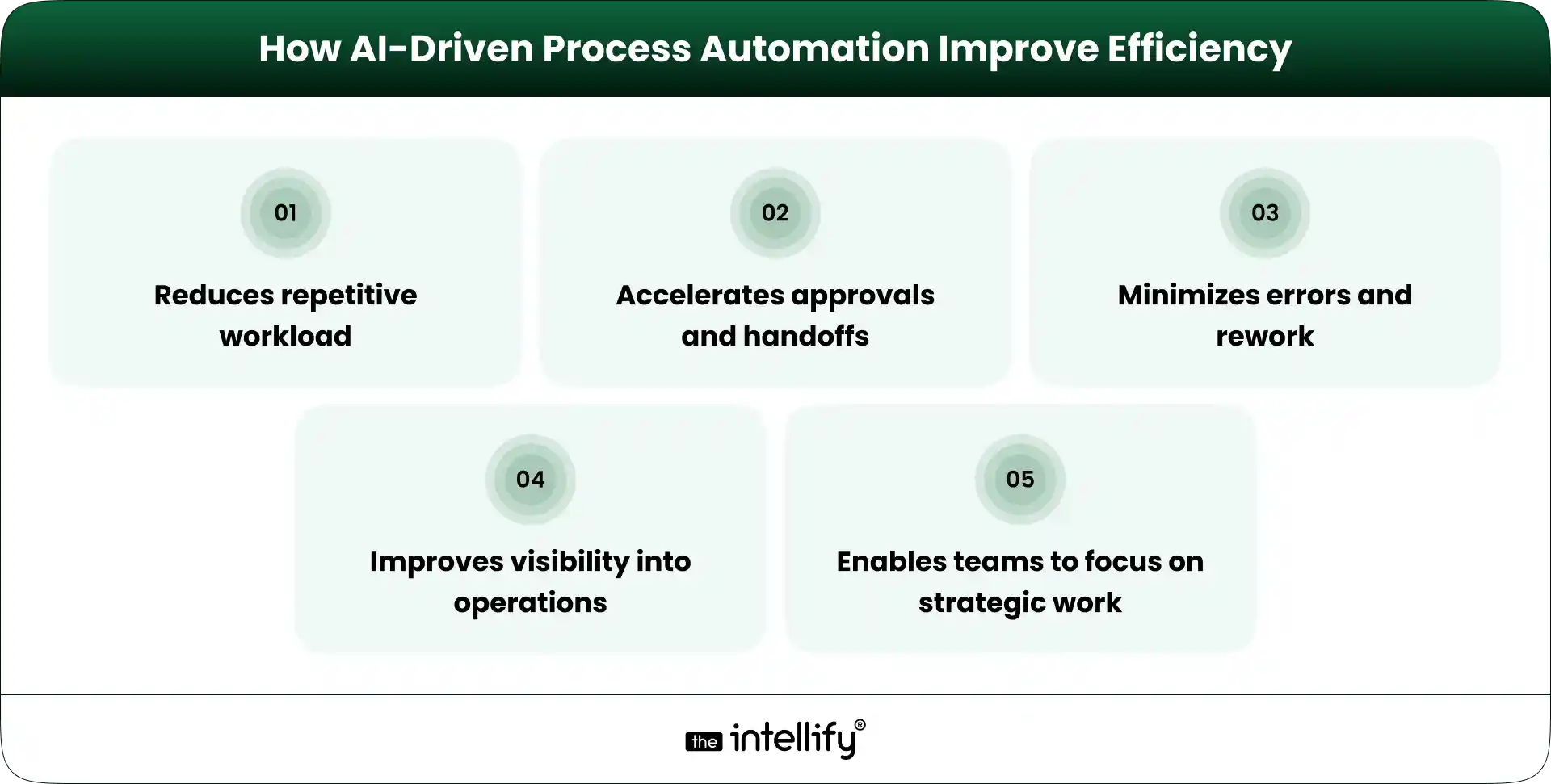
Benefits Healthcare Platforms See After Modernization


Common Mistakes While Choosing a Healthcare Partner

Some common errors include:

  • Choosing solely based on cost
  • Ignoring long-term scalability
  • Underestimating integration complexity
  • Overlooking post-launch support
  • Selecting general IT providers without healthcare expertise

Low-cost solutions often lead to expensive corrections later. Systems that don’t scale create bottlenecks. Lack of support leaves teams struggling after deployment.

Healthcare platforms require specialized understanding. Generalized solutions rarely work smoothly.


Working With a Partner That Understands Healthcare Complexity

Healthcare operations are layered and interconnected. Clinical workflows, administrative processes, billing cycles, and compliance frameworks must function together.

A reliable digital transformation service partner understands this complexity. They assess existing workflows before recommending changes. They focus on measurable results rather than generic implementations.

Organizations like The Intellify combine healthcare domain knowledge with AI and digital transformation expertise to design customized digital transformation solutions. The focus remains on operational clarity, compliance, and long-term scalability.

A long-term partnership approach ensures that modernization evolves with the organization’s growth.


Healthcare Digital Transformation Solutions


Final Thoughts

Digital transformation in healthcare industry affects patient care, operational efficiency, and financial sustainability. Choosing the right digital transformation partner influences how smoothly this transition happens.

When AI-powered systems and structured digital transformation strategies align, healthcare platforms become more resilient and intelligent.
This decision should be strategic, carefully evaluated, and future-focused. In healthcare, every operational improvement eventually impacts patient outcomes, and that makes the choice significant.


Frequently Asked Questions (FAQ)

1. What does a digital transformation partner do for healthcare platforms?

A digital transformation partner reviews your current systems, identifies gaps, and implements connected digital transformation solutions. In healthcare, this includes integrating patient records, automating workflows, improving billing systems, and strengthening data security. The goal is smoother operations and better patient experience.

2. Why is choosing the right partner important for digital transformation in healthcare?

Healthcare platforms handle sensitive patient data and strict compliance requirements. The wrong partner can create delays, integration issues, or security risks. The right digital transformation partner like The Intellify understands healthcare workflows and builds scalable, secure systems that support long-term growth.

3. How do I start evaluating a potential digital transformation partner?

Begin by checking their healthcare experience, integration capability, and regulatory knowledge. Ask for a clear roadmap, measurable milestones, and post-launch support plans. A structured evaluation helps avoid costly mistakes later.

4. Can digital transformation work with existing hospital systems?

Yes. Digital transformation in healthcare industry usually focuses on integrating existing systems rather than replacing everything. Proper integration improves data flow, reduces manual work, and enhances overall efficiency without major operational disruption.

5. How long does digital transformation take in healthcare?

The timeline depends on the scope of modernization. Smaller improvements may take a few months, while full-scale transformation can take longer. A phased approach with defined milestones allows healthcare platforms to improve steadily without overwhelming staff.

6. What role does AI play in digital transformation for healthcare?

AI automation in healthcare helps reduce manual tasks, improve data analysis, flag billing errors, and support clinical decisions. When combined with connected systems, AI makes healthcare operations faster, more accurate, and more proactive.

7. How do I measure success after adopting digital transformation solutions?

Success can be measured through reduced patient wait times, fewer claim denials, improved operational efficiency, stronger compliance tracking, and better financial visibility. Clear KPIs should be defined before implementation to track real progress.

AI for Healthcare Operations: Transforming Hospital Process in 2026

Summary:
Healthcare is facing growing operational pressure due to rising patient demand, staffing limitations, and complex compliance requirements. This blog explores how AI for healthcare operations helps address these challenges by improving scheduling, billing, diagnostics, and documentation workflows. It highlights key business benefits, practical implementation steps, and strategic priorities for long-term success, offering hospital leaders clear insights into building efficient, secure, and future-ready healthcare systems

The healthcare landscape is changing rapidly, and AI for healthcare is leading the way. As we look towards 2026, hospitals are confronted with a host of operational challenges from growing patient demands to strict compliance mandates. In this blog, we’ll explore how AI is reshaping healthcare operations, its key advantages, the hurdles hospitals must navigate, and why this is the ideal moment to adopt these cutting-edge technologies.


The Growing Complexity of Hospital Operations in 2026

As we head into 2026, the operational hurdles that hospitals face are becoming increasingly complex:

  • Rising patient demand and limited staff:- An influx of patients is putting a strain on resources, making efficient care delivery more critical than ever.
  • Administrative overload slowing down care: The burden of paperwork and numerous administrative tasks often eats into the time that could be spent on patient care.
  •  Financial pressure and reimbursement delays-: Shifts in reimbursement models can lead to financial constraints, which in turn affect service quality.
  •  Increasing compliance requirements: Regulatory demands can add to the workload, creating inevitable bottlenecks in hospital operations.

Given these challenges, traditional systems simply can’t keep up anymore. For hospitals to succeed, they’ll need to go beyond basic automation and integrate AI for healthcare operations it’s a practical pivot that transcends mere trends.


What AI for Healthcare Means in Operational Terms

AI isn’t just a tool for automating repetitive tasks; it’s about enhancing both clinical and administrative workflows. Here’s how it works:

Moving Beyond Basic Automation

AI in healthcare operations goes beyond simple task automation. It doesn’t just complete repetitive work it analyzes data, identifies patterns, and helps hospitals make smarter decisions in real time.

 Supporting Clinical and Administrative Workflows

AI helps clinical teams and administrative staff work in better coordination. It connects systems like scheduling, billing, and patient records so departments don’t operate in isolation.

Connecting Fragmented Hospital Systems

Many hospitals use multiple disconnected systems. AI helps bring these together, allowing information to flow smoothly across departments and reducing delays or duplicate work.

Shifting from Manual Coordination to Intelligent Support

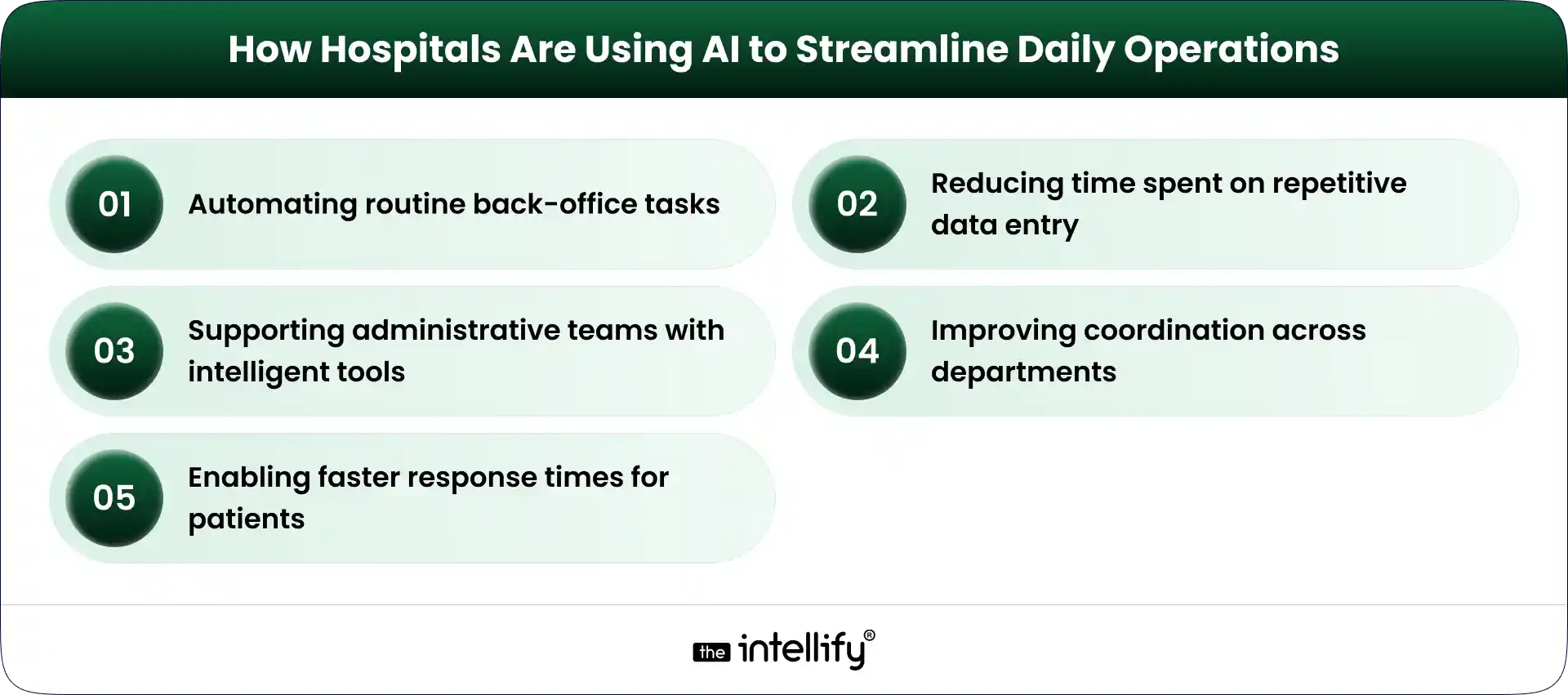
Instead of relying only on manual tracking and follow-ups, AI provides smart insights and alerts. This helps staff focus more on patient care while the system supports operational decisions.

How AI for Healthcare Operations Strengthens Internal Systems

AI strengthens internal systems by improving accuracy, reducing bottlenecks, and making processes more predictable. It builds a more responsive foundation that supports both efficiency and quality care.

In short, AI for healthcare reinforces internal systems, creating a healthier environment for staff and patients alike.


How Intelligent Systems Improve Daily Hospital Functions

AI technology has tremendous potential to enhance daily hospital functions, which are vital for operational success:

  • Collecting and organizing operational data: AI systems aggregate information from various sources, making critical data easily accessible.
  • Identifying inefficiencies in scheduling and billing: By analyzing patterns, AI can spotlight areas needing improvement, enabling more effective resource allocation.
  • Detecting compliance gaps early: AI continuously monitors operations, helping unearth regulatory risks before they become problematic.
  • Supporting faster clinical decision-making: With real-time insights, AI empowers healthcare professionals to make informed decisions on the spot.
  • Automating repetitive administrative tasks: Routine tasks such as appointment bookings and data entry can be automated, allowing staff to engage more meaningfully with patients.
  • Providing real-time performance visibility: AI equips hospitals with dashboards and reports that shed light on operational efficiency, enabling prompt adjustments.


AI for hospitals operations


Core Areas Transformed by AI in Healthcare Operations

Patient Scheduling and Resource Planning

  • Reducing wait times: Smart scheduling algorithms optimize appointment slots, helping to cut down on patient wait times.
  • Better staff allocation: AI analyzes demand trends, ensuring that staff levels are aligned with patient volume, thus boosting service quality.
  • Managing appointment flow: Automated systems streamline appointment flow, enhancing overall patient satisfaction.

Revenue Cycle and Claims Processing

  • Reducing coding errors: AI algorithms accurately code services, minimizing potential errors.
  • Predicting claim denials: By digging into historical data, AI can spot patterns that lead to claim denials, enabling proactive measures.
  •  Speeding up reimbursements: AI quickens the claims process, ensuring that providers receive payments more promptly.
    Diagnostic Support and Case Prioritization
  • Assisting imaging review: AI tools can analyze medical images, helping radiologists identify urgent cases more efficiently.
  •  Flagging urgent cases: AI prioritizes cases needing immediate attention, ensuring timely interventions.
  • Supporting physician decisions: With data-driven insights, physicians can make more informed choices regarding patient care.

Compliance and Documentation Oversight

  • Monitoring regulatory changes: AI stays current on regulations, helping compliance teams respond effectively.
  • Identifying documentation gaps: Automated checks highlight areas where documentation may be lacking, reducing the risk of audits.
  • Reducing audit risks: Continuous monitoring helps ensure that compliance requirements are consistently met.


Business Benefits of AI for Healthcare Organizations

Benefits of AI for Healthcare Organizations_

Incorporating AI for healthcare operations comes with a host of benefits:

1. Lower operational costs:- Automation decreases reliance on manual processes, leading to cost savings.

2. Improved billing accuracy:- AI enhances accuracy in billing, reducing discrepancies.

3. Faster administrative workflows:- Streamlined procedures mean that administrative tasks are handled swiftly, boosting productivity.

4. Better patient experience:- Efficient operations enhance overall patient satisfaction, helping to build loyalty.

5. Stronger regulatory readiness:- Proactive compliance systems ensure hospitals are always audit-ready.

6. More informed leadership decisions:- With comprehensive insights, hospital leaders can make strategic decisions that drive growth and efficiency.


Step-by-Step Process to Implement AI in Healthcare Management

Assess Operational Gaps

  • Identify workflow bottlenecks: Pinpoint areas where delays typically occur.
  •  Analyze denial rates: Review past claims data to uncover ongoing issues.
  • Evaluate scheduling inefficiencies: Scrutinize current scheduling practices to enhance efficiency.

Define Clear Goals

  •  Improve turnaround time: Set benchmarks for how quickly patients are processed.
  • Reduce compliance risks: Establish compliance targets to ensure adherence.
  • Increase financial accuracy: Aim for error-free billing and claims processing.

Start with Focused Deployment

  • Pilot in one department: Begin AI implementation in a single department to minimize disruption.
  • Measure impact: Assess pilot results to gauge benefits before a broader rollout.
  • Expand gradually: Scale up implementation based on successful outcomes.

Align Teams and Governance

  • Train staff: Make sure staff are adequately trained to work with new AI systems.
  • Maintain human oversight: While AI provides support, human oversight remains crucial for quality care.
  • Establish performance benchmarks: Regularly review performance metrics to evaluate success.


Challenges being faced by Hospital Industry

Challenges Faced by the Hospital Industry

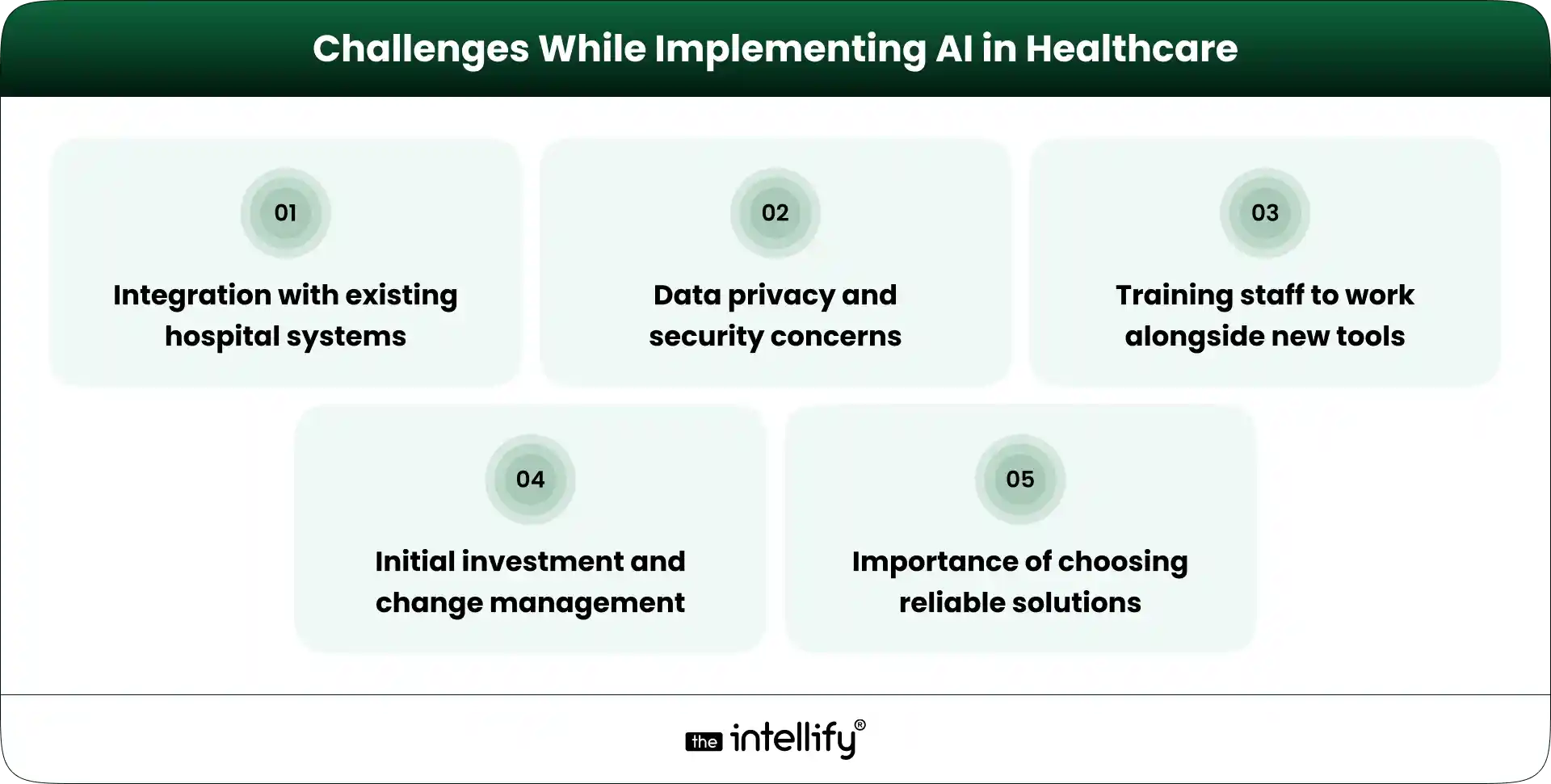
While AI presents incredible opportunities, hospitals also face a variety of challenges:

  • Data privacy and security: Protecting patient data must remain a top priority.
  •  Integration with legacy systems: Merging AI tools with existing infrastructure can prove complex.
  •  Resistance to workflow changes: Staff may be hesitant to embrace new technologies.
  • Upfront investment concerns: Initial costs can make hospitals wary of adopting AI solutions.

Avoiding overdependence on automation: It’s essential to strike a balance between human input and machine support.


Why 2026 Is a Defining Year for AI Healthcare Operations

The year 2026 is shaping up to be a game-changer for AI in healthcare, as hospitals increasingly recognize AI’s potential:

  • Maturity of AI tools: These technologies are becoming more advanced, offering robust solutions ready for deployment.
  • Clearer regulatory frameworks: Evolving regulations will ease the path for AI integration.
  •  Proven operational ROI: Hospitals are seeing measurable benefits from AI investments.
  •  Increasing competitive pressure: As more facilities adopt AI, hospitals need to keep pace or risk falling behind.
  • Industry-wide shift from pilots to enterprise-scale deployment: Organizations are transitioning from pilot projects to full-scale implementations.


What Hospital Systems Should Address Next

To stay competitive, hospital leaders should center their attention on several key areas:

  • Building long-term digital infrastructure: Invest in systems that can accommodate future technological advancements.
  • Integrating AI into core systems: Make sure AI tools are a foundational part of operations.
  • Tracking measurable performance improvements: Regularly evaluate the impact of AI implementations.
  • Ensuring transparency and accountability: Cultivate a culture that values clear decision-making.
  • Preparing for continuous system optimization: Adopt a mindset geared towards ongoing improvements and adjustments.


AI Solutions for Healthcare


Conclusion

Embracing AI for healthcare operations transforms hospitals into more efficient, patient-centered organizations. The benefits ranging from enhanced patient experiences to improved operational efficiency are compelling. As we approach 2026, adopting AI isn’t merely about technology; it’s about paving the way to a healthier future.

Beyond automation, this shift is about building smarter hospital systems that can adapt, respond, and grow with changing demands. With the right strategy and trusted partners like The Intellify supporting innovation, hospitals can move from fragmented processes to connected, future-ready operations that truly support both staff and patients.


Frequently Asked Questions

1. How is AI improving scheduling and patient flow in hospitals?

AI analyzes appointment patterns, staff availability, and patient demand to reduce wait times and avoid overbooking. It helps hospitals manage patient flow more smoothly without adding extra administrative pressure.

2. Can AI speed up billing and claims processing?

Yes, AI can automatically check coding errors, verify claims, and flag missing information before submission. This reduces claim denials and helps hospitals receive payments faster and more accurately.

3. What are the main benefits of AI in hospital operations?

It improves efficiency, reduces paperwork errors, lowers operational costs, and supports better decision-making. Hospitals also benefit from smoother workflows and improved compliance tracking.

4. How does AI support better diagnostic accuracy?

AI tools can analyze imaging scans and patient data to highlight patterns that might need attention. It doesn’t replace doctors but provides decision support that helps prioritize critical cases more quickly.

5. How safe is AI in healthcare when handling patient data?

AI systems are designed to follow strict data security and privacy regulations. When implemented correctly, they include encryption, access controls, and monitoring tools to protect sensitive patient information.

6.  How will AI change hospital operations by 2026?

By 2026, AI is expected to move from pilot projects to broader system-wide adoption. Hospitals will rely more on predictive insights, automation, and real-time monitoring to improve performance and patient care.

7.  Will AI replace staff in hospital operations or work alongside them?

AI will not replace hospital staff but work alongside them. It handles repetitive and data-heavy tasks, allowing healthcare professionals to focus more on patient care and critical decisions.

View
Case Study